Have people started asking you to speak up, even when you are holding your phone normally? Or maybe your Samsung Galaxy A12 suddenly goes silent during calls, even though everything else works fine. The Samsung Galaxy A12 mic issue often shows up like this and leaves many users confused about what went wrong.
Let’s talk through what might be causing the problem and the quick checks worth trying first. We will also explain how Cashify can help when a proper repair becomes necessary.
Also read: How To Fix Vivo V11 Pro Screen Issues? Replace It Affordably!
Why Is The Samsung Galaxy A12 Mic Issue Happening?

Microphone problems do not always mean your Samsung Galaxy A12 is damaged. There are a few simple causes that can affect sound input. Let us look at the most common ones:
Phone Case Blocking the Mic
Some covers do not align perfectly with the microphone hole. When this happens, your voice cannot reach the mic clearly. Calls may sound very low or break often.
Problem Appears Only During Calls
If the mic works in voice notes but not on calls, the issue is usually app or call-related. The microphone may be fine, but sound does not pass correctly during voice calls.
Audio Changes After a Software Update
After a system update, you may notice a Samsung Galaxy A12 mic issue where the microphone sounds different than before. Audio pickup can feel weak or delayed. This happens more often on budget phones after major updates.
Another App Using the Mic
Some apps keep microphone access even when closed. This can disturb calls or recordings. The mic struggles to switch between apps properly.
Gradual Microphone Wear
Daily use can slowly affect the microphone. The sound does not stop completely. It slowly becomes unclear over weeks or months.
Impact Near the Charging Area
A drop near the lower part of the phone can affect the mic. Even without visible damage, the internal part may shift. This often leads to weak or no sound.
Also read: How Do I Check My Android Hardware Health?
First Checks To Try Before Going For Mobile Repair
Let us now look at simple steps you can try at home before choosing a repair service. These checks often fix the Samsung Galaxy A12 mic issue without any extra cost.
Remove the Phone Case and Test the Mic
If your phone uses a tight or thick case, remove it first. Make a test call or record a voice note. If the sound improves, the case was blocking the microphone opening.
Check the Mic During a Normal Call
Call someone using the default calling app. Speak clearly and ask if your voice sounds low or breaks. If the mic works in voice notes but fails only during calls, the issue is not with the hardware.
Check Apps That Recently Got Installed
Think about any app you installed before the mic issue started. Disable or uninstall it and test the microphone again. Some apps interfere with mic access in the background.
Clean the Lower Edge of the Phone
The microphone sits near the bottom of the phone, and if not cleaned properly, it can cause a Samsung Galaxy A12 mic issue. Gently clean that area using a soft brush or dry cloth. Avoid using pins or sharp tools.
Observe the Mic After a Software Update
If the issue started after an update, restart the phone once and test the mic. Small system adjustments often settle after a reboot.
If none of these steps help, the mic issue may be linked to hardware. In that situation, seeking a trusted Samsung mobile repair service is the safest choice.
Also read: 8 Signs That Your Android Phone Motherboard Needs Repair!
Why Cashify Is The Best Place For Samsung Phone Repair?
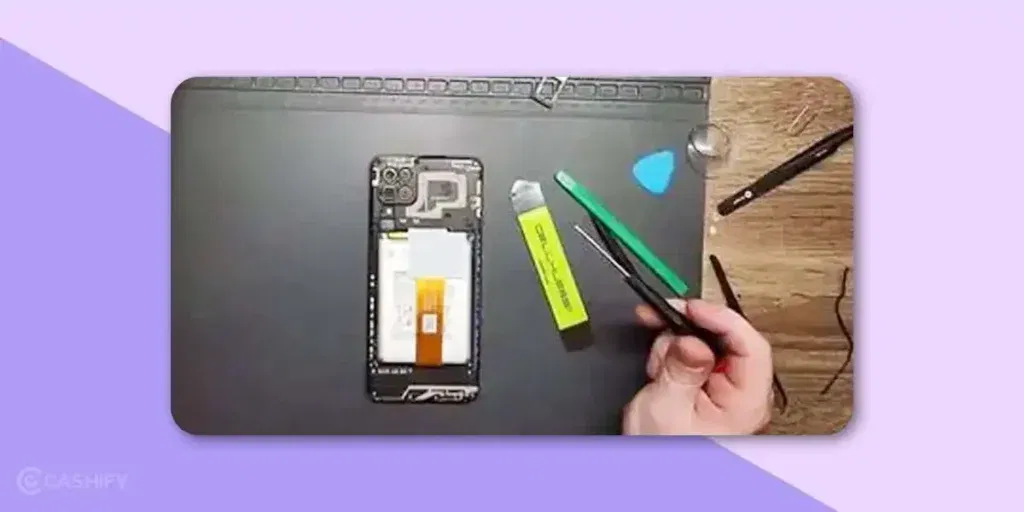
Once the cause of the Samsung Galaxy A12 mic issue is clear, the next step is choosing the right place for repair. Cashify provides a certified and reliable way to get phone repair done properly. Here is how Cashify helps.
- Every mobile phone repair is handled by professionals who understand Samsung devices and follow proper repair standards.
- High-quality compatible parts are used during repair to restore clear microphone sound and stable performance.
- The mobile repair cost is shared before booking, so you always know what you are paying for.
- A trained technician visits your location and fixes the microphone issue on the spot. Payment is required only after the repair is complete.
- Cashify has more than 200 repair centres across India for users who prefer visiting a service centre.
(You can also use the code RPR50 to get up to 50% off on your Samsung Galaxy A12 repair. This offer is available for a limited time and requires a minimum order value of Rs. 1,000.)
Also read: Vivo Y83 Pro Aux Jack Not Working? Repair It Fast With Cashify
How To Book Samsung Galaxy A12 Mic Repair On Cashify?
Follow these simple steps to fix the Samsung Galaxy A12 mic issue without any hassle:
- Visit the Cashify website or open the Cashify app and go to the Mobile Repair section.
- Choose Samsung as your phone brand from the list.
- Select Samsung Galaxy A12 from the available models.
- Pick Mic as the issue you want to fix.
- Enter your address to book a free technician visit. You pay only for the repair, not the visit.
- Choose a date and time slot that works best for you.
- Confirm the booking, and a trained technician will visit your location to complete the Samsung phone repair safely.
Also read: Vivo Y73 Not Powering On? Motherboard Repair Explained!
Final Thoughts On Samsung Galaxy A12 Mic Issue
To sum it up, a Samsung Galaxy A12 mic issue does not always mean your phone is damaged. Many times, it is caused by small issues like a blocked mic, an app problem, or a software change, and these can be fixed at home with basic checks.
If the problem does not go away, it is best to get the phone checked by a professional. Cashify makes the repair process simple with trusted technicians, clear pricing, and doorstep service, helping you fix the Samsung Galaxy A12 mic issue without any hassle.
If you’ve just bought a new phone and don’t know what to do with your old phone, then here’s your answer. Sell old mobile to Cashify and get the best price for it. If you are planning to buy a new phone, check out Cashify’s refurbished mobile phones. You can get your favourite phone at almost half price with six-month warranty, 15 days refund and free delivery.