To get a Free Fire Advance Server activation code, register on Garena’s official Advance Server website and check whether your account has received access. Codes are limited. Completing the form or downloading an APK does not guarantee that you can play.
The Advance Server is a test build for upcoming Free Fire features. Selected players can try changes and report problems before a wider release. Below are the current schedule, registration steps and checks to make if you cannot get in.
Current Test Dates and Regional Availability
What to check | Details |
|---|---|
November testing window | November 13–26, 2026, as listed on Garena’s portal |
Activation code | Required; available in limited numbers |
Sign-in options | Facebook or Google on the official registration page |
Download | Use the build offered by Garena for your account |
Regional access | The portal may be unavailable in your location |
Checked on November 22, 2026: Garena’s search listing shows an opening date of 11/13 and a closing date of 11/26. However, opening the portal in our browser returned: “The Free Fire Advance Server is not available for this region.” Check the page from your location before expecting to register or download anything.
These are testing dates, not a confirmed release date for the public game update. A server can be within its test window while access remains unavailable to your account or region. We have not verified an activation code or tested the current build.
Also read: Garena Free Fire OB34 Update: How To Download And Install?
How to Register and Get an Activation Code
- Open ff-advance.ff.garena.com. Check the address carefully before signing in.
- If registration is available in your region, choose the Facebook or Google sign-in option shown on the page.
- Enter the details requested by Garena and finish registration.
- Return using the same sign-in account to check your access and activation-code information.
- If Garena issues a code, keep it for the test build and follow the download instructions on your account page.
No code yet? Registration is a request to join the test. It is not a promise of a place. Repeatedly downloading the APK will not change your selection status. Check the official page for further notices rather than paying someone who promises entry.
How to Download and Open the Test Build
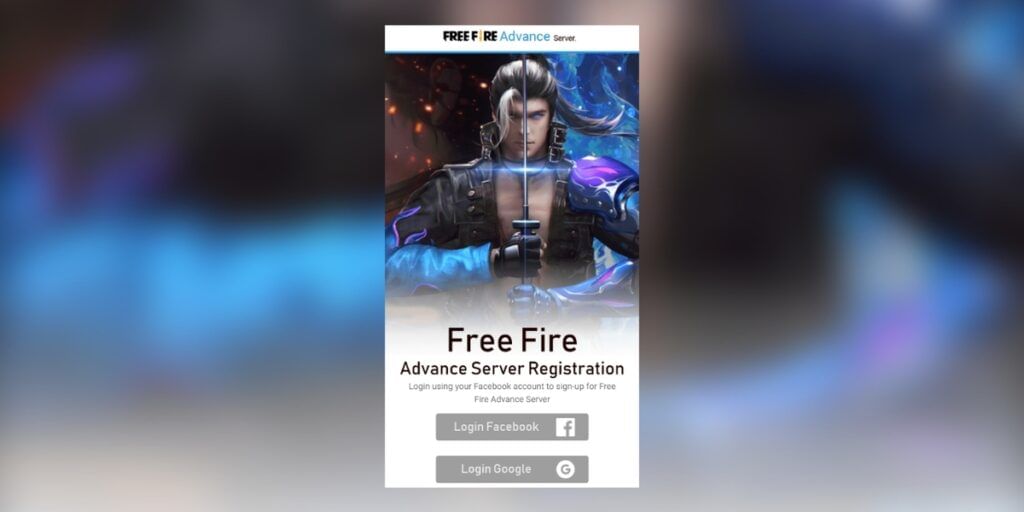
Illustration from an earlier guide; the current registration screen may look different.
- Check that the official portal offers a download for your account and that the test window is still open.
- Download the file directly from Garena. An APK is an Android installation file; it cannot be installed on an iPhone.
- Read the device and storage requirements shown with the current build. Do not rely on an old guide’s file size.
- If Android requests installation permission, allow it only for the browser used to download this official file. Turn that permission off again after installation.
- Open the app and enter the activation code when asked. Copy it carefully, without extra spaces.
The test client is separate from the normal game. Installing it does not unlock every future update in Free Fire MAX. Also, a screenshot from an older test is not proof that a particular feature is included now.
What If Your Code or Download Does Not Work?
Problem | What to check |
|---|---|
No activation code appears | Confirm that you signed in with the account used for registration. Access may not have been issued. |
The code is rejected | Check for typing mistakes and extra spaces. Follow any message shown by the app; do not assume a code posted online is valid. |
No download button | Check the official page for account access, current downloads and the testing schedule. |
“Not available for this region” | The portal is restricting access from your location. Wait for official availability information; another APK does not establish eligibility. |
The APK will not install | Check the current build’s requirements, available storage and whether the official download finished. |
The app will not connect | Check your connection and official server notices. A closed test server cannot be reopened by reinstalling the app. |
Avoid entering your account password into a “code generator”. An activation code comes through Garena’s access process. A page asking for payment, an OTP or unrelated app installations is not a substitute for that process.
Is an Activation Code the Same as a Redeem Code?
No. An activation code is used to enter the Advance Server. A reward redeem code is used to claim an eligible promotion. They serve different purposes, so a redeem code will not unlock the test build.
If you are following a guide about rewards, check which type of code it means. Do not paste your Advance Server code into an unrelated rewards website or share your login details with someone offering to activate it for you.
Also read: 5 Best Free Fire Players In India Whose Levels You Can’t Reach!
What Should You Do Once You Get In?
Try the features available in your build and note anything that behaves unexpectedly. For a useful bug report, explain what you were doing just before the problem happened. Include the steps needed to repeat it, your device details and a clear screenshot or short recording if the reporting form allows one.
For example, “the game crashed” gives little information. Naming the mode, the action that triggered the crash and whether it happened again makes the report easier to investigate. Use the reporting option provided by Garena and check its rules before sending a report.
Garena lists a Bug Hunter reward programme on the portal. Read the current conditions there. Joining the test or sending a report does not automatically earn diamonds, and a reward listed for an earlier cycle may not apply now.
Treat test progress as separate from your regular account. Do not join expecting to keep every test item or rank in the live game. Any officially announced reward is subject to its own rules. Experimental features may also change before release.
Also read: Here’s How You Can Play Garena Free Fire After The Ban In India!
Frequently Asked Questions
1. Can I get an activation code for free?
Use Garena’s official registration process and check whether a code has been issued. Availability is limited, and registration does not guarantee access. Do not pay a seller who promises a guaranteed code.
2. Can I play without an activation code?
Garena’s portal requires an activation code for Advance Server login. Having the installation file alone does not meet that requirement.
3. When does the November 2026 test close?
The published window ends on November 26, 2026. Check Garena’s portal for changes and regional availability. This date does not confirm when the public update will launch.
4. Can I install the Advance Server APK on an iPhone?
No. APK files are for Android. Use only a platform option officially offered by Garena; do not trust pages that claim an APK can be installed on iOS.
5. Why does the website say it is unavailable in my region?
The service is not being offered through the portal from your current location. We saw this notice during our check. Wait for official information rather than assuming a third-party download will give you access.
6. Does registering guarantee diamonds?
No. Bug Hunter rewards have conditions and depend on Garena’s review. Registration, installation and ordinary play are not a promise of a reward.
Before You Download
Start with the official portal, check access for your region and account, and download only the build Garena provides. If you have no code or the server is closed, wait for the next official notice. There is no reason to hand over your password or pay for a promise of entry.
Also read: Free Fire MAX tips to improve your headshot percentage.
Want to sell your old phone or recycle your old phone? Cashify can help you complete both processes from the comfort of your home!