GPT-6 Astra is OpenAI’s newest model for difficult, multi-step work. It is built for tasks that are more advanced. OpenAI says Astra can work across browsers, code, documents, spreadsheets, and other tools as part of a larger task. If you think that Astra is only accessible through a special desktop setup, there is an important update. The access to how to use ChatGPT GPT-6 Astra is rolling out through ChatGPT Work and Codex, as well as the OpenAI API. But just so you know, the availability can vary by plan and product during the rollout.
Let;s check out the full guide:
Step 1: Check If You Have Access To GPT-6 Astra
GPT-6 Astra is rolling out to ChatGPT Plus, Pro, Business, and Enterprise users. You need to enable Astra for the workspace because access is off by default at launch. OpenAI is rolling out access gradually. If you don’t see any Astra option, it does not necessarily mean something is wrong on your account.
For most individual users, make sure you update ChatGPT. After that, check the model options available inside your account.
Also Read: How To Get Free Royale Pass In BGMI? Legit Ways To Do It!
Step 2: Open GPT-6 Astra In ChatGPT
Once Astra is available on your account, open ChatGPT and check the model or workspace options. Astra is available in ChatGPT Work and Codex as it rolls out.
Pick Astra when the task needs serious reasoning, computer use, coding, research, or a sequence of actions. For a simple question such as “What is the capital of France?”, using the most advanced model is unnecessary. A faster, cheaper model can handle that kind of request perfectly well.
Step 3: Choose The Reasoning Level
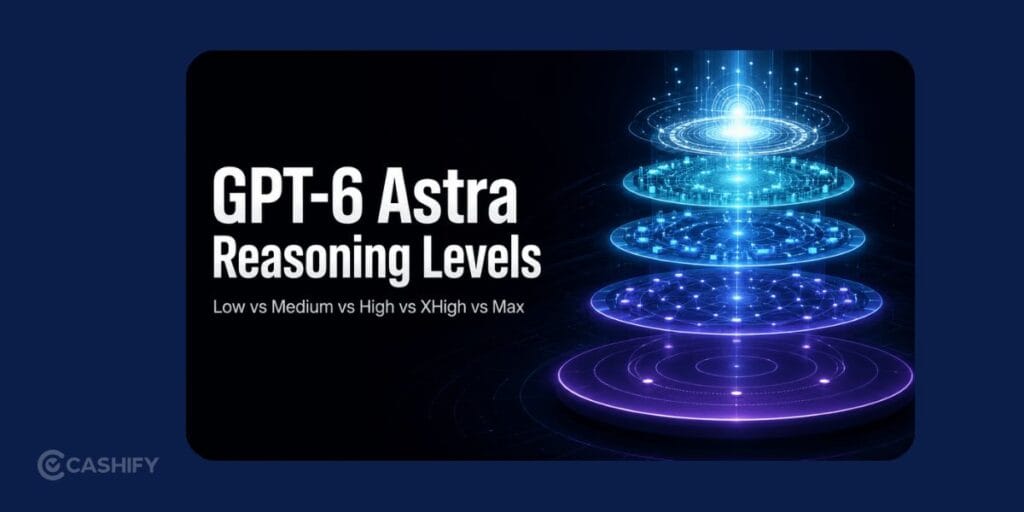
GPT-6 Astra has several reasoning settings: low, medium, high, xhigh, and max. The setting controls how much reasoning effort the model can spend on a task.
Here’s how to choose:
- Low: Small edits, straightforward questions, simple code changes.
- Medium: Everyday professional work and moderately complex tasks.
- High: Difficult research, complicated coding, analysis, and multi-step workflows.
- Xhigh: Tasks that need substantially deeper reasoning.
- Max: The hardest tasks where quality matters more than speed or usage cost.
My recommendation is simple: start at medium or high. Move to xhigh or max only when the task genuinely needs it. Using the highest setting for every request is wasteful. It can also make simple jobs take longer than necessary.
Also Read: How To Enable Developer Options In Samsung? Easiest Guide Here!
Step 4: Give GPT-6 Astra A Proper Task
Astra works best when you tell it exactly what you want done.
Instead of writing:
“Research laptops.”
Try something like:
“Research five laptops under ₹95,000 for video editing. Compare processor, RAM, storage, display quality, battery life, warranty, and current price. Use reliable sources. Put the results into a table, then recommend the best option for a working professional.”
The second prompt gives Astra a clear goal, boundaries, research criteria, and final format. Astra is designed for end-to-end tasks, not just short text responses. It can do workflows with high research, coding, computer use, documents, spreadsheets, and presentations.
Step 5: Give It Your Files And Instructions
If the task depends on a spreadsheet, PDF, report, template, image, or other reference material, attach the relevant file.
You should also explain any rules that matter.
For example:
“Use the attached report as the primary source. Keep the existing spreadsheet structure. Do not change formulas. Flag anything you cannot verify.”
That is far better than uploading a file and simply saying, “Analyse this.”
Also Read: How To Get Blurry Background On DSLR (Bokeh)? Simplest Guide!
Step 6: Tell It When To Stop
This is one of the most useful habits when using an agentic model.
If Astra is doing several actions, specify checkpoints.
For example:
“First research the competitors. Stop and show me the findings. Do not create the presentation until I approve the research.”
This gives you control before the model moves to the next stage.
For important business, financial, technical, or external actions, I recommend using checkpoints. This way, you will have better control over your work.
How Developers Can Use GPT-6 Astra?
Developers can access Astra through the OpenAI API using the model ID gpt-6-astra. The standard pricing is at $10 per 1 million input tokens and $50 per 1 million output tokens.
For INR, that works out to approximately:
- Input: ₹947 per 1 million tokens
- Output: ₹4,733 per 1 million tokens
One important point when it comes to how To use ChatGPT GPT-6 Astra: input and output tokens are priced differently. Output costs five times as much per million tokens. The applications that generate huge amounts of text can become expensive quickly.
There is also a context window of 1.05 million tokens and a maximum output of 128,000 tokens for Astra.
Different Uses Of ChatGPT GPT-6 Astra!
Astra makes the most sense when the task is difficult enough to justify a powerful reasoning model.
Good examples include:
- Building or debugging a substantial software project
- Researching a complicated topic across multiple sources
- Analysing large datasets
- Creating reports, presentations, or spreadsheets
- Working through long multi-step business tasks
- Using a computer or browser to complete a workflow
- Reviewing technical material and producing a structured result
For simple writing, basic calculations, casual questions, or quick rewrites, you probably do not need Astra.
Things To Note
Astra is powerful, but it is not a reason to stop checking its work. Agent-style tasks can involve multiple steps, tools, files, and external systems. A mistake early in the process can affect everything that follows.
OpenAI has also added additional monitoring and safeguards for Astra. In some situations, a task can be paused or stopped for review.
The Simplest Astra Guide:
If you want one formula to remember, use this:
Goal > Context > Files > Rules > Checkpoints > Final format
That is the kind of instruction Astra can work from effectively.
Final verdict
GPT-6 Astra is best viewed as a model for doing complicated work, not simply answering questions. You should start at medium or high reasoning. Make sure you give it enough context, attach the files it needs, set clear boundaries, and use checkpoints. Do not automatically choose the maximum reasoning level and hand over sensitive actions.
FAQs
How can I access GPT-6 Astra in ChatGPT?
You can access GPT-6 Astra through supported ChatGPT products, including ChatGPT Work and Codex, depending on your plan and account eligibility. Availability may vary by subscription and workspace settings.
What is GPT-6 Astra used for?
GPT-6 Astra is designed for complex tasks that require reasoning, coding, research, data analysis and multi-step workflows. It can also help work with documents, spreadsheets and supported computer-use tools.
Is GPT-6 Astra available for free?
No, GPT-6 Astra is not available for free. Access depends on the ChatGPT product, subscription and current rollout conditions. API usage is billed separately according to token consumption and the applicable pricing rates.
Can GPT-6 Astra analyse PDFs and spreadsheets?
Yes, it can help analyse supported files, such as documents and spreadsheets, when the relevant file-upload and analysis features are available. You should provide clear instructions about what to extract, compare or calculate.
Is GPT-6 Astra better than regular ChatGPT?
Yes, GPT-6 Astra is better suited to complex reasoning and multi-step tasks when its additional capabilities are needed. For simple questions, short rewrites and everyday requests, a faster model may be sufficient.
If you’ve just bought a new phone and don’t know what to do with your old phone, then here’s your answer. Sell old mobile to Cashify and get the best price for it. If you are planning to buy a new phone, check out Cashify’s refurbished mobile phones. You can get your favourite phone at almost half price with six-month warranty, 15 days refund and free delivery.