Ever noticed that people can’t hear you properly on your iPhone 16 Plus? This usually happens because of a problem with the receiver, which stops your voice from coming through clearly. The good news is, you don’t have to worry too much about it. Cashify is offering a repair for just Rs. 3,999, so getting your iPhone 16 Plus back to normal is simple and affordable. Let’s take a look at how you can fix the iPhone 16 Plus receiver problem and start calling without any issues again.
Also read: Vivo Y83 Pro Aux Jack Not Working? Repair It Fast With Cashify
What Leads To Apple iPhone 16 Plus Receiver Problem?
Let’s first look at the main reasons why your iPhone 16 Plus might have a receiver problem:
Receiver Flex Cable Issues
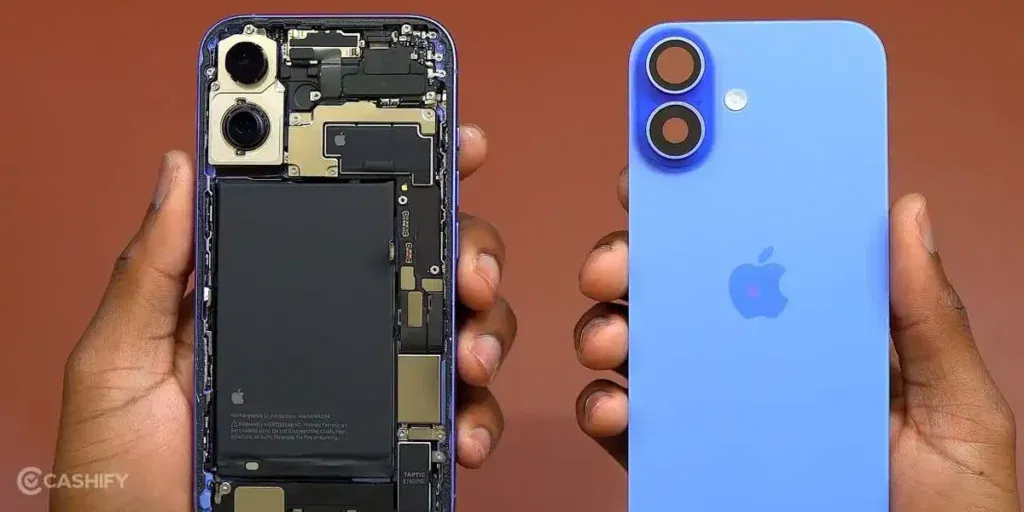
Apple iPhone 16 Plus receiver connects to the motherboard with a tiny flex cable. If this cable gets bent or loose, the receiver may stop working.
Logic Board Audio IC Fault
The audio IC on the logic board manages all call sounds. A fault in this chip can cause your voice to come through faintly or not at all.
Haptic Module or Sensor Interference
The haptic engine and nearby sensors sit close to the receiver. Any small shift or pressure inside the phone can reduce call volume or cause intermittent sound.
iOS-Specific Bugs
Sometimes, software updates or glitches can affect how the receiver works. Calls may sound low or muffled if the receiver doesn’t get proper audio routing.
Microphone-to-Receiver Routing Errors
The iPhone 16 Plus uses multiple microphones for noise cancellation. If the audio routing between the microphones and receiver fails, the person on the other end may hear little or no sound.
Common Physical or Environmental Issues
Dust, moisture, or accidental drops can also affect the receiver. Dust can block the grille, drops can misalign internal parts, and moisture can damage contacts.
Also read: 8 Signs That Your Android Phone Motherboard Needs Repair!
What To Try Before Repairing Your iPhone 16 Plus?
Now that you know what can cause an iPhone 16 Plus receiver problem, here are a few things to check before repair:
Update iOS
Check if your iPhone 16 Plus has the latest iOS version. Updates often fix audio routing issues. They also correct minor software glitches. Installing the newest software helps the receiver work properly.
Restart Your iPhone
Turn your iPhone off and then on again. A restart clears temporary system problems. It also refreshes audio components. This can restore normal call performance.
Test Different Call Apps
Try making calls using FaceTime Audio or WhatsApp. This helps you see if the issue is only with the regular phone app. If calls work fine on other apps, the iPhone 16 Plus receiver problem is likely with the app or settings, not the hardware.
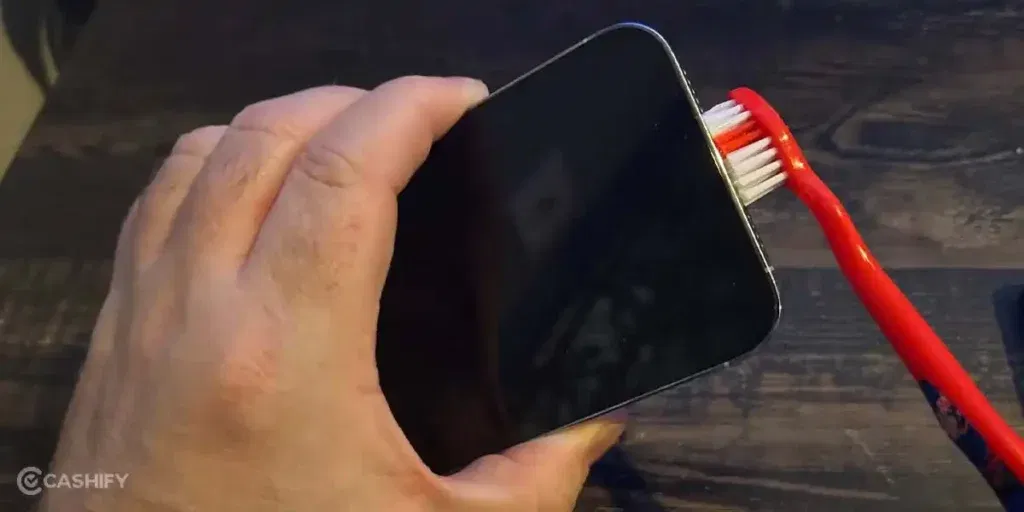
Clean the Receiver Grill
Use a soft brush or compressed air to remove dust. The receiver grille is very small. Even tiny debris can affect sound. Cleaning it often improves clarity.
Adjust Call Settings
Check call volume and turn off Silent mode. Make sure “Do Not Disturb” is disabled. Correct settings can make a big difference in call clarity.
Remove or Adjust Phone Case
Remove your case and test a call. Some cases press on sensors or the receiver area. Adjusting or removing it can restore better sound.
Check Microphone Function
Record your voice or use speakerphone. This helps confirm if the microphones are working correctly. Proper microphone function supports clear sound through the receiver.
Also read: How Do I Check My Android Hardware Health?
Why Choose Cashify To Fix Apple iPhone 16 Plus Receiver Problem?
Sometimes the above steps can fix the issue. But if the iPhone 16 Plus receiver problem still continues, professional repair is the best option. Cashify offers reliable service at Rs. 3,999, along with these added benefits:
Easy Booking Options
You can book your Apple mobile repair online anytime using the Cashify website or app. If you prefer, you can also visit one of Cashify’s 200+ stores across major cities. Booking is simple, and you can choose what works best for you.
Convenient Service and Transparent Pricing
Once your mobile repair is booked, a trained Cashify technician can visit your home or office. There’s no need to wait in queues or travel far. You only pay once the phone repair is complete, and the cost is shared upfront. There are no hidden charges, and the price depends on your phone’s condition.
High Quality Compatible Parts for Reliable Performance
Cashify uses high-quality compatible parts for all replacements, including the receiver. After mobile phone repair, your iPhone 16 Plus will deliver clear call sound and continue to work reliably for a long time. You don’t have to worry about low-quality components affecting performance.
Use code: TECH25 to avail of a discount of up to Rs. 300 by using the (on the minimum order value of Rs. 2499).
Use code: RPR50 to avail up to 50 per cent off on a minimum spend value of Rs. 1000. (limited offer)
Also read: Vivo Y73 Not Powering On? Motherboard Repair Explained!
Booking Your Apple iPhone 16 Plus Repair With Cashify
If you want to fix your iPhone 16 Plus receiver problem, booking with Cashify is easy. Follow these steps:
| Step | What to Do |
| 1 | Open the Cashify website or app and go to the Mobile Repair section. |
| 2 | Select Apple as the brand and iPhone 16 Plus as your model. |
| 3 | Choose “Receiver” as the issue to repair. |
| 4 | Enter your address for doorstep service. |
| 5 | Pick a date and time that is convenient for you. |
| 6 | Confirm the booking and wait for the trained technician to fix your phone. |
Also read: How To Fix Vivo V11 Pro Screen Issues? Replace It Affordably!
Final Thoughts On Apple iPhone 16 Plus Receiver Problem
You now know the common reasons behind the iPhone 16 Plus receiver problem. We also shared a few quick checks you can try at home before going for a receiver repair. If the issue still continues, Cashify offers reliable repair services to get your phone calling clearly again.
If you have any questions or need more help, feel free to drop a comment below. I’ll be happy to guide you and help you fix the receiver issue.
If you’ve just bought a new phone and don’t know what to do with your old phone, then here’s your answer. Sell old mobile to Cashify and get the best price for it. If you are planning to buy a new phone, check out Cashify’s refurbished mobile phones. You can get your favourite phone at almost half price with six-month warranty, 15 days refund and free delivery.