OPPO, with the new ColorOS 17, expects to polish everything that already exists. Based on Android 17, it is set to focus heavily on smoother animations, better touch feedback, and a more consistent interface. Today we are going to go all in with the ColorOS 17 features.
The biggest change so far is not a massive redesign. Instead, OPPO is refining the way different parts of the interface move and respond to your touch. The company has teased features such as a new floating navigation system, Fluid Fusion animations, and a physics-based feedback system.
ColorOS 17 is OPPO’s Android 17-based software for OPPO, OnePlus and realme phones. It brings Living Flow Design, faster app launches and new AI tools. OPPO unveiled it globally on October 13, 2026. The India rollout starts on October 29, 2026. Older phones follow through Q1 2027.
ColorOS 17 Is Official: What Changed Since The Teasers
OPPO showed ColorOS 17 in China on September 17. It then unveiled the software globally and in India on October 13. The launch changed some names from the teasers.
OPPO now calls its design language Living Flow Design. It has three parts:
- Luminous Effect: adds translucent materials and soft highlights.
- Fluid Motion: smooths transitions between screens.
- Flexible Feedback: makes buttons and toolbars compress and bounce back when you touch them.
The Laminar Flow Engine handles app launches and multitasking. A new Unified Rendering Architecture cuts rendering load by up to 30%.
Also read: ColorOS 16 vs ColorOS 17: What’s New, What’s Better, And Should You Upgrade?
ColorOS 17 Features: What’s New?
1. Global Floating Island Navigation
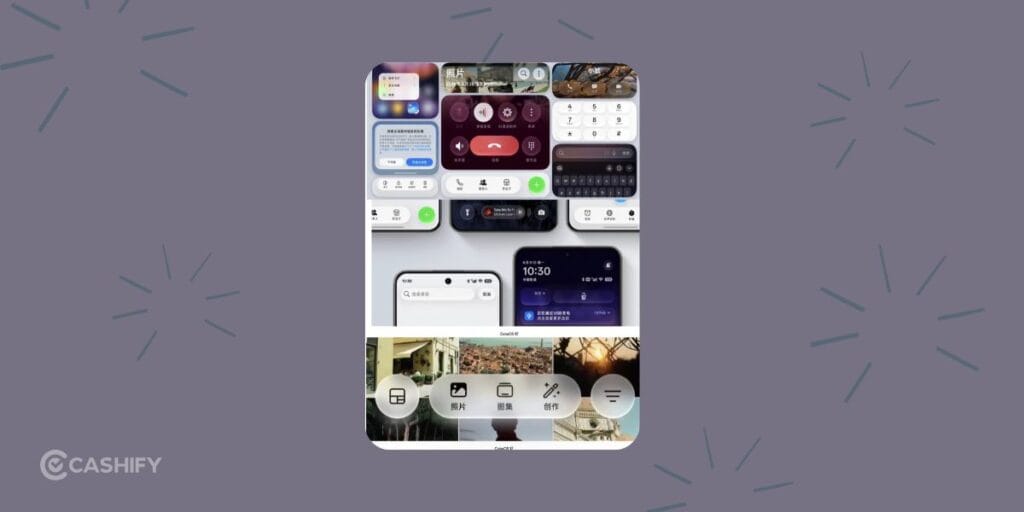
One of the most noticeable ColorOS 17 changes is the new Floating Island Navigation system.
Instead of having different navigation treatments across individual apps, OPPO is introducing a floating navigation bar that works across a wide range of built-in apps. This includes apps such as Files, Photos, Phone Manager, Compass, Notes and Documents.
The floating bar sits above the main content, giving the interface a cleaner edge-to-edge appearance. You can also swipe left or right on the bar to move between different sections.
This sounds like a small change on paper, but it could make ColorOS feel much more cohesive. One of the annoying things about smartphone software is when every system app seems to follow a slightly different design language. OPPO appears to be trying to fix that.
2. Fluid Fusion Animations
ColorOS 17 also gets smoother animations with Fluid Fusion.
OPPO is improving the fluid animations introduced with ColorOS 16. The goal is to make transitions between different actions feel smoother and more connected.
Instead of one animation suddenly stopping and another starting, the elements will smoothly move from one action to the next. This can be seen in areas like the lock-screen island, notification panel, global search, and floating navigation.
For example, when you swipe through notifications, the different options can appear one after another in a smoother way. In the search section, elements can also smoothly expand and shrink instead of simply appearing or disappearing.
These changes may seem small, but they can make the phone feel much smoother and more polished during everyday use.
3. A More Responsive Touch Experience
Another interesting part of ColorOS 17 is its Flexible Feedback System.
The idea here is simple: the interface should react to your finger in a way that feels closer to a physical object.
UI elements can stretch when you drag them, compress during quick movements, and spring back after you release them. The system can also adjust how quickly an element responds based on the speed of your gesture.
A quick swipe can trigger a faster response, while a slower drag can introduce subtle resistance.
This is where ColorOS 17 could feel different from a standard visual refresh. OPPO is not just changing what the interface looks like. It is also tweaking how it behaves under your fingers.
Also read: ColorOS 17 Features, AI Tools, Performance Upgrades: Everything Explained!
4. Refined Liquid Acrylic Design
ColorOS 17 is also getting some visual changes under OPPO’s Liquid Acrylic design.
You can expect more consistent rounded corners across pop-ups, notifications, menus, and other parts of the system. OPPO is also cleaning up the overall look by reducing visual clutter while keeping some transparency and soft lighting effects.
Don’t expect a major “Liquid Glass” makeover, though. OPPO has already indicated that it isn’t going for a heavy glass-like design across the entire interface.
Instead, the focus is on making ColorOS look cleaner, easier to read, and more consistent. And honestly, that sounds like a good move. Too much blur and transparency can make a phone’s interface look messy.
5. Better Overall System Performance
Performance is another key focus of ColorOS 17.
OPPO says the update will improve everyday tasks such as opening apps, moving around the interface, and keeping apps running in the background.
| Area | Claim vs ColorOS 16 |
| App launch stability | 55% better |
| Gallery thumbnails (first launch) | Up to 50% faster |
| Background apps | 25%+ more kept running |
| Rendering load | Up to 30% lower |
| Rendering RAM use | Up to 25% lower |
| Smoothness after a six-year simulation at 90% full storage | Over 90% retained |
Keep in mind that these are OPPO’s own claims, so the actual experience can vary from one phone to another.
Still, these improvements could make a noticeable difference in daily use. Smooth animations look nice, but they don’t mean much if apps take too long to open or keep reloading in the background.
6. ColorOS 17 AI Features: What’s New?
OPPO calls these AI features new tools “agentic.” They don’t only answer questions. They finish tasks for you.
AI Mind Pilot

It works as an assistant for your files and photos. It finds travel pictures, sorts and renames files, and builds albums. It turns brainstorm notes into a presentation. It also reads tickets and bookings to build a travel plan. At launch, it connects to ChatGPT and Manus. You add your own accounts. Manus support for local files and photos arrives in a later update.
AI Photo Agent

AI Photo Agent edits photos from a typed prompt. Style Match applies a look, and a slider sets how strong it is. It also fixes lighting, colour and portraits. It works on still photos only. Limits may vary by region.
AI Mind Space
It saves bills, documents, articles and video links in one place. Memory Collections then turn them into a summary with text, images, tables and maps. It helps when you plan a trip.
AI Mind Suggest
It shows useful cards on your home screen. In India, it shows MakeMyTrip train details, including schedule, booking status and PNR. It also suggests Spotify content when you connect headphones.
OSee
It adds visual AI to the camera. It identifies objects and birds. It estimates food calories and helps you check for allergens. It also scans and translates documents.
AI Live Interpreter
It translates conversations in real time through OPPO Enco X4 or OnePlus Buds Pro 4 earbuds. AI Call Guard spots synthetic voices and AI face swaps during calls. OPPO says Call Guard is available in India.
Also read: Android 15 Features, Eligible Devices List, All Details!
Privacy And Security In ColorOS 17
Private Computing Cloud runs AI tasks in a secure, end-to-end encrypted environment. OPPO says it cannot access that data. ColorOS 17 also adds post-quantum protection for data in transit. A new Transparency Report lists which services ran and what they did. You can view or export it. This matters because agentic AI touches your files and photos.
What Happens To OxygenOS And realme UI?
OPPO has merged OxygenOS and realme UI into ColorOS. ColorOS 17 is the first version for OnePlus, and realme owners get it under this plan. OPPO says the shared platform makes updates faster and more stable. If you own a OnePlus or realme phone, expect the ColorOS interface after you update.
When Will ColorOS 17 Roll Out in India?
The first stable update will arrive on October 29, 2026. Later batches follow by model. Some phones in the first batch are about two years old.
| Batch | Sample phones |
| October 2026 (from October 29) | OPPO Find X9 series, Find X8 series, Find N6, Find N5, Reno16 series. OnePlus 15, 15R, 13, 13s. realme GT 8 Pro, GT 7 Pro. |
| November 2026 | OPPO Reno15 and Reno14 series, Find N3. OnePlus 12, 13R, OnePlus Open, Nord 6. realme GT 7, realme 15 series. |
| December 2026 | OPPO Reno13 series, K13 Turbo series. OnePlus 12R, 11, Nord 5. realme GT 6, realme 14 series. |
| Q1 2027 | OPPO Reno12 series, Find N2 Flip. OnePlus Nord 4. realme Note 80 series. |
To check for the update, open Settings > Software update. The India beta started on 13 October, but applications are closed. Dates can shift by model and region.
Also Read: Xiaomi HyperOS 3.0 Release Date, Eligible Devices, Features!
Lock Screen And Everyday Changes You’ll Notice
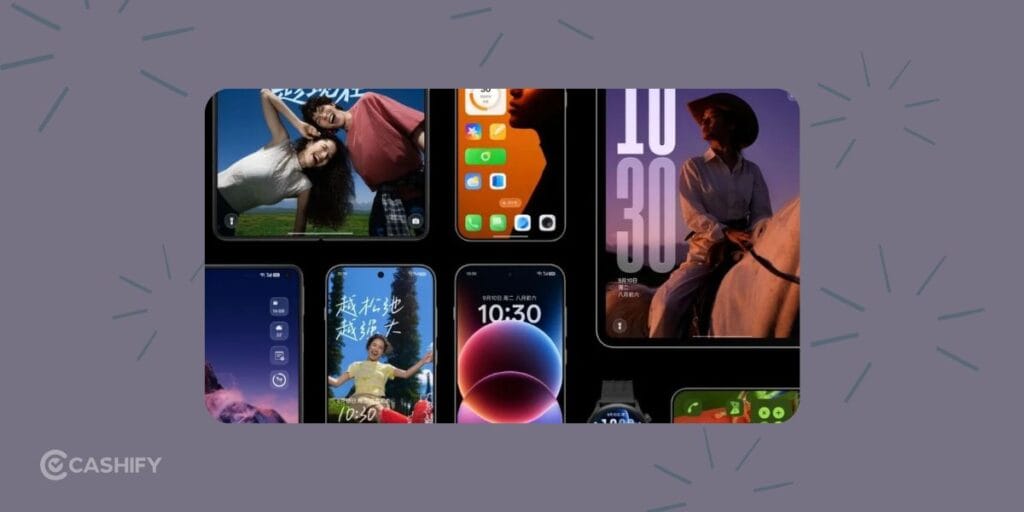
- Living Clock: resize and move it. Its look animates between the Always-On Display, lock screen and home screen.
- Mountain Way theme: reacts to the weather with rain and snow effects.
- Media player: tap the Live Capsule for a full-screen album-art view.
- Control Centre: gets rounder icons and a redesigned media player.
- Dual Bluetooth audio: play sound on two devices at once.
Also read: ColorOS 17 Release Date And Eligible Devices: All Details Here!
ColorOS 17 Features Compared To ColorOS 16.
| Feature Category | ColorOS 16 | ColorOS 17 |
|---|---|---|
| Base Android Version | Android 16 | Android 17 |
| Core Animation System | Seamless Animations + Luminous Rendering Engine | Fluid Fusion animations (extended system-wide) |
| Touch Feedback | Smooth, point-of-touch animations | Flexible Feedback System (stretch, compress, elastic bounce based on finger pressure & speed) |
| Navigation | Standard bottom navigation bars | Global Floating Island Navigation (system-wide floating bar across nearly all built-in apps; swipe left/right to switch sections) |
| Visual Style / Materials | Luminous Design (light & shadow, soft glows, translucency) | Refined Liquid Acrylic materials + more consistent rounded corners system-wide |
| Rendering Engine | All-New Luminous Rendering Engine (unified seamless architecture) | Further optimised / extended from ColorOS 16 foundation |
| Performance Engine | Trinity Engine (chip-level Dynamic Frame Sync) | Further refinements focused on stability & efficiency |
| Lock Screen / Live Alerts | Lockscreen Island / Aqua Dynamics improvements, full-screen AOD, motion wallpapers | Enhanced Lockscreen Island + Fluid Fusion animations applied |
| Home Screen | Flux Home Screen (resize icons/folders dynamically) | Expected to retain + refined animations & consistency |
| AI Features | AI Portrait Glow, AI Eraser, AI Unblur, Reflection Remover, Mind Space, Gemini Live integration | Expected expansions & refinements (full details still pending) |
| Cross-Device | O+ Connect (improved Mac/Windows + iOS support) | Expected continuation + possible expansions |
| Design Philosophy | Nature-inspired light & shadow, Seamless Animation focus | Core experience polish, physics-based motion, consistency over radical redesign |
| Status (as of Sep 2026) | Stable & widely rolled out | Closed beta live; stable expected October 29 2026 onward |
Also Read: One UI 5 vs One UI 6: A Complete Interface Comparison!
Final Words
ColorOS 17 is more about refinement than a major redesign. The biggest strength of ColorOS 17 is that OPPO is focusing on the basics. Smoother animations, better touch response and the new Floating Island Navigation should make everyday use feel more fluid.
If you were expecting a completely new design with lots of new features, ColorOS 17 may feel a bit less exciting. But if you want a phone that feels smooth, fast and easy to use, this update looks promising.
Overall, ColorOS 17 looks like a better everyday experience than ColorOS 16. OPPO is improving the parts of the software you use the most. Upgrading to ColorOS 17? Sell your old phone on Cashify and get an instant quote.
ColorOS 17 Features FAQs
Is ColorOS 17 a big redesign?
No, ColorOS 17 is not a big redeisgn. The look stays close to ColorOS 16. The big changes are motion, touch feedback, performance and AI.
Will my OnePlus or realme phone get it?
Check the table above. If your model is listed, it will get the update in its batch.
Should I trust the speed claims?
Treat them as OPPO’s own numbers. Wait for independent reviews.
If you’ve just bought a new phone and don’t know what to do with your old phone, then here’s your answer. Sell your old mobile to Cashify and get the best price for it. If you are planning to buy a new phone, check out Cashify’s refurbished mobile phones. You can get your favourite phone at almost half price with a six-month warranty, 15-day refund and free delivery.

Manidipa Ray
Manidipa Ray is a Senior Content Writer at Cashify with over a decade of experience in content writing across diverse niches. With a growing specialisation in technology, she enjoys exploring smartphones, gadgets and emerging tech trends and making complex technical topics easier for readers to understand.
At Cashify, she primarily writes technology blogs covering smartphone comparisons, buying guides, evergreen tech explainers, mobile deals, festive sales, tech news and industry trends. She also handles the repair blogs vertical, creating informative content on smartphone and laptop repairs, common device issues, troubleshooting and repair solutions. Her writing covers a wider range of topics, including gaming consoles, processors, chipsets and operating systems. She has also contributed to Cashify's web and app content.
Beyond writing, Manidipa enjoys exploring new apps, attending tech events and participating in field visits to gain first-hand experience with devices, repair processes and real-world technology challenges. She brings these practical insights into her content to help readers understand technology better and make informed decisions.