Have you plugged in your Vivo Z1 Pro, but it still isn’t charging? Maybe the cable keeps slipping out, or the phone stops charging after a while. You may not know if the problem is with the charger, cable, or charging jack. Before you get it repaired, try a few simple checks first. Let’s look at four things that can help you find out if your Vivo Z1 Pro charging jack faulty issue needs a repair.
Also read: How To Fix Vivo V11 Pro Screen Issues? Replace It Affordably!
4 Things To Check If Your Vivo Z1 Pro Charging Jack Is Faulty
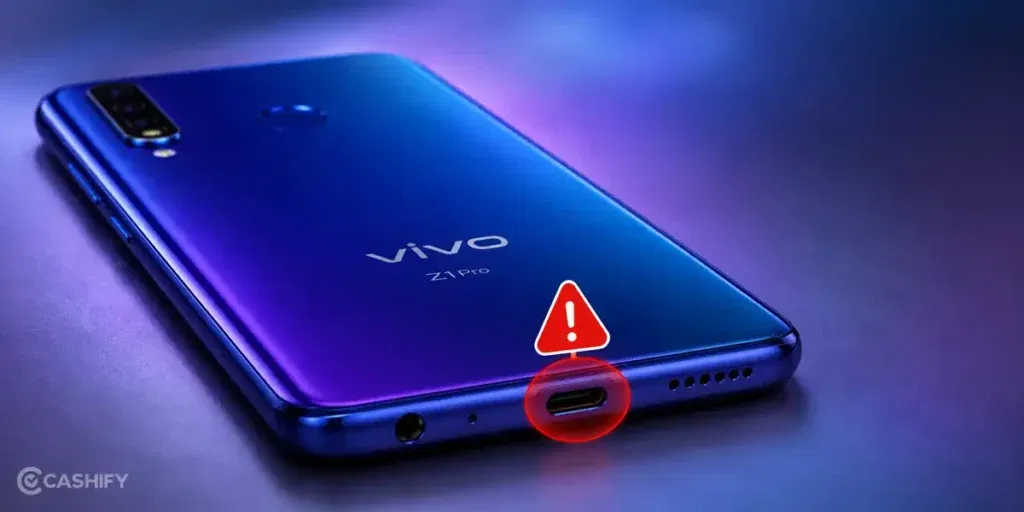
Before booking a mobile repair, check these points to understand the Vivo Z1 Pro charging jack faulty issue:
Check If the Phone Detects the Charger
Plug the charger into your Vivo Z1 Pro and watch the screen. If there is no charging symbol or battery notification, the phone may not be detecting the connection. Try another working charger once to see if the charger is causing the problem.
Is The Battery Percentage Going Up?
Leave the Vivo Z1 Pro plugged in for about 10 to 15 minutes. Check the battery percentage before and after. If it stays at the same level or drops even while the charger is connected, there could be a charging problem.
Check If The Phone Gets Hot While Charging
Feel the back of the phone after it has been charging for a few minutes. A little warmth is normal, but unusual heat should not be ignored. If the phone gets very hot and charging is also inconsistent, stop using the charger and get the phone checked.
What Happens After A Restart?
Restart your Vivo Z1 Pro and connect the charger again. If charging starts normally after the restart but stops again later, the problem may not be with the charging jack itself. If the same charging problem continues, the jack may need a closer inspection.
Also read: Vivo Y83 Pro Aux Jack Not Working? Repair It Fast With Cashify
When Is It Time To Repair Your Vivo Z1 Pro Charging Jack?
Sometimes, a simple check can fix the Vivo Z1 Pro charging jack faulty issue. If it doesn’t, here are some signs that your charging jack may need Vivo mobile repair.
The Charging Port Looks Bent Or Damaged
Use a light to look inside the charging port. If you notice a bent contact, cracked plastic, or any visible damage, the port may need repair. Do not try to straighten anything inside it yourself.
The Phone Was Dropped With The Charger Plugged In
A drop can put pressure on the charging port when the cable is connected. If the charging problem started after your Vivo Z1 Pro fell with the charger plugged in, the port may have suffered physical damage.
The Charging Port Feels Different Than Before
Pay attention when you plug in the charger. If the port suddenly feels loose, unusually tight, or different from how it normally feels, the charging jack could be damaged.
The Problem Started After Water Exposure
If your Vivo Z1 Pro got wet and stopped charging, the Vivo Z1 Pro charging jack faulty issue could be linked to moisture. Water can affect the charging port and its connection. Avoid plugging in the charger until the phone is checked.
Also read: 8 Signs That Your Android Phone Motherboard Needs Repair!
Why Choose Cashify For Vivo Z1 Pro Charging Jack Repair?
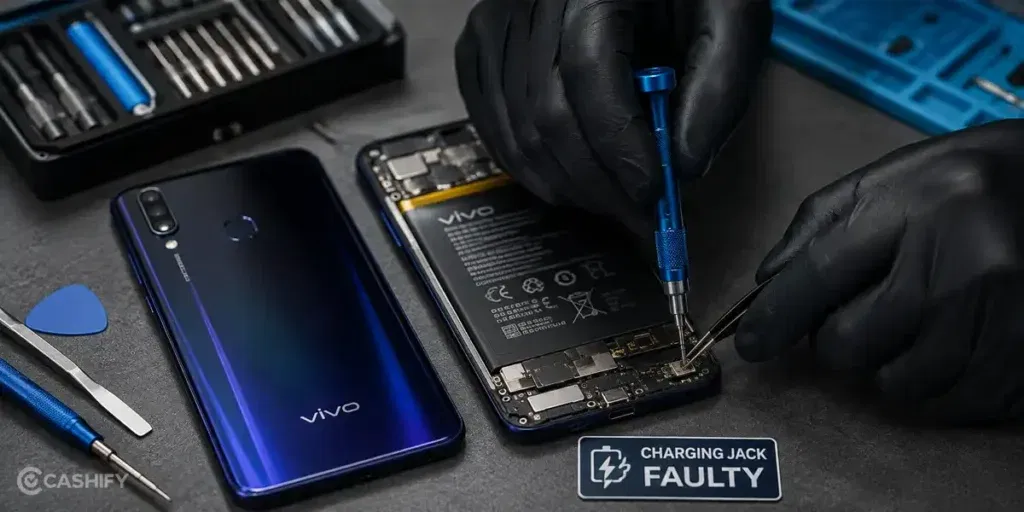
Once you decide to get the charging jack repaired, the next step is finding a phone repair service you can trust. Cashify is a reliable choice for Vivo Z1 Pro charging jack repair, and here’s why:
Get Doorstep Repair At Home Or Office
A trained technician can visit your home or office. You do not need to travel or wait in queues.
Visit A Cashify Store If You Prefer
If visiting a store is easier, Cashify has 200+ stores across major cities. You can walk in and get your Vivo Z1 Pro checked.
Know The Repair Cost Upfront
The mobile phone repair cost is shared before any work starts. There are no hidden charges. The pricing depends on the condition of your phone. You only pay after the repair is done.
Get High-Quality Compatible Parts
Cashify uses high-quality compatible parts for replacement. These parts help restore proper charging performance and long-term reliability.
Also read: How Do I Check My Android Hardware Health?
FAQs About Vivo Z1 Pro Charging Jack Faulty Issue
Q. Why does my Vivo Z1 Pro show charging but the battery does not increase?
The phone may detect the charger but still fail to charge properly. A damaged charging jack, faulty cable, or battery problem can cause this.
Q. Why does my Vivo Z1 Pro charge only when the cable is held in one position?
This can happen when the charging connection is loose or the jack has been damaged. If the cable needs to stay at a certain angle, the port should be checked.
Q. Can I use my Vivo Z1 Pro if the charging jack is damaged?
You can use the phone if it still has battery, but repeated charging problems can make it difficult to keep the phone powered. It is better to get the jack checked if the problem continues.
Q. How do I know if the charger or charging jack is the problem?
Try a different working charger and cable. If the same problem continues, the charging jack may be causing it.
Q. Is it safe to charge my Vivo Z1 Pro after it gets wet?
No. Avoid connecting the charger immediately after water exposure. Moisture inside the charging port can cause further problems.
Also Read: OLED Brilliance: Refurbished POCO F6 For Netflix Lovers!
How To Book Vivo Z1 Pro Charging Jack Repair?
To book a repair for the Vivo Z1 Pro charging jack faulty issue, follow these simple steps:
- Visit the Cashify website or open the Cashify app.
- Go to the Mobile Repair section.
- Select Vivo as the phone brand.
- Choose Vivo Z1 Pro from the list.
- Select Charging Jack as the repair issue.
- Enter your address for doorstep service.
- Choose a suitable date and time.
- Confirm your booking.
Also read: Which Is The Best Way To Repair Broken Screen For Vivo V30?
Final Thoughts On Vivo Z1 Pro Charging Jack Faulty Issues
So, we have covered the common signs of a Vivo Z1 Pro charging jack faulty issue and the checks you can try before booking a repair. These checks can help you understand what may be causing the charging problem.
If the problem still continues, avoid trying random fixes or forcing the charger into the port. It is better to get the phone checked by a technician.
If you still have any questions, feel free to leave a comment below.
Use code:
- TECH25 to avail a discount of up to Rs. 300 (on the minimum order value of Rs. 2499).
- RPR50 to avail up to 50 per cent off on a minimum spend value of Rs. 1000 (limited offer).
If you’ve just bought a new phone and don’t know what to do with your old phone, then here’s your answer. Sell old mobile to Cashify and get the best price for it. If you are planning to buy a new phone, check out Cashify’s refurbished mobile phones. You can get your favourite phone at almost half price with six-month warranty, 15 days refund and free delivery.