When you use a smartphone every day, the software experience matters just as much as the hardware. A powerful processor or a great camera can attract buyers, but the interface you interact with every time you unlock your phone shapes the overall experience.
Motorola has always focused on keeping things simple with its near-stock Android approach. With Hello UI, the company has taken that philosophy further by adding useful customizations, smarter tools, and features that make everyday tasks easier without making the interface feel complicated.
Unlike some Android skins that come packed with unnecessary changes, Hello UI focuses on improving convenience. Whether you want faster ways to connect your devices, more control over personalization, or shortcuts that save time, there are several features worth exploring.
Here are the top Hello UI features that make Motorola smartphones stand out in 2026.
Also Read: Samsung Galaxy S25 Ultra Battery Draining Fast? Top 5 Fixes You Can Try Today
Smart Connect: A Better Way To Use Your Phone Across Devices
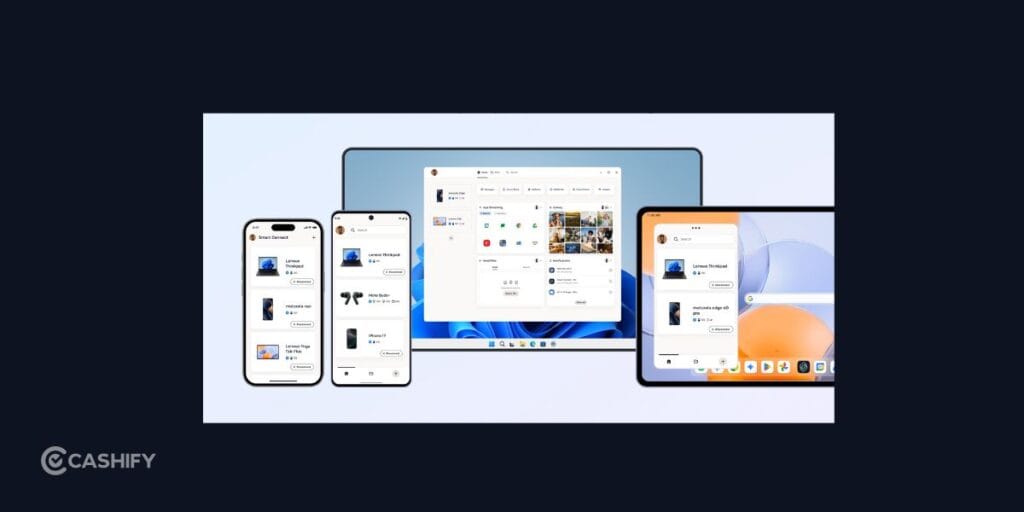
One of the most useful additions in Hello UI is Smart Connect. If you regularly switch between your smartphone and other devices, this top Hello UI feature can make the transition much smoother.
Smart Connect allows your Motorola phone to work more closely with compatible laptops, tablets, and external displays. You can share files wirelessly, mirror your phone’s screen, use mobile apps on a bigger display, and move content between devices without relying on cables or third-party applications.
For example, if you receive a document on your phone but need to edit it on your laptop, Smart Connect makes the process much quicker. Similarly, sharing photos or videos becomes easier without sending them through messaging apps or cloud storage.
It is a feature that may not seem important at first, but once you start using it, it becomes a convenient part of your daily workflow.
A Cleaner Interface With More Personalization Options
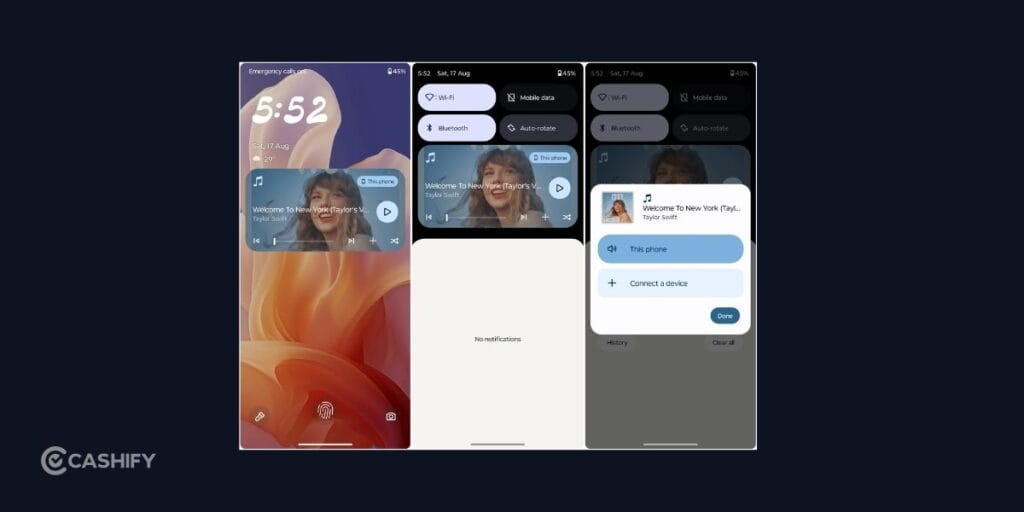
One of the biggest advantages of Hello UI is that it keeps the Android experience clean while still giving you enough customization options.
Instead of overwhelming you with too many changes, Motorola allows you to personalize important parts of the interface. You can adjust themes, wallpapers, colors, fonts, icons, widgets, and lock screen elements to create a setup that feels more personal.
The best part is that these changes don’t make the interface feel heavy. Your phone still maintains the simplicity of Android while allowing you to add your own style.
For users who prefer a clean interface but don’t want a completely basic experience, this top Hello UI feature offers a good balance between simplicity and customization.
Moto Gestures: Small Shortcuts That Save Time
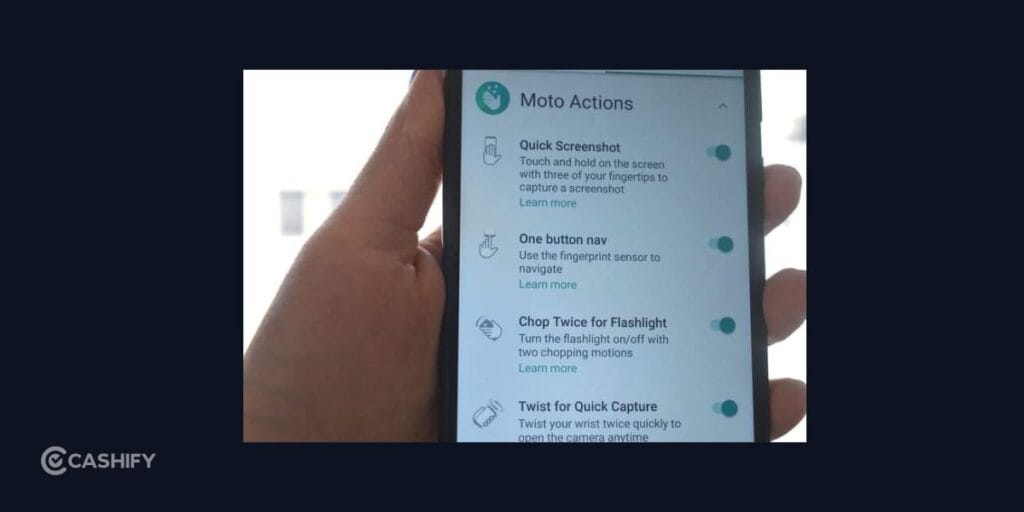
Moto Gestures have been one of Motorola’s most loved features for years, and Hello UI continues that tradition.
This top Hello UI feature allow you to perform common actions quickly without searching through menus. A simple wrist twist can open the camera, while a quick chopping motion can activate the flashlight.
These shortcuts might look small on paper, but they become extremely useful in everyday situations. If you need to capture a quick photo, turning on the camera instantly can save those few extra seconds. Similarly, turning on the flashlight without unlocking your phone is convenient when you’re in the dark.
The advantage of Moto Gestures is that they don’t require you to learn complicated controls. They become natural with regular use.
Also Read: Play GTA 6 Without Buying A Console: Why PS5 On Rent Is Worth It
AI Features Designed For Everyday Tasks
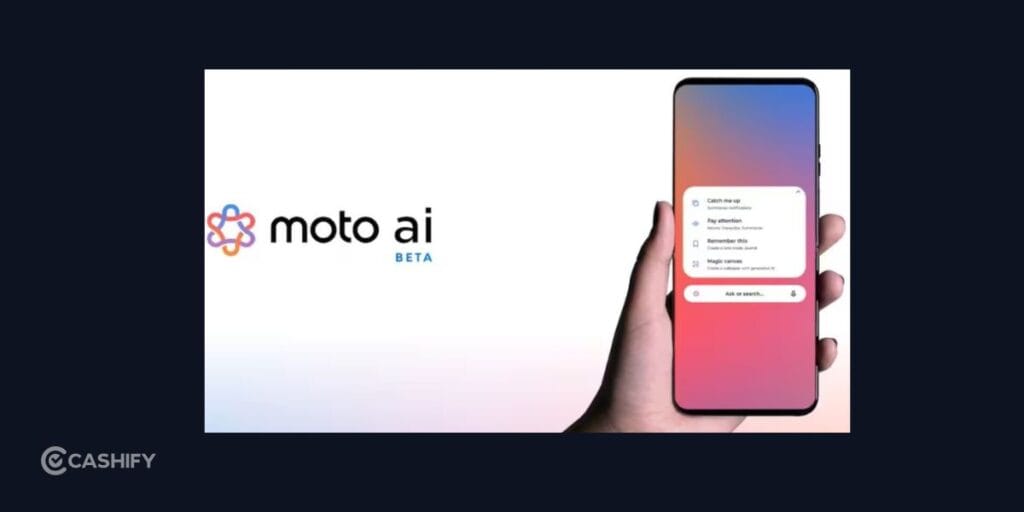
Artificial intelligence has become a major focus in smartphone software, and Hello UI brings AI-powered features to supported Motorola devices.
Instead of using AI only as a marketing term, Motorola focuses on features that can actually improve daily usage. These include smarter assistance, improved photo editing capabilities, writing tools, and features that help you complete tasks faster.
For example, AI-powered editing tools can help enhance photos without requiring advanced editing knowledge. Similarly, productivity-focused AI features can help summarize information or make everyday tasks easier.
As smartphone AI continues to evolve, Hello UI is expected to gain more intelligent features through future updates.
Near-Stock Android Experience Without Extra Clutter
The biggest reason many users appreciate Motorola’s software is its clean approach.
Hello UI does not try to completely change Android. Instead, it keeps the familiar Android experience and adds useful Motorola features on top. This makes the interface easier to understand, especially for users who prefer a simple and smooth experience.
The cleaner software also means fewer unnecessary apps and less visual clutter. Navigation feels familiar, settings are easier to find, and the overall experience remains lightweight.
For many users, this simplicity is what makes Motorola phones enjoyable to use for years.
Other Top Hello UI Features Worth Exploring
Apart from these major highlights, Hello UI also brings several smaller improvements that enhance everyday usage. Better privacy controls give you more control over app permissions, while improved battery management helps optimize background activity.
Motorola has also included top Hello UI features focused on gaming and productivity, allowing users to reduce distractions and get more from their devices.
These additions may not completely change how you use your phone, but together they create a more polished experience.
Also Read: Love FIFA? Try These Best Consoles To Play FC 26
Why Hello UI Stands Out Among Android Skins
Every smartphone brand has its own version of Android, but not all interfaces offer the same balance between features and simplicity.
Some software skins add dozens of options that many users never explore. Hello UI takes a more practical approach by focusing on features that improve daily usage without making the phone feel complicated.
Whether it’s connecting your phone to another device through Smart Connect, capturing moments faster with Moto Gestures, or simply enjoying a cleaner interface, the top Hello UI features focus on making everyday interactions smoother.
Final Thoughts
A good software experience is built on small details that make everyday tasks easier. Hello UI keeps things simple while adding useful improvements that make Motorola phones feel more polished and enjoyable to use.
Instead of adding unnecessary complexity, it focuses on delivering a clean and practical experience. For users who prefer a smooth Android interface with meaningful features, Hello UI offers a balanced approach that is worth exploring.
If you own a Motorola phone with Hello UI, exploring these top Hello UI features can help you discover small improvements that make a noticeable difference in how you use your device every day.
Frequently Asked Questions
Is Hello UI better than My UX?
Hello UI builds on the strengths of My UX while introducing a refreshed design, more customization options, improved AI features, and better cross-device connectivity.
Does Hello UI have bloatware?
Motorola keeps Hello UI relatively clean. Most devices come with very few pre-installed apps compared to many other Android skins.
Which is the best Hello UI feature?
Smart Connect is one of the most useful features because it allows seamless file sharing, screen mirroring, and multitasking across compatible devices.
Is Hello UI available on all Motorola phones?
No. Hello UI is available on newer Motorola smartphones, while older models may continue using My UX depending on software support.
Can I customize Hello UI?
Yes. You can personalize wallpapers, fonts, colors, icons, widgets, lock screen elements, and more to match your preferences.
If you’ve just bought a new phone and don’t know what to do with your old phone, then here’s your answer. Sell old mobile to Cashify and get the best price for it. If you are planning to buy a new phone, check out Cashify’s refurbished mobile phones. You can get your favourite phone at almost half price with six-month warranty, 15 days refund and free delivery.