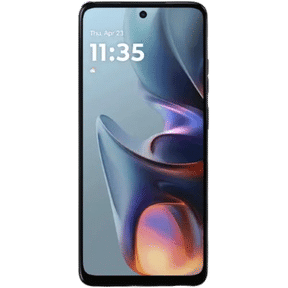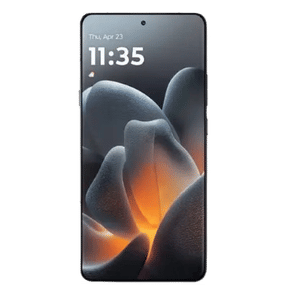


OriginOS 6 is Vivo’s Android 16-based software, bringing smoother animations, deeper customisation, and a stronger focus on AI-powered features. It replaced Funtouch OS on supported Vivo and iQOO smartphones in India, with the stable rollout starting in November 2025. Vivo has since announced OriginOS 7 (Android 17), but OriginOS 6 is still the software running on many Vivo and iQOO phones today.
Looking ahead? Vivo has announced OriginOS 7 for India, with the first phones scheduled to get it from the end of October 2026. See the note in the rollout timeline section below.
Also Read: The Best Smartphones To Buy During This Big Billion Day Sale!
What’s New In OriginOS 6? A Deep Dive into Features

OriginOS 6 is based on Android 16 and focuses on a more fluid interface, deeper personalisation, and AI-assisted features. Feature availability can vary by model. Here is what it brings.
UI Customisations
OriginOS 6 offers more customisation than stock Android, so you can make the phone look and feel more personal. Key additions include:
- A redesigned lock screen with dynamic widgets and modular layouts.
- A mostly translucent look with subtle shadows that blend elements into the background.
- New fonts, themes and icon packs.

Animations & Interactions
OriginOS 6 focuses on smoother animations and gesture-based interactions. On phones with high-refresh-rate displays, the experience should feel more fluid across the system.
Also read: Missed Buying Your Favourite iPhone In Flipkart BBD? The Deal Is Still On!
Control Centre & Quick Settings
OriginOS 6 changes how you reach settings, which can speed up everyday tasks. The tweaks include:
- Revamped pull-down menu with resizable tiles.
- AI-suggested shortcuts
AI Enhancements
Vivo is adding AI features across the interface, though availability may vary by model and region.
- Evolved AI assistant for predictive text, photo enhancement and battery optimisation.
- Privacy-focused on-device processing for features like real-time translation.
Performance & Battery
OriginOS 6 includes battery and performance optimisations, though real-world gains vary by phone and usage. Vivo also promises faster app launches. Key changes include:
- Optimised for Android 16’s efficiency gains.
- Adaptive refresh rates.
- Eco-modes that learn from usage patterns.
Ecosystem Integration
OriginOS 6 improves connectivity with Vivo wearables and tablets, and file sharing between Vivo and iQOO devices is meant to be faster.
These features build on OriginOS 5, which launched in China, and are adapted for global users. If you are coming from Funtouch OS 15, expect a noticeably different look and more customisation options, so it may take some time to get used to.

Beyond these, OriginOS 6 also introduces a few smaller upgrades. It comes with AI-powered notification summarisation, which groups and prioritises alerts, and a focus mode that adjusts settings based on your routine.
There are also enhanced privacy dashboards with real-time permission tracking, giving users better control over data access. Vivo has also introduced game-centric optimisations, including reduced touch latency and smarter resource allocation for long gaming sessions. Together, these features make OriginOS 6 smarter and more personalised.
Also read: Top Vivo V60 Camera Features: Capture More Than Just Photos!
How to Download and Install OriginOS 6
If your Vivo or iQOO phone is eligible for OriginOS 6, you can check for the update through your phone’s system settings.
- Open Settings on your phone.
- Select System Update (on some models the path is Settings > System > Software update).
- Tap Check for updates.
If an official update is offered, read the release notes and follow the on-screen instructions.
Connect to Wi-Fi, ensure the battery is sufficiently charged, and back up important data before installing.
For eligible users participating in a preview or trial programme, additional options may appear under the three-dot menu in System Update. These options are not necessarily available on every phone.
If the update does not appear, your device may be waiting for its rollout batch, or it may not qualify for the update. Check the official support information for your exact model rather than installing unofficial firmware.
OriginOS vs Funtouch OS: What’s The Difference?
If you’ve been following Vivo smartphones for a few years, you’ve probably come across both OriginOS and Funtouch OS. This often leads to confusion about which software your Vivo or iQOO phone actually runs.
Here’s the simple answer:
- OriginOS was originally developed only for the Chinese market.
- Funtouch OS was Vivo’s global software experience, including India.
- With OriginOS 6, Vivo unified both platforms, making OriginOS the default operating system for supported global devices.
In other words, OriginOS 6 replaces Funtouch OS on eligible smartphones instead of existing alongside it.
Also read: How To Get Google Gemini AI Pro for Free: Step-by-Step Guide!
OriginOS 6 Rollout Timeline In India (2025–2026)
iQOO India CEO Nipun Marya confirmed OriginOS 6 for India in a post on X. Vivo unveiled it in China on October 10, 2025, announced it for India on October 15, 2025, and began the stable rollout in early November 2025. Here is the timeline:\
| Date | Event |
| October 10, 2025 | OriginOS 6 unveiled at Vivo Developer Conference in China |
| October 15, 2025 | India announcement and India beta start |
| Early November 2025 | Stable rollout begins: Vivo X Fold 5, X200 Pro, X200, X200 FE; iQOO 13 |
| Mid-November 2025 | iQOO 12 |
| Mid-December 2025 | iQOO Neo 10, Neo 10R, Neo 9 Pro |
| Q1 2026 | Remaining eligible devices (Vivo T4 5G received it from January 25, 2026) |
Note that Vivo has announced OriginOS 7, based on Android 17. In India, the first phones, including the Vivo X Fold5 and X300 series, are scheduled to get it from the end of October 2026, with the X200 series listed for mid-November. If your phone is on that list, you may get OriginOS 7 after OriginOS 6.
Also read: Vivo Y400 5G Vs Vivo T4: Which Smartphone Should You Buy?
Eligible Devices: Who Gets The Update?
Vivo and iQOO confirmed OriginOS 6 for a wide range of existing phones in India. The rollout was phased, so some models received it later than others. Here are the devices we could confirm
| Device series | Devices | Status |
| Vivo X series | X200, X200 Pro, X200 FE | Rolled out from November 2025 |
| Vivo Fold series | X Fold5, X Fold3 Pro | Rolled out |
| iQOO number series | iQOO 13, iQOO 12 | Rolled out from November 2025 |
| iQOO Neo series | Neo 10, Neo 10R, Neo 9 Pro | Rolled out from December 2025 |
| Vivo T series | T4 5G | Rolled out from January 2026 |
| Vivo Y series | Y400 Pro 5G, Y400 5G, Y300 5G, Y300 Plus 5G, Y200 Pro 5G, Y200e 5G, Y58 5G, Y39 5G, Y31 Pro 5G | On the rollout schedule; check your model |
Not every older device qualifies, and eligibility depends on your model and region. Check Vivo’s or iQOO’s official list for your exact phone.
Also read: Best Deal On Google Pixel 9 in Flipkart Big Billion Day Sale!
Should You Install OriginOS 6?
If your Vivo or iQOO smartphone is eligible for OriginOS 6, installing the update is recommended once a stable build is available for your model. OriginOS 6 brings Android 16, smarter AI features, smoother animations, improved battery optimisation, enhanced privacy controls, and a more refined user experience compared to Funtouch OS.
The update is especially useful for newer Vivo and iQOO devices. Since Vivo has moved from Funtouch OS to OriginOS in supported markets, future software development is focused on OriginOS. Vivo has already announced OriginOS 7, so phones that are on OriginOS 6 are the ones in line for newer updates.
If your device receives the OriginOS 6 update, installing it keeps you on Vivo’s current software track and brings performance improvements. Before updating, back up your important data and make sure your phone has enough battery and storage space.
OriginOS 6 vs Funtouch OS 15: What’s Different?
| Feature | OriginOS 6 | Funtouch OS 15 |
| Android version | Android 16 | Android 15 |
| AI features | Expanded (assistant, photo tools, notification summaries) | Fewer AI features |
| Animations | Smoother, more fluid | Standard |
| Customisation | Extensive (lock screen, themes, grids, widgets) | More limited |
| Performance | Better optimisations, faster launches | Good |
| Availability | Replaces Funtouch OS on supported phones | Previous global skin |
| Design language | Translucent, fluid, modern | Closer to stock Android |
Verdict
OriginOS 6 was Vivo’s biggest software change in India in years, replacing Funtouch OS with a more polished and customisable interface. For most users, the main question is how quickly their model gets a stable build. With OriginOS 7 now announced, phones on OriginOS 6 are also next in line for Vivo’s newer software.
Frequently Asked Questions
What is OriginOS 6, and how is it different from FuntouchOS?
OriginOS 6 is Vivo’s Android 16-based operating system. Unlike Funtouch OS, it offers deeper customisation, smoother animations, AI enhancements, and better integration with Vivo’s ecosystem.
When will OriginOS 6 be available in India?
The stable OriginOS 6 rollout began in India in early November 2025, starting with flagships such as the Vivo X Fold 5, X200 Pro, X200, and iQOO 13, and continued into 2026 for mid-range and budget models. Check Settings > System Update for your model.
Which Vivo and iQOO phones will get OriginOS 6?
Devices on the India rollout include the Vivo X Fold 5, X200 series, T4 5G, and Y-series models such as the Y400 and Y300, along with the iQOO 13, iQOO 12, and Neo 10 series. Older devices may not be eligible, so check the official list for your model.
Will OriginOS 6 improve battery life on Vivo phones?
OriginOS 6 is designed to improve power efficiency through Android 16 optimisations, adaptive refresh rates, and usage-based Eco modes. However, the actual battery-life improvement can vary depending on the phone and usage pattern.
Why haven’t I received the OriginOS 6 update yet?
OriginOS 6 is being rolled out in phases, so eligible Vivo and iQOO devices may receive the update at different times depending on the model, region and rollout schedule. If your device is eligible but the update is not available yet, go to Settings > System Update and check again later.
Will my phone get OriginOS 7 after OriginOS 6?
Vivo has announced OriginOS 7 (Android 17). In India, the Vivo X Fold5 and X300 series are scheduled to get it from the end of October 2026, and the X200 series from mid-November. Eligibility depends on your model and region, so check the official list for your phone.
If you’ve just bought a new phone and don’t know what to do with your old phone, then here’s your answer. Sell your old mobile to Cashify and get the best price for it. So, If you are planning to buy a new phone, check out Cashify’s refurbished mobile phones. You can also get your favourite phone at almost half price with a six-month warranty, 15-day refund and free delivery.