OnePlus 15 ColorOS 17 Beta is an amazing way to enjoy the new features. This is based on Android 17. Here’s what’s new, how to download it, and why most users may want to wait for the stable update.
OnePlus 15 ColorOS 17 Beta: Current Status
The OnePlus 15 ColorOS 17 beta is now beyond the initial closed-testing phase in India. OnePlus opened the applications for ColorOS 17 Open Beta programme from 9 October to 12 October 2026. The application window has now closed.
The beta marks a major change for OnePlus because the company is moving away from OxygenOS with the Android 17 generation. Eligible OnePlus phones will start using Oppo’s ColorOS instead.
The initial closed beta was limited to selected testers. Even the October Open Beta provided another chance for eligible users to try the software. However, an Open Beta announcement does not mean that every OnePlus 15 user can immediately install the update. A lot depends on eligibility as well.
Here’s everything you need to know.
Also read: ColorOS 16 vs ColorOS 17: What’s New, What’s Better, And Should You Upgrade?
What Is ColorOS 17 On OnePlus 15?
ColorOS 17 is the next major software platform for OnePlus devices, based on Android 17.
This is a pretty big change for OnePlus users. This is because OxygenOS is being retired as the software platform for future Android generations on eligible devices. Starting with Android 17, OnePlus is moving towards ColorOS as part of a closer software relationship with Oppo.
The move is intended to bring OnePlus and Oppo’s software development closer together. This could help with faster updates, better optimisation and more consistent software development across both brands.
However, it does not mean that confirmation that every existing OnePlus phone will immediately switch to ColorOS. The rollout and software arrangements depend on the device and the applicable update programme.
Before installing the update, check the official instructions for your exact model and software build. A rollback can erase user data, so create a backup first.
Also read: ColorOS 17 Beta Eligible Devices: Full List, Rollout Details And Features
OnePlus 15 ColorOS 17 Beta: What’s New?
The beta is still developing, so the final feature list should not be treated as locked. Still, the early information points towards refinement rather than a complete visual overhaul.
1. Android 17 Under the Hood
The biggest change is the Android version itself.
The OnePlus 15’s current software is based on Android 16. While ColorOS 17 is built around Android 17. That means users can expect the underlying privacy, security, performance and system-level improvements that come with Google’s latest Android platform.
The OnePlus 15 had already been used for Android 17 beta testing earlier in 2026. So, the device has been part of the Android 17 development cycle for months.
ColorOS 17 is now an officially announced Android 17-based platform. Android 17 features and ColorOS-specific additions are not necessarily identical across all compatible phones.
The beta programme also allows OnePlus to gather feedback before the software reaches a wider audience. But you should know that there can be bugs.
2. Refreshed UI and Design
The biggest change you may notice is the interface.
ColorOS 17 is expected to introduce more rounded corners across system elements such as menus and buttons. Get more glass-like and frosted effects, along with improved blur and lighting effects.
The updated Luminous Rendering Engine is expected to play a role here. It brings smoother animations, transitions and visual effects across the system.
Some reports have also mentioned illuminated edge effects and a more polished look throughout the interface. There has also been plenty of online speculation around a “Liquid Glass” style. I would not treat that as a confirmed full-system feature yet. It is possible that the final software could use selective visual refinements. It won’t blindly copy Apple’s approach across the entire interface.
In simple terms, don’t expect a completely unfamiliar phone. The basic OnePlus experience should still feel familiar, but the interface could look more modern and polished. You get the Living Flow Design with elements like Luminous Effect, Fluid Motion and Flexible Feedback. These features give softer visual effects, smoother transitions and more responsive interactions.
2. Better Performance and Efficiency
Performance is another major focus of ColorOS 17.
The software is expected to improve resource management, multitasking and overall system stability. On a phone like the OnePlus 15, which already has flagship hardware, this isn’t about suddenly making the phone faster.
Instead, the focus is likely to be on keeping the phone smooth when you are switching between apps, gaming, multitasking or using it for long periods.
Battery and memory management could also see improvements. Though we’ll need wider testing before we can say exactly how much difference ColorOS 17 makes in everyday use.
Since this is still a beta, bugs and performance issues are also possible. That’s one reason the software shouldn’t be treated as a finished update yet. Oppo has announced a Unified Rendering Architecture and improvements to its Laminar Flow Engine for ColorOS 17. These changes can reduce rendering workloads and improve responsiveness.
3. More AI Features
AI is expected to become a bigger part of ColorOS 17.
The new software is expected to support more generative AI features. Along with that, improvements to Oppo’s next-generation Xiaobu/Breeno-related AI assistant is there.
There should also be broader AI improvements across system apps and other parts of the interface.
However, this is one area where I would be a little careful with the leaks. Since the beta is under an NDA, the full AI feature list hasn’t been officially revealed yet. Some features could change or even be dropped before the stable release. Oppo has announced additional AI capabilities for ColorOS 17. You get AI Photo Agent, AI Mind Space updates and AI Mind Suggest. Do not assume that every announced AI feature is included in the OnePlus 15 beta unless the official OnePlus changelog confirms it.
4. Other Android 17 Improvements
ColorOS 17 isn’t just about a new interface.
Underneath it all, the software is based on Android 17. So, OnePlus 15 users will also get the platform-level improvements that come with Google’s latest Android version.
ColorOS then adds its own changes on top. It includes system-app updates, memory management improvements, customisation options and other software refinements.
The combination of Android 17 and ColorOS changes is what makes this update much more significant than a regular OxygenOS update. The exact Android 17 changes and ColorOS features available on the OnePlus 15 should be confirmed through the official release notes.
Also read: One UI 8 Update: Release Date, Eligible Devices, Features Revealed!
5. Better Multitasking and Overall Experience
Multitasking is another area where ColorOS 17 could make the OnePlus 15 feel smoother.
The phone already has plenty of power for running demanding games, switching between multiple apps and using split-screen features. So, this isn’t about fixing a performance problem. It’s more about polishing the experience and helping the phone handle everything in the background more efficiently.
The closer software integration between OnePlus and OPPO could also help here. OnePlus says the move is aimed at improving software quality and speeding up future updates, which could be a good thing for OnePlus users in the long run.
Also read: Android 15 Features, Eligible Devices List, All Details!
How To Download The OnePlus 15 ColorOS 17 Beta?
OnePlus opened applications for the OnePlus 15 ColorOS 17 Open Beta in India from 9 October to 12 October 2026. Application window has ended. If you did not apply in time, you may need to wait for another recruitment phase or the stable update.
If you already applied or have access to an eligible beta build, follow the official instructions for your device. The exact menu names and required software version can vary by build.
Step 1: Check Your OxygenOS Version
Go to:
Settings > About device
Check your current OxygenOS version and confirm that your phone is running the required software build.
For the Indian OnePlus 15, the eligible build is listed as CPH2745_16.0.9.400(EX01).
OnePlus specified eligible software versions for the October Open Beta programme.
Step 2: Open the Beta Programme
From Settings > About device, tap the current software status, such as Up to date.
Then tap the three-dot menu in the top-right corner.
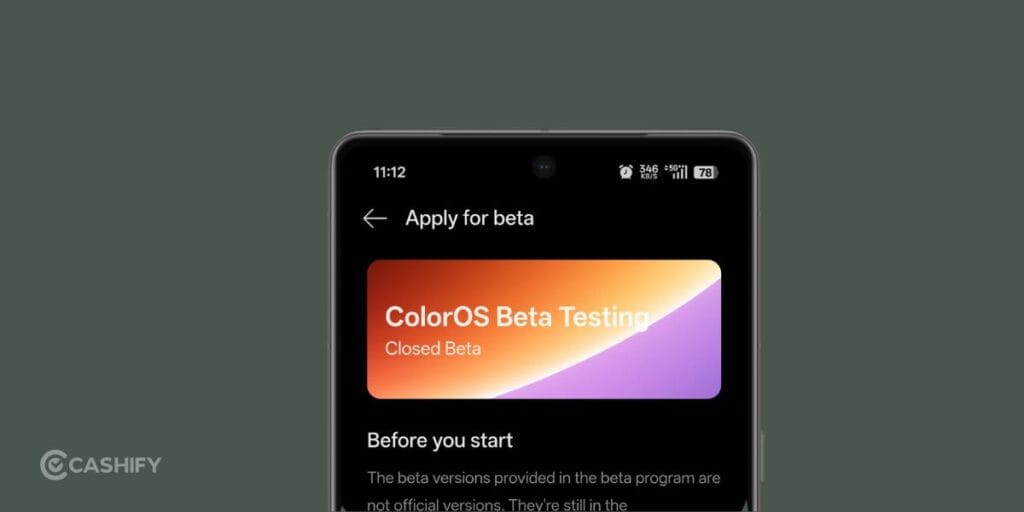
Look for Beta program, Closed Beta or Trial Version, depending on the software version shown on your phone.
If the application window is closed or the Beta Program option is unavailable, you may not be able to join the current testing phase
Step 3: Wait for the OTA
If you were selected for the closed beta, OnePlus will push the ColorOS 17 build to your phone through an OTA update.
Once it becomes available, go back to:
Settings > About device
You should see the new update and a Download Now option.
Tap it and follow the on-screen instructions to install the beta.
Also read: ColorOS 17 Features, AI Tools, Performance Upgrades: Everything Explained!
Can You Manually Flash ColorOS 17 Beta?
I would strongly advise against downloading an unofficial ColorOS 17 package from Telegram, random forums or file-sharing websites.
There were earlier Android 17 Developer Preview and beta builds for the OnePlus 15, but those were separate from this ColorOS 17 closed beta. Those developer builds were intended for testing and involved more risks, including data wipes.
The current ColorOS 17 CBT is different. It is being pushed to selected users through the official testing process.
So, if you aren’t part of the closed beta, wait for the next official testing phase or the stable update. Avoid downloading a random package from Telegram or an unofficial website. The October Open Beta is also separate from the earlier closed beta and Android 17 Developer Preview builds. Do not flash a package unless OnePlus explicitly provides it for your exact device, region and software version. An incompatible package can cause installation failures or make the phone unusable.
What If You Missed The ColorOS 17 Beta?
If you missed the August 6 to 7 application window, there’s nothing you can do to join this particular testing wave.
The programme is limited to 300 users per device, so it isn’t designed as a large public beta.
OnePlus is expected to expand ColorOS 17 testing later, followed by the stable rollout. However, there is no confirmed public roadmap yet.
Based on previous update cycles, a stable release for flagship devices such as the OnePlus 15 series could arrive towards the later part of 2026, potentially around November. Treat that as an estimate, though, rather than a confirmed release date.
For now, the safest thing to do is keep checking the Software Update and Beta Program sections on your phone and follow official OnePlus Community announcements.
The August closed-beta window is no longer the latest application period. OnePlus opened the ColorOS 17 Open Beta application window for the OnePlus 15 in India from 9 October to 12 October 2026, and that window has now closed.
OnePlus 15 ColorOS 17 Beta Vs OxygenOS: What Changes?
| Feature | OxygenOS 16 | ColorOS 17 |
|---|---|---|
| Android version | Android 16 | Android 17 |
| Software platform | OxygenOS | ColorOS |
| UI | Current OxygenOS design | Refreshed ColorOS design |
| Performance | Current optimisation | New rendering and resource-management architecture announced. |
| AI | Existing AI features | Additional AI features announced. |
| Multitasking | Already smooth | Further optimisation expected |
| Availability | Stable | Open Beta announced for eligible Indian users. The October application window has closed |
| Rollback | N/A | Follow the official device-specific rollback instructions. |
| Current beta access | Not applicable | Depends on eligibility, rollout status and any future recruitment window |
The biggest change is not actually the name on the About Phone page. It is the end of OxygenOS as the software platform for future major Android updates on eligible OnePlus devices.
Also read: Realme UI 7.0: Release Date, Eligible Devices, Features, and More!
Which OnePlus Phones Will Get ColorOS 17?
The transition isn’t limited to the OnePlus 15 series.
The OnePlus 15 and 15R are among the first devices involved in the ColorOS 17 transition. Other eligible OnePlus flagships, including models from the OnePlus 13, 12 and 11 families, along with the OnePlus Open and selected Nord and Pad devices, are expected to move to ColorOS within their respective update windows.
The exact rollout will vary by device and region.
Importantly, the current closed beta is focused on Indian OnePlus 15 and 15R variants. US, European and other global variants are not part of this initial closed beta wave. Reports identify the OnePlus 13, OnePlus 13R, OnePlus 13s, OnePlus 15 and OnePlus 15R among the devices covered by the Indian testing programme.
When Will ColorOS 17 Stable Arrive On OnePlus 15?
OnePlus has not yet published a final stable rollout date for the OnePlus 15.
The device is expected to be among the first OnePlus models to receive ColorOS 17, with reports pointing towards the later part of 2026. Earlier projections placed the OnePlus 15’s Android 17-based stable update around Q4 2026.
The beta phase should help OnePlus identify bugs and fine-tune the software before the stable release.
So, if you don’t see the ColorOS 17 update on your OnePlus 15 yet, don’t panic. The current beta programme does not mean the stable OTA is already rolling out to everyone.
Should You Install the OnePlus 15 ColorOS 17 Beta?
For most OnePlus 15 owners, no. Not yet.
The beta is primarily useful for enthusiasts who want to test new software before everyone else. If your phone is your daily driver, banking device, work phone or primary camera, the safer choice is to stay on the stable OxygenOS build and wait for the final ColorOS 17 release.
There is also little reason to rush. The OnePlus 15’s current software is already fast and feature-rich, so you are not missing a critical everyday function by waiting.
If you decide to install the beta, back up your data and read the release notes and rollback instructions first. Beta software can introduce app compatibility issues, unexpected battery drain, heating or other bugs.
Also read: OxygenOS 16 Features, Expected Release, Upgrades And Supported Devices!
Frequently Asked Questions
1. Is the OnePlus 15 ColorOS 17 Beta available in India?
The Open Beta application window ran from 9 to 12 October 2026 and has now closed. You may need to wait for another testing phase or the stable update.
2. What are the new features in ColorOS 17?
ColorOS 17 is based on Android 17. It has a refreshed UI, smoother animations, performance improvements and new AI features.
3. How can I download the OnePlus 15 ColorOS 17 Beta?
Eligible users can follow the official OnePlus instructions to install the beta through Settings. Back up your data before installing.
4. Will the OnePlus 15 switch from OxygenOS to ColorOS 17?
The OnePlus 15 is part of the reported transition to ColorOS for Android 17 in India.
5. Should I install the ColorOS 17 Beta on my OnePlus 15?
Most users should wait for the stable update, as beta software may have bugs, battery issues or app compatibility problems.
Also read: ColorOS 17 Release Date And Eligible Devices: All Details Here!
Final Thoughts
The OnePlus 15 ColorOS 17 beta is a big deal mainly because it marks the shift from OxygenOS to ColorOS. Along with that change, users can expect Android 17, a refreshed interface, smoother performance and more AI features.
My advice is simple: if you have a spare phone and like trying new software, go for the beta. For everyone else, I’d suggest waiting for the stable ColorOS 17 update. The OnePlus 15 is already fast and reliable, so there’s not much point in dealing with bugs just to get the new software a little early. The stable version should give you the new Android 17 features without the headaches that can come with beta software.
If you’ve just bought a new phone and don’t know what to do with your old phone, then here’s your answer. Sell your old mobile to Cashify and get the best price for it. If you are planning to buy a new phone, check out Cashify’s refurbished mobile phones. You can get your favourite phone at almost half price with a six-month warranty, 15-day refund and free delivery.