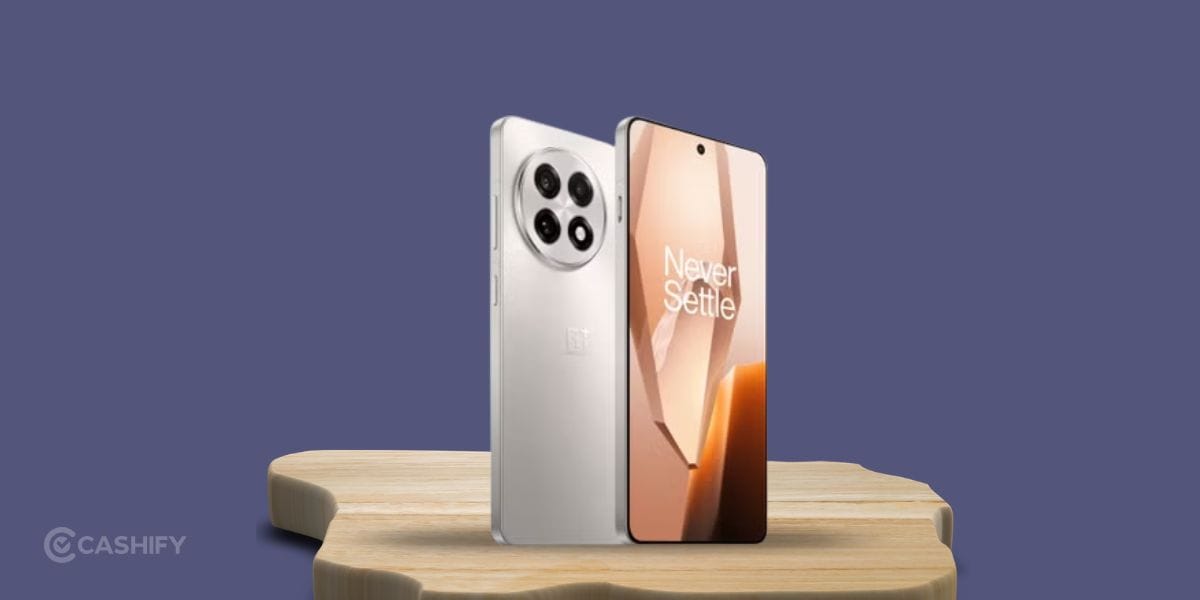
The OnePlus 13R is a solid smartphone with a bright display, strong battery life, and smooth performance. But after months of daily use, accidents and wear can cause problems. A cracked screen, battery draining too fast, charging issues, or camera glitches can affect your experience. Thankfully, not every issue needs an expensive OnePlus 13R mobile repair.
Some problems have simple fixes that take only a few minutes. For hardware damage, getting the repair done early can stop the issue from getting worse.
Here’s everything you should know about OnePlus 13R mobile repair.
Also read: OnePlus Nord 2T 5G Screen Replacement Cost & Process Explained!
1. Cracked Or Broken Display
A damaged display is one of the most common repair requests. Even small cracks can spread over time and affect touch response.
Try these fixes first:
- Remove and reapply the screen protector.
- Restart the phone if the touch screen becomes unresponsive.
- Test touch sensitivity in different areas of the display.
This is also a notorious one has screen issue can be of many types. If the display flickers, shows black spots, green lines, or stops responding completely, the solutions will differ. The screen usually needs replacement in such cases.
2. Battery Draining Faster Than Before
Battery health naturally drops after long-term use. Background apps can also drain power quickly.
You can try:
- Reduce screen brightness.
- Turn off location and Bluetooth when not needed.
- Close unused background apps.
- Enable Battery Saver mode.
- Update apps regularly.
If battery backup suddenly becomes very poor or the phone heats up during charging, a battery replacement may be required.
Also read: OnePlus Nord 4 Microphone Not Working? Causes & Repair Cost!
3. Phone Charging Slowly Or Not Charging
Dust inside the charging port is a common reason behind charging problems.
Before repairing:
- Clean the charging port gently with a soft brush or wooden toothpick.
- Try another charging cable and adapter.
- Restart the phone.
- Check for software updates.
If the cable feels loose or charging keeps disconnecting, the charging port may need repair.
4. Phone Heating Too Much
A warm phone during gaming or charging is normal. Constant overheating is not.
Try these steps:
- Remove the phone case while charging.
- Close heavy apps running in the background.
- Avoid charging under direct sunlight.
- Restart the phone every few days.
- Install the latest software update.
Persistent overheating should be checked before it affects the battery or motherboard.
5. Camera Not Focusing Properly
Photos appearing blurry usually have simple causes.
Check these first:
- Clean the camera lens.
- Remove any dirty camera protector.
- Restart the Camera app.
- Update the phone software.
If the camera shakes, refuses to focus, or displays a black screen, professional mobile repair is likely needed.
Also read: OnePlus 10R Phone Hangs Repeatedly: 5 Things You Can Do!
6. Speaker Sounds Low Or Distorted
Dust can block the speaker grille over time.
Simple fixes include:
- Clean the speaker opening with a soft brush.
- Remove Bluetooth devices that may still be connected.
- Increase media volume.
- Restart the phone.
If the sound remains distorted after cleaning, the speaker module may need replacement.
7. Fingerprint Scanner Not Working
The in-display fingerprint sensor may stop working due to dirt or software issues.
Try this:
- Clean the display properly.
- Delete and register your fingerprint again.
- Remove thick screen protectors.
- Restart the device.
If the scanner never detects fingerprints, the sensor may require repair.
8. Network Or Wi-Fi Problems
Poor connectivity isn’t always caused by hardware.
Try these steps:
- Toggle Airplane Mode on and off.
- Reset network settings.
- Reinsert the SIM card.
- Restart the Wi-Fi router.
- Check if your carrier has an outage.
If signal problems continue in multiple locations, the antenna or SIM hardware may need inspection.
Also read: Know These 3 Tips To Fix Your OnePlus 9 Pro Affordably!
Choosing Professional OnePlus 13R Mobile Repair?
Some problems cannot be fixed at home.
Book a phone repair if you notice:
- Cracked or damaged display
- Battery swelling
- Phone exposed to water
- Charging port damage
- Camera hardware failure
- Motherboard issues
- Speaker or microphone failure
- Buttons that stop responding
Ignoring these problems can increase repair costs later.
Now, professional repair may seem intimidating, but that’s the best and easiest step you can take for your phone. However, choosing a trusted repair centre is essential for a smooth, hassle-free experience. You wouldn’t want your phone condition to worsen in future.
Why Choose Cashify For OnePlus 13R Mobile Repair?
When home troubleshooting doesn’t solve the issue, professional OnePlus Phone repair from Cashify is the safer option.
With Cashify, you get:
- Skilled technicians
- Highly compatible replacement parts
- Free doorstep mobile phone repair in selected locations
- Free device pick-up and drop-in serviceable areas
- Transparent pricing with no hidden charges
- Up to 6 months warranty on screen replacement.
- 7 days refund if not satisfied.
- 3 months warranty on battery replacement
- One-month warranty on the replaced screen
- Easy online booking through the Cashify app or website
This means your phone gets repaired without the hassle of visiting multiple repair shops.
(*Repair warranties are subject to discretion based on Cashify’s terms and conditions. Please refer to our warranty policy for detailed information.)
Also read: 5 Common Problems With OnePlus 10R: Get It Fixed Right Away!
Frequently Asked Questions
Is OnePlus 13R Mobile Repair expensive?
It depends on the damaged part. Screen and motherboard repairs usually cost more than battery or charging port repairs.
Can I repair a cracked OnePlus 13R screen myself?
Minor scratches do not need repair. A cracked display should be replaced by trained technicians because the display assembly is delicate.
Why is my OnePlus 13R battery draining quickly?
Heavy apps, high brightness, poor battery health, and background activity are the most common reasons.
Can dust stop my OnePlus 13R from charging?
Yes. Dust and lint inside the charging port can block proper cable connection and cause charging issues.
How long does a OnePlus 13R repair usually take?
Simple repairs like battery or screen replacement are often completed the same day, depending on part availability and service location.
Also Read: Change These Settings On Your OnePlus Nord 2 To Make It Faster!
Final Verdict
The most notorious OnePlus 13R problems include cracked screens, battery drain, charging port faults, overheating, and camera issues. Spotting these signs early and getting timely OnePlus 13R mobile repair can prevent bigger hardware damage and higher repair costs. Acting early helps keep your phone running smoothly and extends its overall lifespan.
Use code: TECH25 to avail a discount of up to Rs. 300 (on the minimum order value of Rs. 2499).
Use code: RPR50 to avail up to 50 percent off on a minimum spend value of Rs. 1000 (limited offer).
Are you still browsing through your broken screen? Don’t worry! Book at-home mobile phone screen repair with Cashify, an affordable and one-stop destination for all your mobile phone needs. In case you break your screen within 1 month of repair, we will replace your screen again for FREE.