Nothing OS 5.0 features bring the biggest software updates for Nothing phones yet. The update is based on Android 17 and brings a refreshed interface, smoother performance, more customisation, smarter Essential AI tools, and new ways to use the Glyph Interface.
Nothing has now officially detailed the new version, so we no longer have to rely on leaks and rumours to understand what is coming. From new lock-screen clockfaces and personalised homescreens to Essential Apps Builder and improved multitasking, there is quite a bit to look forward to. Let’s check out all the details about the features.
A Cleaner Visual Style: Nothing OS 5.0
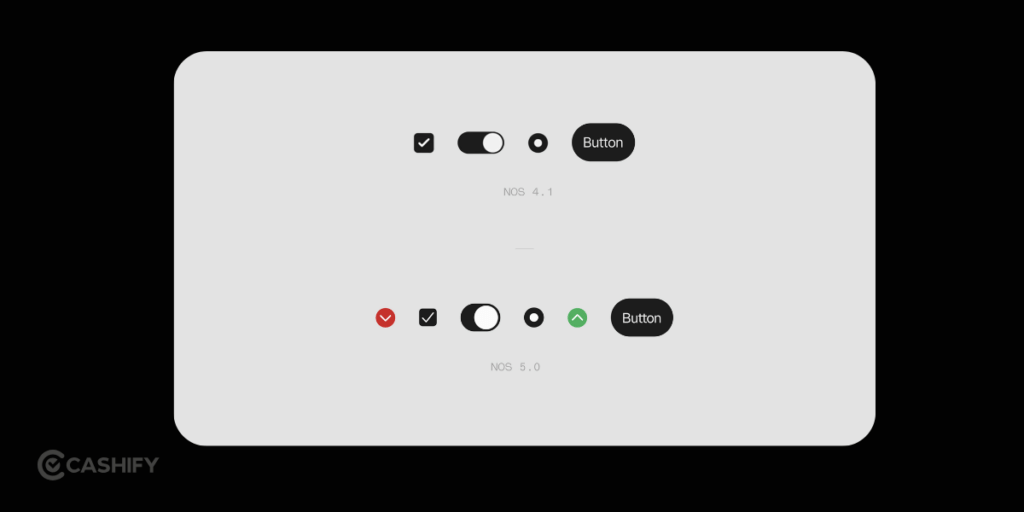
Nothing has always had a distinct visual identity. The monochrome icons, dot-matrix-inspired typography, minimal menus, and Glyph Interface separate Nothing OS from the crowd. Nothing OS 5.0 features continue that approach while giving the interface a cleaner and more expressive look.
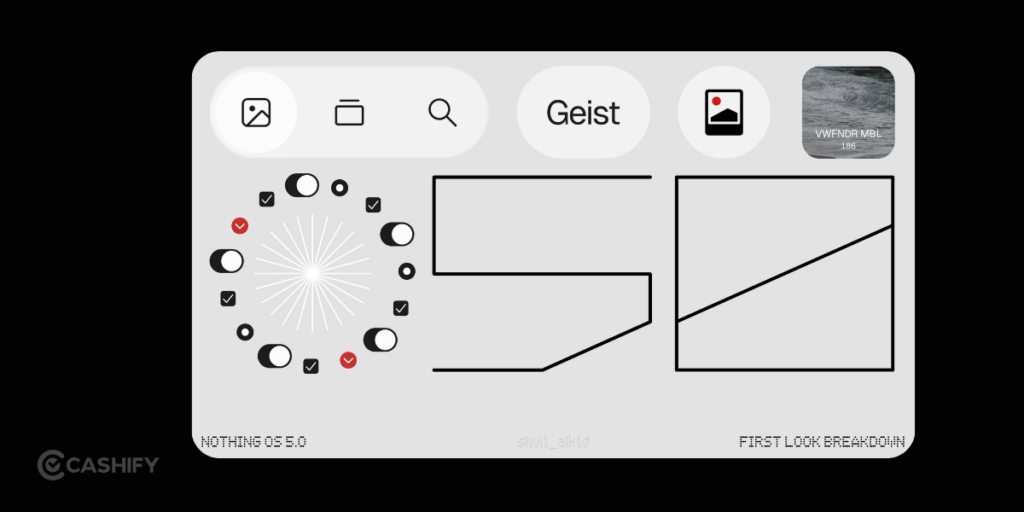
The update brings a refreshed homescreen with wallpaper-aware colours, tinted app icons, and transparent widgets. Nothing is also introducing a new Geist typeface, updated icons, and refined layouts across Settings, Camera, Gallery, and the Status Bar.
The notification experience is also changing with Android 17. You can now separate Notifications and Quick Settings, giving each its own dedicated space instead of treating everything as one pull-down area.
Also Read: Nothing OS 5.0 Release Date And Supported Devices List
Smoother Animations And System Behaviour
Nothing has spent a lot of time refining animation in recent releases, and Nothing OS 5.0 continues that work.
The update focuses on smoother interactions and sharper responses across the system. Nothing has confirmed improvements to app launches, scrolling, touch response, and multitasking. Memory management has also been improved to reduce unnecessary reloads and keep the phone feeling smooth when you move between apps.
This matters more than simply adding flashy visual effects. A phone can have a beautiful interface and still feel sluggish if everyday interactions are inconsistent. Nothing OS 5.0 features focus on making those basic interactions feel faster and more responsive.
Lock Screen Customisation
Lock screen customisation gets a noticeable update with Nothing OS 5.0 features.
The update introduces new clockfaces, including Gooey and Micrographics. Gooey offers a more playful appearance, while Micrographics takes a cleaner, hardware-inspired approach and displays more information. There are also more colour options for the lock screen.
However, the Micrographics clockface and refreshed homescreen are still being developed. Nothing says both will arrive with the general release rather than the current Open Beta.
Floating Apps And Multitasking
Multitasking gets improvements with Nothing OS 5.0 features, although the focus is more on performance than introducing a completely new desktop-style mode.
Nothing has confirmed better performance across multitasking, along with improved memory management. This should help when you switch between several apps or return to an app after using something else.
For everyday use, this can make it easier to move between messaging, browsing, video, documents, and other apps without the phone feeling slow or constantly reloading content.
Nothing Gallery Continues To Mature
Nothing’s Gallery app is no longer an afterthought. The company introduced its own native gallery as part of Nothing OS 3.0.
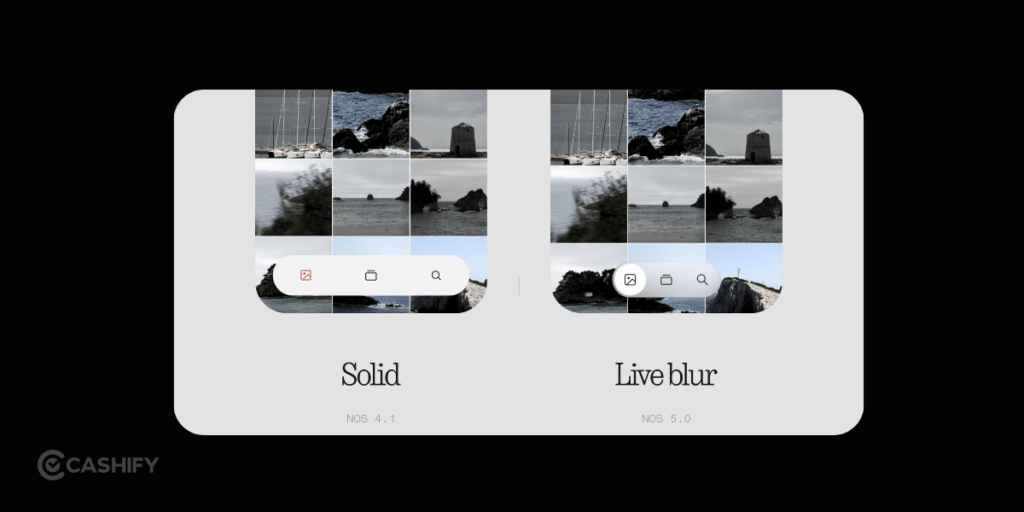
The current Nothing Gallery has a clean timeline, albums, basic editing, favourites, sharing, trash, and Nothing-branded watermark options. With Nothing OS 5.0 features, the Gallery is also getting part of the wider visual refresh, including updated icons and refined layouts.
Nothing is gradually building a more consistent set of its own system apps instead of relying entirely on generic Android components.
Also Read: MagicOS 11 Release Date And Supported Devices List!
New Personalisation Features
Nothing OS 5.0 features give you more control over how your home screen looks and behaves.
Wallpaper-aware colours can adapt the interface to your chosen wallpaper, while tinted app icons give the homescreen a more consistent appearance. Transparent widgets also blend more naturally with your wallpaper.
There are a couple of more personal additions too. Collector lets you turn favourite photos into stickers on your homescreen and build collections around people, places, and things. Away Time starts counting when you put your phone down, helping you understand your longest breaks and how your phone usage changes during the week.
Nothing has also added homescreen batch editing, allowing you to move multiple apps and widgets together instead of rearranging them individually
Smarter AI Integration
Nothing has been building its AI experience around Essential Space, and Nothing OS 5.0 features take that further.
Smart Collections can automatically group related captures, while improved search and a redesigned capture flow make saved information easier to find. Nothing is also adding MCP support, allowing compatible AI tools to securely access selected information from Essential Space.
Essential Voice is also getting more capable. Real-time text appears while you speak, while improved formatting can create cleaner notes and summaries. Nothing says Essential Voice can transcribe in more than 100 languages.
Real-time translation is also planned for Essential Voice later this year, although it is not available as part of the initial feature set.
Per-App Refresh-Rate Control
We can also see greater control over display refresh rates.
Modern Nothing phones can already use high refresh rates. But forcing a particular app to run at 60Hz or 120Hz could give people more control over battery consumption and smoothness.
For example, a reading app does not necessarily need 120Hz all the time. A game or fast-scrolling social app might benefit from it. This is the kind of small setting that pro users are going to appreciate. Most people will probably leave it alone, but power users can use it to tune the phone to their habits.
Glyph Interface Gets Smarter
The Glyph Interface is one of the defining parts of Nothing’s hardware, and Nothing OS 5.0 features add a couple of useful controls to it.
The new Glyph Timer lets you start countdowns directly from the homescreen. Nothing is also introducing a dedicated Glyph App, which brings Glyph settings together in one place.
This makes the Glyph experience easier to manage and gives you a more central place to control its settings.
The approach also highlights one of Nothing’s biggest advantages. Because the company controls both the phone hardware and software, it can build features around the Glyph Interface that are specific to Nothing devices.
Also Read: One UI 9 Vs One UI 8.5: What’s New And Should You Upgrade?
What Should You Actually Expect From Nothing OS 5.0 Features?
Nothing OS 5.0 is not simply about changing colours or adding a few new icons. The confirmed update covers several parts of the phone experience:
- A refreshed homescreen with wallpaper-aware colours, tinted icons, and transparent widgets.
- New Gooey and Micrographics lock-screen clockfaces.
- Faster app launches, smoother scrolling, improved touch response, and better multitasking.
- New Glyph Timer and a dedicated Glyph App.
- Smart Collections and improved Essential Space search.
- More capable Essential Voice with real-time text and multilingual transcription.
- Essential Apps Builder for creating simple tools using natural-language prompts.
- Android 17 features such as separate Notifications and Quick Settings, improved Quick Share, enhanced privacy controls, and a redesigned Recents screen.
Some features will arrive separately from the main OS rollout. Nothing says the refreshed homescreen and Micrographics clockface will come with the general release, while Essential Space updates will roll out separately through Google Play. Essential Apps Builder is currently in early beta.
Also read: Samsung Galaxy S27 Ultra Release Date, Expected Price And Specs!
Final Verdict
Nothing OS 5.0 is shaping up to be a meaningful update for Nothing phones. The company is refining the visual experience while also adding practical features across personalisation, performance, AI, and the Glyph Interface.
The biggest changes are not limited to one part of the phone. You get a more flexible homescreen, new lock-screen designs, improved multitasking, smarter Essential Space tools, Essential Apps Builder, and several Android 17 features.
The rollout is phased across Nothing devices, so the exact timing and feature availability will depend on your phone and region. Nothing also notes that rollout timings are indicative and can change by region or carrier.
If you’ve just bought a new phone and don’t know what to do with your old phone, then here’s your answer. Sell old mobile to Cashify and get the best price for it. If you are planning to buy a new phone, check out Cashify’s refurbished mobile phones. You can get your favourite phone at almost half price with six-month warranty, 15 days refund and free delivery.