Your laptop suddenly stopped charging? Maybe the screen is malfunctioning? The fan sounds like a jet engine, or Windows refuses to boot? The first thing most people do is search for “laptop repair near me.”
But here’s the problem. Not every laptop repair needs professional assistance right away. And not all repair centre offers the same quality of service.
Choosing the wrong repair shop can lead to poor-quality parts, repeat issues, unnecessary expenses, or even data loss. Spending a few extra minutes checking a few important things before handing over your laptop can save you a lot of trouble later.
So let’s jump in!
Also read: 5 Signs Your Laptop Needs Professional Repair Immediately!
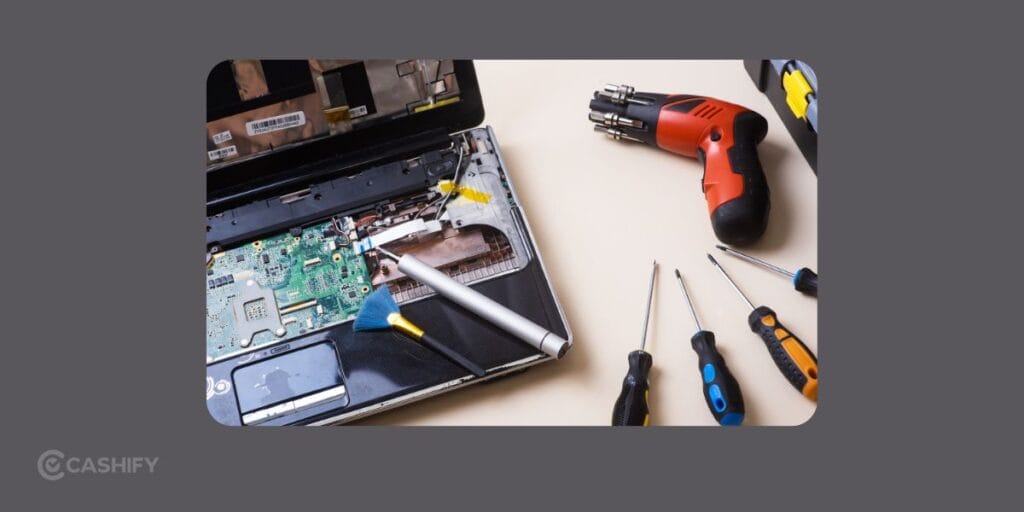
Why Choosing Right Laptop Repair Service Matters!
A laptop is more than just another gadget. It stores your work files, photos, projects, banking details, and personal memories. A poor repair job can create new problems instead of fixing the original one.
That’s why it’s worth looking beyond just the cheapest option when searching for laptop repair near me. A reliable repair service focuses on proper diagnosis, quality replacement parts, skilled technicians, and transparent pricing.
1. Check Whether The Repair Centre Handles Your Laptop Brand
Not every repair shop has experience repairing every laptop brand.
Different manufacturers use different internal designs, replacement parts, and repair techniques. A technician who regularly repairs Dell laptops may not have the same expertise with Apple, ASUS, Lenovo, HP, Acer, or MSI devices.
Before booking a repair, ask:
- Do they repair your laptop brand?
- Can they fix your specific issue?
- Do they provide motherboard-level repairs if required?
- Do they have experience replacing displays, keyboards, batteries, charging ports, or cooling systems?
A trustworthy laptop repairing shop near me should clearly explain what repairs they offer instead of promising to fix everything immediately.
Also read: Screen Repair Vs Screen Glass Repair: Know The Whole Truth!
2. Ask About Replacement Parts
One of the biggest reasons laptops develop repeat issues is poor-quality replacement parts.
Whether you’re replacing a battery, display, keyboard, charging jack, hinge, or cooling fan, the quality of the replacement component makes a huge difference.
Before approving a repair, ask:
- Are the replacement parts quality-tested?
- Is there a warranty on replaced parts?
- Will the repair affect laptop performance?
- Are compatible parts being used for your model?
Cheap parts might reduce repair costs initially, but they often fail much sooner.
At Cashify, technicians use quality-tested replacement parts, helping maintain reliability after the repair.
Also Read: Do You Lose Data When Replacing LCD Screen?
3. Check Repair Warranty
A repair shouldn’t end the moment you collect your laptop.
A reliable laptop repair shop near me should provide a warranty on eligible repairs. This gives you confidence that if the repaired component develops an issue within the warranty period, you’ll have support available.
Always ask:
- What warranty is included?
- Which repairs are covered?
- Are labour charges included if the same issue returns?
Warranty terms also show that a repair centre stands behind its workmanship.
4. Look For Transparent Pricing
Nobody likes unpleasant surprises when collecting their laptop.
Some repair centres quote a low inspection fee but later add unexpected labour charges or replacement costs.
A professional repair service should provide:
- A proper diagnosis
- A clear repair estimate
- Breakdown of repair charges
- Confirmation before starting repairs
If you’re searching for laptop repair near me, transparency is often a better indicator of quality than simply choosing the lowest price.
Also read: HP Laptop Preparing Automatic Repair? Here’s What It Means And How To Fix It!
5. Read Customer Reviews Before Booking
Reviews often tell you what advertisements don’t. Spend five minutes reading customer experiences before choosing a repair centre.
Look for comments about:
- Repair quality
- Technician behaviour
- Timely delivery
- Pricing transparency
- Whether the same issue returned after repair
- Overall customer satisfaction
If many customers repeatedly mention positive experiences, that’s usually a good sign.
Bonus Tips Before Sending Your Laptop for Repair
Even after choosing the right repair service, there are a few things you should do beforehand.
Back Up Important Files
If the laptop still powers on, create a backup of important documents, photos, and work files.
Remove Personal Accessories
Take out USB drives, SD cards, dongles, and external accessories before handing over the laptop.
Note Down Existing Damage
Take clear photos of the laptop from all sides. This creates a record of its condition before repair.
Disable Passwords If Required
If the technician needs access to diagnose software issues, discuss how your data will be handled. If possible, create a temporary login instead of sharing your primary password.
Also read: Most Common Laptop Problems For Possible Repair Instead Of Replacing The Device!
Why Choose Cashify For Laptop Repair?
When you’re searching for a reliable laptop repair near me, you want more than just a nearby repair shop. You need skilled technicians, genuine service, and a hassle-free experience from start to finish. That’s exactly what Cashify aims to provide.
Cashify repairs laptops from leading brands like Apple, Dell, HP, Lenovo, ASUS, and Acer, making it easier to find support for your device in one place.
Why Many Users Choose Cashify
Cashify focuses on making laptop repairs reliable as well as convenient.
- Premium repairs using quality-certified replacement parts
- Laptop repair services available at home or at Cashify stores
- Free 3-month warranty on replaced spare parts
- 6-month warranty on screen replacements
- Skilled and trained technicians
- Safe repair process with device and data security
- Transparent pricing before the repair begins
In laptop repairs you can usually opt for these issues in Cashify:
- Keyboard/Keypad issues
- Screen cracked or not working
- Hinge loosening
- Battery or charging problems
- Motherboard inspection and repair
…and more!
The best approach would be to hop into your nearest Cashify store with your damaged laptop and put the query.
Conclusion
Finding a good laptop repair near me shouldn’t be based only on who is closest or cheapest. Check the technician’s expertise. The quality of replacement parts also matter. Also, look for warranty coverage, pricing transparency, and customer experience before making your decision.
If you’re looking for a repair service that combines convenience with professional support, Cashify is a no-brainer option. It offers an easy booking process, doorstep repair options, trained technicians, certified replacement parts, and warranty-backed repairs. That means you can get your laptop fixed with greater confidence and get back to work without unnecessary hassle.
If you’ve just bought a new phone and don’t know what to do with your old phone, then here’s your answer. Sell your old mobile to Cashify and get the best price for it. If you are planning to buy a new phone, check out Cashify’s refurbished mobile phones. You can get your favourite phone at almost half price with a six-month warranty, 15-day refund and free delivery.