Every year, Apple releases a new version of iOS, and iOS 27 features are now officially available. It was launched on 14 September 2026. You get to see Siri AI, the next gen Apple Intelligence, AI tools, improved accessibility, and system updates.
Siri is more conversational and there are better Visual Intelligence to AI photo editing. We can see Safari automation, language shortcuts, waller features, and more. Apple has also improved customisation, app performance, accessibility, privacy, and everyday usability.
In this blog, let’s explore the key features of iOS 27.
Also Read: 7 Best AI Video Generators In 2026 For Creators And Businesses
Siri AI Finally Feels Like A Real AI Assistant
One of the biggest iOS 27 updates is Siri AI. It understands personal context, onscreen content, and supported apps. It is available as a beta in English on supported devices.
Siri AI can handle follow-up questions, use personal context, answer questions about your screen, and take actions.
For example:
- What’s the weather in Delhi this weekend?
- Will it rain on Sunday?
- Should I carry an umbrella?
Siri AI understands the conversation context, so you don’t need to repeat details.
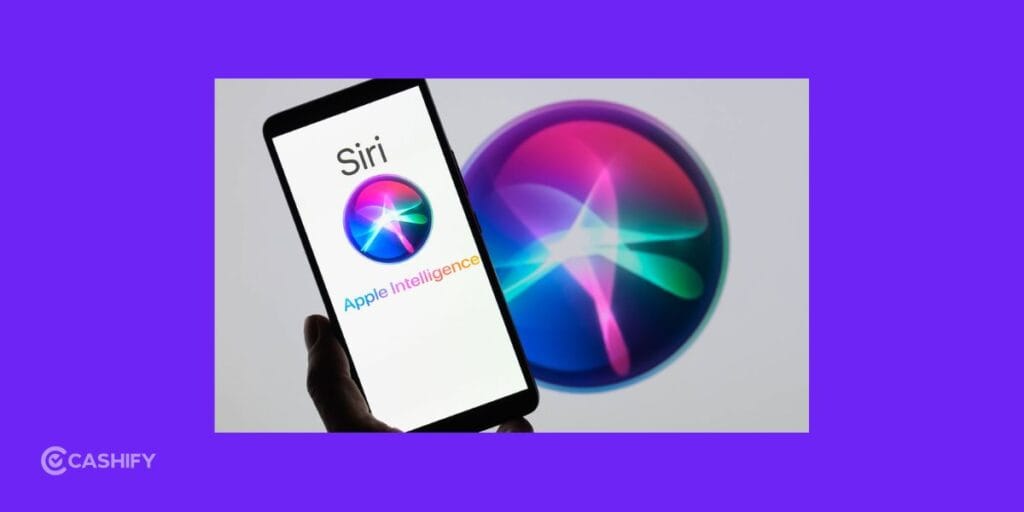
It also has a dedicated app where conversations can be revisited or continued later. You can sync history across supported Apple devices through iCloud.
On compatible iPhones, Siri AI can use Visual Intelligence through the Camera to identify objects, answer questions, provide food information. It can even help save physical cards to Apple Wallet.
Apple Intelligence 2.0 Expands Across iPhone
A major iOS 27 update is the deeper integration of Apple Intelligence. Instead of being limited to one app, it now works across supported apps and features.
- Personal-context assistance
- Writing and proofreading
- Intelligent photo editing
- Natural-language Shortcuts
- Automatic Safari tab organisation
- Visual Intelligence
- Image creation and Genmoji
- Contextual assistance across supported apps
Apple Intelligence can help users communicate, organise, create content, edit photos, and complete tasks using natural-language requests.
Also Read: 5 Best Video Downloader Apps For Android: Fast And Free Picks
Use Third-Party AI Models Directly From Your iPhone
iOS 27 also supports third-party AI integration with some limitations. Apple Intelligence can use ChatGPT through a Siri extension. The Foundation Models framework gives developers access to Apple and third-party language models.
Users can enable ChatGPT through Settings > Siri > ChatGPT on supported devices.
However, iOS 27 does not let users freely route every Siri request to any third-party AI model.
Create Powerful Shortcuts Using Natural Language
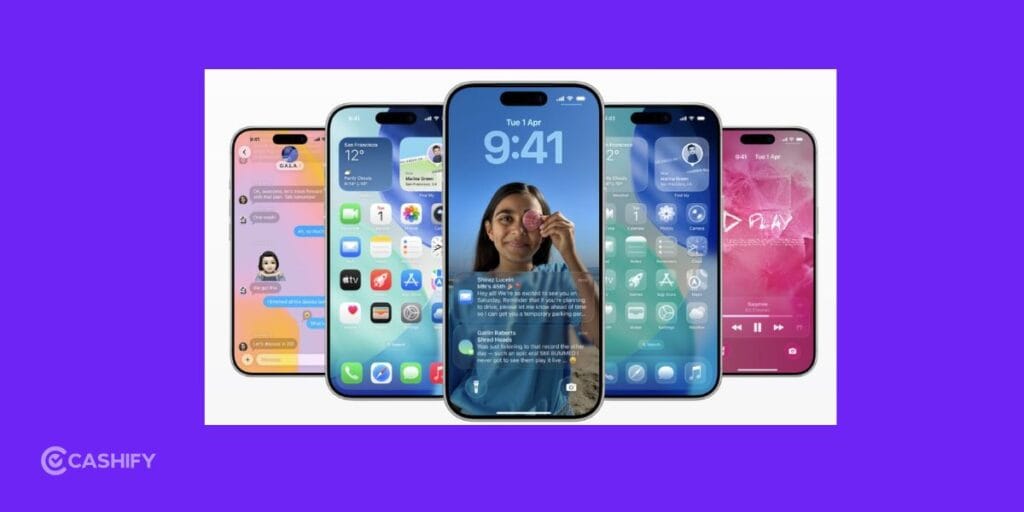
The Shortcuts app is already a powerful productivity tool. iOS 27 makes it easier with Apple Intelligence. You can create shortcuts using natural-language descriptions instead of building each action manually.
For example, you could say:
“Every weekday at 8 AM, turn on Bluetooth, open Spotify, and show my calendar.”
Apple Intelligence can create the shortcut, which you can then review and customise.
Visual Intelligence Turns Your Camera Into A Smart Assistant
Visual Intelligence is now integrated into the Camera on compatible iPhones through Siri mode. It can identify objects, answer questions, perform visual searches, and take supported actions.

Instantly Scan Food Labels
Visual Intelligence can provide information about food through the Camera. It can help identify or explain:
- Nutritional information
- Food-related details
- Information visible in the camera frame
Identify Places Around You
Visual Intelligence can identify or provide information about objects and other visual content. Siri AI can also use what you’re viewing to answer questions.
For travellers, this can help with signs, posters, landmarks, and other visual information.
Scan Contact Information
Visual Intelligence can recognise information from physical or onscreen content and take actions based on it. For example, Siri mode in Camera can help add a card to Apple Wallet or turn details from a flyer or invitation into a calendar event.
Also Read: 5 Best Messaging Apps For Android And iPhone For Secure Chats (2026)
AI Photo Editing Gets A Major Upgrade

Instead of relying on third-party editing tools, you’ll have access to more advanced AI-powered enhancements built directly into iOS.
Extend Photo Borders
Sometimes a photo feels too tightly cropped.
The new Extend feature can use AI to generate additional image content around the edges, creating a wider and more balanced composition.
Improve Lighting And Image Quality
Apple Intelligence can automatically enhance:
- Brightness
- Contrast
- Sharpness
- Overall image quality
This makes it easier to improve photos with minimal effort.
Reframe Spatial Photos
Another interesting addition among the iOS 27 features is the ability to reframe spatial photos after they have been captured.
This gives users greater creative flexibility when editing immersive images.
Safari Can Organize Your Tabs Automatically

If you regularly keep dozens of tabs open, you’ll appreciate this iOS 27 feature.
Safari can reportedly analyze open tabs and automatically group them based on their content.
For example:
- Travel tabs can be grouped together.
- Shopping pages can be organized separately.
- Research articles can be collected into their own category.
Safari also adds Notify Me. It can track webpages for changes such as price drops or product restocks. You can also describe the Safari extension you want it to create.
These features can make it easier for students, professionals, and anyone managing multiple tabs to stay organised.
Apple Wallet Can Digitise More Physical Cards
The upcoming iOS 27 features also extend to Apple Wallet. Apple is reportedly expanding Wallet’s capabilities so users can scan and convert various physical cards into digital versions.
This includes:
- Gym memberships
- Loyalty cards
- Reward programs
- Membership passes
Instead of carrying multiple physical cards, you’ll be able to access them directly from your iPhone.
It’s a simple improvement, but one that adds extra convenience to daily life.
Performance Improvements You Will Notice Every Day
Not all iOS 27 features are powered by artificial intelligence. Apple is also focusing heavily on system performance and stability.
Many industry observers are comparing this update to Apple’s famous “Snow Leopard” approach, where refinement and reliability take priority.
Faster And Smoother Experience
Users can expect:
- Faster app launches
- Improved responsiveness
- Smoother animations
- Better visual transitions
- Reduced system lag
These improvements help make the overall iPhone experience feel more polished.
Better Battery Life
Battery life remains one of the biggest priorities for smartphone users. By optimizing background processes and improving efficiency, Apple hopes to extend battery performance throughout the day.
Fewer Bugs And Glitches
One of the less exciting- but most important- iOS 27 features is a stronger focus on bug fixes and system stability.
This means fewer crashes, improved reliability, and a smoother experience across supported devices.
Also Read: 5 Best Photo Editing Websites In 2026 For AI And Social Media
Accessibility Features Become More Powerful
Accessibility remains a key focus, and several new iOS 27 features are designed to make iPhones easier to use for everyone.
Universal Subtitles Across iPhone
One of the standout accessibility-focused iOS 27 features is Universal Subtitles. This feature can automatically generate captions for videos playing anywhere on your device.
Whether you’re watching:
- Social media videos
- Streaming content
- Online tutorials
- Educational videos
Automatic captions can improve accessibility and understanding.
Smarter Voice Control
Voice Control is also becoming more intelligent. Instead of relying on rigid commands, you’ll be able to navigate your device using natural language.
Simply tell your iPhone what you want to do, and it can understand your intent more accurately.
This makes hands-free control significantly more useful for a wider range of users.
iOS 27 Compatible Devices
If you’re wondering whether your iPhone will support iOS 27, the good news is that Apple is expected to continue supporting a wide range of devices.
Based on current compatibility expectations, iOS 27 should be available for iPhones launched from 2019 onwards, including the latest iPhone 17 series.
| iPhone Series | Compatible Models |
|---|---|
| iPhone Duo | iPhone Duo |
| iPhone 18 Pro | iPhone 18 Pro, iPhone 18 Pro Max |
| iPhone 17 | iPhone 17, iPhone 17 Pro, iPhone 17 Pro Max, iPhone 17e |
| iPhone Air | iPhone Air |
| iPhone 16 | iPhone 16e, iPhone 16, iPhone 16 Plus, iPhone 16 Pro, iPhone 16 Pro Max |
| iPhone 15 | iPhone 15, iPhone 15 Plus, iPhone 15 Pro, iPhone 15 Pro Max |
| iPhone 14 | iPhone 14, iPhone 14 Plus, iPhone 14 Pro, iPhone 14 Pro Max |
| iPhone 13 | iPhone 13, iPhone 13 mini, iPhone 13 Pro, iPhone 13 Pro Max |
| iPhone 12 | iPhone 12, iPhone 12 mini, iPhone 12 Pro, iPhone 12 Pro Max |
| iPhone 11 | iPhone 11, iPhone 11 Pro, iPhone 11 Pro Max |
| iPhone SE | iPhone SE (2nd generation), iPhone SE (3rd generation) |
Is iOS 27 Worth The Upgrade?
Based on the rumored iOS 27 features, this update could be one of Apple’s most meaningful releases in years.
You’ll likely benefit the most if you:
- Use Siri frequently
- Want smarter productivity tools
- Take lots of photos
- Prefer AI-assisted workflows
- Need accessibility improvements
- Value better battery life and performance
Rather than focusing on major visual redesigns, Apple appears to be concentrating on making your iPhone smarter, faster, and more useful in everyday situations.
Final Thoughts
iOS 27 is now Apple’s current iPhone operating system. It has major updates like Siri AI, deeper Apple Intelligence, Visual Intelligence, AI photo editing, natural-language Shortcuts, Safari automation, and expanded Wallet features.
It also includes accessibility updates and other system improvements. Which is your favourite iOS 27 features? Let us know in the comment section below. I would love to hear you out!
Also Read: Best Mobile Phones Under 25000: Full List
FAQs
What are the most important iOS 27 capabilities?
It has Siri AI, deeper Apple Intelligence, Visual Intelligence, AI photo editing, natural-language Shortcuts, Safari automation, and expanded Wallet tools.
Will iOS 27 improve performance and battery life?
iOS 27 includes system improvements, but Apple hasn’t promised specific battery or performance gains.
How does iOS 27 improve Siri?
Siri AI offers more natural conversations, personal context, onscreen awareness, a dedicated app, and actions across supported apps. It is currently in beta in English on supported iPhones.
If you’ve just bought a new phone and don’t know what to do with your old phone, then here’s your answer. Sell old mobile to Cashify and get the best price for it. If you are planning to buy a new phone, check out Cashify’s refurbished mobile phones. You can get your favourite phone at almost half price with six-month warranty, 15 days refund and free delivery.