Apple has officially rolled out iOS 27 Developer Beta 3. The previous beta focused mainly on stability. But, iOS 27 Beta 3 features has several noticeable improvements. It has smarter Siri, refinements to Apple’s Liquid Glass, Safari upgrades, and other changes across the system.
If you’ve been waiting to see whether iOS 27 is a meaningful update, Beta 3 gives a much clearer picture. It isn’t packed with new apps, but it makes the new design language feel far more polished. This update also adds practical features that users will actually notice every day.
Let’s take a closer look at everything that’s new.
iOS 27 Beta 3 Release Date In India
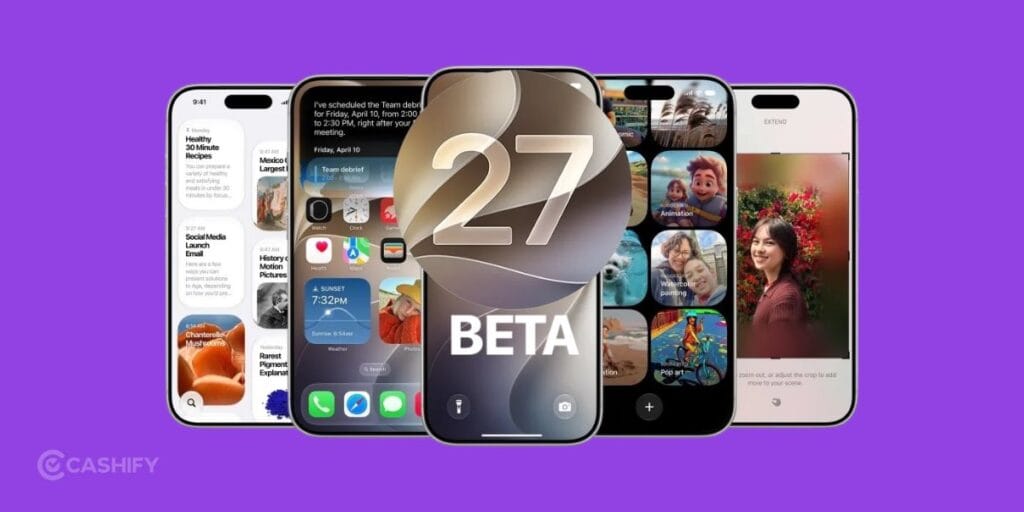
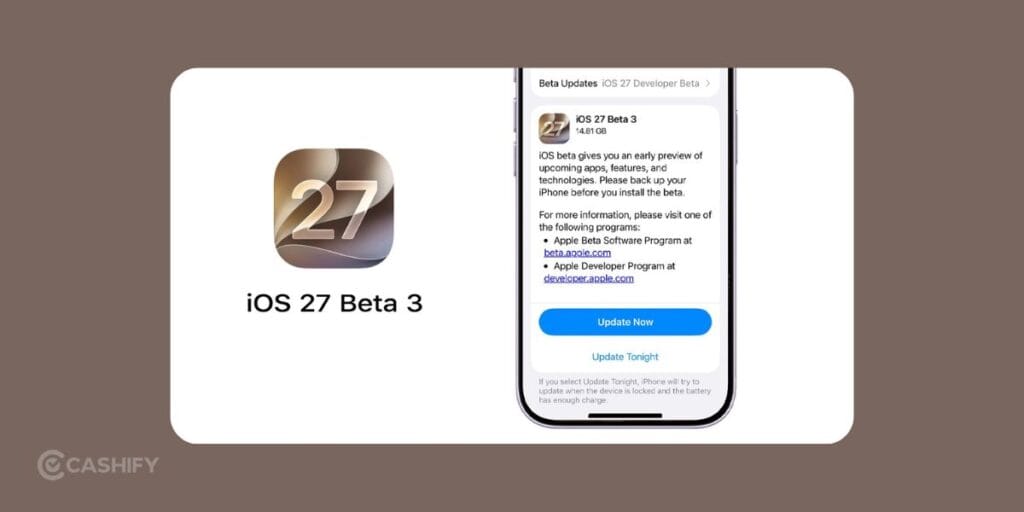
Apple released iOS 27 Developer Beta 3 on Monday, July 6, 2026. The update comes with build number 24A5380h and is fairly large. It requires around 10GB to 15GB of download space. But this also depends on your iPhone model and previous beta version.
As expected, this release is currently available only for registered developers.
Expected Public Beta Release For iOS 27 Beta 3
The iOS 27 Public Beta is expected to arrive in mid-July 2026. You can expect Apple to release it during the week of July 13.
If Apple follows its usual schedule, the final stable version of iOS 27 should launch alongside the new iPhone lineup in September 2026.
Also Read: Android 17 Vs iOS 26: Design, AI, Performance, Customisation, More!
What’s New In iOS 27 Beta 3? All iOS 27 Beta 3 Features
This update mainly focuses on refining Apple’s new software experience. Most changes improve everyday usability, animations, and system consistency.
Siri Gets Smarter Voice Controls
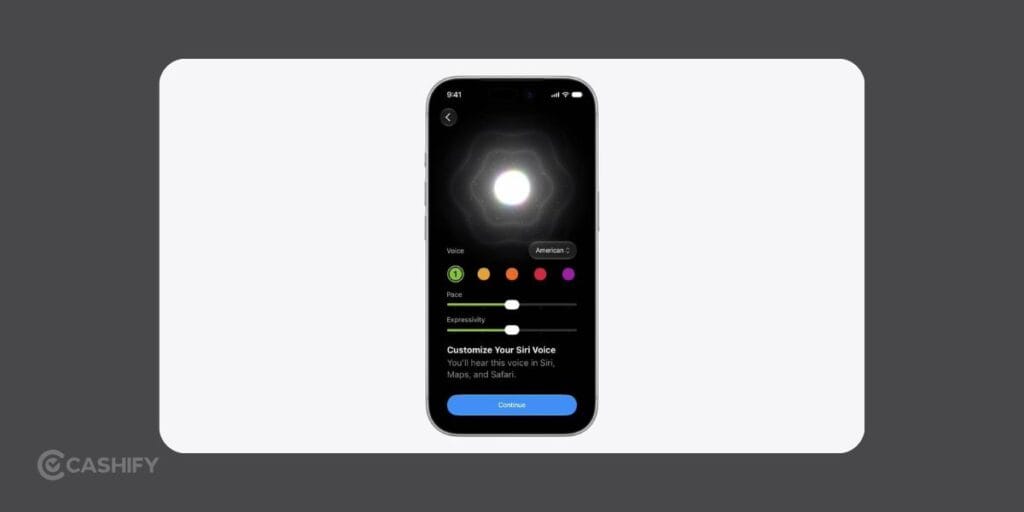
One of the biggest additions is the new Siri AI Voice Customisation feature.
If your device supports, you can now adjust Siri’s speaking style using dedicated sliders for:
- Pace
- Expressivity
This allows Siri to sound faster, slower, calmer, or more expressive based on personal preference.
Apple has also redesigned Siri’s interface. It comes with a subtle glowing reflection animation underneath the assistant. This makes interactions feel more modern and visually polished. This feature requires 12GB of RAM. It means that it’s currently limited to:
- iPhone 17 Pro
- iPhone 17 Pro Max
- iPhone 17 Air
Search And Siri Optimisation Progress
Apple has renamed the background indexing process to “Optimising Search and Siri.” Instead of simply waiting in the background, you can now see a progress percentage.
It may sound like a small improvement, but it removes the guesswork when search results or Siri responses temporarily feel incomplete after installing a beta.
Also Read: Apple iPhone 18 Pro Series Upgrades Could Be Apple’s Biggest Leap In Years
Liquid Glass Design Looks Better
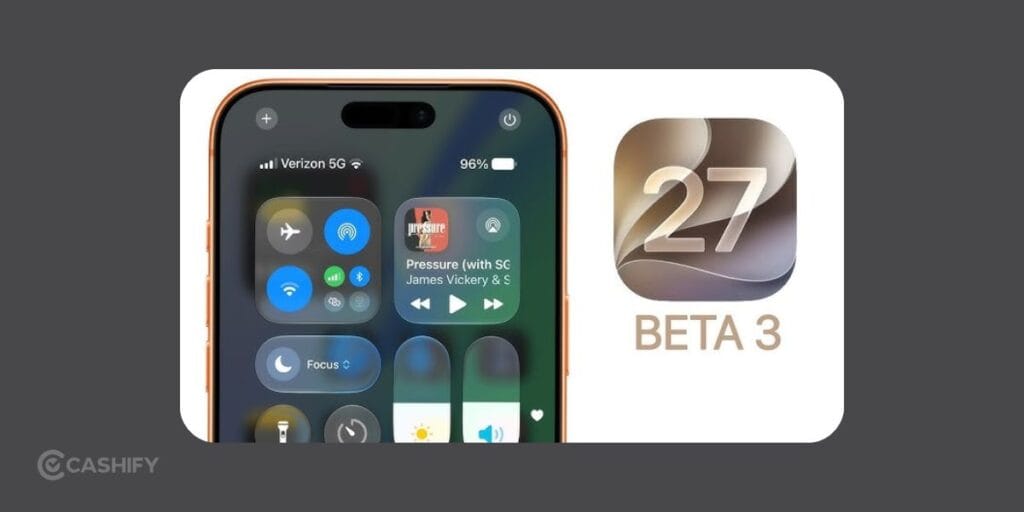
Apple continues polishing its new Liquid Glass interface introduced in iOS 27.
Beta 3 softens the shiny reflections across system icons. It reduced the darker borders that many beta testers criticised in earlier versions. It now has a cleaner, lighter appearance that looks much more consistent with the overall design.
There’s also a new appearance slider that lets users control the overall intensity of the Liquid Glass effect throughout the system. Personally, this feels like one of those changes you don’t notice until you switch back to the previous beta.
Reminders Gets A Fresh Icon
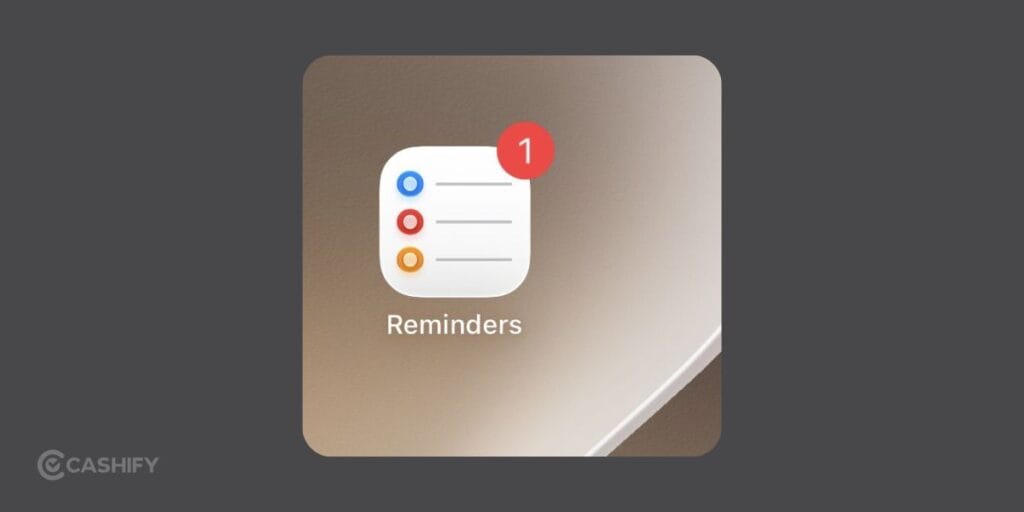
Even Apple’s app icons are receiving attention.
The Reminders app now replaces its previous solid-coloured bullet points. It now has hollow coloured circles to give the icon a cleaner and more modern appearance.
It’s a tiny visual tweak, but it matches the new design language across iOS 27.
Control Center Now Shows Cellular Information
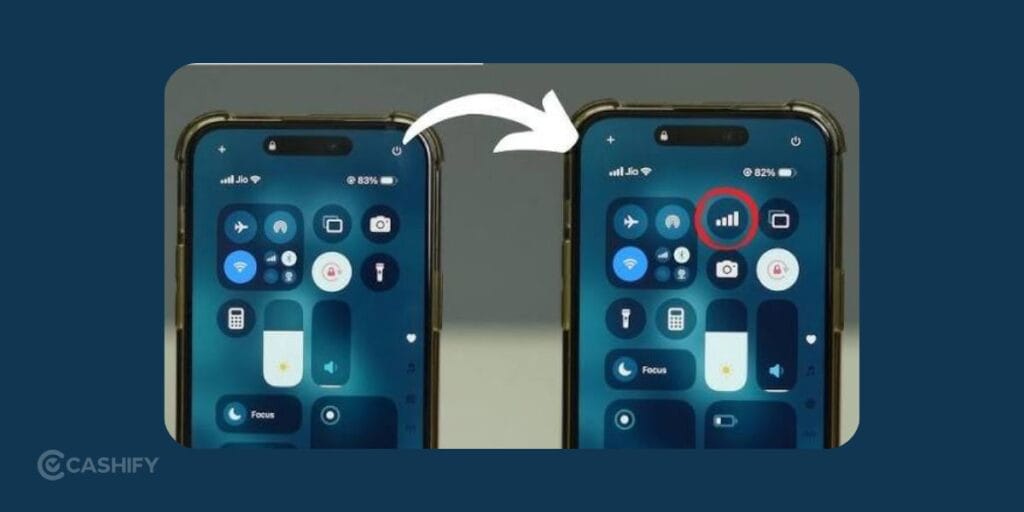
One surprisingly useful change appears inside Control Center.
Even while connected to Wi-Fi, the status bar now displays your:
- Cellular signal strength
- Network type (5G, LTE, etc.)
You won’t have to go to settings to quickly check your mobile connection.
Also Read: How To Get Liquid Glass On WhatsApp In iPhone: Simplest Guide!
New Lock Screen Animation
Apple has also refined the lock screen experience. The wallpaper now creates a smooth depth animation where the foreground subject briefly pops forward before the lock screen fully appears.
It’s purely cosmetic, but it makes the interface feel much more fluid.
Safari Receives Several Useful Features
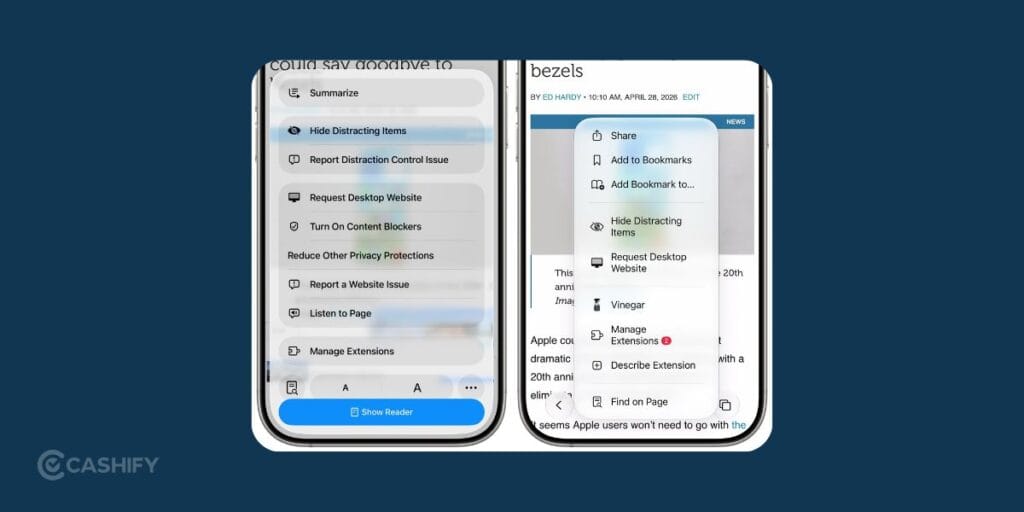
Safari is quietly becoming one of the biggest winners in iOS 27. Beta 3 introduces a new welcome screen highlighting four upcoming features:
- Auto-organising tabs
- Bookmark browsing by topic
- Notify Me page change tracking
- Custom extension creation
These additions make Safari much more useful for people who rely on Apple’s browser daily.
The page change notification feature is helpful for tracking product availability, ticket sales, or frequently updated webpages. You won’t have to constantly refresh them to see the changes.
Find My Adds Location Hiding
One more addition is the ability to temporarily freeze or hide your location inside Find My. Now, it won’t automatically notify the person you’re sharing your location with.
This gives users a bit more flexibility and privacy when needed.
Apple Wallet Supports Custom Passes
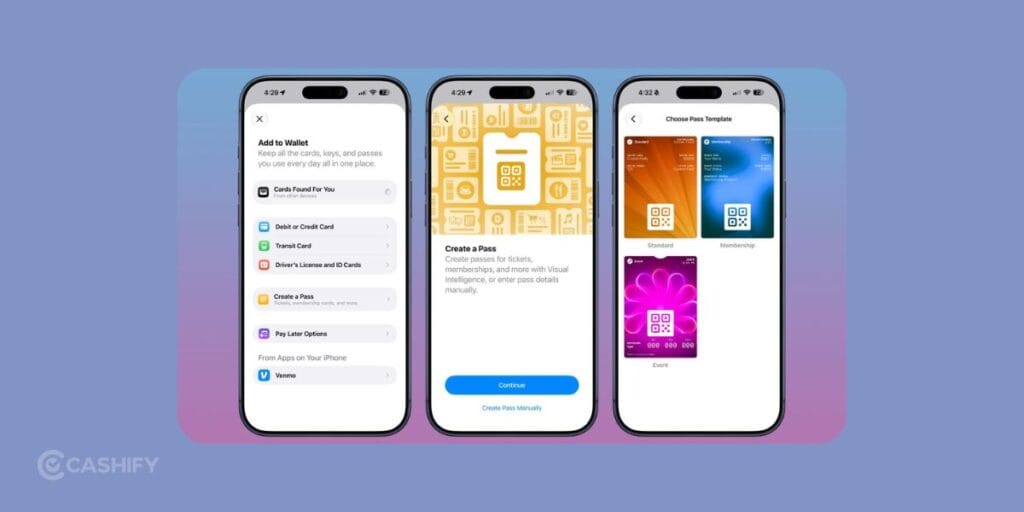
Apple Wallet is getting more flexible as well.
You can now scan ordinary QR codes to generate digital passes for:
- Membership cards
- Event tickets
- Loyalty programs
This is particularly useful for businesses or organisations that don’t yet offer official Apple Wallet integration.
iOS 27 Beta 3 Compatibility
Most of the new features are available across every supported iPhone running iOS 27.
| iPhone Model | Liquid Glass | Safari Features | Wallet Passes | Find My Location Hiding | Siri Voice Customisation |
|---|---|---|---|---|---|
| iPhone 17 Pro / 17 Air | Yes | Yes | Yes | Yes | Yes |
| iPhone 17 / 17 Plus | Yes | Yes | Yes | Yes | No |
| iPhone 16 Series | Yes | Yes | Yes | Yes | No |
| iPhone 15 Series | Yes | Yes | Yes | Yes | No |
| iPhone 14 Series | Yes | Yes | Yes | Yes | No |
| iPhone 13 Series | Yes | Yes | Yes | Yes | No |
| iPhone 12 Series | Yes | Yes | Yes | Yes | No |
| iPhone 11 Series | Yes | Yes | Yes | Yes | No |
Should You Install iOS 27 Beta 3?
If you’re already testing the developer beta, this update is definitely worth installing. It fixes several visual inconsistencies. It also makes iOS 27 feel considerably more polished than earlier builds.
If you’re not a developer, it’s probably smarter to wait for the public beta later in July. Developer builds can still include bugs, battery drain, and app compatibility issues that may affect your daily experience.
Final Verdict
This time, Apple has focused on refining the experience with smarter Siri controls, cleaner visuals, Safari enhancements, and more. The exclusive Siri voice customisation will disappoint owners of older devices. But, every other improvement is available across the full range of supported iPhones.
So, are you going to update or wait for the public beta? Let me know in the comment section below. I would love to hear you out!
If you’ve just bought a new phone and don’t know what to do with your old phone, then here’s your answer. Sell old mobile to Cashify and get the best price for it. If you are planning to buy a new phone, check out Cashify’s refurbished mobile phones. You can get your favourite phone at almost half price with six-month warranty, 15 days refund and free delivery.