

We are surrounded by emails every day, be it personal, promotional or work. In today’s work at home, era emails have become more critical than ever. We all have Gmail, Hotmail, Yahoo, or work mail accounts; however, we install more apps to access those email accounts. This practice has become quite tiresome since all those apps create storage issues and becomes hard to manage. So, what’s the solution? It’s quite simple just add another email account to the Gmail app. Voila!
Also Read: Best Method To View Instagram Stories Anonymously
The popular Gmail app lets you add not one but many email accounts to your app, such as Hotmail, Yahoo mail, Rediff mail, iCloud, or any other custom domain email address quite easily. On the other hand, you can also choose the email protocol IMAP or POP3 as per your choice; the app will automatically download your emails.
How Can I add another email account to the Gmail App?
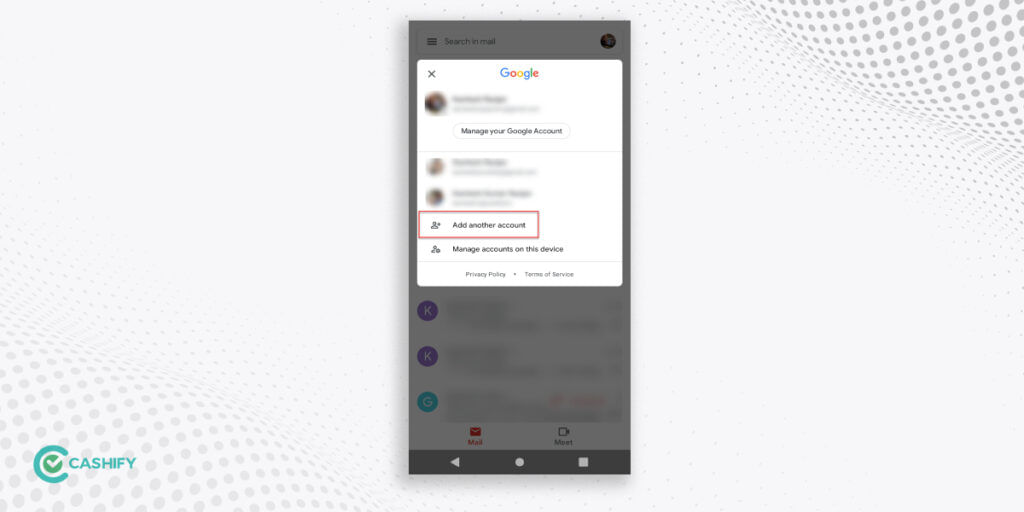
Step 1: Open the Gmail app and tap on the profile icon.
Step 2: Here, In the pop-up window, tap on the Add another account CTA button.
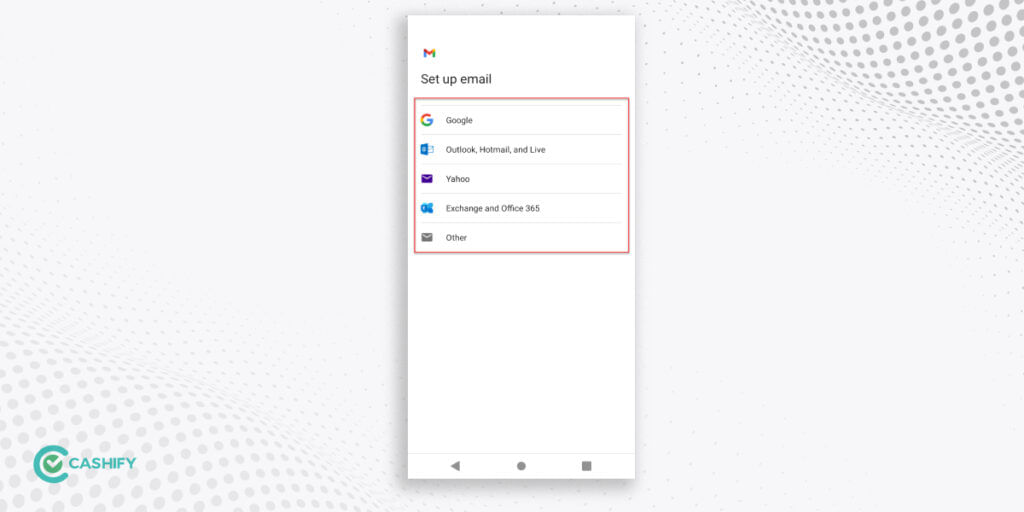
Step 3: In the next screen, you will see various email adding options. You can add a Google account, Outlook, Hotmail, Live, Yahoo, Office 365, and any other account. Tap on account of your choice.
Also Read: 5 Best Websites And Apps To Translate Anything From English To Hindi Or Vice Versa
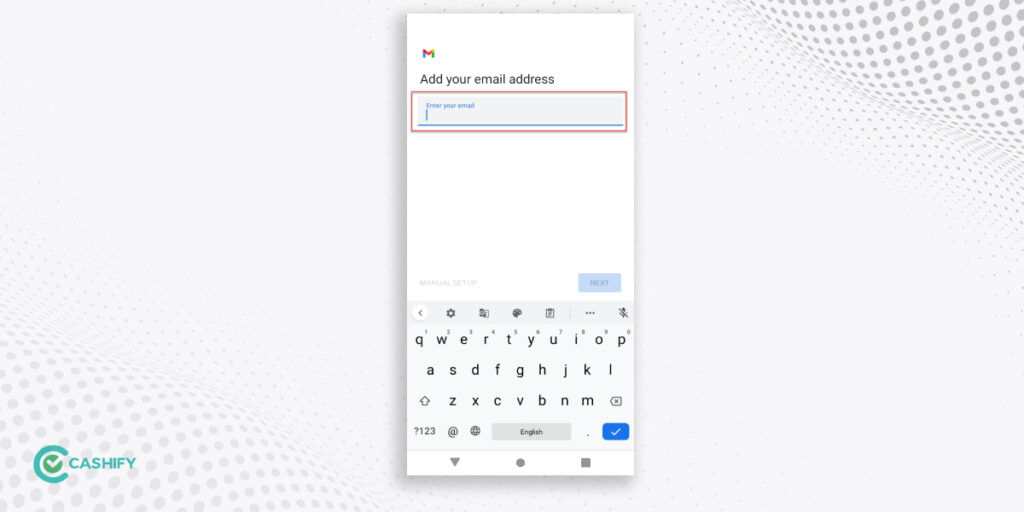
Step 4: Now, provide the email and the password of the account you want to add to your Gmail app.
Step 5: That’s it; it might take a while for all the emails to synchronise and reflect in your mailbox.
For the latest smartphone news, stay tuned to Cashify. We also allow you to compare mobile phones so you can find out the better phone before buying.