Landing a headshot in Garena Free Fire MAX can completely change the outcome of a fight. However, getting consistent headshots is not only about having fast reflexes. Your aim settings, movement, weapon choice, crosshair placement and shooting habits all play a role.
If you often find yourself hitting the body even when your crosshair is close to the enemy’s head, a few changes to the way you play can help. Here are some practical tips you can try to improve your headshot percentage without relying on complicated techniques.
Also Read: How To Recover Free Fire ID Hack? Quick Guide
What Are Headshots In Free Fire MAX?
A headshot happens when a player hits an opponent’s head. This triggers the highest damage multiplier in the game. If you compare it to body shots, headshots cause significantly more damage. They can instantly knock down or eliminate enemies.
- Highest Damage Output: Headshots inflict far more damage than shots aimed at the body.
- Quick Eliminations: Certain high-damage weapons can secure a one-tap kill through a headshot.
- Reduced Impact of Armor: Headshots remain highly effective against opponents using armor.
- Accuracy Matters: Precise aim and crosshair control play a major role in landing consistent headshots.
Common Headshot Techniques:
- Drag Headshot: Swipe upward while firing to shift the crosshair from the torso to the head.
- One-Tap Trick: Tap the fire button and flick upward at the same time for a fast head-level shot.
- Advanced Methods: Jump Drag and Situp Headshots help skilled players improve accuracy and reaction time.
Best Sensitivity Settings for Easy Headshots In Free Fire MAX
Truth be told, bad sensitivity means shaky aim + missed kills. These settings are a solid starting point, not a fixed rule.
| Setting | Recommended Range | Purpose |
|---|---|---|
| General | 95 to 100 | Controls overall camera movement and fast screen rotation for quick reactions |
| Red Dot | 90 to 100 | Helps shift crosshair from chest to head during close-range fights |
| 2x Scope | 85 to 95 | Supports mid-range aiming and fast movement control |
| 4x Scope | 70 to 80 | Keeps long-range sprays stable and prevents over-dragging |
| Sniper Scope | 45 to 55 | Allows precise aiming and steady control for sniper shots |
| Free Look | 60 to 70 | Helps camera movement while running without affecting aim |
Garena Free Fire MAX: Tips To Increase Headshot Percentage
Customising the Sensitivity Settings
One of the biggest mistakes players make is copying pro players or YouTubers.
Here’s the truth: their sensitivity works for their device, fingers, and playstyle, not yours.
Instead, build your own setup. Jump into training mode, tweak settings slightly, and test what feels natural. Your perfect sensitivity can become your secret weapon.
Shoot Smart, Not Random
If your enemy is constantly jumping and running, landing headshots becomes much harder.
Instead of spraying randomly, wait for the right moment. Catch enemies when they slow down, peek, or take cover. That’s your headshot window.
Master Crosshair Placement
This is where most beginners mess up.
Your crosshair should always be at head level, not on the ground, not on the body.
Good players don’t “drag aim” to the head. They are already aiming there.
If you drag your crosshair too much, you lose precious milliseconds, and in Free Fire, that’s the difference between winning and losing.
Also read: Flipkart Big Billion Muqabla: How to Play and Win Rewards
HUD Layout
HUD Layout
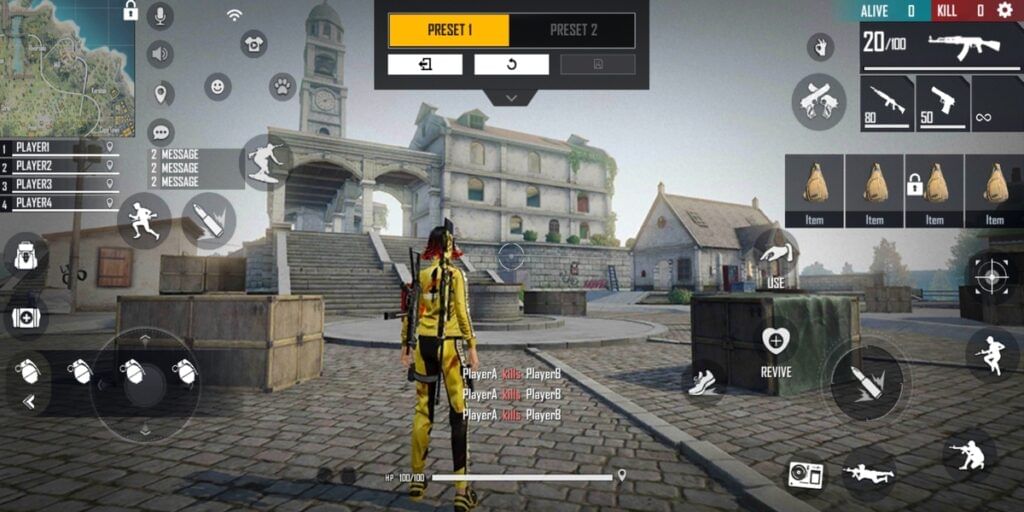
There is NO perfect HUD layout.
Seriously! Stop searching for the “best HUD code.” It doesn’t exist.
Start simple:
- Begin with a 2 or 3-finger setup
- Slowly move to a 4-finger claw as you improve
The goal is comfort + speed. If your fingers feel awkward, your gameplay will suffer.
Also Read: GTA San Andreas Cheats For Android: Complete List
Training Room: Real Grind Zone
Every competitive game includes a training mode for a reason. This area builds aim control, timing, and muscle memory. They say practice makes a man perfect, which is true in this case.
Skipping warm-ups leads to unstable aim and weaker performance in matches.
- Around 15 minutes of daily target practice helps stabilize finger movement patterns
- Repetition improves automatic aim correction during real fights
- Ranked modes like Battle Royale and Clash Squad show stronger headshot consistency after consistent practice
Static practice is not enough; movement plays a key role in real fights. You can use dynamic targets to train Jump-Shot Drag timing. You should practice fast Gloo Wall placement for both defense and attack
Weapon Familiarity
- Each weapon has unique recoil and bullet spread behavior
- Target dummies help learn reset timing for accurate shots
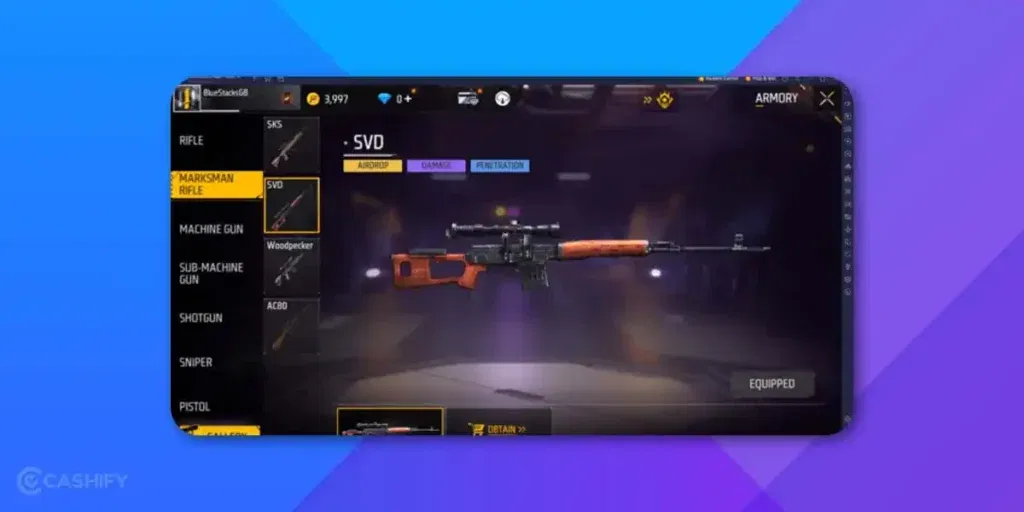
- Focus on single-shot weapons like the Woodpecker and Desert Eagle for stronger One-Tap control
Turn On Gyroscope
Have you ever seen a professional flick their aim in a split second, right onto someone’s head? That’s not magic, but it is a gyroscope.
Gyroscope lets you aim by tilting your phone, not just swiping the screen. It’s faster for tiny adjustments, especially in close fights.
Here are the steps that you need to follow to get started.
- Turn on Gyroscope in Settings > Sensitivity.
- Use it only during fights, not for full 360-degree turns.
- Practice small tilts first. Big shaky movements will mess up your aim.
It feels weird for the first few days, but stick with it for a week, and you’ll wonder how you played without it.
Pick Guns That Actually Reward Headshots
All guns are not equal when it comes to headshot damage. Some weapons deal way more damage to the head than others, which means faster kills with less effort.
Good picks for headshot hunters:
- AWM: One headshot, almost always a kill. The best sniper for this.
- M82B: Slower to reload, but hits like a truck.
- MP40: Great in close range once you get the recoil pattern down.
- Groza: Balanced damage, easy to control, solid for mid-range fights.
Don’t just pick a gun because it looks cool. Pick one that matches your range (close, mid, or long) and stick with it until it feels natural in your hands.
Fix Your Graphics Settings
Your headshot percentage isn’t just about skill. It’s also about how smooth your game runs.
If your phone lags or drops frames, your aim will feel “sticky” or delayed. You could have perfect aim and still miss because the game skipped a frame at the wrong second.
You can try these quick fixes:
- Set Graphics to Smooth and Frame Rate to Max in game settings.
- Close other apps running in the background.
- Play in a good Wi-Fi or strong mobile data zone. Ping matters more than you think.
- If your phone is older, lower the resolution instead of the frame rate. Smooth movement matters more than sharp graphics.
Stop Making These Mistakes
Even players with great sensitivity settings mess up because of small habits. Watch out for these:
- Firing from too far without a scope: Without a scope, your bullets spread out at long range. Use one, even a 2x, once enemies are far away.
- Standing still while aiming: Standing still makes you an easy target too. Learn to strafe (move sideways) while shooting.
- Ignoring recoil: Guns pull upward when you fire. Pull your aim down slightly as you shoot to keep it on the head.
- Panic firing: When surprised, most players spray wildly. Take half a second to aim first. It feels slower, but it lands more headshots.
Pro Tips to Improve Your Free Fire Max Stats
| Tip | Key Point |
|---|---|
| Play Aggressive but Smart | Push fights, keep cover, watch surroundings |
| Use Accuracy-Based Characters | Improve aim stability and headshot control |
| Avoid Hotdrop Areas | Land safe for longer survival and better stats |
| Use Healing Characters | Stay alive longer in late-game zones |
New Characters To Improve Your Headshots In Free Fire MAX
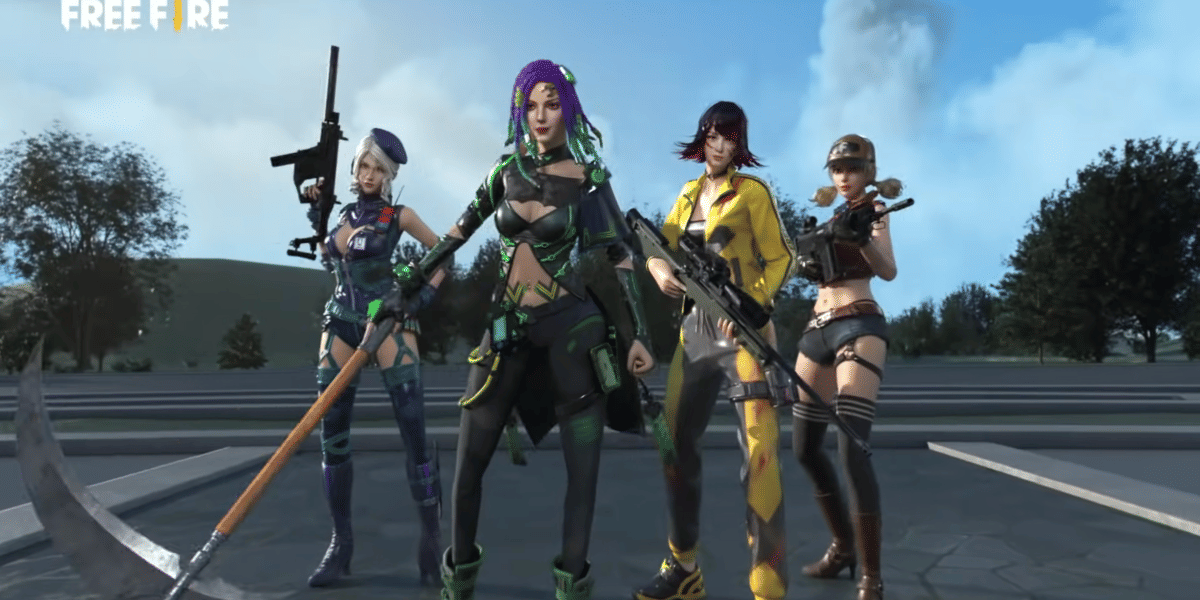
Garena buffs characters in OB54 for 2026. These make headshots easier. Pick one that fits your style. Level to 5 stars for max power.
The latest OB54 update actually made headshots easier. That if you pick the right characters.
- Rin Evos: Auto-lock kunai makes close-range headshots insanely easy
- Wolfrahh: Passive accuracy boost in open fights
- Laura: Scoped accuracy monster (perfect for snipers)
- Morse: New stealth meta boosts headshots in shadows (super underrated!)
Pro Tip: Pair these characters with the right sensitivity, and you’ll instantly feel the difference.
Final Thoughts
Improving your headshot percentage is mostly about consistency. Start with the basics instead of trying to learn everything at once.
Keep your crosshair around head level, find a sensitivity that feels comfortable and practise controlled drag shots. Learn the recoil of the weapons you use regularly and avoid changing your settings every few matches.
You should also pay attention to movement, positioning and sound. These things help you prepare for fights instead of simply reacting when an opponent appears.
Most importantly, give yourself time to improve. Your headshot percentage may not change dramatically after one practice session, but consistent practice can help you develop better aim and more reliable shooting habits over time.
FAQs – Free Fire MAX
How can I improve my headshot accuracy in Free Fire MAX?
Customise your sensitivity settings to fit your play style, practice regularly in the training room, and aim carefully by keeping your crosshair steady and centred on the enemy’s head.
What are the best sensitivity settings for headshots?
Everyone is different, so find your ideal sensitivity by tweaking the controls in-game instead of copying others blindly.
Why is crosshair positioning important?
Keeping your crosshair at the enemy’s head level helps you land headshots faster without wasting time dragging or adjusting your aim.
Should I shoot moving or stable enemies for better headshots?
Aim for enemies when they are stable or moving predictably, as shooting at jumping or erratic enemies is more challenging and less accurate.
How does HUD layout affect my gameplay?
Your HUD should be comfortable and personalised to your style. Start simple and increase complexity as you improve; copying others’ layouts may not work for you.
How can I improve my recoil control to increase headshots?
Practising in training mode to control recoil helps keep your shots on target, increasing your chances of headshots.
Are there special tricks to guarantee headshots?
Some advanced players use techniques like drag headshots or jump drag, which require practice to time your shots perfectly with enemy movement.
Does a Gyroscope really help with headshots?
Yes, Gyroscope lets you make tiny, precise aim adjustments by tilting your phone, which is great for landing headshots in fast fights.
Which gun is best for beginners aiming for headshots?
The Groza is a great starting point. It’s easy to control and works well at close and mid-range.
Can lag actually affect my headshot percentage?
Yes, if your game lags, your aim can feel delayed, which makes it harder to hit the head even with good skills.
Should I always use Gyroscope instead of touch controls?
No, you should use both together. Touch controls for big movements and Gyroscope for small, precise adjustments during fights.
Why do I keep missing headshots even with good sensitivity?
It could be recoil, lag, or bad habits like standing still. Check your graphics settings and practice controlling recoil in training mode.
Also read: Garena Free Fire MAX Now Available in India: How to Download
If you’ve just bought a new phone and don’t know what to do with your old phone, then here’s your answer. Sell old mobile to Cashify and get the best price for it. If you are planning to buy a new phone, check out Cashify’s refurbished mobile phones. You can get your favourite phone at almost half price with 6 6-month warranty, 15 days refund and free delivery.
We most certainly hope this article helps you in landing those critical headshots and bagging those wins. Happy gaming!