Before you come to a conclusion of POCO X6 battery repair, you would see signs. Ever had your POCO X6 drop from 50 percent to 0 percent way too fast? One minute you are gaming or scrolling, the next you are hunting for a charger. Annoying right?
If that sounds familiar, your battery might be wearing out. The good news? You do not need a new phone. You can get a professional POCO battery replacement for just Rs. 1999! How? Let’s talk about it and know whether it is actually worth it. Also, how to keep your battery healthy after the fix.
Also read: What To Do When Power Button Is Not Responding In POCO M4?
Why Your POCO X6 Battery Might Be Letting You Down?
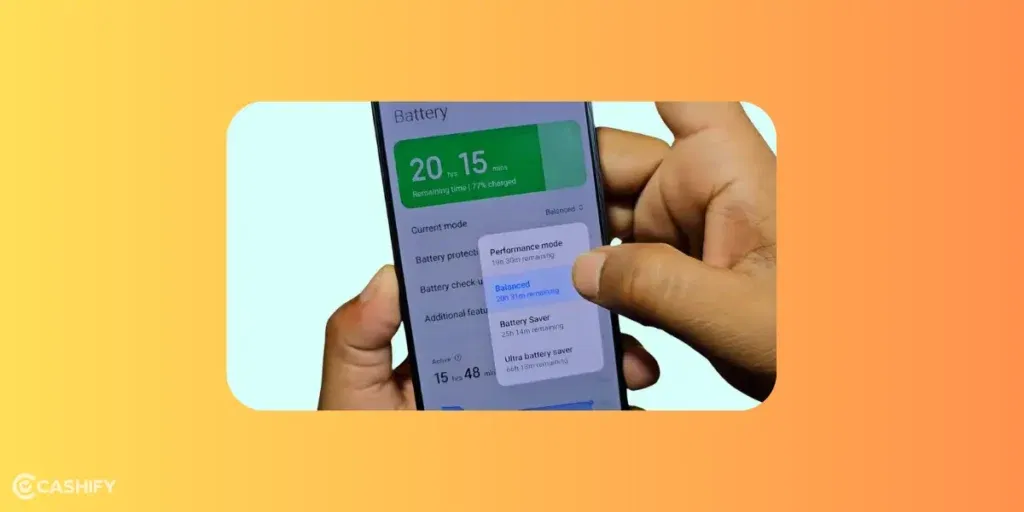
The POCO X6 packs a decent amount of power with its 5100mAh battery. It is designed for all-day performance. But over time, factors like frequent charging cycles, extreme temperatures, or even software glitches can wear it out. Common signs it’s time for a repair include:
- Rapid drain even on light usage.
- Swelling or overheating during charging.
- The phone shuts down unexpectedly at 20-30 percent battery.
- Inaccurate battery percentage readings.
Ignoring these can lead to bigger problems, like reduced performance or safety risks. However, if you replace the battery, it restores your phone to near-original glory. This way, you can extend its life without the cost of a new device.
Also read: Struggling With POCO F5 Battery Issues? Here’s How To Boost It Quickly!
The Affordable Fix: Cashify’s Battery Repair Service!
Thinking of a solution that doesn’t hurt your pocket or mislead you? Choose Cashify- India’s go-to certified platform for phone repair. For the POCO X6, Cashify offers highly compatible battery replacements starting at just Rs. 1999. This isn’t some casual third-party fix. Highly skilled technicians take care of the whole process from diagnosis to delivery post-repair. You get back your phone in top-notch condition. If anything happens, there’s a warranty for three months post-repair as well.
There’s more! Cashify sweetens the deal with a bunch of perks that make the process hassle-free:
- Doorstep Service: No need to trek to a service center. A certified technician comes to you, often completing the repair on the same day.
- Discounted Prices: Beyond the base Rs. 1999, keep an eye out for seasonal offers, promo codes, or bundle deals that can shave off even more.
- Warranties and Guarantees: Every mobile repair for battery replacement comes with a 3-month warranty*.
- Transparent pricing: There are no hidden fees. You can check out an estimate on the website or app itself. Just search with your phone model, POCO X6, and see the repair cost for the issue, like ‘Battery’ in this case.
Compared to official service centers, which might charge upwards of Rs. 2500-3000 and require you to visit in person, Cashify’s model is a steal! Efficient, affordable, and user-centric.
(*Repair warranties are subject to discretion based on Cashify’s terms and conditions. Please refer to our warranty policy for detailed information.)
Also read: What To Do When Power Button Is Not Responding In POCO M4?
How Can You Improve Your POCO X6 Battery Life Post-Repair
While a fresh battery is a great start, here are some resourceful hacks to keep it performing optimally:
- Optimize Charging Habits: Avoid letting your battery drop below 20 percent or charge beyond 80% regularly. Use the built-in battery saver mode for extended sessions.
- Update Software: POCO often rolls out updates that improve battery efficiency. Check for them in Settings > About Phone.
- Manage Apps: Close background apps via the recent apps menu and restrict battery-hungry ones in Settings > Battery > App Battery Saver.
- Temperature Control: Keep your phone away from direct sunlight or cold environments, as extremes accelerate degradation.
- Calibrate Occasionally: After repair, fully charge to 100 percent, use until it dies, then charge uninterrupted to recalibrate the meter.
If DIY tweaks aren’t cutting it, professional mobile repair is your best bet to avoid voiding warranties or causing further damage.
Also Read: Need To Repair Your POCO F6 Cracked Screen? Check The Most Affordable Way!
Is Rs. 1999 Worth It? Absolutely!
In a world where flagship phones cost a fortune, breathing new life into your POCO X6 for under Rs. 2000 is a no-brainer. Cashify not only hits that sweet spot on price but layers on benefits in POCO X6 battery repair. You get convenience, quality, and extras like discounts and guarantees that make the experience worthwhile. If your battery’s on its last legs, head to the Cashify app or website, select your model, and book a slot today. Your phone (and your wallet) will thank you.
Got questions or experiences with POCO phone repair? Drop them in the comments! We’d love to hear!
Need mobile phone repair discounts online?
Use code: TECH25 to avail of a discount of up to Rs. 300 by using the (on the minimum order value of Rs. 2499).
Use code: RPR50 to avail up to 50 percent off on a minimum spend value of Rs. 1000.
If you’ve just bought a new phone and don’t know what to do with your old phone, then here’s your answer. Sell old mobile to Cashify and get the best price for it. If you are planning to buy a new phone, check out Cashify’s refurbished mobile phones. You can get your favourite phone at almost half price with six-month warranty, 15 days refund and free delivery.