Is your Google Pixel 9 Pro XL battery draining quickly? You may be thinking about replacing the battery, but is it safe to do so? A poor-quality battery or careless repair can cause problems later. If you’re looking for Google Pixel 9 Pro XL mobile repair near me, it’s important to choose a service that handles the repair properly. Let’s look at what to expect during a battery replacement and how to choose the right service.
Also read: Pixel 6A Detected Water In USB Port? Get Your Best Fix Today!
Is Google Pixel 9 Pro XL Battery Replacement Safe?

Yes, battery replacement can be safe, but choosing the wrong battery or repair service can cause problems later. Here are some issues that can arise.
The Back Panel Does Not Sit Properly
After a battery replacement, the back panel should sit as it did before. If you notice a raised edge, uneven fitting, or a small gap, the phone may not have been put back together properly.
The Phone Loses Its Battery Backup Quickly
You may charge the phone fully in the morning and find yourself reaching for the charger again much earlier than usual. This can happen when the replacement battery has poor capacity.
The Phone Starts Restarting On Its Own
You may notice the Google Pixel 9 Pro XL restarting while using an app, making a call, or simply sitting idle. Unexpected restarts can sometimes appear after a battery replacement.
Other Parts Can Get Damaged During Repair
The battery sits close to other components inside the phone. If it is removed or fitted carelessly, nearby parts can get damaged too. This can lead to problems that are unrelated to the battery itself.
Also Read: Do You Lose Data When Replacing LCD Screen?
When Should You Replace The Battery?
Before choosing a Google Pixel 9 Pro XL mobile repair near me, let’s look at signs that your battery may need replacement:
Battery Health Shows “Reduced”
Go to Settings > Battery > Battery health on your Pixel 9 Pro XL. If it says “Reduced,” the battery is no longer performing as well as it should. This is one of the clearest signs that it is time to consider a replacement.
Battery Has Crossed 1,000 Charge Cycles
The Pixel 9 Pro XL battery is designed to retain up to 80 percent of its original capacity for around 1,000 charge cycles. Once you get close to or pass this point, battery performance can start to decline with regular use.
Battery Starts Swelling
A swollen battery can change the shape of your phone. You may notice the back panel lifting or a gap appearing around the edges.
Battery Area Has Been Damaged
A hard drop can damage the battery inside your Pixel 9 Pro XL. If the phone takes a strong impact around the back or battery area, the battery can be affected even when the phone still turns on normally.
Also Read:What Is The Difference Between Screen Repair And Screen Replacement?
Why Choose Cashify For Battery Replacement?
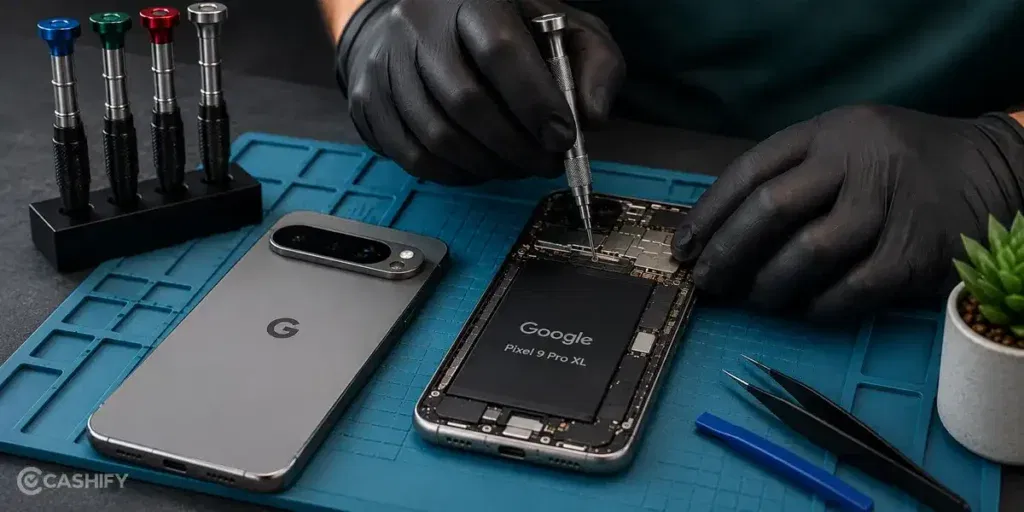
If you’re looking for Google Pixel 9 Pro XL mobile repair near me, Cashify is a reliable option for battery replacement. Here’s why:
| What You Get | How It Helps |
| Your Phone Is Checked First | A technician inspects your Google Pixel 9 Pro XL before replacing the battery. This helps identify the actual problem and choose the right phone repair. |
| Repair Cost Is Shared Beforehand | You get to know the battery replacement cost before the mobile repair starts. There are no surprise charges added later. |
| High-Quality Compatible Parts | Cashify uses tested, high-quality compatible parts when a battery needs replacement. |
| Pay After The Repair | You do not need to pay in advance. Once the battery replacement is complete, you can check the phone before making the payment. |
| Three-Month Warranty | Battery replacement comes with a three-month warranty*, giving you coverage after the mobile phone repair. |
| Choose Doorstep Or Store Repair | A trained technician can visit your home or office. You can also visit one of Cashify’s 200+ service centres across India. |
(*Repair warranties are subject to discretion based on Cashify’s terms and conditions. Please refer to our warranty policy for detailed information.)
Also read: How To Fix Vivo V11 Pro Screen Issues? Replace It Affordably!
How To Book Google Pixel 9 Pro XL Mobile Repair Near Me?
If Cashify seems like the right choice, here’s how you can book Google Pixel 9 Pro XL mobile repair near me:
- Visit the Cashify website or open the Cashify app.
- Go to the Mobile Repair section.
- Select Google as your phone brand.
- Choose Google Pixel 9 Pro XL from the list.
- Select Battery as the repair service.
- Enter your address for doorstep service.
- Pick a suitable date and time.
- Confirm the booking.
Also read: Which Is The Best Way To Repair Broken Screen For Vivo V30?
Final Thoughts On Google Pixel 9 Pro XL Battery Replacement
A battery replacement can be a good option when your Google Pixel 9 Pro XL battery is no longer working like it used to. We have covered the signs that show when a replacement may be needed and what can go wrong with a poor repair.
For Google Pixel 9 Pro XL mobile repair near me, Cashify offers trained technicians, doorstep service, clear pricing, and high-quality compatible parts. This makes it easier to get your battery replaced without much hassle.
If you have any questions about Google mobile repair? Feel free to leave a comment below.
Use code: TECH25 to avail of a discount of up to Rs. 300 by using the (on the minimum order value of Rs. 2499).
Use code: RPR50 to avail up to 50 percent off on a minimum spend value of Rs. 1000 (limited offer)
Are you still browsing through your broken screen? Don’t worry! Book at-home mobile phone screen repair with Cashify, an affordable and one-stop destination for all your mobile phone needs. In case you break your screen within 1 month of repair, we will replace your screen again for FREE.