The receiver is one of those iPhone parts you rarely think about until something goes wrong. Hence, the Apple iPhone 17 Pro Max receiver issue is not something one can instantly fix on their own.
If you can barely hear the other person during a call, the issue needs to be addressed. If the sound feels muffled, or the receiver has stopped producing audio completely, there could be a problem with the earpiece receiver.
The Apple iPhone 17 Pro Max Receiver can go bad because of something as simple as dirt covering the receiver grille. Other things can be Software glitches and Bluetooth connections. One obvious situation is physical damage and internal component faults.
Before you spend money on a repair, try a few simple checks first. Many receiver problems can be narrowed down without opening the phone.
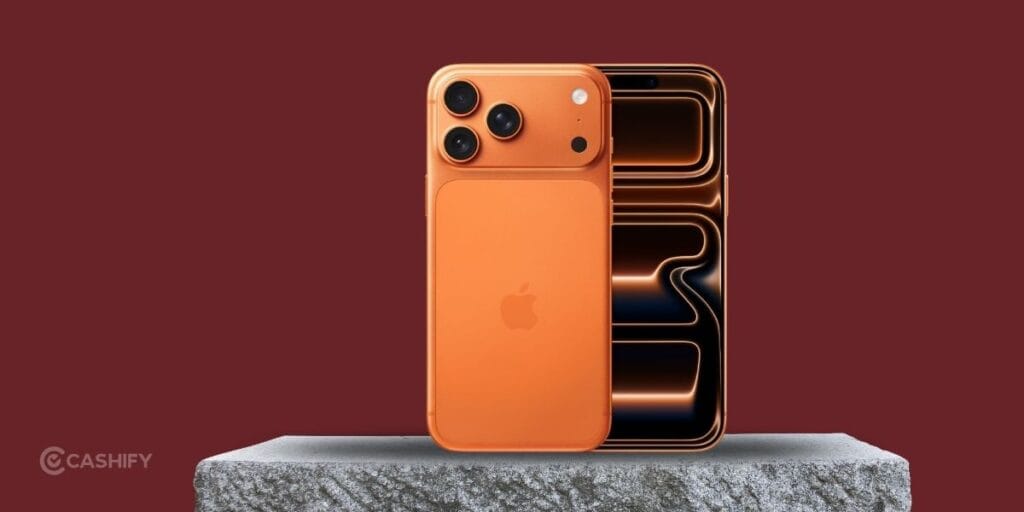
What Is The Receiver On The iPhone 17 Pro Max?
Well, you must know that already, but if not, here you go. The receiver is the small speaker area near the top of the display. It lets you hear the person on the other end when you hold the phone against your ear during a regular phone call.
It is different from the main loudspeaker used for music, videos, speakerphone calls, and other media.
This distinction matters. If music sounds perfectly fine but normal calls are very quiet, the receiver is a more likely suspect.
Is It Really Apple iPhone 17 Pro Max Receiver Issue?
Confused if the Apple iPhone 17 Pro Max receiver is creating problems? These are your signs:
- Call audio is very low even at maximum volume.
- The person sounds muffled or unclear.
- You hear crackling or distortion during calls.
- Call audio cuts in and out.
- There is no sound from the receiver at all.
- The receiver works sometimes but stops during other calls.
- Audio sounds normal on speakerphone but not when holding the phone to your ear.
If the problem only happens with one particular caller, the issue may not be with your iPhone. Try calling another person before assuming the receiver is faulty.
How To Fix Apple iPhone 17 Pro Max Receiver Issue
If it is a straightforward physical issue, your solution is simply going to a professional. But if you suspect a software problem, try these steps before booking an iPhone repair.
1. Increase the Call Volume
Start with the simplest check.
During an active call, press the volume up button several times. Remember that call volume and media volume are controlled separately.
If the volume is already at maximum and the caller still sounds extremely quiet, continue with the next steps.
2. Restart Your iPhone
A simple restart can clear temporary software and audio glitches.
Turn the iPhone off, wait for a few seconds, then turn it back on. Make another call and check the receiver.
This is worth trying before changing settings or assuming there is a hardware fault.
3. Turn Off Bluetooth
Go to the iPhone’s Bluetooth settings and disconnect connected audio devices.
Then make another regular phone call. If the receiver starts working normally, the issue was likely related to the selected audio output rather than the receiver itself.
4. Remove the Case and Check the Screen Protector
Take off the case temporarily and inspect the receiver area.
Look for anything blocking the small opening near the top of the display. If a screen protector has shifted or is covering the receiver, it may affect call volume and cause an Apple iPhone 17 Pro Max receiver issue.
5. Clean the Receiver Carefully
If you notice visible dust or debris, gently clean the receiver area using a clean, dry, soft-bristled brush.
Do not push anything into the grille. Avoid liquids, sharp objects, and compressed air directly against the receiver.
A little patience is better than turning a minor blockage into a damaged component.
6. Check With Speakerphone
Make a call and switch to speakerphone.
If the other person’s voice is loud and clear on speakerphone but extremely quiet through the receiver, that gives you a useful clue. The problem may be limited to the receiver or the audio path used for regular calls.
7. Test With Headphones
Connect compatible headphones and make a call.
If call audio sounds normal through headphones but not through the receiver, the issue is less likely to be related to the caller or mobile network.
8. Update iOS
Check your iPhone for any available iOS update. Software updates can include fixes for bugs affecting audio, calls, and other system functions.
After updating, restart the phone and test the receiver again.
When Does the Apple iPhone 17 Pro Max Receiver Issue Need Repair?
If you have tried the basic troubleshooting steps and the receiver still does not work, it may be a hardware problem.
Professional repair becomes more sensible if:
- The receiver has no sound at all.
- Call audio remains extremely low at maximum volume.
- You hear persistent crackling or distortion.
- The issue started after a drop.
- The phone had contact with water or moisture.
- Cleaning and software troubleshooting did not help.
- The receiver works intermittently without an obvious reason.
At this point, repeatedly changing settings probably will not solve the problem.
Apple iPhone 17 Pro Max Receiver Repair With Cashify
A damaged to the latest premium iPhone may sound like a huge expense and lots of trust issues in the mobile phone repair process. But if you have Cashify in your vicinity, a lot of the problems are solved. If the receiver itself has developed a hardware fault, getting the phone checked by a trained technician is the safer route than trying to open it yourself.
Cashify provides phone repair services through its physical stores and online repair booking options. Depending on the location and repair requirement, you can book a service and have the device checked by a technician.
The repair cost can vary based on the actual fault and the component required. It is better to get the phone inspected before deciding on a replacement.
One useful advantage is convenience. Cashify also supports pickup and drop services in supported locations, so you may not always need to spend time visiting a store.
Final Thoughts
An Apple iPhone 17 Pro Max receiver issue does not always mean that the receiver needs replacement. Try out all the solutions we have mentioned here. If the receiver remains quiet, distorted, or completely silent after these checks, the problem may be hardware-related. In that situation, getting the iPhone inspected by a technician is a better choice. Cashify stands as a strong option to explore because of the benefits involved.
If the phone has suffered a drop or water exposure, do not delay the inspection. Visit a trusted mobile repair platform like Cashify.
Buying refurbished mobile phones was never this easy. Sell your old phone and get exclusive offers & discounts on refurbished mobiles. Every refurbished phone is put through 32-point quality checks to ensure like-new standards and comes with a six-month warranty and 15-day refund. Buy refurbished phone easily on no-cost EMI today!