The iPhone 13 battery replacement now would not come as a surprise if you’ve had your phone for a couple of years now (it’s been out since 2021, after all). You might be noticing that the battery isn’t what it used to be. That’s totally normal! Lithium-ion batteries naturally wear out over time with all those charge cycles. Identifying the signs early will help you get the repair in the right time. Then you can continue to use the phone without frustration. That’s actually better than getting a new phone. So, let’s spot all the common red flags in the Apple iPhone 13 battery condition.
Also read: Is Repairing My Apple iPhone 14 Through Cashify Reliable?
Signs To Check Before iPhone 13 Battery Replacement
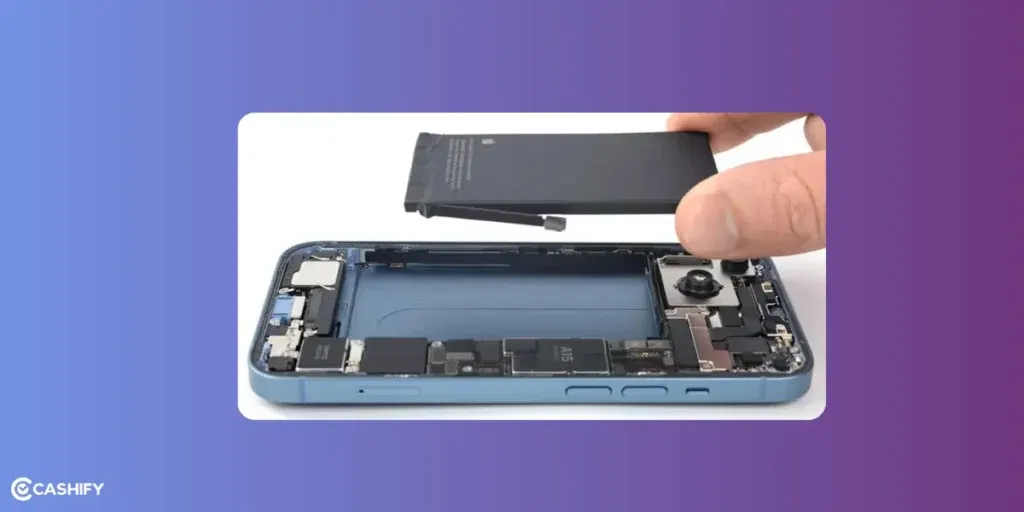
1. Check Your Battery Health Percentage
The easiest way to know if it’s time for a change is right in your settings.
Go to Settings > Battery > Battery Health & Charging. You’ll see “Maximum Capacity”. That’s how much charge your battery can hold compared to when it was new.
- If it’s above 80%, you’re probably good for now.
- Below 80%? Apple says that’s when the battery is “significantly degraded”. It’s a strong sign to consider replacement.
You might even see a message like “Your battery’s health is significantly degraded.” That’s your first sign for seeking iPhone repair.
2. Battery Drains Super Fast
Remember when your Apple iPhone 13 could last all day on one charge? If now you’re plugging in by lunchtime even with normal use (no heavy gaming or videos), that’s a classic sign. The battery just can’t hold as much juice anymore.
3. Unexpected Shutdowns
This one’s annoying! Your phone suddenly turns off even when it shows 20-30% battery left. It’s because the old battery can’t deliver power reliably when you need a burst (like opening apps). Super common with degraded batteries.
4. Phone Feels Sluggish or Slow
Apps loading forever? General lag? Sometimes iOS throttles performance to prevent shutdowns on weak batteries. A fresh one often speeds things right back up.
5. Phone Feels Sluggish or Slow
Apps loading forever? General lag? Sometimes iOS throttles performance to prevent shutdowns on weak batteries. A fresh one often speeds things right back up.
6. Slow Charging or Overheating
Taking forever to charge to 100%? Or the phone gets oddly hot during use or charging? Could be the battery struggling.
7. Swollen Battery (Serious One So Act Fast!)
If your screen is lifting up, feels “squishy,” or the back is bulging, the battery might be swollen. This is rare but dangerous. Stop using the phone and get it checked ASAP to avoid any risks.
Also read: What To Do If Back Camera Not Working On iPhone 11 Pro?
Things You Can Try Before iPhone 13 battery Replacement!
1. Turn On Low Power Mode
Swipe down from the top-right corner to open Control Center, tap the battery icon to turn it on. Or go to Settings > Battery and toggle it. You can even set it to turn on automatically at a certain percentage via Shortcuts app.
2. Enable Optimised Battery Charging
This smart feature learns your routine and holds charging at 80% overnight, only topping up to 100% right before you usually unplug. It reduces wear on the battery.
Go to Settings > Battery > Battery Health & Charging and turn on Optimised Battery Charging.
3. Turn Off Background App Refresh
Head to Settings > General > Background App Refresh and set it to “Off” or “Wi-Fi” only.
4. Lower Screen Brightness and Enable Auto-Brightness
Go to Settings > Display & Brightness and slide the brightness down. Make sure Auto-Brightness is on (it’s usually there by default).
5. Other Quick Tricks
- Update iOS: Go to Settings > General > Software Update. New versions often fix battery bugs.
- Restart your phone: Hold the side button and volume down until the slider appears—simple but clears glitches.
- Check what’s using battery: In Settings > Battery, see the list of apps. Close or delete power-hungry ones.
- Avoid extreme temps: Don’t leave your phone in a hot car or freezing cold. It stresses the battery.
Choose Cashify For Hassle-Free iPhone 13 Battery Replacement
Now that you have ticked out all the signs, you must be looking for iPhone 13 battery replacement. Cashify is the best platform from all kinds of mobile repair, no matter if it’s an iPhone or any Android phone. Highly skilled technicians work deligiously to serve best quality repairs so that your phone feels like new.
Worry not as they use premium compatible replacement parts. Offering 3-months warranty on battery replacement*, Cashify exudes confidence in their phone repair service. There are perks like:
- Free doorstep pick and drop off or repair on spot.
- Repair at your place on a date and time chosen by you.
- Flexible rescheduling of mobile phone repair.
- Transparency in repair costs, as everything is visible on the website or app.
- Book your service from the comfort of your place without stepping out to the shop.
- 200-plus stores across cities!
- Price transpareny
- Lowering price with discounts.
Also read: Apple iPhone 15 Pro Getting Unexpectedly Warm: 3 Ways To Solve Overheating!
(*Repair warranties are subject to discretion based on Cashify’s terms and conditions. Please refer to our warranty policy for detailed information.)
In The Thoughts
A new battery always gives a boost to the battery performance. But before iPhone 13 battery replacement, you need to observe the signs. They tell you if a simple troubleshoot would work or the old battery needs to be changed.
When booking online, make sure you use one of these codes:
RPR50: Get up to 50 per cent off on a minimum order value of Rs. 1000
TECH25: Discount of up to Rs. 300 by using the code on the minimum order value of Rs. 2499.
Also read: Apple iPhone 11 Pro Cracked Screen Repair Cost: What To Expect & Best Option!
Are you still browsing through your broken screen? Don’t worry! Book at-home mobile phone screen repair with Cashify, an affordable and one-stop destination for all your mobile phone needs. In case you break your screen within 1 month of repair, we will replace your screen again for FREE.