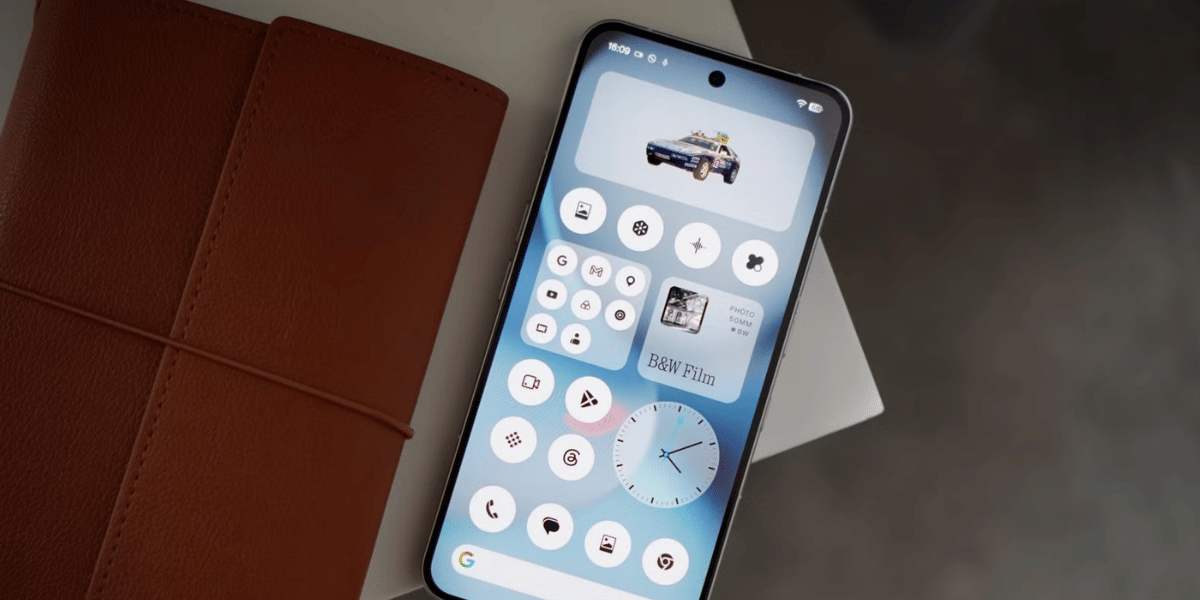
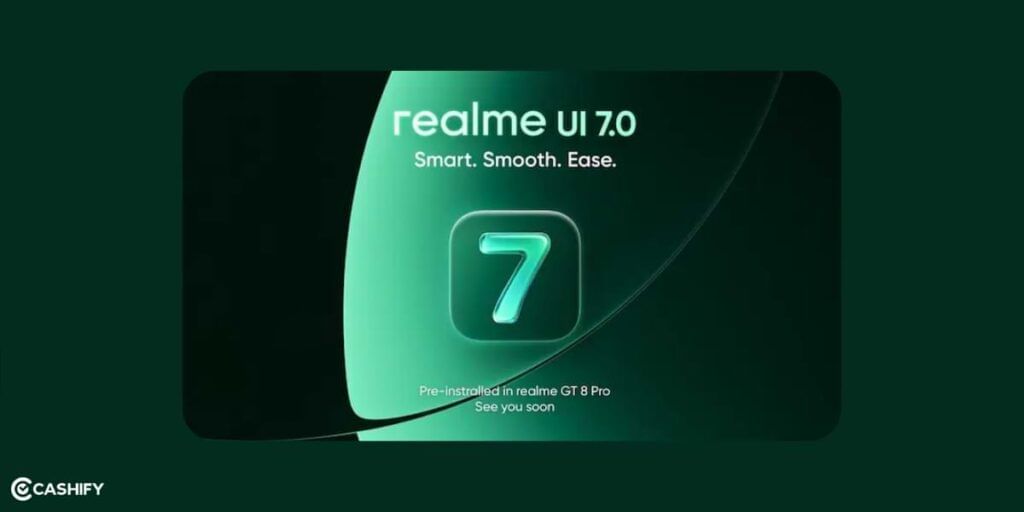
Realme released Realme UI 7.0 on November 5, 2025. Realme UI 7.0 is based on Android 16, which is also called “Baklava.” Many people are saying this is one of the fastest big updates Realme has ever given.
The design of Realme UI 7.0 looks very cool and modern. It mixes Google’s Material 3 Expressive style with Realme’s own “Light Glass” look. If you are wondering about Realme UI 7.0 eligible devices and Realme 7.0 features, I’ll tell you all.
Also read: Android 15 Features, Eligible Devices List, All Details!
However, before diving deep into the timeline, let’s first understand what Realme UI is.
What is Realme UI?
If you’ve not heard of Realme UI before, let me explain it to you. Android is the base OS that runs on most phones. However, companies like Realme don’t give you plain Android. They put their own layer on top: Realme UI.
Realme UI started with version 1.0 in 2020, based on Android 10. With each version, Realme UI introduced bigger changes, including a better design, more features, and smoother performance. UI 7.0 is the latest and biggest jump, built on Android 16.
What’s New In Realme UI 7.0?
Here’s a quick overview of what’s new in the Realme UI 7.0:
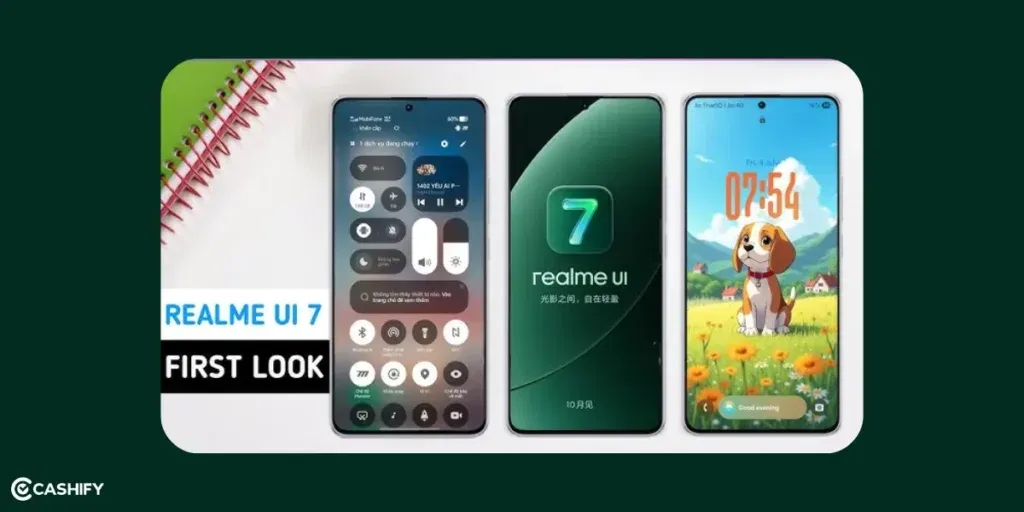
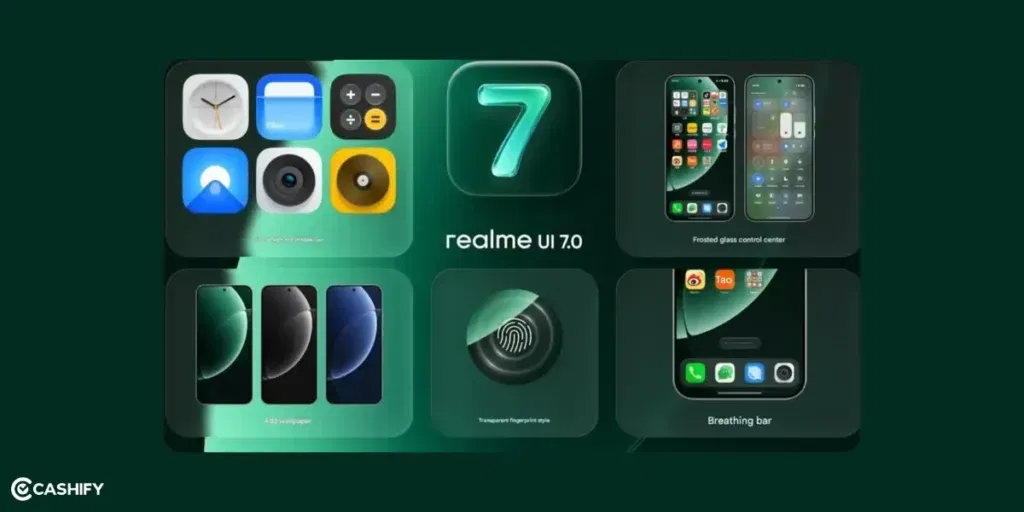
- Introduces a glass-like UI with transparent layers and fluid visuals
- New 3D-style icons with soft textures and depth effects
- Redesigned control center with a frosted glass look
- Improved dock layout for a cleaner and more organized interface
- Flux Engine boosts speed, responsiveness, and animation smoothness
- Better multitasking with seamless and fluid transitions
- AI-powered tools for voice recording, editing, and smart suggestions
- Intelligent features to summarize notifications and assist daily tasks
- Easy drag-and-drop sharing across apps
- New themes with live animations and interactive styles
- More customizable lock screen with widgets and always-on display
- Enhanced cross-device connectivity for calls, messages, and syncing
- Quick gestures to capture and manage content efficiently
The Quick Timeline UI 7.0
Here is the simple timeline of how Realme UI has evolved.
| Version | Android Base | Year |
| Realme UI 1.0 | Android 10 | 2020 |
| Realme UI 2.0 | Android 11 | 2021 |
| Realme UI 3.0 | Android 12 | 2022 |
| Realme UI 4.0 | Android 13 | 2023 |
| Realme UI 5.0 | Android 14 | 2024 |
| Realme UI 6.0 | Android 15 | 2025 |
| Realme UI 7.0 | Android 16 | Nov 2025 |
Realme UI 7.0 officially launched with the GT 8 Pro, with the GT 7 Pro among the first devices to receive an OTA update starting in November 2025.
Rollout Timeline For Realme UI 7.0
Realme has been releasing Realme UI 7.0 step by step instead of giving it to everyone at once. They started with open beta versions. After testing, they began giving stable updates.
Phase 1 (October–December 2025):
In this phase, Realme focused on flagship and high-end phones. Phones from the GT series, new Number series, P series, and top Narzo models received beta updates first. By December and January, many of these phones got the stable version.
Phase 2 (January–March 2026):
This phase included mid-range phones and speed edition models. In January, more beta updates were released for phones like the Realme 13 series, P2 Pro, and Narzo 70 series. Many of these phones are now also getting stable updates.
Phase 3 (April–June 2026):
This phase will focus on budget phones and older supported devices. This includes the C series, Narzo Lite models, and other older phones that are still eligible for updates.
As of mid-February 2026, many more phones have received beta updates. Stable updates are already available for flagship phones like the GT 7 Pro series and GT 8 Pro. Mid-range phones are also getting updates quickly.
What is Android 16 Baklava?
Google releases a new Android version every year. They internally give each version a dessert codename. Android 10 was “Quince Tart,” Android 15 was “Vanilla Ice Cream,” and Android 16 is codenamed “Baklava.”
Realme UI 7.0 is built on Android 16, and Realme claims it will make device interactions quicker and more intelligent. Also, Android 16 brings improvement in performance, privacy controls, and better support for AI features. All of which Realme has used as the foundation to build UI 7.0 on top.
Realme UI 7.0 Features
The areas where we are expecting to see some improvements based on user feedback are:
Flux Theme 2.0: “Light Glass” Redesign
Realme UI 7.0 brings a totally new look with Flux Theme 2.0. It has the amazing “Light Glass” design. When you unlock your phone, the screen shows a glassy look with frosted effects, shiny reflections, and moving lights. Every swipe or tap makes the screen sparkle with tiny light animations. It really looks good.
| Feature | What’s New |
|---|---|
| Flux Theme 2.0 (“Light Glass”) | New shiny look with see-through effects and smooth light animations. |
| Live Photos & AI Video Wallpapers | Moving wallpapers from your photos or AI-made videos that change with time and weather. |
| 18 Fingerprint Animations | Fun unlock effects like flowers opening or glass breaking. |
| Interactive Icons & Panoramic AOD | Change the size or shape of app icons, Always-On Display that shows time, calendar, and music. |
You can also add animations to your wallpaper! With Live Photos, your 3-second clips from the gallery can turn into moving wallpapers. The new AI video wallpaper feature can create cinematic 4K backgrounds from just a short text. It will even make changes with the time of day or weather.
There are 18 new fingerprint animations too. You can resize and move your app icons however you like. You can stretch, rotate, or squish them! The Always-On Display (AOD) also got a big upgrade. It now shows a panoramic view that scrolls across the screen with your clock, calendar, and music controls.
Also Read: Xiaomi HyperOS 3.0 Release Date, Eligible Devices, Features!
Flux Engine Performance Boost
Realme UI 7.0 also got changes with the Flux Engine. It now uses Android 16’s Vulkan GPU system along with Realme’s smart AI scheduling. You will now notice that the device feels smooth and fast.
Here’s what’s new:
- 15% Faster Touch Response: The screen reacts 15 milliseconds quicker. Realme has made scrolling super smooth.
- 22% Smoother Everyday Performance: It’s easy to open apps, switching between them, or typing on the keyboard. Even if you have 17 apps running in the background, there are no frame drops.
- 30% Cooler Gaming with AI Frame Interpolation: The Flux Engine adds extra frames automatically while gaming, making graphics smoother and more stable. Games like Genshin Impact now run at a steady 120 FPS on the GT 8 Pro. It happens while staying 8°C cooler than before. That means you can play for hours without your phone overheating or slowing down.
Also Read: HyperOS 2.0 Eligible Devices, Release Date All Details List!
AI Studio Suite
Realme UI 7.0 got the new AI Studio. It is a set of tools that make your phone super creative. Because of on-device NPU running at 45 TOPS, your phone can now do things that used to need a computer.
Here’s what’s in the suite:
- AI Motion Deblur 2.0: Take a fast-moving photo and the AI fixes motion blur perfectly. You’ll see fur strands, sparkling eyes, and tiny details.
- AI Sketch-to-Image: Draw, doodle or scan any image, and the AI turns it into a hyper-realistic 4K image. You can pick styles like Van Gogh, cyberpunk, or Studio Ghibli, then use it as a wallpaper or even an NFT.
- AI Voice Suggestions: AI can suggest calmer or smarter phrasing when you type something.
- AI Game Super Resolution: Old games like Asphalt 8 get a next-gen upgrade. Textures are upscaled from 720p to 1440p, ray-traced reflections are added, and the game locks at 90 FPS on mid-range phones.
Also Read: Xiaomi HyperOS Vs MIUI 14: Which Is A Better OS For You?
Android 16 Security Shield
Realme UI 7.0 adds Android 16’s Security Shield. It is a strong layer of protection combined with Realme’s proactive defense system. It keeps your phone safe from scams, hackers, and prying eyes.
Here’s what it does:
- Live Scam-Call Detection: If you get a suspicious call, a red warning banner pops up. The AI checks voice patterns, caller ID, and global fraud databases in less than a second.
- Online Threat Blocking: When connecting to public Wi-Fi like in airports or cafes, the Shield blocks man-in-the-middle attacks, phishing sites, and crypto-mining scripts before they can harm your phone. A green padlock in the status bar shows you’re safe.
- Private Space 2.0 with Biometric Vault: Hide sensitive apps like dating apps, banking apps, or private media behind a secure vault. Unlock it only with your fingerprint plus a hidden gesture, and even screenshots are blocked inside.
Improved Ecosystem
Realme UI 7.0 works seamlessly across devices.
Here’s what it can do:
- iPhone / Apple Watch Connect: You can pair an iPhone 16 with a Realme GT 8 Pro. Calls ring on both devices, and you can decline a call from your Realme Watch. Your Apple Health data syncs instantly to the Realme Health app. You can even type SMS replies on the Realme keyboard while sending them from your iPhone number.
- Smart Window: Turn your phone screen into a mini desktop. Split it into up to four quadrants, float apps like YouTube or PDFs, resize them, and drag content between apps. You can also do things like copying highlights from a PDF straight into Google Docs. You can have up to 12 mini-apps floating and snapping around, just like macOS windows.
If you are into multitasking, this is for you!
How to Apply for Realme UI 7.0 Early Access
Follow these simple steps:
- Open Settings on your Realme phone
- Go to About Phone
- Tap on Realme UI version
- Select Early Access
- Tap Apply Now
- Fill the form and submit
Once approved, you will receive the update via OTA (software update).
Realme UI 7.0 Eligible Devices List
Realme UI 7.0 is the next major software update based on Android 16. It will arrive in phases from late 2025 to mid-2026. Some phones will get it early, while others will receive it later. Below, we explain what each phone series is and which models are likely to get the update. So, check if your phone is in the list or is it the tine to upgrade your phone?
| Series | Eligible Models (Examples) |
|---|---|
| GT Series (Flagships) | Realme GT 8 Pro (pre-installed), GT 7 Pro, GT 7, GT 7T, GT 7 Dream Edition, GT 6, GT 6T |
| Number Series | 15 Pro, 15, 15x, 14 Pro+, 14 Pro, 14, 14T, 14x, 13 Pro+, 13 Pro, 13+, 13, 12 Pro+, 12 Pro, 12+, 12 |
| P Series | P4 Pro, P4, P3 Ultra, P3 Pro, P3, P3x, P3 Lite, P2 Pro, P1 Pro, P1 Speed, P1 |
| Narzo Series | Narzo 80 Pro, 80x, 80 Lite, 70 Pro, 70x, 70, 70 Turbo, N65 |
| Other Models | Neo 7, Note series, C series (C75, C73, C71, etc.), Realme 16 Pro series |
Also Read: One UI 5 vs One UI 6: A Complete Interface Comparison!
Comparison: Realme UI 6.0 Vs. Realme UI 7.0
| Category | Realme UI 6.0 | Realme UI 7.0 |
|---|---|---|
| Theme & Design | Flux 1.0 – Flat Material You | Flux 2.0: Light Glass, translucent panels, real-time effects |
| Wallpapers & AOD | Static + Live, basic clock/widgets | AI video wallpapers, Live Photos, panoramic AOD |
| Icons & Animations | 8 fingerprint styles, fixed icons | 18 fingerprint animations, resizable icons, haptic feedback |
| Performance & Gaming | 90 Hz, touch ~25 ms, app kills | 120Hz+, touch ~18 ms, AI frame stabilisation, Smart Memory |
| AI & Photography | AI Deblur 1.0, basic editing | AI Deblur 2.0, AI image generation, AI video editing, gaming AI |
| Privacy & Security | Standard Android, 3 yrs OS | Live scam detection, Threat Shield, Private Space 2.0, 4 yrs OS |
| Ecosystem & Productivity | Realme Link, split screen | iPhone/Watch connect, Smart Window, HyperLink file sharing |
Also Read: OxygenOS 15 Features, Release Date, And Supported Devices!
How to Check if Your Phone is Eligible for Realme UI 7.0? How to Manually Trigger the Update?
If you’re not sure which Realme model you own, here is a simple trick to check it in 10 seconds. Go to Settings ->About phone -> look for Model Number. That’s your phone’s exact model. You can match it against the eligible devices table in this article.
If your phone is eligible but the update is not showing up, stop assuming it’s not coming. Usually, Realme rolls out updates in batches. So, everyone don’t get it on the same day. If you want to manually check, go to Settings -> click on “Software Update,” and then click on the Update icon. If nothing shows, wait for a few days and check again.
Before you join the beta, ensure you have at least 15GB of free storage. Also, backup your data first.
Will Realme UI 7.0 Update Affect My Phone’s Battery Life?
It is the most common question people ask after a major update. Will this update drain my battery faster? Realme’s Flux Engine improvements boost performance by up to 29% in daily use. And, the big part of that is smarter power management. The AI scheduling system identifies which apps actually require power and which ones are just sitting in the background wasting it. As a result, you will get a longer-lasting battery without doing anything.
Realme UI 7.0 FAQs
What is Realme UI 7.0?
Realme 7.0 is the newest update for the Realme phones. It is based on Android 16 (Baklava).
When was it launched?
The Realme 7.0 update was launched on November 5, 2025. It was launched alongside the Realme GT 8 Pro.
Which phone comes with it pre-installed?
The Realme GT 8 Pro comes with UI 7.0 already installed.
Can older phones get UI 7.0?
Phones made before 2023, like the Realme GT 2 Pro and Realme 10 series, will stay on UI 6.0.
What’s special about the new design?
It uses Flux Theme 2.0 with a “Light Glass” look that is see-through, shiny, and has moving lights.
What are some cool new features?
You can use Live Photos, AI video wallpapers, 18 fingerprint animations and resizable icons. There is also a panoramic Always-On Display.
Is the phone faster with this update?
Yes! The Flux Engine makes touch 15% faster, daily tasks 22% smoother, and gaming 30% cooler.
What is AI Studio?
AI Studio helps fix blurry photos, turn sketches into 4K images, suggest better text replies, and improve old games’ graphics.
How safe is Realme UI 7.0?
Very safe! Security Shield blocks scam calls, unsafe Wi-Fi, and apps can be hidden in Private Space 2.0.
Can it connect with other devices?
Yes! You can pair with iPhones, Apple Watches, and use Smart Window to multitask like on a computer.
How is it better than UI 6.0?
UI 7.0 is faster, smoother, cooler for gaming, safer, and has a much more exciting design.
Should I clear storage before updating?
Yes, it’s recommended to free up some space to enjoy the update fully.
Final Thoughts
Right now in 2026, Realme UI 7.0 is in full swing. Stable updates are reaching more phones every week. Even beta updates are still expanding for mid-range devices. The overall experience feels truly next-level. It is faster, smoother, safer, and more fun to use. Battery life is also said to improve by around 18 percent.
If your phone is from 2024 or 2025, there is a high chance it has already received the update or will get it very soon. It definitely seems worth the wait.
What do you think about the new Light Glass design? Do you like the iPhone pairing feature? Share your thoughts in the comments section below.
If you’ve just bought a new phone and don’t know what to do with your old phone, then here’s your answer. Sell old mobile to Cashify and get the best price for it. If you are planning to buy a new phone, check out Cashify’s refurbished mobile phones. You can get your favourite phone at almost half price with six-month warranty, 15 days refund and free delivery.