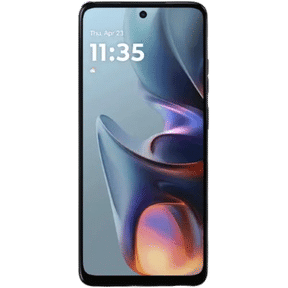
You plug in your POCO F6 5G, but the battery percentage doesn't increase. Sometimes, the charging cable feels loose, or you have to adjust it to get the phone to charge. Is the problem with the cable, charger, or the phone's charging port? If you are dealing with the POCO F6 5G charging port not working issue, let's look at what could be causing it, which fixes you can try at home, and how much a repair may cost.
Also Read: What Is ‘Over Battery Temperature Error’ In Android Phone: How To Fix It?
Why Is Your POCO F6 5G Charging Port Not Working?

Before looking at the fixes, let's look at some common reasons behind the POCO F6 5G charging port not working issue:
Damaged USB Type-C Connector
Repeated plugging and unplugging can wear down the internal contacts of the USB Type-C port. If the connector gets damaged, the charging cable may not fit properly or maintain a stable connection.
Charging Port Corrosion
Moisture exposure can cause corrosion on the metal contacts inside the charging port. This may interrupt power transfer and prevent your POCO F6 5G from charging properly.
Faulty Charging Flex Cable
The charging port connects to the phone's mainboard through an internal flex cable. If this cable gets damaged, the phone may stop charging even when the port itself looks fine.
Faulty Charging Adapter Or Cable
A damaged charging cable or adapter may not supply power properly. In some cases, the phone may not recognise the charger or support the expected charging speed.
Charging IC Or Motherboard Fault
The charging IC manages power flow to the battery. If this component or its motherboard connection develops a fault, your POCO F6 5G may fail to charge even when the port and charging accessories are working properly.
Also read: 8 Signs That Your Android Phone Motherboard Needs Repair!
How To Fix POCO F6 5G Charging Port Not Working?

Now let's look at some fixes you can try at home for the POCO F6 5G charging port not working issue.
Try A Different Charging Cable And Adapter
Use another USB Type-C cable and a compatible charging adapter to check whether your phone starts charging. If possible, use the original POCO charger or a compatible Xiaomi charger that supports the phone's charging requirements.
Check The Power Source
Plug your charger into a different wall socket. Avoid using a laptop USB port or a low-power USB hub for this test, as they may not provide enough power for normal charging.
Restart Your POCO F6 5G
Disconnect the charger and restart your phone. Once it turns back on, connect the charger again and check whether the charging indicator appears.
Clean The Charging Port Carefully
Switch off your phone and inspect the USB Type-C port under good lighting. If you notice loose debris, use a soft, dry brush to remove it gently. Avoid metal objects, liquids, or sharp tools inside the port.
Check For Software Updates
Open Settings > About Phone > HyperOS Version and check for available updates. Install an update if one is available, then test the charging again.
Leave The Phone To Charge For Some Time
If your phone's battery is completely depleted, the charging indicator may take a few minutes to appear. Connect it to a compatible charger and leave it undisturbed for around 20 to 30 minutes before checking again.
Check For Overheating
If your phone feels unusually hot, disconnect the charger and let it cool down naturally. Once it returns to a normal temperature, try charging it again. Avoid placing it in a refrigerator or using cold air to cool it quickly.
Also read: Pixel 6A Detected Water In USB Port? Get Your Best Fix Today!
Why Choose Cashify For POCO F6 5G Charging Port Repair?

If your POCO F6 5G still doesn't charge after trying these fixes, it may need a professional check. You can visit a Cashify service centre for in-store charging port repair and other POCO mobile repair services. Here's what makes Cashify a good option:
200+ Service Centres
Cashify has more than 200 service centres where you can visit to get your POCO F6 5G charging port checked and discuss the available repair options.
High-Quality Compatible Parts
Cashify uses high-quality compatible parts for supported mobile repair services, including charging port repairs.
Transparent Repair Charges
Know the estimated mobile phone repair cost before the work begins. You only pay after the repair is complete.
Other Repair Services
Apart from charging port problems, Cashify also provides repair services for screen, battery, and speaker issues on the POCO F6 5G. Check the available POCO F6 repair options.
Also read: How To Fix Vivo V11 Pro Screen Issues? Replace It Affordably!
Frequently Asked Questions About POCO F6 5G Charging Port Not Working
Q. Can I charge my POCO F6 5G wirelessly if the charging port stops working?
No. The POCO F6 5G does not support wireless charging, so you need a working USB Type-C port to charge it.
Q. Does the POCO F6 5G support fast charging?
Yes. It supports 90W wired fast charging. You need a compatible charger to get the supported charging speed.
Q. Can a damaged charging port affect data transfer?
Yes. A faulty USB Type-C port may also prevent your phone from connecting properly to a computer for file transfers.
Q. Will replacing the charging port delete my phone data?
A charging port replacement normally does not erase your personal data. However, it's always a good idea to back up your important files before repair.
Q. Can I use my POCO F6 5G while it is charging?
Yes, but avoid demanding activities such as heavy gaming during charging, especially if the phone gets hot.
Q. Is it worth repairing the POCO F6 5G charging port?
Yes, if the phone is otherwise in good condition. Replacing a faulty charging port can be more affordable than buying another phone.
Also Read: Do You Lose Data When Replacing LCD Screen?
Final Thoughts On POCO F6 5G Charging Port Not Working
To sum up, if you are facing the POCO F6 5G charging port not working issue, try the basic fixes before opting for a repair. If the problem continues, get the charging port checked by a professional.
Cashify offers in-store phone repair services for charging port issues, along with quality compatible parts and clear repair charges.
If you still have any questions, feel free to leave a comment below. I'll be happy to help.
Are you still browsing through your broken screen? Don’t worry! Book at-home mobile phone screen repair with Cashify, an affordable and one-stop destination for all your mobile phone needs. In case you break your screen within 1 month of repair, we will replace your screen again for FREE.