A cracked phone screen is a common occurrence. The decision to repair the damage often leads to the question: original vs fake screen replacement? This seemingly simple choice can significantly impact your phone’s performance and user experience. Understanding the key differences between original and fake screens empowers you to make an informed decision.
This article delves into the critical distinctions between original and fake phone screens. We’ll explore aspects like build quality, display performance, touch sensitivity, and potential long-term effects. We’ll also highlight the benefits of using a trusted seller like Cashify when seeking a phone screen replacement.
Also Read: How To Repair Apple iPhone 7 Plus?
Unveiling Truth: Build Quality Differences
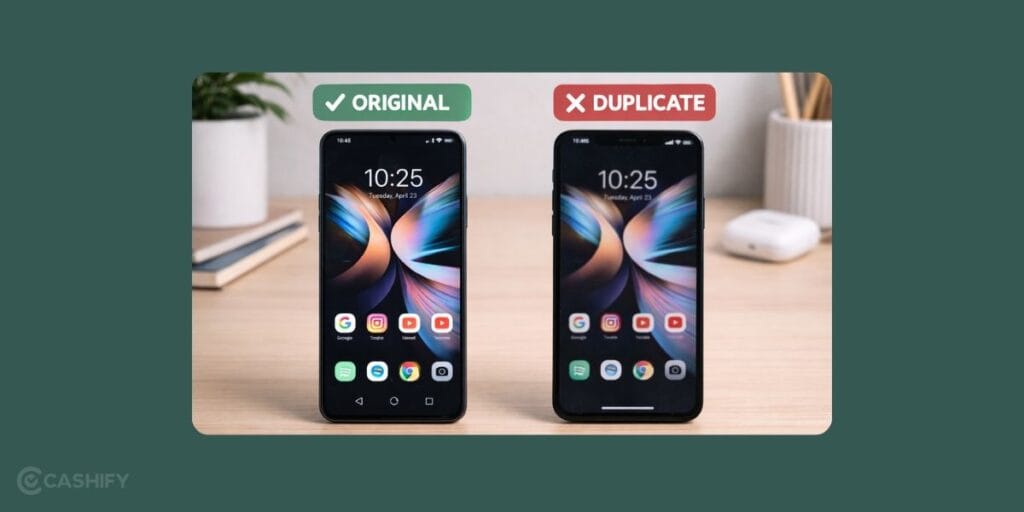
Materials and construction methods used are usually the first point of differentiation.
- Superior Materials: Original screens utilise high-quality materials like scratch-resistant Gorilla Glass or similar alternatives. Fake screens often use cheaper materials that are more prone to scratches and cracks.
- Precise Construction: OEMs meticulously engineer original screens to seamlessly integrate with the phone’s frame and components. Fake screens might exhibit poor fitment, leading to gaps or unevenness around the edges.
Seeing Is Believing: Display Performance Disparity
The visual experience is paramount when it comes to phone screens. Here’s where the gap between original and fake screens becomes evident.
- Colour Accuracy and Vibrancy: Original screens deliver exceptional colour accuracy and vibrant visuals. The colour representation on fake screens is usually faded and not up to the mark.
- Brightness and Viewing Angles: Original screens boast optimal brightness levels and wide viewing angles for clear visibility in various lighting conditions. Fake screens might have lower brightness, leading to a poor viewing experience, especially outdoors.
Also Read: Common Causes For OnePlus 7 Screen Issues
Touch Matters: The Sensitivity Divide
Touch responsiveness plays a crucial role in seamless phone interaction. Differences in touch technology become apparent when comparing original and fake screens.
- Flawless Response: Original screens provide precise and lag-free touch response, ensuring a smooth user experience. Fake screens often have delayed or inaccurate touch registration, leading to frustration and typing errors.
- Multi-Touch Capabilities: Original screens support advanced multi-touch functionalities flawlessly. Fake screens might experience limitations with multi-touch gestures, hindering your ability to interact with apps and games effectively.
The Long Game: Durability And Potential Risks
The initial cost savings of a fake screen replacement can be overshadowed by long-term drawbacks. Consider these potential concerns:
- Reduced Lifespan: Fake screens are generally less durable. The quality of a fake screen will deteriorate faster than the original.
- Compatibility Issues: Fake screens might not be fully compatible with your phone’s hardware or software, leading to unexpected glitches or malfunctions.
- Battery Drain: Some fake screens can be less energy-efficient, leading to faster battery drain on your phone.
Features You Could Lose With a Non-Original Screen
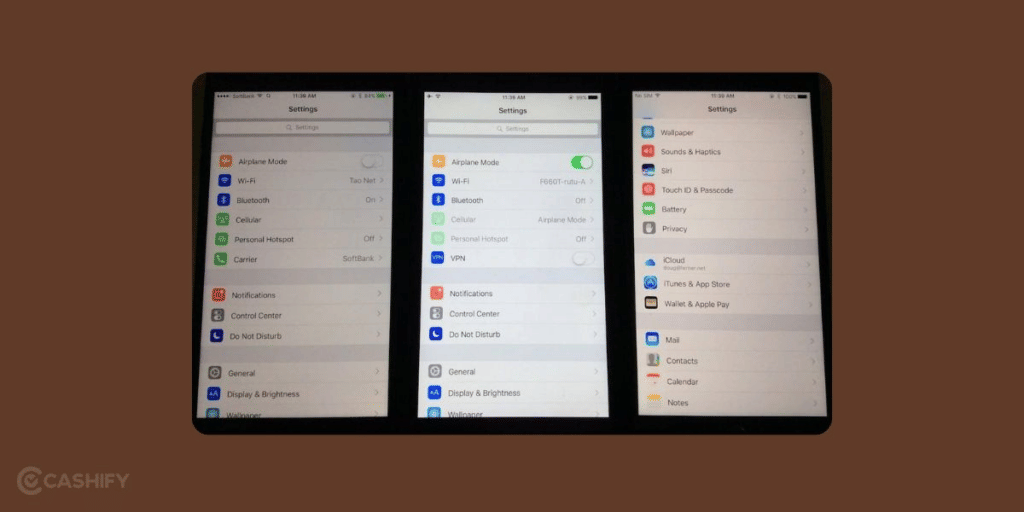
A screen replacement doesn’t just affect what you see. It can also disable features you use every day. The impact depends on your phone model.
True Tone and Auto-Brightness on iPhones
Apple’s True Tone feature adjusts your screen’s colour temperature based on the lighting around you. It uses a sensor connected to the original screen’s flex cable. When you replace the screen with a non-original part, this sensor data is lost.
A technician needs special tools to transfer that data to the new screen. Most cheap repair shops skip this step. Without it, True Tone is permanently greyed out in your settings. Auto-brightness may also stop working correctly.
Face ID on iPhones
On the iPhone X and later models, the Face ID camera system is partially connected to the screen assembly. A poorly made fake screen can misalign the camera components.
This causes Face ID to fail or stop working entirely. Apple has also added screen serial number checks on newer models like the iPhone 12 and above.
If the serial number doesn’t match, your phone will show a warning message saying it cannot verify the display is genuine.
AMOLED to LCD Downgrade on Android Phones
Many Samsung, OnePlus, and Xiaomi flagship phones come with AMOLED or Super AMOLED screens. These screens produce deep blacks, vibrant colours, and high contrast because each pixel lights up on its own.
However, many fake and some compatible replacement screens use cheaper LCD panels instead. LCD screens use a backlight behind the entire display. This means blacks look grey, colours appear flat, and the battery drains faster because the backlight runs all the time.
If your replacement screen looks noticeably different from the same phone model, you may have received an LCD instead of an AMOLED.
Under-Display Fingerprint Sensors
Phones like the Samsung Galaxy S21 and newer, OnePlus 12, and Vivo X series use fingerprint sensors built under the screen. These sensors need precise calibration with the screen above them. A fake screen with slightly different glass thickness can cause the sensor to misread your fingerprint.
You will experience repeated unlock failures. On Samsung phones specifically, a non-genuine screen can also trigger the Knox security flag. This flag permanently records that the device has been tampered with. It can void your Samsung warranty even for completely unrelated issues.
How To Identify Fake Or Duplicate Mobile Screen?
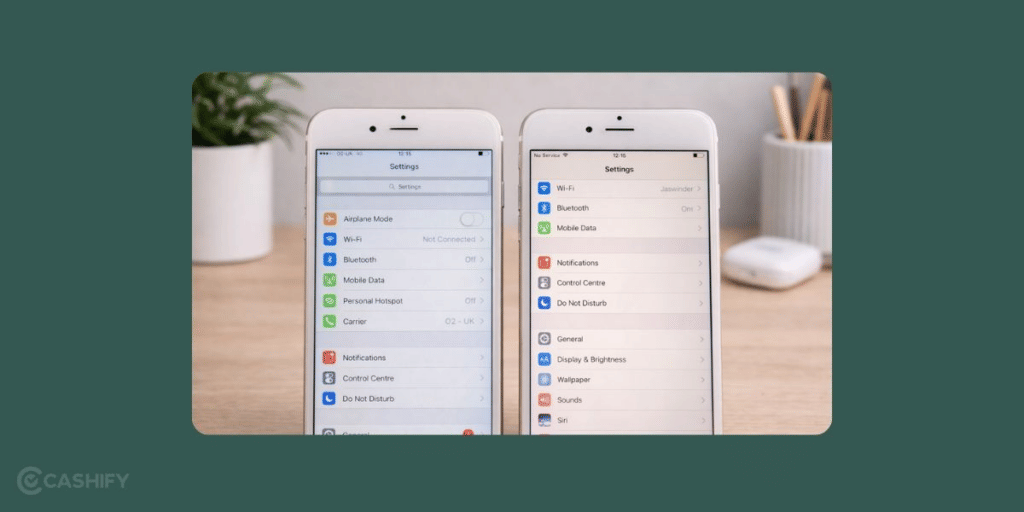
If you have recently got your phone screen replaced and something feels off, you know, there’s a good chance it might not be original. Here are a few easy signs to help you figure it out.
Poor Display Quality
This is basically the first thing you’ll notice. Fake or duplicate screens often have faded or washed-out colours. The brightness also feels a bit dull compared to the original. In fact, if you’re struggling to see the screen properly in sunlight, that’s a pretty clear red flag.
Poor Touch Sensitivity
Another big sign is the touch response. A duplicate screen just doesn’t feel smooth, you know. Sometimes it lags or doesn’t register taps properly. You might even have to press harder than usual. Of course, an original screen responds instantly with even a light touch.
Lines on the Screen
If you start seeing flickering or random vertical and horizontal lines, that’s not normal. This usually happens because of low-quality parts. So yeah, if your display is acting like this, it’s very likely not a genuine screen.
The Screen Doesn’t Fit Properly
Now this one is easy to spot. If the screen looks slightly bigger or smaller, or there are tiny gaps along the edges, that’s a problem. Basically, duplicate screens don’t fit perfectly. And then, this can lead to touch issues or even durability problems later on.
The Phone Doesn’t Charge Properly
This might sound surprising, but then a bad screen can actually affect charging too. If your phone suddenly starts charging slowly or inconsistently after a screen replacement, it could be due to poor-quality components.
Heavy or Unusual Weight
Lastly, pay attention to how your phone feels. Original screens are designed to match the exact weight and balance. But if your phone suddenly feels heavier or lighter, that’s a bit suspicious. Fake screens are often made with cheaper materials, so, the difference is noticeable.
If you notice even a couple of these signs, it’s probably worth getting your phone checked, just to be safe.
Safety Hazards You Shouldn’t Ignore
Fake screens are not just a performance problem. They can also be a safety risk.
Toxic Adhesives
The glue used in counterfeit screens is often made from cheap industrial chemicals. These adhesives have not been tested for use in consumer electronics.
When your phone heats up during charging or heavy use, these chemicals can release harmful fumes. This is especially concerning because most people hold their phones close to their face during calls.
Dangerous Glass Shattering
Original screens are engineered to crack in a controlled pattern when they break. Manufacturers like Corning invest heavily in making sure broken glass fractures into less dangerous pieces with fewer sharp edges.
Fake screens don’t follow these safety standards. When they break, they can splinter into sharp, unpredictable shards. This increases the risk of cuts to your fingers or face.
Electrical Safety Risks
Poorly made flex cables and connectors inside fake screen assemblies can cause small short circuits inside your phone. In some cases, this can lead to overheating or battery swelling.
In extreme situations, it can cause thermal runaway. This is when the battery generates heat faster than it can cool down. While this is rare, it can potentially cause a fire. The risk is completely avoidable by choosing quality parts.
Phone Screen Original Vs Compatible Vs Fake
| Feature | Original Screen | Compatible (OEM & Copy) | Fake/Low-Quality Screen |
|---|---|---|---|
| Display Quality | Perfect colours, sharpness, and brightness (same as new phone) | Good, but slightly lower brightness or colour accuracy | Poor colour contrast, dull or oversaturated display |
| Touch Response | Smooth and accurate; no lag | Good to decent | Often laggy, unresponsive, or inconsistent |
| Build Quality | Premium materials, factory-fitted glass and frame | Decent build, but slightly lower-grade glass and adhesives | Cheap materials that break or peel easily |
| Brightness & Outdoor Visibility | Excellent even in sunlight | Moderate; sunlight visibility reduced | Poor; very hard to see outdoors |
| Durability | Long-lasting, resistant to scratches and cracks | Moderate lifespan; may develop issues over time | Very short lifespan; cracks or malfunctions quickly |
| Compatibility with Sensors & Face ID/Fingerprint | 100% functional with all sensors | Usually works | Often incompatible or non-functional |
| Battery Consumption | Optimised; no extra power drain | Slightly higher battery usage | Drains battery quickly due to poor calibration |
| Warranty & Reliability | Comes with official manufacturer warranty | Limited or third-party warranty | No warranty or after-sales support |
| Price Range (Approx. depending on model) | Rs 8,000 to Rs 20,000+ | Rs. 4,000 to Rs. 10,000 | Rs. 1,000 to Rs. 4,000 (cheap but risky) |
| Best For | Users who want 100% performance and quality | Budget-conscious users who want decent performance | Temporary fix or emergency use only |
What To Expect When You Repair Screen From Cashify?
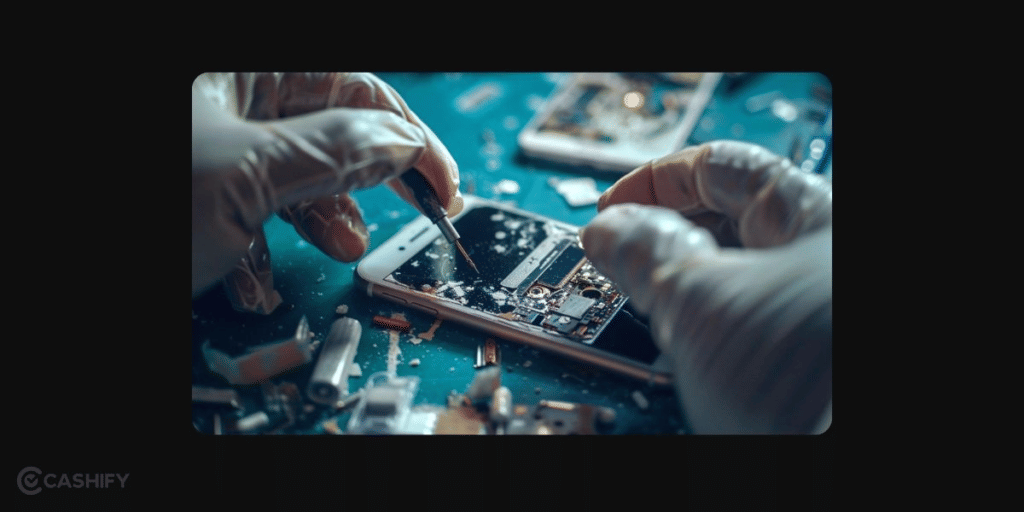
What To Expect When You Repair Your Phone Screen From Cashify?
A broken or damaged screen comes with plenty of questions. Will the replacement screen be compatible? How good will the display quality be? And what happens if you face a screen issue after the repair?
Cashify keeps the process straightforward. Screen replacements use high-quality compatible screens selected for the respective phone model. These are tested rigourously. Hence, it’s a reliable alternative when an original screen is unavailable or too expensive.
The replacement screen is not an original Apple, Samsung, or other brand OEM screen. Original screens can cost significantly more and may also be difficult to source for older or discontinued models. Cashify instead uses compatible replacement screens to keep repair costs more manageable while maintaining suitable quality and compatibility.
Six-Month Screen Repair Warranty
Cashify provides a six-month warranty on screen issues after replacement. So, you have coverage even after the repair is completed. There is also a one-month complimentary screen breakage warranty on eligible screen replacements.
That means you get additional protection beyond the repair itself. It can be useful if an issue comes up after getting your screen replaced.
Here are a few other things you can expect from Cashify:
- Skilled Technicians: Trained technicians handle the screen replacement and check the device after repair.
- High-Quality Compatible Screens: Replacement screens are selected for compatibility and tested for quality.
- Warranty Coverage: Eligible screen replacements come with a six-month warranty on screen issues, plus a one-month complimentary screen breakage warranty.
- Transparent Pricing: You can check the estimated repair cost before proceeding, helping you avoid unexpected charges.
Need more details for comparing OEM and compatible parts? You might want to check out this article: How Cashify Maintains High Repair Quality Standards: OEM vs Compatible Parts!
What To Do If You Already Have a Fake Screen
If you have read the signs listed above and suspect your phone already has a fake screen, don’t panic. Here is what you should do.
Step 1: Document the Issues. Take photos of any visible problems like gaps, uneven edges, or colour issues. Record a screen video if you are experiencing touch lag, flickering, or lines. This evidence will be useful if you need to dispute the repair with the original shop.
Step 2: Visit a Trusted Repair Service. Take your phone to a reliable repair centre like Cashify. Ask them to inspect the screen and confirm whether it is genuine, compatible, or fake. Most reputable services will do this inspection quickly.
Step 3: Ask About Re-Replacement. If the screen is confirmed fake, get it replaced with a quality compatible or original screen. Yes, it costs more money. But continuing to use a fake screen risks further damage to your phone’s battery, sensors, and internal components. Fixing those problems later will cost much more.
Step 4: Contact the Original Repair Shop. If the fake screen was installed recently, go back to the shop that did the work. Ask for a refund or a re-replacement with genuine parts. If they refuse, you can file a complaint with your local consumer protection authority. Keep your original receipt and the documentation from Step 1 as evidence.
Step 5: Check Your Phone’s Features. After getting a proper replacement, verify that Face ID, fingerprint unlock, True Tone, auto-brightness, and other features are working correctly. If anything is disabled, ask the technician to recalibrate or reprogram the relevant sensors.
The Verdict
Going for replacements multiple times and spending money again and again proves that the original and efficient and effective. Original screens or compatible ones from Cashify offer quality and increase the lifespan of your device.
For a genuine and reliable phone screen replacement experience, choose a trusted seller like Cashify and set aside your worry of original vs fake screen. We prioritise quality parts, expert repairs, and equally importantly, customer satisfaction. Visit Cashify today and invest in a flawless user experience for your phone!
Frequently Asked Questions
How to check if a screen is original?
You can verify if a screen is original by checking the brand logo. See if the screen is scratch-resistant, feels premium and has lag-free touch sensitivity.
How to detect a fake phone screen?
Fake screens might not align perfectly with your phone’s body and come at unusually low prices. You can also check for faded colours, delayed touch response, and unusual battery drain. Fake screens also do not come with warranty.
Are replacement phone screens as good as the original?
Replacement screens can be as good as original if they are genuine OEM-grade parts. Trusted services like Cashify use high-quality replacements that perform similarly to original screens. However, cheap or counterfeit replacements often lack the quality and durability of originals.
How can I test my screen quality?
You can test your screen quality by checking consistency in screen colours, brightness, and dead pixels by tilting your phone at an angle. Check the touch response whether it is smooth and lag-free. Use display testing apps for issues like ghosting, uniformity, or colour reproduction.
Also Read: How Long Does It Take To Repair OnePlus 6T Screen?
Are you still browsing through your broken screen? Don’t worry! Book at-home mobile phone screen repair with Cashify—an affordable and one-stop destination for all your mobile phone needs. In case you break your screen within 1 month of repair, we will replace your screen again—for FREE.