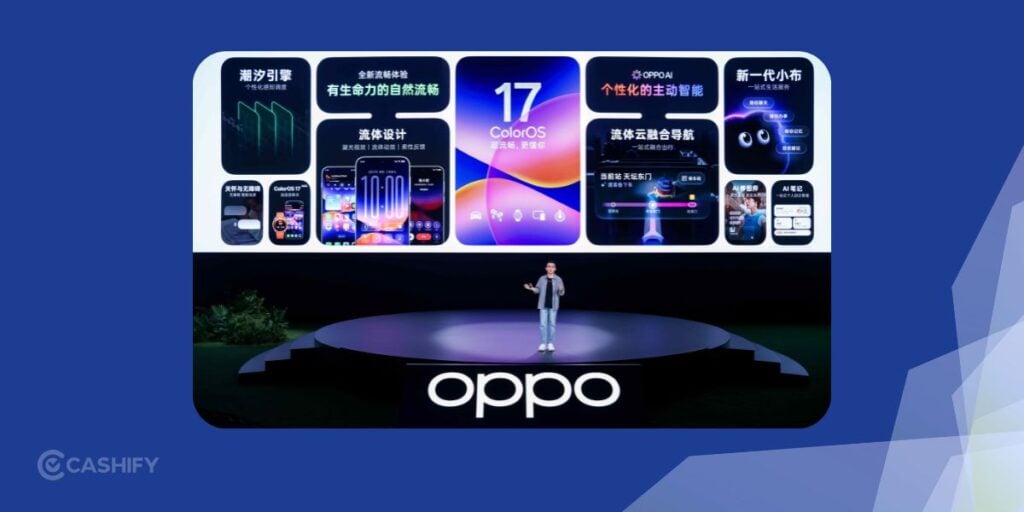
OPPO’s ColorOS 17 proves that AI is not just about text and chatbots. It’s so much more! ColorOS 17 was announced on October 13, 2026. The latest software introduces an AI agent which can organise files. There is an image editor that responds to natural-language instructions, a smarter information hub, and tools to recognise objects through the camera. It can also detect potential call scams.
The biggest change is how these tools are working together now. Instead of opening different apps to do something, you can describe your work and let the phone handle the steps.
Here is a closer look at OPPO ColorOS 17’s AI capabilities, practical uses and the limits you should know about.
What Is New In OPPO ColorOS 17 AI Capabilities?
ColorOS 17 is OPPO’s latest Android-based smartphone software. It was announced globally on October 13, 2026. It has an advances AI experience alongside interface and performance changes. The software is scheduled to debut on the upcoming OPPO Find X10 series before any other device.
The key AI additions are:
- AI Mind Pilot: An AI assistant that can coordinate multi-step tasks through its new Agent Mode.
- AI Photo Agent: A natural-language image editor that can apply edits and match the visual style of a reference photograph.
- AI Mind Space: A personal information hub that organises saved content into searchable memories.
- AI Mind Suggest: Contextual suggestions, including supported travel reminders and daily updates.
- OSee: A visual AI tool for object recognition, information lookup, scanning and translation.
- AI Call Guard: An on-device system that monitors calls for potential fraud indicators.
Let’s check out all the OPPO ColorOS 17 AI Capabilities in detail:
Also Read: Nothing OS 5.0 Features: UI, Animations, Lock Screen, AI, More!
1. AI Mind Pilot: From Answering Questions To Completing Tasks
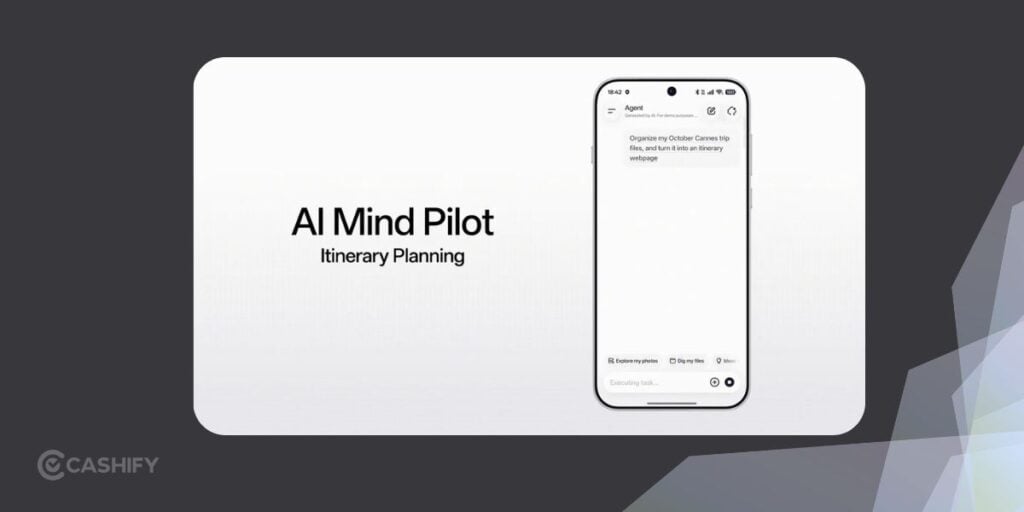
AI Mind Pilot is the biggest AI upgrade in ColorOS 17. For example, instead of just explaining how to organise travel documents, it can help find relevant files, sort information and prepare an itinerary.
Agent Mode can organise local photos and files, rename documents, compile travel into, and generate itineraries. It can also find photos from a specific trip and sort them into albums.
Does AI Mind Pilot support ChatGPT?
Yes. OPPO says Agent Mode will initially support ChatGPT and Manus. The existing Ask Mode can draw on Gemini, Perplexity and ChatGPT. It can answer questions using relevant information saved in Mind Space.
Ask Mode helps you obtain answers, while Agent Mode is intended to plan and execute multi-step actions. The actual specs depend on the connected service, supported operations, device software and permissions.
2. AI Photo Agent And Style Match: Edit Photos Using Words
AI Photo Agent lets you edit photos using everyday language instead of manually adjusting exposure, colours, contrast and other settings. It can also analyse an image and suggest edits based on its subject and scene.
You can provide a reference image, and the AI analyses its colours, tone and mood to apply a similar look to your photo. For example, you could use a warm, cinematic travel photo as a reference for your holiday pictures.
The feature could be useful for editing travel photos, portraits and social media posts.
3. AI Mind Space: A Searchable Memory for Your Phone
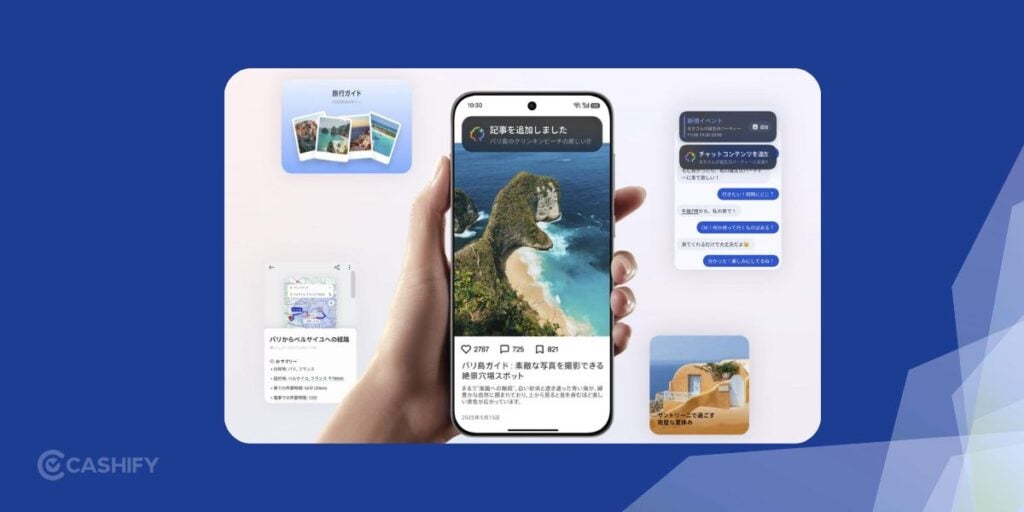
AI Mind Space helps organise information scattered across screenshots, documents, browser tabs and video links. It can save supported content, recognise its context and turn it into searchable memories.
For example, while planning a holiday, you could save destination guides, hotel documents and videos about local attractions.
The three tools serve different purposes:
- Mind Space: Stores and organises information.
- Mind Pilot: Retrieves information and handles supported tasks.
- Mind Suggest: Surfaces relevant information when needed.
4. AI Mind Suggest: Useful Information Before You Ask
AI Mind can give you relevant information without requiring you to open an app and ask for it. It includes morning briefs, travel reminders, flight and train information cards, and music recommendations. .
However, these features depend on available data, app integrations and regional support. OPPO has not confirmed that every integration will be available on all Indian devices from launch.
Also Read: MagicOS 11 Release Date And Supported Devices List!
5. OSee: Turn The Camera Into A Visual Assistant
OSee is OPPO’s camera-led visual AI experience. The idea is simple: point your phone at something, capture it and access the relevant AI tool instead of figuring out which app to open.
Here is how those capabilities could help in everyday situations:
- Object recognition: Identify an unfamiliar object and find relevant information about it.
- Knowledge lookup: Learn more about something you see, such as a landmark or an item in a shop.
- Nutrition analysis: Get AI-assisted information about food.
- Document scanning: Capture a paper document as a cleaner digital scan.
- Translation: Understand text in a foreign language, such as a restaurant menu or a notice.
OSee has similarities to Google Lens, which also recognises objects and helps users find information from images.
6. AI Call Guard: Extra Protection Against Digital Scams
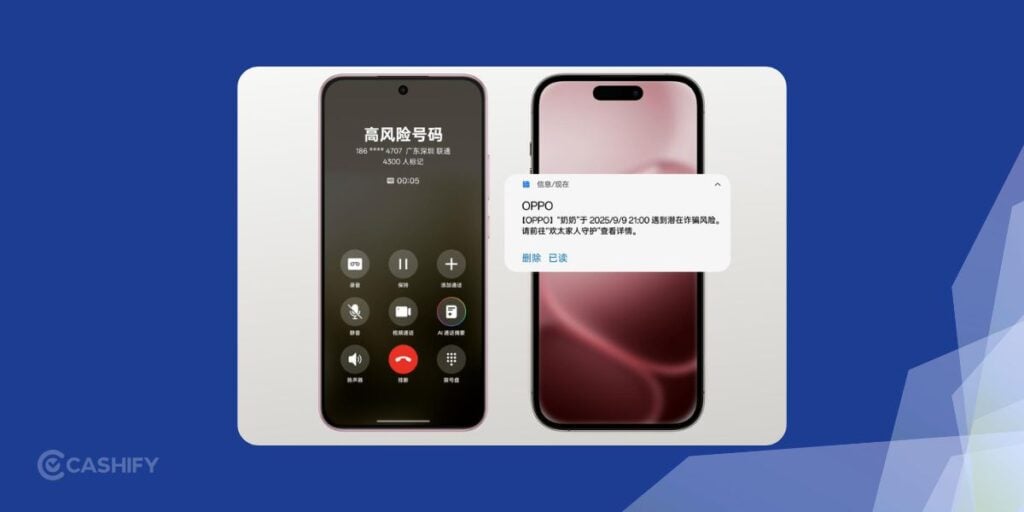
AI Call Guard detect potential scams with synthetic voices or manipulated video. The on-device AI monitors calls for signs of fraud. This includes AI-generated voices and face swaps, and alerts users to suspicious activity. India, Indonesia and Thailand are listed as supported markets.
For example, if someone impersonates a family member using a synthetic voice to request an urgent money transfer, an AI warning could prompt you to verify their identity through another channel.
7. AI Live Interpreter: Help for Cross-Language Conversations
AI Live Interpreter can translate conversations through compatible earbuds while displaying the conversation on your phone. It requires the Enco X4 or OnePlus Buds Pro 4 with selected OPPO or OnePlus phones running ColorOS 17.
Also Read: One UI 9 Vs One UI 8.5: What’s New And Should You Upgrade?
Is ColorOS 17 AI Safe? Understanding The Privacy Controls
AI assistants that access photographs, documents and personal information need strong privacy safeguards. There are two protections in ColorOS 17.
Private Computing Cloud
The Private Computing Cloud (PCC) uses end-to-end encryption and a secure processing environment for cloud-based AI tasks. Agent Mode can find, index and organise local files and photographs without sending the original files to third-party AI services. If an external upload is required, you must authorise it first.
AI Transparency Report
ColorOS 17 introduces a Transparency Report. It lets users inspect and export information about cloud-based AI processing. This records which AI services were used, when they were accessed and what operations took place.
It offers greater visibility into AI activity. But it does not replace reviewing individual providers’ data-handling policies. If you connect services such as ChatGPT or Manus, check their privacy terms and account settings too.
ColorOS 17 Performance Improvements: Beyond AI
ColorOS 17 also introduces performance improvements through OPPO’s Laminar Flow Engine.
OPPO reports the following results compared with ColorOS 16:
| Performance metric | OPPO’s reported improvement |
|---|---|
| App launch stability | 55 percent improvement |
| Gallery thumbnail loading | Up to 50 percent faster on first launch |
| Background app retention | Over 25 percent more apps |
| Rendering workload | Up to 30 percent lower |
| RAM used for rendering | Up to 25 percent lower |
| Long-term smoothness | Over 90 percent retained in a simulated six-year test |
ColorOS 17 India Availability and Supported Phones
OPPO announced ColorOS 17 on October 13, 2026. The upcoming Find X10 series is set to debut the software before a phased rollout to other eligible devices.
The published Indian schedule includes the following selected devices:
| Planned rollout | Selected eligible devices |
|---|---|
| October 2026 | Find X8 and X9 series, Find N5 and N6, selected Reno16 models |
| November 2026 | Find N3 series, selected Reno14 and Reno15 models, K14 and K13 series, F31 and F29 models |
| December 2026 | Selected Reno13 and K13 models, supported Pad series tablets |
| Q1 2027 | Selected Reno12, F31 and F29 models, Find N2 Flip and Pad SE |
Will every eligible phone get every AI feature?
No. AI availability depends on the device, region, software version, hardware support and connected services.
To check for the update:
- Open Settings on your OPPO phone.
- Navigate to About device or the software update section.
- Check for available updates.
- If the update is unavailable, refer to OPPO’s official rollout schedule.
Frequently Asked Questions
What are the main AI features in OPPO ColorOS 17?
There is AI Mind Pilot Agent Mode, AI Photo Agent, AI Mind Space, AI Mind Suggest, OSee and AI Call Guard. AI Live Interpreter is also available on selected compatible devices.
Does OPPO ColorOS 17 support ChatGPT?
Yes. OPPO says ChatGPT and Manus will be supported in AI Mind Pilot Agent Mode. ChatGPT, Gemini and Perplexity are also listed for Ask Mode.
Can ColorOS 17 AI organise files and photographs?
Yes. AI Mind Pilot Agent Mode is designed to find, organise and rename supported local files, as well as sort photographs into albums.
Is ColorOS 17 AI available in India?
OPPO has published an Indian rollout schedule and lists AI Call Guard as available in India.
Is ColorOS 17 AI safe to use?
Yes. There is on-device processing, Private Computing Cloud protections and an AI Transparency Report.
Final Verdict: ColorOS 17 Makes AI More Practical
Color17 is more into AI, privacy, and exciting new features. AI Mind Pilot is the highlight, while Mind Space, Mind Suggest, Photo Agent and OSee handle information management. If you regularly manage documents, edit photos or plan trips, OPPO ColorOS 17 AI Capabilities could be useful.
If you’ve just bought a new phone and don’t know what to do with your old phone, then here’s your answer. Sell old mobile to Cashify and get the best price for it. If you are planning to buy a new phone, check out Cashify’s refurbished mobile phones. You can get your favourite phone at almost half price with six-month warranty, 15 days refund and free delivery.