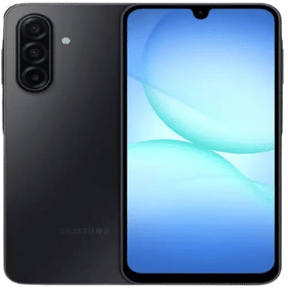
Samsung’s latest One UI 9 has recently been released in its Beta 4 version for the Galaxy S26 series. And since then, Samsung users, even those who own other Samsung phones, have been super-eager to discover what the key features of this OS upgrade are and what kind of performance and security features it will bring. Also, on the UI part, this OS upgrade brings some refreshing widgets, smoother transitions and a new AI slider mode that looks premium. So, in this article, we bring you all the details about the One UI 9 Beta 4. So, stay stuck and read through.
Also Read: StepX Neo AI Phone: Expected Launch, Price And Specs
All The New Features You Will Witness In One UI 9 Beta 4
First things first, we have brought you the list of all the new features, or the major changes that your Samsung phone will witness after you install the One UI 9 Beta 4 update. So, have a look.
Redesigned Quick Panel
Samsung has thoroughly cleaned up the Quick Settings grid. The sliders for brightness, volume, and the media player are now completely independent and highly resizable to fit individual layout preferences. The visual clutter is reduced by trading blocky borders for cleaner, borderless circular tiles.
In-Browser AI Hub
The Samsung Internet browser introduces an integrated “Ask AI” side panel powered by Perplexity AI. This tool provides real-time, contextual web page summaries and answers direct queries on the fly without forcing you to open a new browser tab or leave your active split-screen workspace.
Overlay Game Booster
One UI 9 Beta 4 brings a great upgrade with which gamers can now tweak crucial hardware settings without minimising their session. The revamped Game Booster panel functions as an immediate overlay, letting you adjust screen resolution, change the screenshot format, toggle performance profiles, and view real-time CPU metrics.
Glassy UI Aesthetics & Dynamic Media
The update pushes a smoother, translucent “glass morphic” design across the notification shade and system panels. The lock screen media player is a crowd favourite on Reddit, now ditching static cards for an active, colourful waveform animation that shifts dynamically to match the current track’s album art.
Android 17 Scoped Privacy
Leveraging the core upgrades of Android 17, One UI 9 strips away the “all-or-nothing” approach to app permissions. A new native contacts picker allows you to grant apps access to specific individual contacts rather than your entire address book. Advanced Protection Mode also locks down memory-level exploits.
Also Read: Best Vivo T5 Lite Alternatives: Best Options Explained!
Now, let us recap this whole feature list and present you with a quick summary table about all the key changes of this OS upgrade.
Quick Summary Of All New One UI 9 Beta 4 Features And Their Benefits
| Feature / Change | What’s New in One UI 9 Beta 4 | Benefit for Users |
| Lock Screen | Fixed abnormal clock size when switching between portrait and landscape. | Consistent lock screen appearance. |
| Bluetooth Routines | Fixed Bluetooth media volume automation for car connections. | Reliable volume adjustment in vehicles. |
| Gaming | Resolved navigation bar disappearing during gameplay. | Better gaming experience with uninterrupted controls. |
| Privacy Display | Fixed issues with Privacy Display toggles in Quick Panel and Settings. | More dependable privacy controls. |
| Notifications | Corrected timer notification display and other UI glitches. | Improved notification reliability. |
| System Stability | Multiple under-the-hood bug fixes and optimisations. | Fewer crashes and smoother daily use. |
| Performance | Improved overall responsiveness and animations. | Faster, more fluid user experience. |
| Security | Includes the July 2026 Android security patch. | Better protection against the latest security threats |
Now, the main question arises: which Samsung phones are eligible for the One UI 9 Beta 4 update? Well, to answer this, we have prepared the list of all eligible phones, and if you’re lucky enough, then your phone will fall in that tally. So, here is the list.
List Of All Eligible Devices For One UI 9 Beta 4
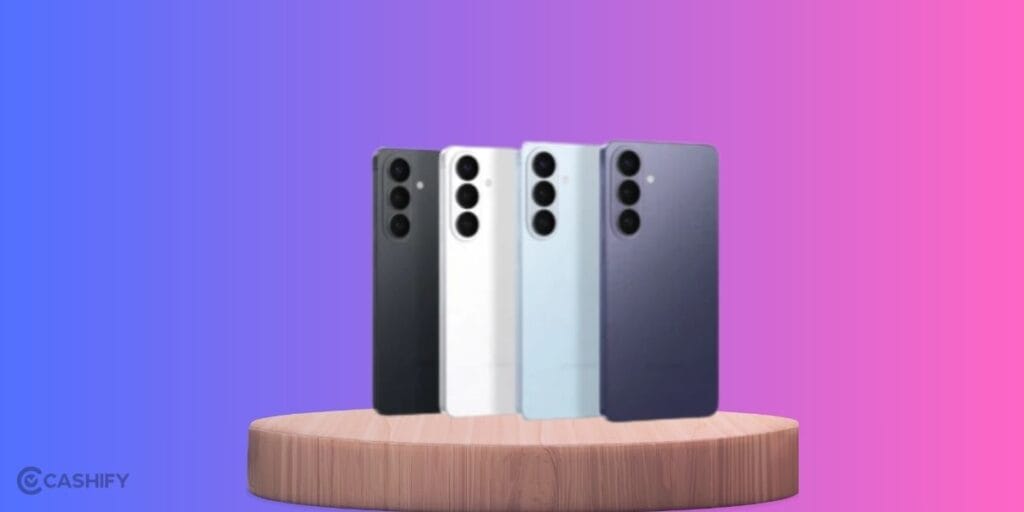
- Galaxy S Series: S26, S26+, S26 Ultra; S25, S25+, S25 Ultra, S25 Edge, S25 FE; S24, S24+, S24 Ultra, S24 FE; S23, S23+, S23 Ultra, S23 FE.
- Galaxy Z series: Z Fold 8, Z Flip 8, Z Fold 7, Z Flip 7, Z Flip 7 FE, Z Fold 6, Z Flip 6, Z Fold 5, Z Flip 5.
- Galaxy A/M/F Series & Tablets: Almost all the phones launched in between 2024–2026 for the Galaxy A, M and F series devices, plus Galaxy Tab S11, Tab S10 and Tab S9 series tablets.
Also Read: Samsung Galaxy Z Flip 8 Specs And Price eLeaked Ahead Of Launch
FAQs
Finally, it’s time for some trending questions around One UI 9 Beta 4 that have been circulating all over social media and other prominent tech channels. And we try to answer them here.
How do I install One UI 9 Beta 4 on my Galaxy S26?
Go to Settings > Software update > Download and install, provided you’ve already joined the Samsung One UI Beta programme.
What are the main new features in One UI 9 Beta 4?
You get a redesigned Quick Panel, an in-browser AI Hub with Perplexity, an overlay Game Booster, glassy UI aesthetics, and Android 17 scoped privacy controls.
Does One UI 9 Beta 4 improve security?
Yes, it includes the July 2026 Android security patch, fixing dozens of vulnerabilities to better protect your data.
Which devices are eligible for One UI 9 Beta 4?
The beta is currently confirmed for Galaxy S26, S26+ and S26 Ultra, with stable One UI 9 expected for recent S, Z, A, M, F and Tab S models later.
When is the public stable version of One UI 9 releasing?
Samsung has released the Beta 4 version of One UI 9 for the Galaxy S26 series in July 2026. By August/ September 2026, all prominent eligible Samsung phones will receive this public stable version of One UI 9.
In A Nutshell
That’s it from this guide on the One UI 9 Beta 4 release. This OS brings smoother controls and a sincere performance and security update. If you were expecting this OS upgrade to bring some fancy widgets and some major boost-ups, then you might get disappointed. However, it is important to note that almost all bugs from previous OS releases have been fixed, and this OS beta version is sincerely a must-download one. Keep coming for more such informative guides.
Also Read: One UI 9.0 Beta 4 Release: Expected Date For Galaxy S26 Series
If you’ve just bought a new phone and don’t know what to do with your old phone, then here’s your answer. Sell old mobile to Cashify and get the best price for it. If you are planning to buy a new phone, check out Cashify’s refurbished mobile phones. You can get your favourite phone at almost half price with six-month warranty, 15 days refund and free delivery.