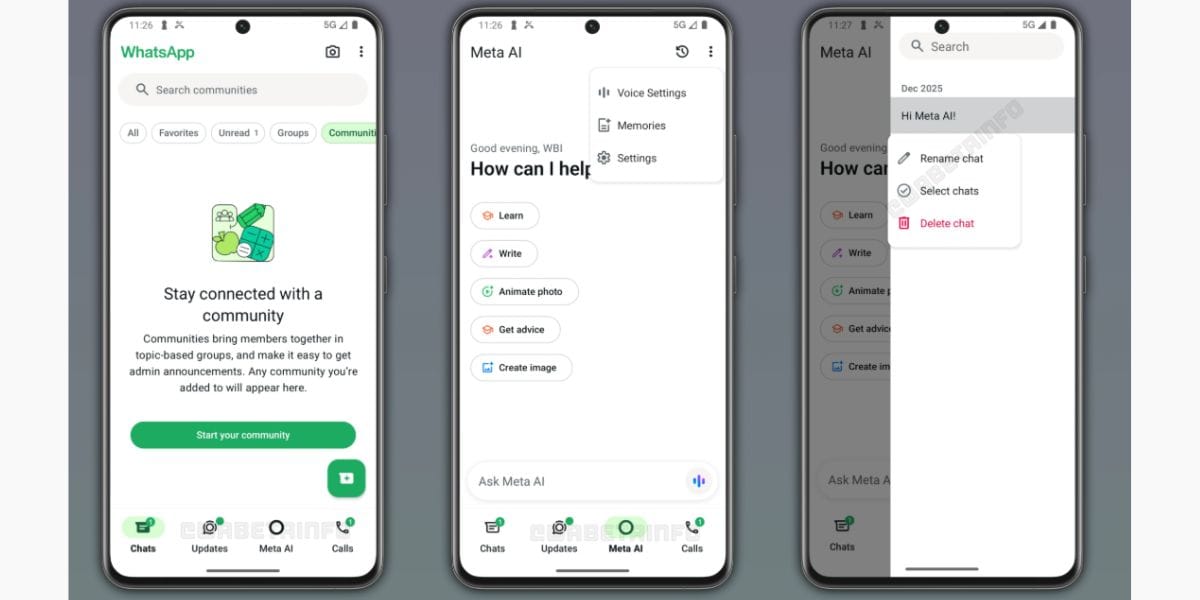
WhatsApp had introduced the AI chat feature long back in 2024, but it was present as a chat feature. But recently, Meta has changed the outlook of WhatsApp, and this AI chat feature has now arrived as a tab on the side of the status tab in your chats. So, how does this feature look? Let’s see here.
Also Read: YouTube Premium Lite India Just Got Upgraded With Background Play, Downloads Rollout
A New Look For Your WhatsApp: See How The Latest WhatsApp Meta AI Tab Looks Now
WhatsApp Meta AI Tab’s first look looks something like this:
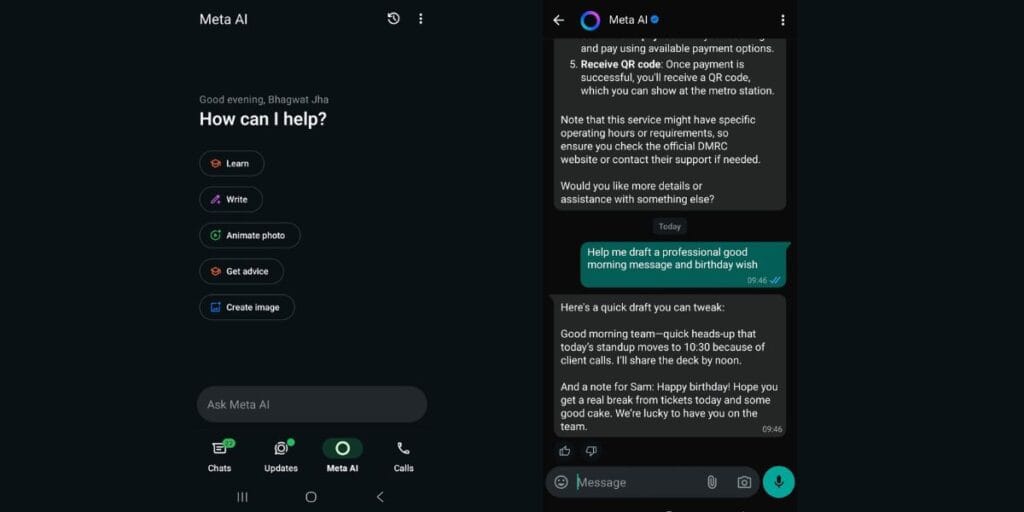
Earlier, this place was taken by channels and communities page, but WhatsApp shifted it with status updates together inside the updates tab, and now the third tab is your AI chat tab, and then the calls tab in the last.
What Benefits Do You Get With WhatsApp AI? Know Them To Use It Better
Here are some supercool benefits of using WhatsApp Meta AI tab as a chatbot:
- Creative Writing: Effortlessly draft emails, poems, or professional messages.
- Image Generation: Create high-quality visuals instantly from text descriptions using /imagine.
- Planning & Logistics: Organise travel itineraries or simplify complex meal prep.
- Language Learning: Practice conversations or get instant translations.
- Summarisation: Quickly condense long articles or discussions into key takeaways.
- Bookings: You can use WhatsApp Meta AI for bookings like Metro tickets, Shows, etc.
Also Read: Instagram End-to-End Encryption To Be Removed From Chats Starting May 2026
Are you still browsing through your broken screen? Don’t worry! Book an at-home mobile phone screen repair with Cashify—an affordable and one-stop destination for all your mobile phone needs. In case you break your screen within 1 month of repair, we will replace your screen again—for FREE.