Apple rolls out the iOS 26.3 beta update. It brings the key iOS 26.3 features that open up the iPhone ecosystem. Users now switch to Android more easily and forward notifications to non-Apple devices. These changes respond to EU regulations under the Digital Markets Act (DMA), but Apple makes them available worldwide in many cases. The update reduces barriers for iPhone owners exploring other platforms while keeping core experiences smooth. So, here are the details related to this latest iOS update.
iOS 26.3 Features: What To Expect?
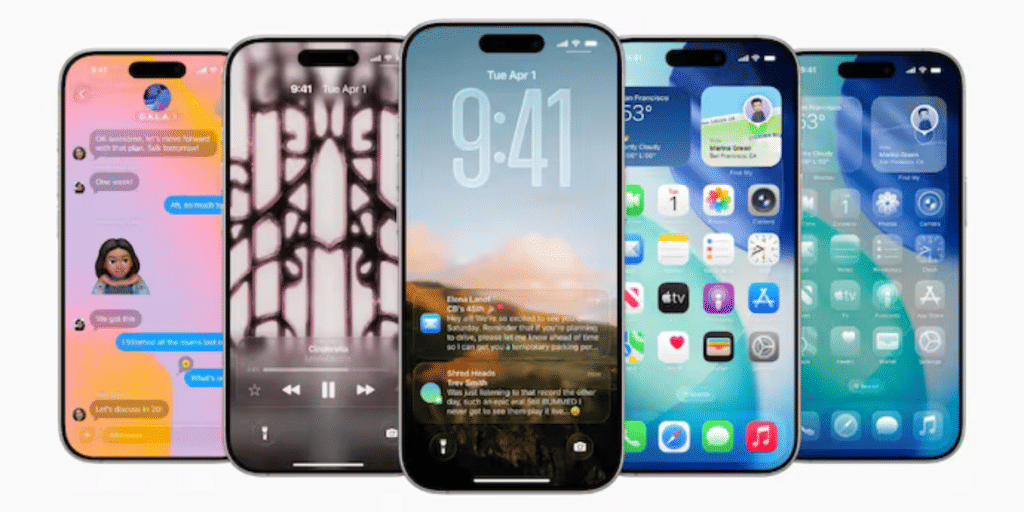
iOS 26.3 introduces a native “Transfer to Android” option, allowing users to move data directly without extra apps. Apple and Google developed this tool together to comply with rules, but it works globally.
Also Read: Nothing OS 4 Vs iOS 26: The Only Comparison You Need Now!
Users place phones nearby, connect via Wi-Fi and Bluetooth, then select data to transfer. The process uses QR code scanning or pairing codes for compatibility across Android brands.
Data that transfers includes:
- Photos and videos
- Messages and notes
- Apps and passwords
- Phone number and basic account info
Items that do not transfer:
- Health data
- Bluetooth-paired devices
- Protected content like locked notes
Find the feature in Settings > General > Transfer or Reset iPhone > Transfer to Android.
Forwarding Opens To Third-Party Devices
Another highlight among iOS 26.3 features is the new Notification Forwarding setting. It sends iPhone alerts to non-Apple accessories, like third-party smartwatches.
Access it via Settings > Notifications > Notification Forwarding. Users select specific apps for forwarding, and alerts include full content plus app names.
Limitations apply:
- Forwarding works with only one device at a time
- Enabling it stops notifications on Apple Watch
- The feature activates fully in the EU due to DMA rules, though the setting appears worldwide in beta
These iOS 26.3 features mark Apple’s steps toward greater interoperability. Developers test the beta now, with a public release expected soon. Update your iPhone to explore these changes and enjoy smoother cross-platform experiences.
Are you still browsing through your broken screen? Don’t worry! Book at-home mobile phone screen repair with Cashify—an affordable and one-stop destination for all your mobile phone needs. In case you break your screen within 1 month of repair, we will replace your screen again—for FREE.