When we say iPhone ringtone, the typical default iPhone music comes to your mind. Isn’t it? However, you must know that the iPhone offers plenty of ringtones to its users. While iOS users can easily set these ringtones on their devices, Android users also have a chance here. Yes, you can now download iPhone ringtone to your Android phone, too! Obviously, these ringtones do not come by default with Android phones. You might have to get the help of third-party apps or websites.
In this article, we have shared some of the best platforms to download iPhone ringtone on your smartphone. So, what are you waiting for? Let’s get started without any further ado.
Also Read: Moviezwap Movie Download: Download Latest HD, 4K, 720p Movies
How To Download iPhone Ringtone?
There are several apps and websites that can help you download the original iPhone ringtone on your Android device. Let us address them here:
Via Apps
Let us talk about the apps first. Here, I have shared the best apps that you can use to download ringtones of the best quality:
| App Name | Description | Key Features |
|---|---|---|
| Zedge | Zedge offers millions of wallpapers, ringtones, notifications, and alarm sounds. It can also be used to download iPhone ringtones on Android devices. | – Huge collection of wallpapers and sounds – Search feature for characters, movie songs, web series tracks, and more – Easy interface – Set ringtones directly from the app |
| Ringtone for iPhone: Android | This app helps Android users download iPhone-style ringtones. It provides high-quality original ringtones with a free download option. | – iPhone 12, 13, 14-style ringtones – Free ringtone downloads• Simple user interface – High-quality audio |
| iPhone 14 Ringtone – Android | Despite its name, the app includes various iPhone ringtones along with wallpapers, notifications, and alarm sounds. | – Hundreds of free ringtones – iPhone ringtone collection – Wallpapers and notification sounds – Phone personalisation options |
| Ringtone for Android | This app provides modern Android ringtones and also includes a collection of iPhone ringtones. | – 5M+ downloads – Free iPhone ringtones – Alarm tones and notification sounds – Set ringtones directly from the app |
Via Websites
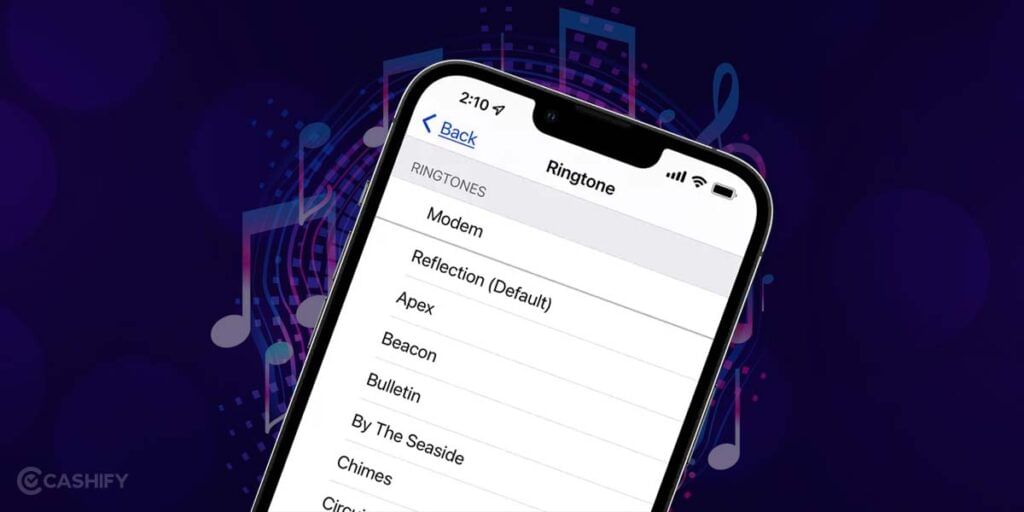
If you don’t wish to install apps to download iPhone ringtone, you can take the help of these websites. All you need to do is visit these websites and look for the ringtone that you wish to have. If you can’t find what you are looking for, you can use the search option as well. Once you find the respective ringtone, click on the download button, and the ringtone will be downloaded to your device. Now, you can just set the ringtone from your smartphone’s Settings.
- Zedge.com
- prokerala.com
- bestringtones.net
- zigtone.com
- downloadmobileringtones.com
Final Thoughts
And that’s all from our end. Hopefully, this article will help you find what you are looking for. You can use both the apps and websites to download iPhone ringtone on your smartphone. So, go ahead and change your regular ringtone to the classy iPhone ringtone.
FAQs
Can I download iPhone ringtone to my Android phone?
In the iPhone ringtones app, you can find a variety of original iPhone ringtones available for download. If you’re looking for something unique, don’t worry! There are also some remixed iPhone ringtones and a special Marimba remix version available for Android phones.
What format is iPhone ringtone download?
Normally, when you create a ringtone in iTunes or Music, it uses the m4a file extension. However, if you want to use this file as a ringtone on your iPhone, you’ll need to change the file extension to m4r for it to be recognized.
How do I download ringtones from iTunes to my Android?
To make a custom ringtone in iTunes, you need to follow these steps:
- Right-click on the song in iTunes and choose “Create AAC version.”
- Next, find the file by right-clicking on it and selecting “Show in Windows Explorer” on a Windows computer or “View in Finder” on a Mac.
- Now, go back to iTunes, find the original song, and delete it by selecting it and pressing the Delete key.
- Finally, drag the new file that ends with .m4r from the folder you opened earlier into the iTunes library.
If you’ve just bought a new phone and don’t know what to do with your old phone, then here’s your answer. Sell old mobile to Cashify and get the best price for it. If you are planning to buy a new phone, check out Cashify’s refurbished mobile phones. You can get your favourite phone at almost half price with six-month warranty, 15 days refund and free delivery.