The Google Photos app got a new revamp on 25 September 2026 and if you thought that your own gallery app or photo editing app is better, then Google might be here to give your thought a reconsideration because these new Google Photos update additions look solid for photo editing and AI features. So, let us tell you all about this update right here in this news.
'
Check Out The New Google Photos Update: The Most ‘Editing-Friendly’ Upgrade
Google Photos has unveiled a transformative update introducing five major features. Headlining the release is Wardrobe, a digital closet that catalogues outfits and enables virtual try-ons. Users also gain Moods for adaptive retro aesthetics, alongside 15 creative Remix templates. The Google Photos update brings a lot for editing too. The editing section receives a boost with an upgraded Markup tool featuring a privacy redact pen, while Photos in Gemini Spark brings single-prompt photo curation and editing to subscribers, dramatically redefining mobile photo management.
Let us brief you more on the new features right here.
Highlights of New Features
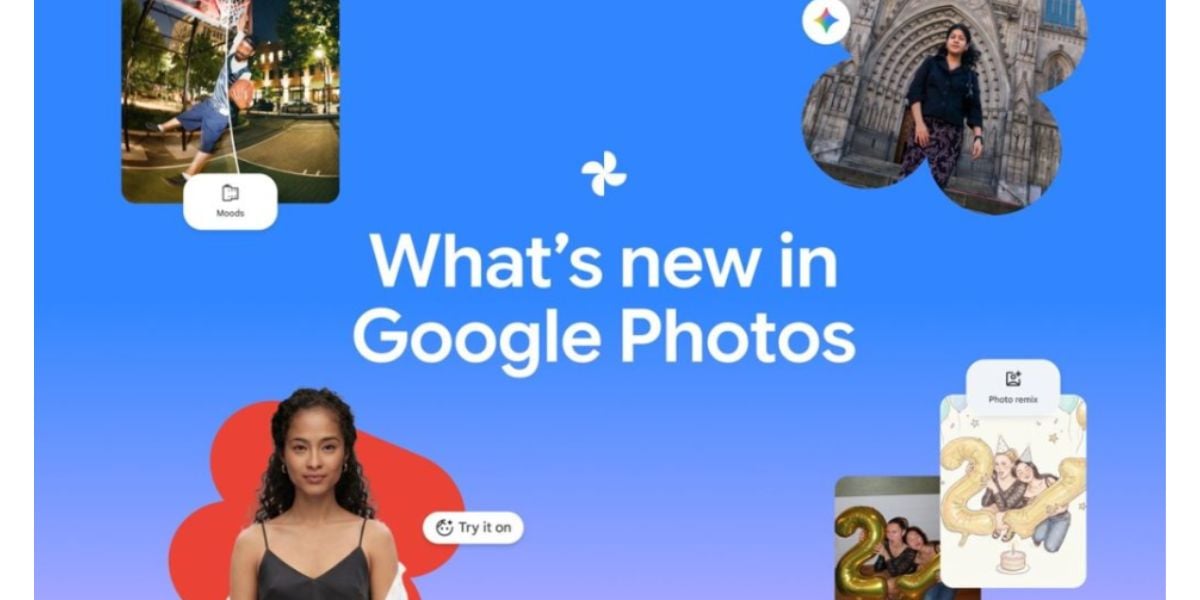
Here are all the newly added features you will see in the latest Google Photos update:
- Photos in Gemini Spark: Curate, edit, and share photos simultaneously using single natural-language prompts (AI Pro/Ultra, US).
- Wardrobe: Automatically catalogues clothing from your library to create a digital closet with virtual outfit try-ons (US, India, Brazil).
- Moods: Adaptive retro photo styles, including nostalgic 35mm film and 2000s digicam effects (Android globally).
- 15 Remix Templates: You can transform everyday shots into red-carpet moments, birthday cards, and photo booth strips (18+).
- Upgraded Markup Tool: Adds a dedicated privacy redact pen, precise thickness sliders, and fresh typography.
Also Read: iPhone 17 Pro Offer Brings An Exchange Bonus Of Up To Rs 55,000
How to Download the Update
- Open the Google Play Store or Apple App Store.
- Tap your profile icon in the top-right corner.
- Select Manage apps & device (or App Updates on iOS).
- Locate Google Photos in the pending updates list.
- Tap Update to install the latest version immediately.
Are you still browsing through your broken screen? Don’t worry! Book at-home mobile phone screen repair with Cashify—an affordable and one-stop destination for all your mobile phone needs. In case you break your screen within 1 month of repair, we will replace your screen again—for FREE.