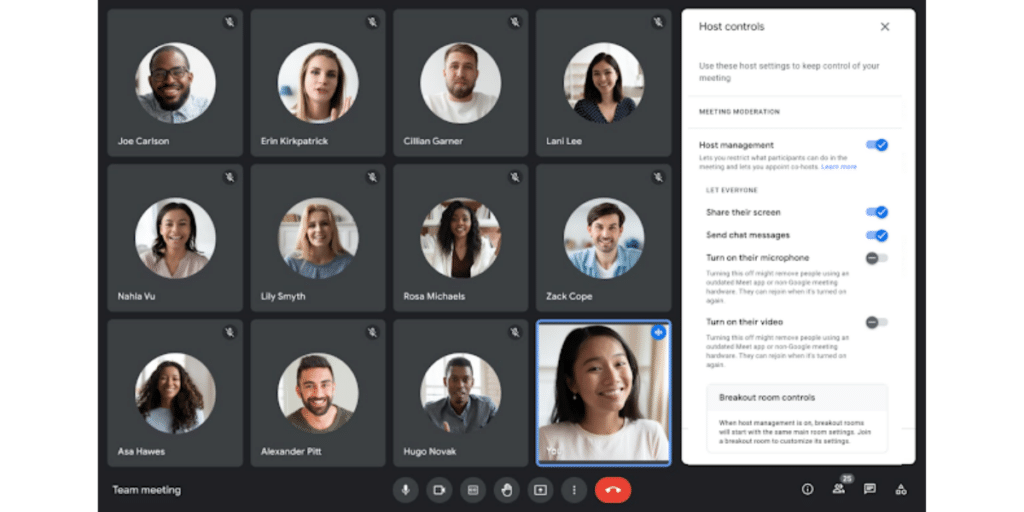
Google Meet is getting a new Audio and Video Lock feature that will allow hosts to lock off the microphones and webcams of certain meeting participants. The participants will likewise be unable to switch them back on until the host unlocks them. Earlier this year, Google Meet hosts got the ability to mute all participants at once in Google Meet on desktop. Hosts can now restrict participants from unmuting themselves after they’ve been muted using the new Audio and Video Lock feature. The new feature was announced by Google in a blog post on October 21.
Also read: Google Will Cut Its Commission on App Subscriptions by Half
Google Meet Audio and Video Lock Feature
To achieve greater productivity, the Audio and Video Lock feature allows hosts additional control over their meetings. When a background noise bothers other participants, for example, a host can use this feature. Additionally, the host has the option of allowing attendees to participate at different levels.
Also read: Gmail Web Users Gets Several New Features For Easier Mail Composing
During a call, the most recent Audio and Video Lock will be applied to any newly launched breakout rooms — as well as smaller groups in Google Meet. Any modifications to a lock setting in one breakout room will not impact the settings of other breakout rooms or the primary meeting once the breakout room has been formed.
The feature is available on Android devices running version M or higher and iOS devices running version 12 or higher. Users must also have the most recent version of the Meet or Gmail apps. If the host or co-host switches on one of the locks; people who are using an Android or iOS version of Google Meet that does not support the newly introduced feature will be removed from the meeting. Participants will need to update their app or join the meeting using a different device; if they attempt to attend a meeting that has one of these locks enabled. These attendees will be able to rejoin the meeting if the audio or video locks are off.
Also read: Vivo Rollouts FunTouch OS Beta Version Based on Android 12 Beta
Users on the Rapid Release domains began receiving the Audio and Video Lock feature on October 21. In the next weeks, it will be available to all users. All Google Workspace users, as well as G Suite Basic and Business subscribers, will be able to use it.