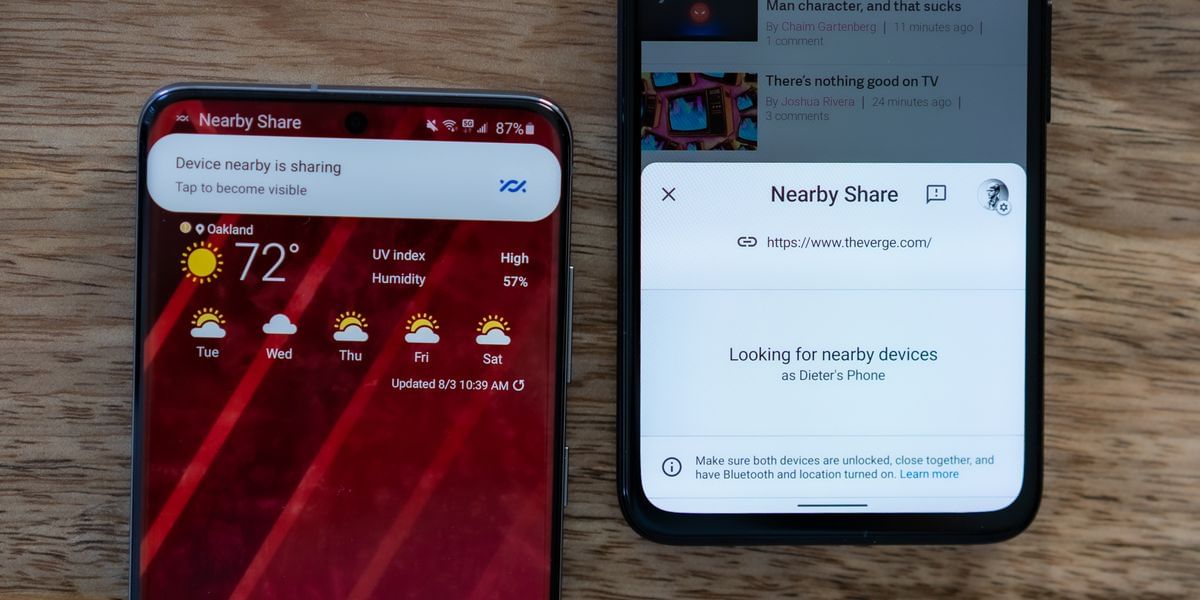
Nowadays, everyone’s life is revolving around two things; PC and mobile phones. It’s been 7 months since Google came up with the “nearby share” feature. It is very similar to the Airdrop feature that is present on iOS. This feature allows the users to share photos, links, and files, from their PC to their smartphones.
As the name suggests, the users can only use the nearby share feature when the other device is close by. It cannot work with a greater distance between two devices. Also, it allows the user to choose the contacts for sharing.
Also read: Top 5 Wireless Neckband Style Bluetooth Headphones You Can Buy In 2021
The “nearby share” is a very intuitive feature for Android. However, Google has come up with a new update for the feature. Now, the nearby share feature allows the users to share apps. The most impressive thing about the feature is that it does not need a cellular or Wi-Fi connection for sharing.
According to 9to5 Google, users can easily send any app without an Internet connection. It is way faster than sharing an app over the internet. 9to5 Google claims that the feature is now compatible with the Google Play Store. The reports say that the feature is only compatible with version 24.0 and above.
Also read: Top 6 Signal Messenger Privacy Settings That You Should Use
The Sharing part of the feature is the easiest. To share an app through the nearby share feature one needs to open Google Play Store. After that user needs to tap on the horizontal lines or the menu button on the top corner. Then the user should tap on the “My apps and games” option.
After this, the user can move on to the share tab. The user can see the “send” and “receive” options. The user needs to give access to his or her location to Play Store. At last, the user can tap on send or receive button as per his or her liking. After sharing the app, the recipient can directly tap on install to install the application.
In conclusion, the nearby share option is a very interesting yet essential feature for Android users. It is the best alternative to the Airdrop feature of iOS. With this feature, Google is providing the fastest sharing option to everyone.

Always on the quest to learn and share the knowledge. Big fan of books (but not the self help ones) specially fiction. A grammar Nazi who loves to eat, cook, travel and watching thunderstorms.