Samsung launched the Samsung Galaxy S26 Ultra last week. The top model brings a new Privacy Display feature. It hides screen content from side views. This protects your privacy in public places.
How Samsung Galaxy S26 Ultra Privacy Display Works?
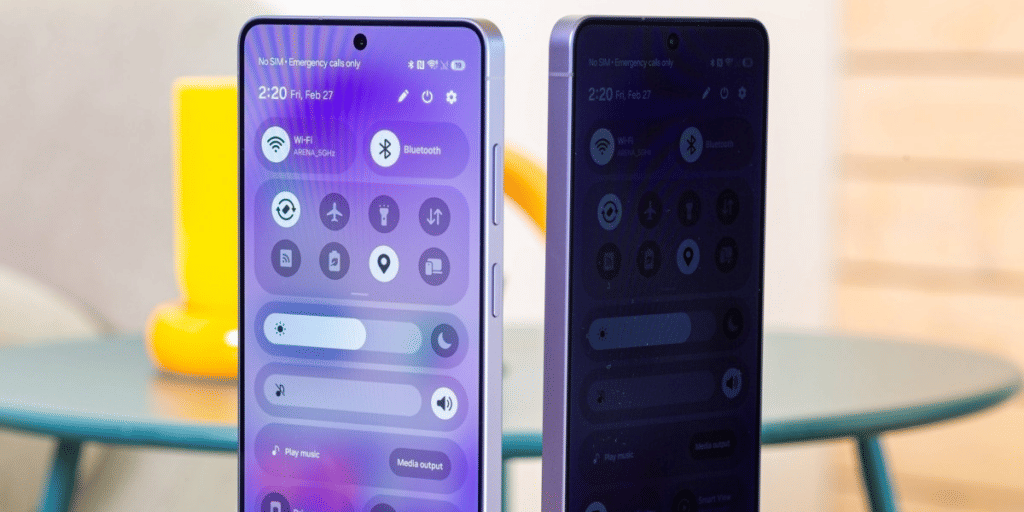
Samsung uses a special hardware filter on the Galaxy S26 Ultra Privacy Display. The screen splits pixels into two types: Narrow Pixels and Wide Pixels. Narrow Pixels send light straight forward. Wide Pixels spread light wider. When Privacy Display turns on, Wide Pixels dim or turn off. This halves brightness but keeps forward view clear.
The feature activates only when needed. It works on notifications, PIN entry, and lock screen. You can set it for specific apps or times. Maximum Privacy mode reduces contrast and makes blacks gray. It blocks side views completely but affects your own view too.
- Pixel filter: Narrow Pixels (forward light) + Wide Pixels (wide light)
- Brightness: Drops to 800 nits when on (still visible outdoors) in Galaxy S26 Ultra Privacy Display
- Activation: Automatic for passwords/PINs, notifications, or custom apps
- Maximum mode: High privacy but lower contrast and color quality
- Default: Off – normal brightness and viewing angles
Also Read: iPhone 17e Launch Price: Starts At Rs 64,900 With 256GB Storage
Privacy Display vs Previous Models
Galaxy S26 Ultra Privacy Display does not reduce sharpness when off. Colors and angles match the Galaxy S25 Ultra. At an angle, standard mode still shows some content. Maximum mode hides almost everything.
Samsung offers flexible control. Use Routines to turn it on at work or certain times. Third-party app support may come later.
Also Read: Myntra Upcoming Sales March 2026: Grab The Best Deals!
The Galaxy S26 Ultra Privacy Display adds real privacy without extra hardware. It suits users who value security in public.
Are you still browsing through your broken screen? Don’t worry! Book at-home mobile phone screen repair with Cashify—an affordable and one-stop destination for all your mobile phone needs. In case you break your screen within 1 month of repair, we will replace your screen again—for FREE.