Are you tired of high monthly bills or poor network coverage in your area? Some people consider porting their numbers from Jio, Airtel, or Vi to BSNL, mainly for lower recharge costs. BSNL’s coverage and plans depend on where you live, so check them before you switch. The best part? You can keep your existing mobile number. In this guide, we explain the complete process to port Jio to BSNL, Airtel to BSNL, or VI to BSNL in simple steps.
So, let’s begin.
Also Read: All BSNL Prepaid Recharge Plans For August 2025
Why Consider Porting To BSNL?
Why Consider Porting to BSNL?
BSNL can be worth considering if you’re trying to reduce your mobile expenses or want a different network experience. But don’t switch based on recharge prices alone. Your location, data usage and calling needs matter just as much.
Here are a few things to check before porting your number to BSNL:
- Recharge costs: Compare BSNL’s current prepaid or postpaid plans with your existing Jio, Airtel or Vi plan. Check the validity, daily data allowance, calling benefits and other inclusions before choosing.
- Local network coverage: BSNL’s coverage and performance can vary between locations. Check the signal and call quality around your home, workplace and regular travel routes.
- 4G availability: BSNL has been expanding its 4G network. The actual experience depends on the coverage available in your area, your phone’s compatibility and network conditions.
- Your usage habits: If you rely heavily on mobile data, video calls, hotspot connectivity or uninterrupted internet access, test the local BSNL network before switching if possible.
Don’t port solely because another operator’s recharge looks expensive. First, compare the total cost and check whether BSNL can meet your everyday connectivity needs.
What To Consider Before Porting Jio, Airtel, VI To BSNL?
Before you port to BSNL, make sure you meet the eligibility requirements and have your documents ready. If you don’t meet the requirements, you won’t receive a UPC, and missing documents can delay your request.
Eligibility Criteria
- Your current mobile number must have been active with Jio, Airtel, or VI for at least 90 days.
- If you are a postpaid user, make sure all pending bills are cleared. Any unpaid dues can prevent you from successfully porting to BSNL.
- Ensure there are no pending requests to transfer mobile number ownership.
- Furthermore, your number must not be under a court order or sub-judice.
- The number should not be tied to any ongoing contractual commitments with your current operator.
- At least seven days must have passed since your last SIM swap or replacement.
Apart from this, you need to have the right documents handy, such as a passport-size photo, Identity proof, Address proof and last mobile bill (if applicable)
Note: Accepted documents can include Aadhaar, Voter ID, or Driving License as ID proof, and Aadhaar, Ration Card, or a recent (not older than 3 months) telephone, water, or electricity bill as address proof. BSNL’s current list may differ, so confirm before you go.
If you are porting a prepaid number, remember that any remaining talk time, data packs, SMS packs, or promotional offers will not transfer to BSNL. Additionally, your existing balance and validity will be reset, and you will need to start afresh with BSNL’s plans and recharge options.
Also Read: All BSNL Data Plans And Net Pack List August 2025
How To Port Jio, Airtel, VI To BSNL?
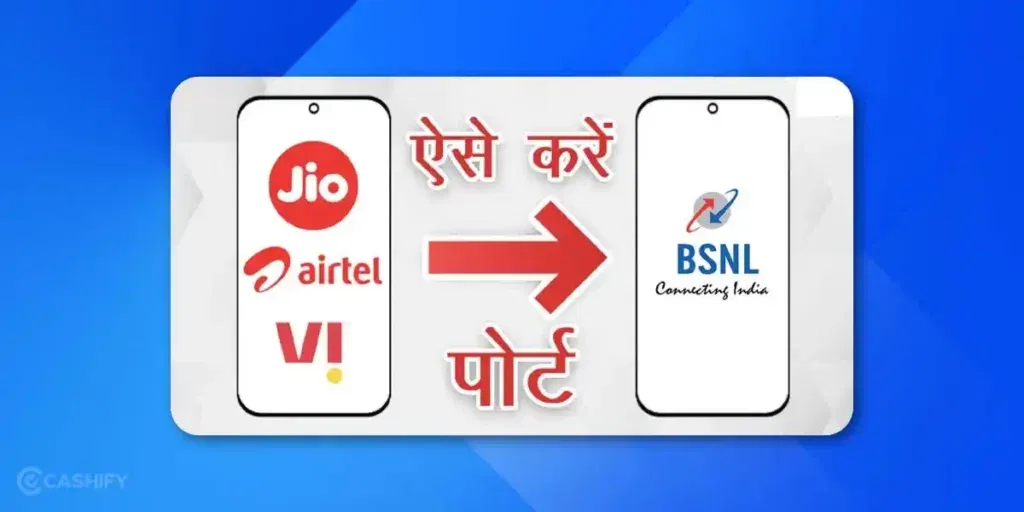
You can request a switch from Jio, Airtel or Vi to BSNL without changing your mobile number. Follow these steps.
Step 1: Generate Your Unique Porting Code (UPC)
Using the mobile number you want to port, open your messaging app and send the following SMS to 1900:
PORT 987543210
Replace the sample number with your own 10-digit mobile number.
You’ll receive your 8-digit Unique Porting Code (UPC) by SMS from 1901, provided your number meets the eligibility requirements. Keep this code handy because you’ll need it to submit the porting request.
Important: Your UPC is generally valid for four days, excluding the day it was generated. In Jammu and Kashmir, Assam and the North East LSAs, it remains valid for 30 days.
Step 2: Submit Your Porting Request to BSNL
Visit a BSNL customer service centre or authorised point of sale that handles mobile number porting. Carry your UPC and the required KYC documents.
At the centre:
- Tell the representative that you want to port your existing number to BSNL.
- Complete the Customer Acquisition Form (CAF) and porting form.
- Provide your valid UPC and complete the required verification.
- Follow the instructions for obtaining your new BSNL SIM.
- Confirm any applicable porting charge, SIM charge or recharge requirement before proceeding.
BSNL may provide digital onboarding options in supported locations. Check with your local BSNL circle to confirm whether your port-in request can be completed online or requires a visit.
Step 3: Wait for the Porting Confirmation
After submitting your request, you’ll receive SMS updates about its status and the scheduled porting time.
Under TRAI’s rules, porting generally takes:
- Within the same LSA: Three working days.
- Between different LSAs: Five working days.
- Jammu and Kashmir, Assam and the North East LSAs: Up to 15 working days.
- Corporate connections: Five working days.
The exact activation time will be communicated through SMS. The switch is scheduled during night hours, and your existing connection may stop working for up to four hours, so keep your new BSNL SIM ready.
Step 4: Activate Your BSNL SIM
When your existing SIM loses network connectivity at the scheduled time, insert the new BSNL SIM into your phone and follow the activation or tele-verification instructions provided by BSNL.
Once activation is complete, test incoming and outgoing calls, SMS and mobile data. If any service doesn’t work, contact BSNL customer support.
Keep your existing SIM active until the scheduled porting process begins. Don’t discard it before the switch is complete.
What Are The Tips For A Smooth Porting Experience?
Here are some quick tips on how to port Jio, Airtel, VI to BSNL and make the most out of it:
- Generate your UPC only when you are ready to submit your request, since it expires in four days in most circles.
- Keep your old SIM active until porting is complete.
- Backup important messages, contacts, and data before porting.
- Check BSNL network coverage at home and workplace to ensure uninterrupted connectivity.
- Additionally, visit a reliable BSNL store or authorized retailer for faster processing.
Also Read: All BSNL Postpaid Recharge Plans Online August 2025
Can You Cancel Your Porting Request?
Yes. If you’ve changed your mind after submitting the porting request, TRAI allows you to withdraw it within 24 hours of submission.
To withdraw the request, send this SMS from the number you’re porting:
CANCEL 9876543210
Replace the sample number with your own 10-digit mobile number and send the message to 1900.
Withdrawing the request cancels the porting request and its associated UPC. Any porting charge already paid is not refundable under TRAI’s stated procedure.
Remember that the withdrawal window is based on the time of submission, not the UPC’s expiry date. If you’re unsure about the status of your request, check the SMS updates received from the porting service.
Final Thoughts
Porting your number from Jio, Airtel, or VI to BSNL is simple when you follow the right steps. By understanding how to port Jio to BSNL, how to port Airtel to BSNL, and how to port VI to BSNL, you can switch to BSNL without losing your existing number. Just check that BSNL’s network and plans work well in your area before you port.
Frequently Asked Questions
1. How do I port my Jio number to BSNL?
To port your Jio number to BSNL, send PORT <10-digit mobile number> to 1900 from your Jio number. Once you receive your UPC, visit a BSNL customer service centre or authorised point of sale, submit the required forms and complete KYC verification. Your number will move to BSNL after the porting process is completed.
2. How can I port Airtel to BSNL without changing my number?
Send PORT <10-digit mobile number> to 1900 from your active Airtel connection. Use the UPC received by SMS to submit a porting request to BSNL. After verification and successful porting, you can continue using your existing number on the BSNL network.
3. How do I port my Vi number to BSNL?
To port Vi to BSNL, generate a UPC by sending PORT <10-digit mobile number> to 1900 from your Vi number. Submit the code and the required KYC details at a BSNL customer service centre or authorised point of sale. Keep your Vi SIM active until the scheduled switch.
4. How many days does it take to port a number to BSNL?
Porting within the same Licensed Service Area generally takes three working days. Porting between different LSAs takes five working days, while requests in Jammu and Kashmir, Assam and the North East can take up to 15 working days. You’ll receive SMS updates about your request and activation schedule.
5. How long is a BSNL porting UPC valid?
A Unique Porting Code (UPC) is generally valid for four days, excluding the day it is generated. In Jammu and Kashmir, Assam and the North East LSAs, it is valid for 30 days. If your code expires before you submit your request, generate a fresh one by sending PORT <10-digit mobile number> to 1900.
6. Is porting from Jio, Airtel or Vi to BSNL free?
TRAI caps the porting charge at ₹6.46 per request, and the new operator may charge up to that amount if it chooses to. You may also need to pay applicable SIM or recharge charges. Confirm the final amount with BSNL before submitting your request.
7. Can I port my number to BSNL before completing 90 days?
Generally, no. Your number must have been active with your current operator for at least 90 days to qualify for a UPC. Other eligibility conditions, including applicable postpaid dues and the seven-day waiting period after a SIM replacement, also apply.
8. Can I port my Jio, Airtel or Vi number to BSNL online?
You can begin by generating your UPC through SMS. Whether the remaining port-in process can be completed online depends on the facilities available in your BSNL circle. Check with the local BSNL office or authorised point of sale to confirm the available submission, KYC and SIM collection options.
9. Can I cancel my BSNL porting request after submitting it?
Yes. You can withdraw the request within 24 hours of submission by sending CANCEL <10-digit mobile number> to 1900. The request and its associated UPC will be cancelled. Any porting charge already paid is not refundable under TRAI’s procedure.
10. Will my existing prepaid balance and data carry over to BSNL?
No. Any unspent prepaid balance will lapse when your number is ported. Your old operator’s data allowance, validity and promotional benefits also won’t transfer to your new BSNL connection. Choose a suitable BSNL recharge plan after switching.
11. Can I port a postpaid number to BSNL prepaid?
Generally yes. The porting rules don’t stop you from choosing a different plan type with the new operator, but confirm the available BSNL prepaid and postpaid plans when you apply. If you are leaving a postpaid connection, clear all outstanding dues first.
12. Will WhatsApp and UPI work after porting to BSNL?
Your mobile number remains the same after successful porting, so you generally don’t need a new number for WhatsApp or your existing number-linked services. However, banking apps, UPI services and OTP delivery may require the SIM to be active and working correctly. Follow any verification instructions from your bank or app.
13. Is BSNL 4G available everywhere in India?
No. BSNL has been expanding its 4G network, but availability and performance vary by location. Check the coverage in your area before switching, and make sure your phone supports the required network bands.
14. Does BSNL offer 5G after porting from Jio, Airtel or Vi?
Don’t assume 5G will be available simply because you port to BSNL. BSNL has said it will move to 5G after its 4G network stabilises, and an August 2026 report cited a December 2026 target for its 5G launch, so confirm availability in your area before porting.
15. What should I do if my BSNL porting request is rejected?
Check the SMS explaining the rejection. If you didn’t receive a UPC, common reasons are a number that hasn’t completed 90 days, outstanding postpaid dues, a pending ownership change, or a SIM replaced in the last seven days. If a port-in request fails, check whether your UPC has expired or, for corporate numbers, whether a valid authorisation letter was submitted. Resolve the specific issue before trying again. If you need help, contact your existing operator or visit a BSNL customer service centre.
16. Will I lose incoming calls or OTPs during the porting process?
Your existing SIM may lose service during the scheduled network switch, which takes place during night hours. TRAI says there can be no service for a maximum of four hours. During this period, calls and SMS may not work normally. Wait for the BSNL SIM to activate and test incoming SMS before relying on OTP-based transactions.
Also Read: Simple Guide On How To Check Your BSNL Number: 5 Easy Ways
If you’ve just bought a new phone and don’t know what to do with your old phone, then here’s your answer. Sell old mobile to Cashify and get the best price for it. If you are planning to buy a new phone, check out Cashify’s refurbished mobile phones. You can get your favourite phone at almost half price with Six-month warranty, 15 days refund and free delivery.