A MacBook is a device that is more like an investment if you are a student. First, the device is going to last you for a long time. You can do editing, coding, research, write papers, and do much more! This is why students all over the world prefer MacBooks over any other laptops. Apple’s ecosystem is cleaner, performance is strong, and it can easily handle most academic work.
But it’s important to choose the right MacBook for your needs. In this guide, we will look at the best MacBook for students based on what you study, your workload, and budget. Let’s get started:
Also Read: Flipkart SASA LELE Sale 2026: Best Value Deals Right Now
Why MacBooks Still Make Sense for Students
MacBooks continue to stand out for three simple reasons:
- Long battery life,
- Consistent performance, and b
- Build quality that lasts through years of use.
Most students don’t upgrade every year. In this case, reliability matters more than raw power. macOS also runs smoothly across devices. It helps if you already use an iPhone or iPad for notes, reminders, or file sharing. Now, let’s check out the top options. We have done a lot of research and selected three for different category. There is one option that is best overall, one is good for budget, and the third is all about power.
Best Overall Choice For Most Students
13-inch MacBook Air (M5, 2026)
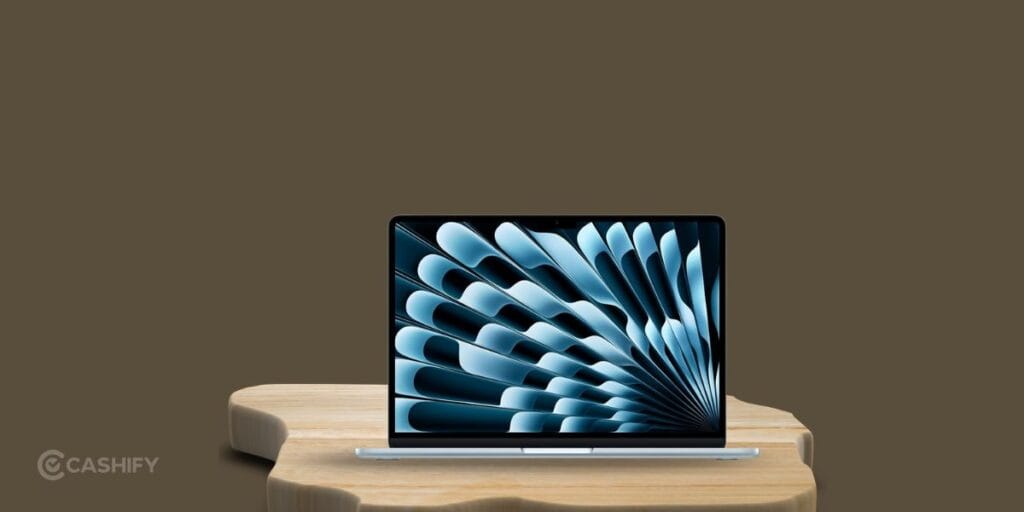
This is the one that fits almost everyone.
It balances portability and performance in a way that works across major fields. At just over a kilogram, its super easy to carry. The battery life can go up to 18 hours in real-world use. You can use it in your lectures, library sessions, and even a late-night assignment. You won’t have to look for a charger and charge it after every hour.
The base configuration starts at 16GB RAM and 512GB SSD. It means you won’t run into slowdowns after a year or two. The fanless design keeps it silent, even during long study sessions.
Best for:
- Notes, assignments, research
- Presentations and multitasking
- Light photo or video editing
- Students who want one device for everything
Best MacBook For Budget Option
MacBook Neo (2026)

If price matters more than premium extras, this is the entry point.
It’s compact, light at 1.23 kg, and handles basic student tasks without issues. You can do web browsing, Google Docs, spreadsheets, streaming lectures. These type of tasks are pretty smooth for this laptop. But, you’ll have to compromise on a few things.
You get 8GB RAM. It is fine for light use but not ideal for heavy multitasking. There is no keyboard backlight which can be annoying during late-night study sessions.
Best for:
- Schoolwork, browsing, streaming
- Students on a tight budget
- Backup or secondary device
Best MacBook For Power Users
14-inch MacBook Pro (M5, 2025)
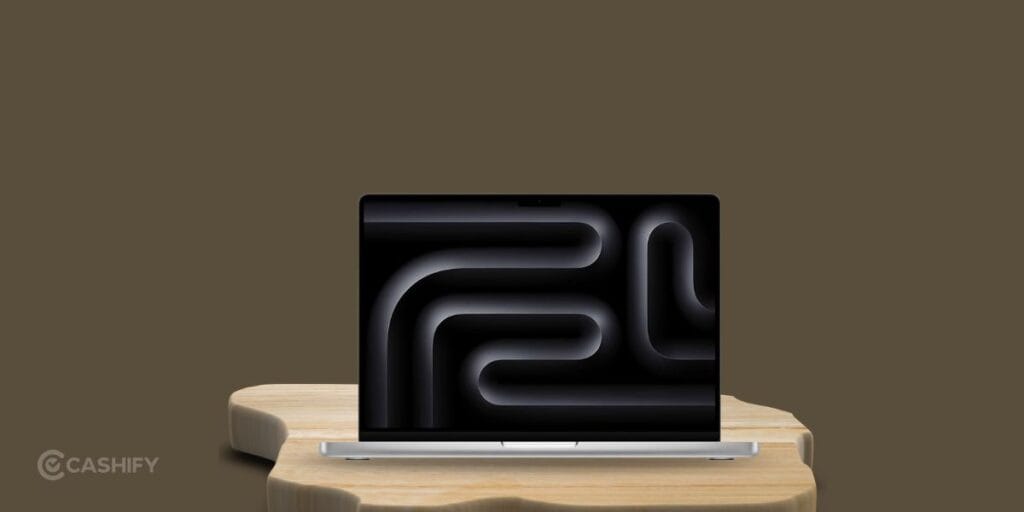
This one is built for demanding workloads. It has active cooling that keeps the performance stable during long sessions. That matters if you’re compiling code, rendering 3D models, or editing high-resolution video. The 120Hz ProMotion display also feels smoother. If you are into editing and designing, you are going to love this.
You also get more ports like HDMI and an SD card slot. This reduces the need for adapters.
Best for:
- Engineering and technical majors
- Computer science students
- Film, animation, and design work
- Heavy multitasking and pro-level apps
How To Save More On A MacBook?
Apple has consistent education deals every year. They can make a noticeable difference and you should not ignore student discounts.
- Students usually save around ₹10,000 to ₹11,000 on MacBook Air and Pro models through the Apple Education Store.
- They mostly runs between June and September in most cases. Students often receive a free accessory like AirPods 4 or an Apple Pencil.
- Students get around 10 percent off on protection plans. This is worth considering if you carry your laptop daily.
- Checking multiple sellers can save a few thousand rupees. This is because prices vary depending on the retailer.
Also Read: Best 5G Mobile Phone Under 15000 That Outperform Their Price!
FAQs: Best MacBook for Students (2026)
Which laptop should I buy as a student?
For most students, the safest pick is the Apple MacBook Air M5 (2026). It handles notes, research, multitasking, and even light editing without slowing down. Apple doubled the base storage to 512GB and improved performance for everyday and AI-based tasks.
Which is the best MacBook as a budget-conscious buyer?
If you want the lowest price possible, go for the Apple MacBook Neo (2026). It covers basic needs like browsing, assignments, and streaming. Just keep in mind the 8GB RAM limit. It is fine for light use but not ideal for heavy multitasking.
Which MacBook should I buy for programming?
Programming students should consider the Apple MacBook Pro 14-inch (M5). It handles long coding sessions, compiling large projects, and running virtual machines much better due to active cooling and sustained performance.
What is the best MacBook for editing videos?
For video editing, the MacBook Pro 14-inch (M5) is the better option. It maintains performance during long renders and supports heavier software like Final Cut Pro or Adobe Premiere without throttling.
I need an overall laptop, which one should I buy?
Go straight for the 13-inch MacBook Air M5 (2026). It hits the perfect middle ground between performance, battery life, and portability.
Final Thoughts
For most students, the 13-inch MacBook Air (M5) hits the sweet spot. It’s light, fast, and built to last through an entire degree. If budget is tight, the MacBook Neo does the job for basic needs. If you’re into programming, editing, or designing, the 14-inch MacBook Pro is worth the investment.
Let me know if you have any questions in the comment sections below. I would love to hear you out!
Buying refurbished mobile phones was never this easy. Sell your old phone and get exclusive offers & discounts on refurbished mobiles. Every refurbished phone is put through 32-point quality checks to ensure like-new standards and comes with a six-month warranty and 15-day refund. Buy refurbished phone easily on no-cost EMI today!