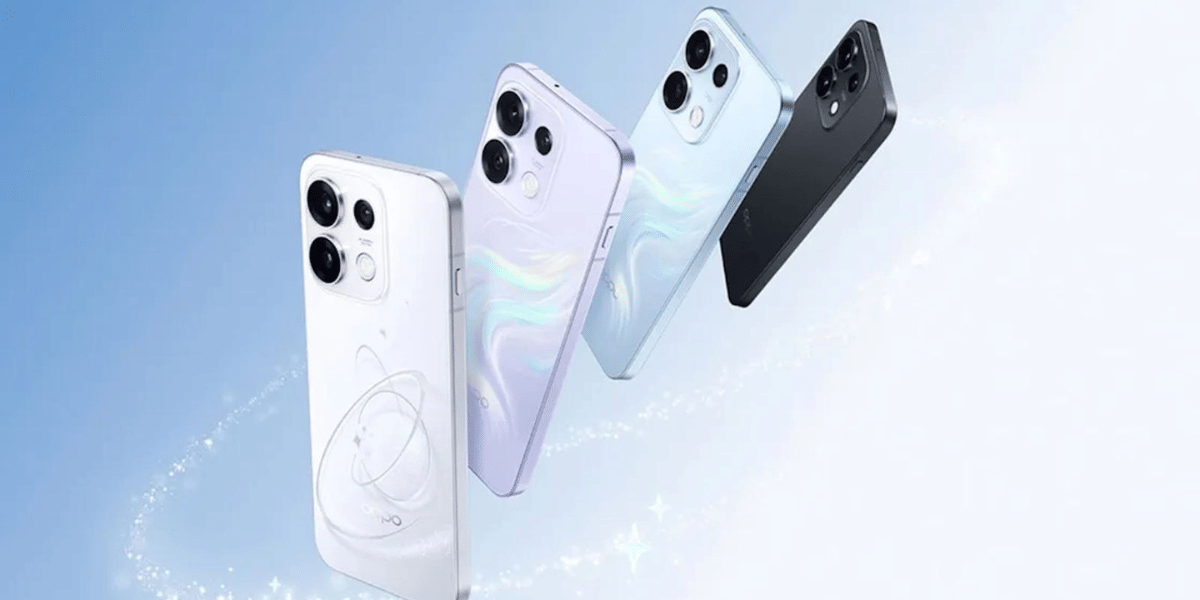
The Oppo Find X10 Pro Max puts a big focus on photography. Launched in China with three 200MP rear cameras, it packs some serious camera hardware. But getting great photos is not just about megapixels. The right camera settings can make a real difference in how your pictures turn out.
The best camera settings for Oppo Find X10 Pro Max help you balance detail, speed and file size. They also help you get natural colours and steady video. In this guide, we compare the key options side by side. You will learn what to switch on, what to leave off and when to change modes.
Also Read: OnePlus 16 Best Camera Settings: Get Better Photos Every Time!
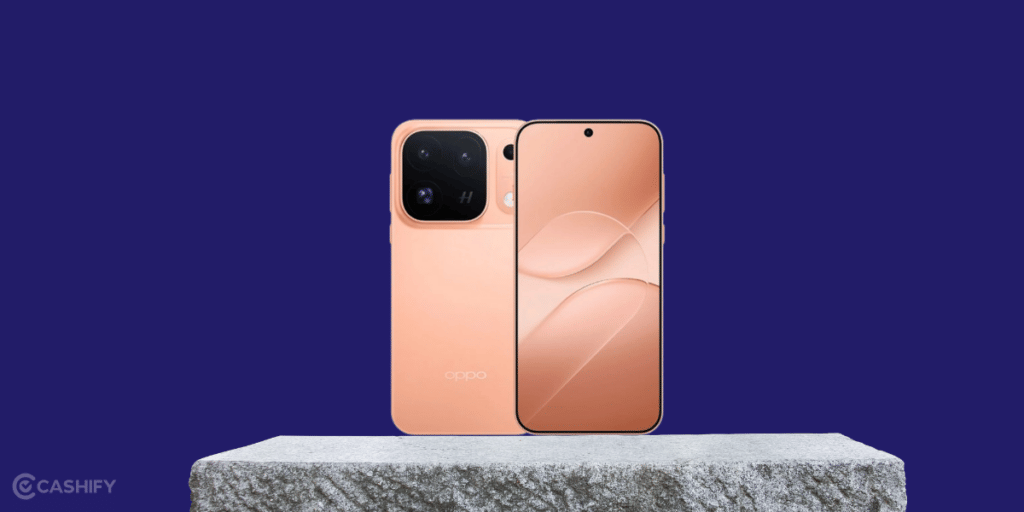
Oppo Find X10 Pro Max Camera Specifications At A Glance
Before exploring the best camera settings, let’s look at the Oppo Find X10 Pro Max camera specifications to understand what each camera offers.
| Camera | Specifications | Best suited for |
|---|---|---|
| Main camera | 200MP, f/1.5 aperture, 24mm focal length, 1/1.3-inch ISOCELL HPC sensor, OIS | Everyday pictures, landscapes and low-light scenes |
| Ultrawide camera | 200MP, f/2.2 aperture, 13mm focal length, autofocus | Group photos, architecture and wide landscapes |
| Telephoto camera | 200MP, f/2.1 aperture, 1/1.56-inch ISOCELL HP5 sensor, OIS | Portraits, distant subjects and zoom shots |
| Front camera | 50MP with a 100-degree field of view | Selfies, group selfies and video calls |
The triple 200MP setup is the phone’s biggest camera highlight. The LUMO imaging system also helps preserve fine details and natural-looking tones.
The camera can produce 25MP images by default across supported focal lengths, balancing detail with manageable file sizes. If you want even more detail for cropping or enlarging photos, you can explore Hasselblad Hi-Res Mode.
Also read: Google Pixel 10 Pro Best Camera Settings
How Oppo Find X10 Pro Max Camera Technology Works
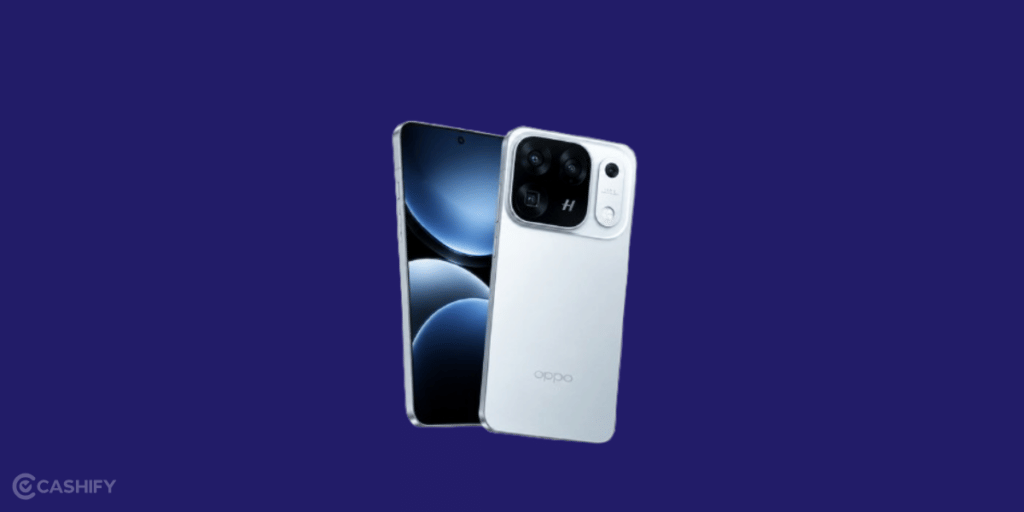
Apart from the high-resolution sensors, Oppo has introduced several imaging technologies to improve the way photos are captured and processed.
LUMO Hyper Pixel Engine: This technology helps retain fine details while managing noise and sharpening. The phone can produce 26MP photos by default across supported focal lengths, offering more detail than a typical 12MP output without requiring you to change the resolution manually.
LUMO True Image Engine: It focuses on natural-looking colours and tones. This can be useful when photographing people, food, buildings and outdoor scenes where you want colours to remain realistic.
Hasselblad camera tuning: The camera system is developed with Hasselblad input, with an emphasis on colour reproduction and image rendering.
DeepPix sensor technology: Oppo has highlighted this technology for the Find X10 Pro Max’s low-light photography. It is intended to improve results when you are shooting in darker surroundings.
Together, these technologies aim to deliver detailed images without making textures or skin look excessively processed.
Best Oppo Find X10 Pro Max Camera Settings for Everyday Photography!

You do not need to use a specialised mode for every photo. The standard Photo mode is a practical choice for quick shots, while the three rear cameras let you change your framing according to the scene.
| Setting | Recommended choice | Why use it? |
|---|---|---|
| Shooting mode | Photo | Suitable for regular pictures |
| Main camera | 1x view | A good starting point for everyday photography |
| Ultrawide camera | 0.5x view, if displayed in the camera app | Captures more of the scene |
| Telephoto camera | Native 3x optical view, if available | Frames distant subjects without relying on heavy digital zoom |
| Resolution | Default camera output | Balances detail and storage |
| High-resolution photography | Hasselblad Hi-Res Mode | Helps capture more detail when lighting is suitable |
| Focus | Autofocus | Makes quick shots easier |
| Exposure | Start at 0 EV | Provides a baseline for brightness |
| Flash | Off unless required | Avoids harsh lighting in many situations |
These settings are starting points, not fixed rules. Use the main camera for everyday scenes, switch to ultrawide when the frame feels too tight, and try the telephoto lens when you cannot move closer to your subject.
Use Hasselblad Hi-Res Mode When You Need More Detail
The Find X10 Pro Max supports high-resolution photography through Hasselblad Hi-Res Mode. Under suitable lighting, the system can produce 50MP images at supported focal lengths. At the native focal lengths of its 200MP rear cameras, it can also combine multiple frames to create full-resolution 200MP photos.
This mode is useful when photographing detailed architecture, landscapes, artwork or products that you may want to crop later.
For everyday snapshots, the standard camera output is more convenient. Save Hi-Res Mode for situations where the additional detail is useful, as larger images can take up more storage.
Choose the Right Lens for the Scene
The three rear cameras give you different ways to compose a photo.
- Main camera: Use it for daily moments, street photography and general outdoor shots.
- Ultrawide camera: Choose it for buildings, large groups and landscapes where you want to include more of the surroundings.
- Telephoto camera: Use it for tighter framing, portraits and subjects that are farther away.
Try to use the phone’s native camera focal lengths instead of zooming in excessively. This helps preserve details and reduces the softness that can appear with heavy digital zoom.
Also read: OnePlus 15: Best Camera Settings for Night Mode, Portrait & Zoom!
Best Camera Settings for Portraits
Portrait photography works best when the subject is well lit and clearly separated from the background. The Find X10 Pro Max’s telephoto camera gives you an additional option for framing people, while Hasselblad tuning and Oppo’s image processing are designed to preserve natural-looking colours and skin texture.
Try these settings as a starting point:
- Select Portrait mode if it is available in your camera app.
- Use the telephoto camera when you have enough room to frame the subject.
- Focus on the person’s face.
- Look for soft daylight instead of harsh overhead lighting.
- Keep background blur moderate if the camera allows you to adjust it.
For group portraits, the main camera may be more practical if you need to fit several people into the frame. Check the edges of the picture for distortion when using a wide-angle lens.
Best Camera Settings for Night Photography
Low-light photography is one area where the main camera’s f/1.5 aperture, optical image stabilisation and DeepPix technology may be useful. These features are designed to help the camera capture more usable detail in challenging lighting conditions.
For night scenes, start with the following approach:
- Use the main camera for city streets, buildings and general night shots.
- Select Night mode if it is available in the camera interface.
- Keep the phone steady while the camera captures the image.
- Avoid excessive zoom in dim surroundings.
- Reduce exposure slightly if bright signs or streetlights appear washed out.
If your camera app offers Pro Mode, you can experiment with ISO and shutter speed. A slower shutter can help capture more light in a static scene, but it may blur moving people or vehicles. A faster shutter is more suitable for movement, although it requires more light.
Best Camera Settings for Food and Close-Up Photography
Food and close-up shots benefit from good lighting and careful framing. The main camera is a useful starting point for food, while the high-resolution camera system can help retain fine details when photographing textures or small objects.
For food photography, try taking pictures near a window, tap on the dish to focus and avoid direct flash. A slightly angled view can show the texture of a meal better than a flat shot, while an overhead composition works well for a table spread.
For close-ups, keep enough distance for the camera to focus properly. You can experiment with the telephoto camera for tighter compositions, but avoid assuming that every lens will focus at the same distance. Use Hi-Res Mode when you need additional detail and have sufficient light.
Best Video Settings on the Oppo Find X10 Pro Max
The Find X10 Pro Max supports high-resolution video recording, including 8K at 30fps and 4K at up to 120fps across its three rear cameras. It also supports Open Gate Capture, which gives creators more flexibility when reframing footage for different aspect ratios.
| Video option | When to use it |
|---|---|
| 4K at 30fps | Everyday videos and travel clips |
| 4K at 60fps | Smoother footage of moving subjects |
| 4K at 120fps | Compatible high-frame-rate and slow-motion workflows |
| 8K at 30fps | Detailed footage when you need room to crop |
| Open Gate Capture | Recording footage that you may later reframe for vertical or horizontal formats |
For routine recording, 4K at 30fps is a sensible starting point. Use higher frame rates when you want smoother motion or slow-motion effects, and choose 8K when the extra resolution is worth the storage space.
Before recording an important clip, check the available resolution and frame-rate combinations in the camera app. Some features may have specific recording requirements.
Also read: Samsung Galaxy S26 Ultra Vs iPhone 17 Pro Max Camera: Getting Killer Shots!
Final Thoughts
The Oppo Find X10 Pro Max offers a versatile camera system with three 200MP rear sensors, Hasselblad tuning and Oppo’s LUMO imaging technology. Each lens serves a different purpose, so choosing the right one is often more useful than simply selecting the highest resolution. For everyday photos, start with the main camera and default settings. Switch to the ultrawide lens for larger scenes, use the telephoto camera for tighter framing, and explore Hi-Res Mode when you need extra detail. For night shots and videos, pay attention to lighting, stability and the recording settings available on your device.
FAQs
1. What are the best camera settings for Oppo Find X10 Pro Max?
Shoot at 50MP with natural colours and HDR on auto. Switch to 200MP in bright light. Use Pro mode for manual control.
2. Should I shoot in 200MP or 50MP?
Use 50MP for everyday photos and low light. Use 200MP for bright, detailed scenes where you may crop later.
3. Does the Oppo Find X10 Pro Max have three 200MP cameras?
Yes. Oppo has confirmed 200MP sensors for the main, ultrawide and telephoto cameras. The selfie camera is 50MP.
4. What is the best video setting on the Oppo Find X10 Pro Max?
Use 4K at 30fps for daily video. Choose 60fps for fast action. Turn on stabilisation.
5. Can the Oppo Find X10 Pro Max shoot macro photos?
Yes. The telephoto camera supports close focus from about 10cm.
If you’ve just bought a new phone and don’t know what to do with your old phone, then here’s your answer. Sell your old mobile to Cashify and get the best price for it. If you are planning to buy a new phone, check out Cashify’s refurbished mobile phones. You can get your favourite phone at almost half price with a six-month warranty, 15-day refund and free delivery.