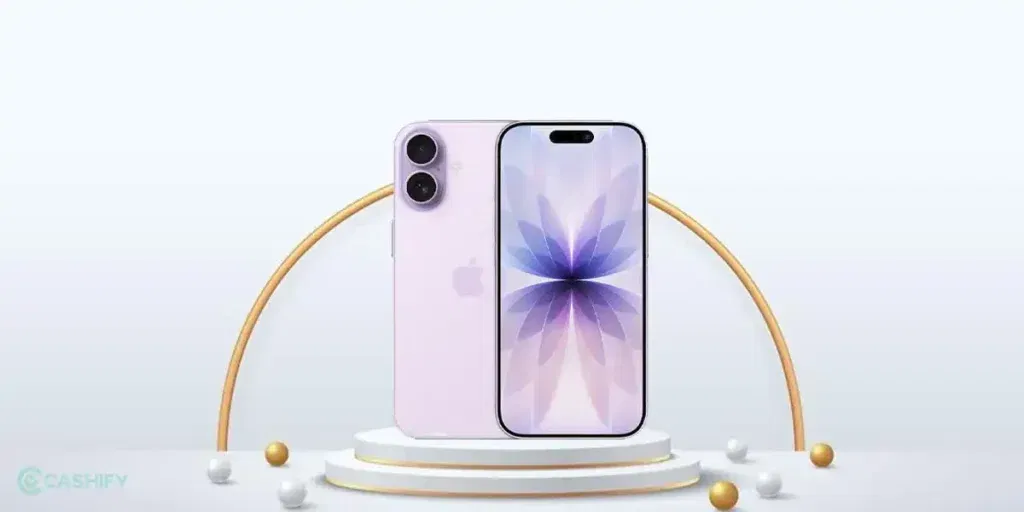
The Apple iPhone 17 is a great phone with a nice, big screen and cool features. But like any phone, it’s screen can have problems. Only thing is, if something goes wrong, it can be an expensive affair. Especially if there’s any physical damage happening. Don’t worry! There are ways you can save your repair money, too.
Here are some simple and useful fixes to try at home first. These can save you money to some extent before going for a repair. If nothing works, Cashify mobile repair is a good option for fast, affordable help.
Also read: Don’t Repair iPhone 17 Pro Screen Before Reading This: Cashify vs Local Repair Shop!
Different Types Of Apple iPhone 17 Screen Problem
Here are the most common types of screen problems reported by iPhone 17 users:
- Cracked or broken screen: This happens from drops or falls. The glass cracks, and sometimes pieces come off.
- Unresponsive touch: The screen does not react when you tap or swipe. You may need to tap many times, or it ignores touches in some areas.
- Delayed or laggy touch: Touches feel slow, like there’s a delay when scrolling, typing on keyboard, or opening apps.
- Ghost touches or accidental touches: The screen acts on its own, like zooming or scrolling without you touching it (often due to thin edges or bad protector).
- Black screen or dead screen: The screen goes completely black, but the phone might still make sounds or vibrate.
- Flickering or flashing screen: The display flickers, shows lines, or has brief flashes, especially at low brightness.
- Screen glitches or visual bugs: Things like dark shadows, weird colors, or parts of the screen looking off (sometimes software-related).
These issues can come from falls, dirt, software bugs, overheating, or even a thin screen protector pressing on the edges.
Also Read: How To Take EMI On Cashify?
1. Clean the Screen
Dirt, oil from fingers, or small bits can make the touch not work well.
- Turn off your phone.
- Use a soft microfiber cloth (like the one for glasses) to gently wipe the screen.
- If needed, lightly dampen the cloth with water (no harsh cleaners!).
- Dry it fully before turning on.
This fixes many unresponsive or laggy touch problems.
2. Remove Screen Protector or Case
Sometimes a bad screen protector or tight case presses on the edges and causes ghost touches or unresponsiveness.
- Take off the protector carefully.
- Restart the phone and check if touch is better.
- If yes, use a better quality protector next time.
Many iPhone 17 users said removing the protector helped with touch issues.
Also read: Broken Back Glass on iPhone 11? Replace It Quickly!
3. Force Restart the Phone
This is like a quick reset for software glitches. It won’t delete your data.
For iPhone 17 (same as recent models):
- Quickly press and release the Volume Up button.
- Quickly press and release the Volume Down button.
- Press and hold the Side button until you see the Apple logo (it can take 10-30 seconds).
Do this if the screen is frozen, black, or not responding. It fixes many software-related screen problems.
4. Update iOS Software
Apple often releases updates to fix bugs like touch lag or display issues.
- Go to Settings > General > Software Update.
- If an update is available, download and install it (connect to Wi-Fi and charge your phone).
- Restart after update.
This has helped users with unresponsive screens on the iPhone 17.
5. Check for Overheating or Low Battery
If the phone is too hot, the screen can act weird to protect itself.
- Let it cool down in a normal room.
- Charge it if the battery is low.
Avoid using heavy apps in hot weather.
Also read: Broken Glass Or Dead Pixels? What Is Your Phone Screen Issue Type?
When To Get Professional Help Like Cashify?
Okay, the above methods are really simple and only work when you are facing minor issues. In these cases, you don’t really need professional assistance. Things likea cracked digitizer (touch layer), a damaged display from a drop, faulty panel causing flickering could be the real deal. Avoid doing any DIY for these iPhone 17 screen problems.
So what next?
Turn to Cashify. India’s best certified mobile repair platform offers not only convenience but an affordable deal.
- Free Doorstep service (they come to your home).
- Same-day repair in many cases.
- High-quality compatible screen parts.
- 6-month warranty on screen repair*.
- 1-month free screen replacement guarantee if it breaks again soon.
- Much cheaper than Apple official service, so you save money.
Just visit cashify.in/repair, select your iPhone 17 model, choose screen repair, and book. They handle all these screen problems well.
(*Repair warranties are subject to discretion based on Cashify’s terms and conditions. Please refer to our warranty policy for detailed information.)
Also Read: What Is LCD Damage On Phone? Find Causes And Solutions
Final Thoughts
Before moving into any other solutions for the Apple iPhone 17 screen problem, check the troubleshoot. Also, check if the phone is under warranty. This might actually save you from spending overboard. You know what else? Just connect with Cashify. The technicians here are skilled with iPhone repair. The charges are lower, and the whole process is hassle-free.
Need repair discounts online?
Use code: TECH25 to avail of a discount of up to Rs. 300 by using the (on the minimum order value of Rs. 2499).
Use code: RPR50 to avail up to 50 percent off on a minimum spend value of Rs. 1000. (limited offer)
Are you still browsing through your broken screen? Don’t worry! Book at-home mobile phone screen repair with Cashify, an affordable and one-stop destination for all your mobile phone needs. In case you break your screen within 1 month of repair, we will replace your screen again for FREE.