It’s really simple to do Pixel Upgrade through Cashify. Just complete the required EMIs, exchange your old phone, and move to a newer one. But, in this guide, you will find the inner details that most people miss.
The Pixel Upgrade Program lets you move to a newer Pixel before their original 24-month EMI period ends. Cashify plays an important role in the process. The existing Pixel has to be traded in through the authorised exchange route.
You have to understand that eligibility is not based on just one condition. Your purchase, EMI history, financing account, credit eligibility, and old Pixel all matter. Let’s check out all the details:
First, check If Your Pixel Qualifies
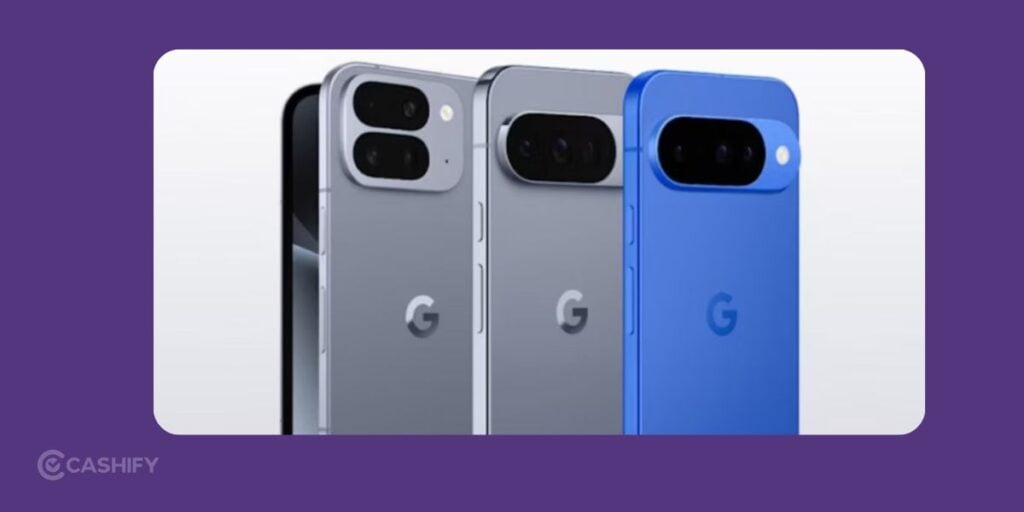
You do not need to be a previous Pixel owner to join the program. A first-time Pixel buyer can enter the program if the purchase follows the required route and financing conditions. The current eligible Pixel list includes the Google Pixel 10a, Pixel 11, Pixel 11 Pro, Pixel 11 Pro XL, and Pixel 11 Pro Fold.
The purchase also needs to meet the applicable program requirements. It includes enrollment and the specified 24-month No Cost EMI arrangement. This is worth checking at the time of purchase. Just buying an eligible model alone does not automatically put you into the upgrade program.
There is also an enrollment deadline in the current terms. You need to join by September 20, 2026, then complete the required EMI before using the upgrade benefit.
Also Read: Who Is Eligible For The Google Pixel Upgrade Program?
The 9-EMI point Is Where Upgrade Journey Starts
Once you are enrolled, you cannot simply upgrade whenever you feel like it.
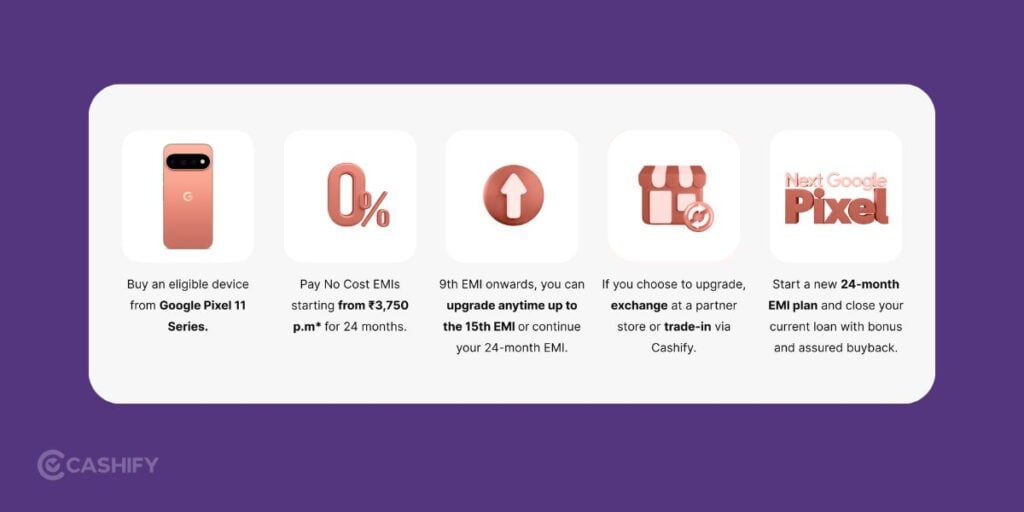
The earliest point for using the upgrade benefit is after you have completed nine EMIs. There is also a limit on how long you can wait. The upgrade has to happen after the ninth EMI and before the fifteenth EMI.
That creates a fairly clear window. You have to keep track of your EMI schedule instead of assuming the benefit stays available throughout the loan.
Your Financing Account Still Matters
Completing nine EMIs is necessary, but it is not the only requirement.
Your financing account needs to be in good standing according to the terms. Missed or unresolved payment issues can affect your ability to use the upgrade option. There is another important financial check too. You need to qualify for the additional credit required to finance the new Pixel.
For example,
- Suppose your original Pixel cost ₹60,000 and you have completed nine EMIs.
- If the next Pixel you want costs ₹80,000, the financing provider will assess your eligibility for the applicable new credit line.
- Reaching the ninth EMI does not guarantee approval for that amount.
This is one of the biggest details to keep in mind before assuming the upgrade is automatic.
Then Comes The Cashify Exchange
Once you are eligible and decide to upgrade, your existing Pixel needs to be traded in through Cashify. This is not an optional extra step if you want to use the program’s upgrade benefit. The Pixel purchased through the program has to be exchanged through Cashify route.
The exchange process involves details about your phone, checking its condition, and going through the valuation and verification steps. The final amount can depend on the device’s condition and the details during the exchange.
You have to be realistic about your phone’s condition before starting the process. A device that looks perfect at first glance can still receive a different valuation after inspection if there are issues such as damage or functional problems.
Also read: Pixel Upgrade Program Vs Exchange Offer: What’s The Difference?
What happens To The Old Phone?
After the existing Pixel is submitted and assessed, Cashify calculates the applicable exchange value based on the device and its condition. The exact payout can vary. Hence, you should treat any initial valuation not as final value.
Before handing over the phone, back up your photos, contacts, messages, files, and other important data. Sign out of your Google account, remove screen locks, and perform a factory reset. This will ensure that your data is safe.
You Can Also Decide Not To Upgrade
One useful part of the program is that reaching the ninth EMI does not force you to buy another Pixel. You can become eligible and still decide to keep your current phone.
The important deadline is the fifteenth EMI. If you pass that point without using the upgrade benefit, you lose the upgrade option for that financing cycle. The original financing arrangement can continue. You can keep the existing Pixel and complete the remaining payments under the loan terms.
This makes the program a choice rather than an obligation. If the newer Pixel does not seem worth the extra cost at that point, keeping your current device is still an option.
A simple way to approach the whole process
Let’s revise the whole process in five steps:
- Confirm that your Pixel purchase qualifies for the program.
- Complete at least nine EMIs and keep the financing account in good standing.
- Check that you qualify for the required new credit line.
- Start the upgrade during the window after EMI nine and before EMI fifteen.
- Exchange the current Pixel through Cashify and complete the applicable payout and financing steps.
Missing any one of these can affect the upgrade.
FAQs: Pixel Upgrade Through Cashify!
1. Can first-time Pixel buyers join the program?
Yes. You can join without owning a Pixel previously, as long as you meet the program requirements.
2. How many EMIs are needed to upgrade?
You need to complete at least 9 EMIs to become eligible for an upgrade.
3. Is Cashify exchange mandatory?
Yes. You must exchange your existing program Pixel through Cashify to use the upgrade benefit.
4. Does 9 EMIs guarantee an upgrade?
No. You must also have a good financing account and qualify for the required credit line.
5. How is the Cashify payout calculated?
The payout depends on your phone’s condition and the final inspection.
6. Can I skip the upgrade after 9 EMIs?
Yes. You can keep your current Pixel and continue the original EMI plan.
The bottom Line
The Google Pixel Upgrade through Cashify is a structured upgrade window rather than a simple trade-in deal. Just make sure you follow the process and be mindful of the steps.
After 9th EMI, you can use the benefit. Just make sure you do that before the 15th EMI. If you decide not to upgrade, you can continue using your current Pixel under the original financing arrangement.
Let us know if you have any queries about the whole program and put them in the comment section below. I would love to hear you out and sort your issues.
Buying refurbished mobile phones was never this easy. Sell your old phone and get exclusive offers & discounts on refurbished mobiles. Every refurbished phone is put through 32-point quality checks to ensure like-new standards and comes with a six-month warranty and 15-day refund. Buy refurbished phone easily on no-cost EMI today!