Apple finally brings its long-awaited Siri AI beta to the public this week. The company rolls out the upgraded assistant with the free iOS 27 update on Monday, September 14. Users with supported devices set to English can start trying the more capable and conversational version of Siri right away. This marks a major step for Apple’s Apple Intelligence features after months of testing.
Siri AI understands personal context from your messages, photos, calendar and emails. It answers complex questions, takes multi-step actions in apps, and reacts to what appears on your screen. Apple designs it to feel more natural than the old Siri while keeping privacy protections through on-device processing and Private Cloud Compute.
Siri AI Beta Launch Details And Language Rollout
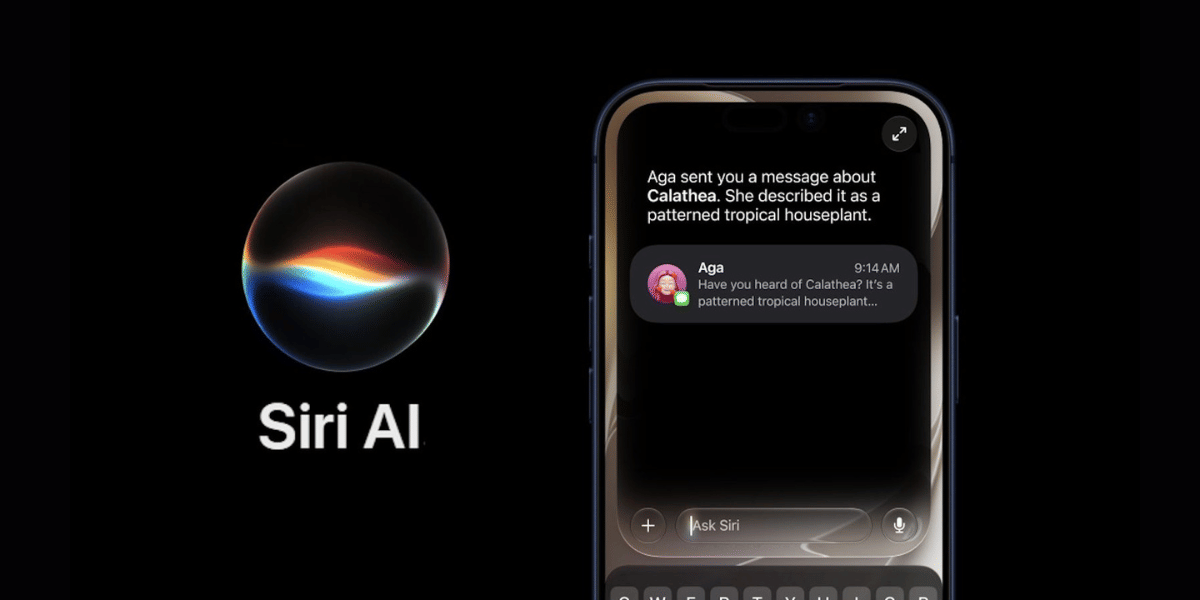
Apple releases the Siri AI beta as part of the standard iOS 27 software update. No separate download or waitlist is needed for the public version. Simply update your iPhone on or after September 14, make sure the device language is English, and turn on Apple Intelligence in Settings if it is not already active.
Also Read: Apple Watch Ultra 4 vs Samsung Galaxy Watch 9: What's The Better Choice?
Key points include:
- Available from September 14 on supported devices set to English
- Additional language support arrives in October for French, Japanese, Korean, Portuguese and Spanish
- Siri AI stays in beta status for now; Apple has not announced when the beta label will disappear
- The feature is not available in the European Union or China at launch
Device Requirements And How To Get Started
Siri AI works only on iPhones that support Apple Intelligence. This covers iPhone 15 Pro, iPhone 15 Pro Max, and all iPhone 16 models and later, including newer 2026 devices. Older models miss out on the new assistant.
To access it:
- Install iOS 27 through Settings > General > Software Update
- Confirm your iPhone language is set to English
- Go to Settings > Apple Intelligence & Siri and enable the features
Apple plans to expand language support quickly after the English launch. Users outside the initial regions will need to wait for future updates. The company also brings Siri AI to other platforms such as iPadOS 27, macOS 27 and watchOS 27 on the same day for compatible hardware.
This Siri AI beta represents Apple’s biggest upgrade to its digital assistant in years. Early testers report it handles real conversations and personal tasks far better than before. Check your device compatibility and language settings ahead of Monday so you can try it as soon as the update arrives.
Are you still browsing through your broken screen? Don’t worry! Book at-home mobile phone screen repair with Cashify—an affordable and one-stop destination for all your mobile phone needs. In case you break your screen within 1 month of repair, we will replace your screen again—for FREE.