Samsung has officially started rolling out the One UI 9.5 beta for Galaxy smartphones, bringing several new features and improvements based on Android 17. The latest software update introduces useful additions, including app lock, Mindful Notes, enhanced camera controls, and Live Effect wallpapers. The Samsung Galaxy S26 series is the first lineup to receive the new beta version, while Samsung is expected to expand the programme to more Galaxy devices in the coming months.
The beta programme started on November 18, 2026, and is currently available in selected countries, including India. Here is everything users need to know about eligible devices, new features, and the installation process.
One UI 9.5 Beta For Galaxy Devices: Know The List And New Features
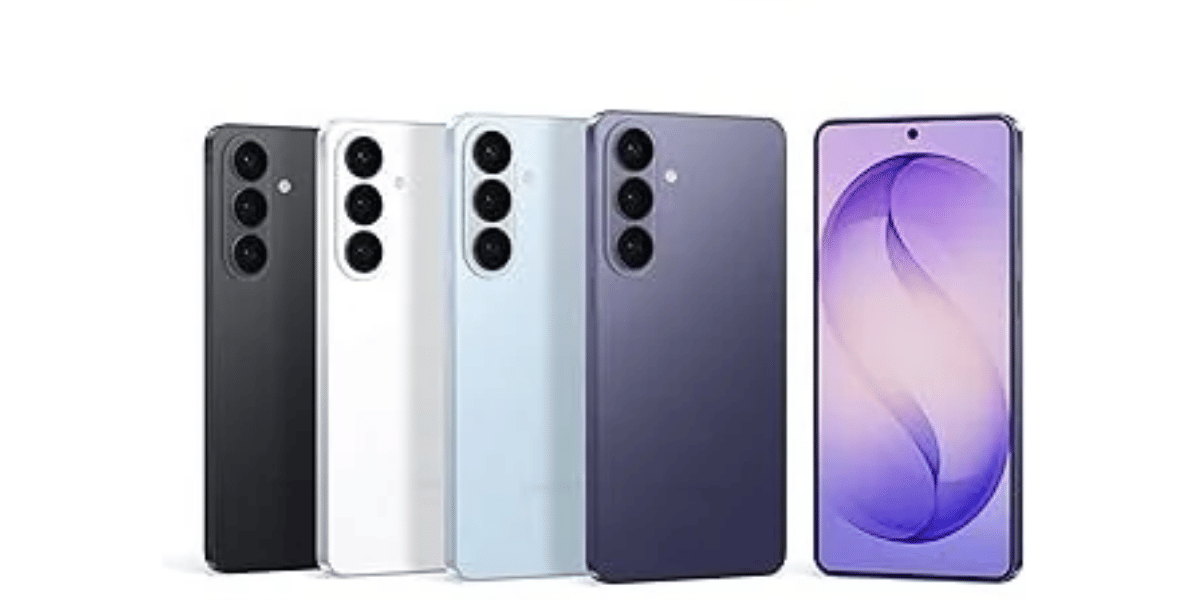
Samsung has initially included three smartphones in its One UI 9.5 beta programme. These devices belong to the latest Galaxy S26 series.
The currently supported devices include:
The Samsung Galaxy Z Fold 8 and Samsung Galaxy Z Fold 8 Ultra are not part of the initial rollout. However, Samsung may add more eligible smartphones as the beta programme expands. The company has not announced an official timeline for these devices yet.
The One UI 9.5 beta is currently available in six regions:
- India
- Germany
- South Korea
- Poland
- United Kingdom
- United States
Unlike previous beta releases, Samsung has made the update available across all six eligible regions on the same day.
The new software also introduces several important features:
- App Lock: Allows users to protect selected applications.
- Mindful Notes: Adds new note-taking capabilities.
- Enhanced Camera Controls: Offers improved camera settings and controls.
- Live Effect Wallpapers: Brings new visual effects to wallpapers.
How To Download And Install One UI 9.5 Beta
Galaxy S26 users must first register for the beta programme through the Samsung Members app. Follow these steps to install the update:
- Open the Samsung Members app on your Galaxy smartphone.
- Find and tap the One UI Beta banner.
- Select One UI 9.5 Beta and tap Join.
- Confirm your registration.
- Open Settings and go to Software Update.
- Select Download and Install.
- Follow the on-screen instructions to complete the installation.
Your smartphone will restart automatically after installing the update.
Since this is beta software, users may experience bugs, performance issues, or features that do not work properly. It is advisable to back up important data before installing it. Users who prefer a stable experience should wait for the official public release.
Are you still browsing through your broken screen? Don’t worry! Book at-home mobile phone screen repair with Cashify—an affordable and one-stop destination for all your mobile phone needs. In case you break your screen within 1 month of repair, we will replace your screen again—for FREE.