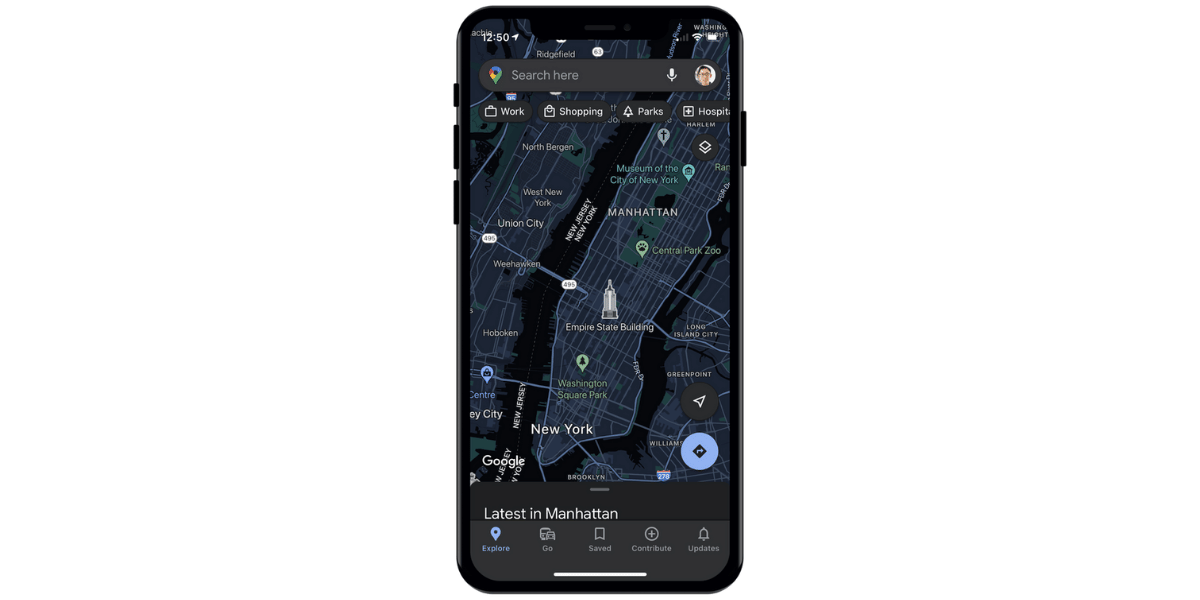
Google Maps iOS app now features a dark theme. The long-awaited feature will allow users to preserve battery life, while the greyscale interface will minimize eye strain by limiting the app’s contrast ratio to a minimum. Dark Mode was first introduced on Apple’s phones with the release of iOS 13 quite some time ago. Google, on the other hand, took nearly two years to support the feature on Android and iOS. The company stated earlier this year that Dark Mode for Google Maps would be available on iOS.
Also read: Netflix Working on ‘Kids Clips’: A TikTok like Platform for Kid’s Content
Google Maps announced the arrival of Dark Mode to its iOS app in August. The feature has been available since September, according to The Verge.
How to Enable Google Maps Dark Mode on iOS
To enable the google maps dark mode in your iOS app, firstly tap on your profile image, then go to Settings and select Dark Mode. You can switch it on, off, or set it to the same settings as the device. The background of Google Maps changes to a dark grey colour once it is active. The names and locations are displayed in a lighter tone. All the colours are distinctive in nature.
Also read: Samsung Galaxy S21 FE Spotted on Geekbench Featuring Exynos 2100 SoC
Dark Mode was added to Google Maps for Android in February of this year. Other new additions to Google Maps include eco-friendly routing, lite navigation for cyclists, and information on bike and scooter sharing. Google Maps will recommend routes that are optimised for the least amount of fuel use while using eco-friendly routing. The lite navigation feature will provide cyclists with route notifications without requiring them to enter turn-by-turn navigation, which necessitates the use of a screen. Users may simply check nearby stations and how many cars are accessible at any time using Google Maps with bike and scooter sharing information.
Also read: Motorola Moto G Power (2022) Spotted on Geekbench Featuring Android 11, Helio G35 Processor