The Nothing brand has recently launched its own new app for data transfer, and it is on its mission to make things unique for its users. From choosing a different OS version to bringing the most distinct designs, Nothing has chosen to stay unique and unmatched in every category of Android experience. In this stream, it has launched the Nothing Warp app. Now, what is this app? What does it do? Let us reveal inside this news.
Also Read: Chill Fest Sale On ACs: Reliance Digital Rolls Out Discounts With 1 Rupee Down Payment
Nothing Warp App Comes For Users To Transfer Data: Know Details Here
Nothing has announced the launch of Warp, a cross-platform file transfer tool designed to simplify sharing between Android smartphones and computers.
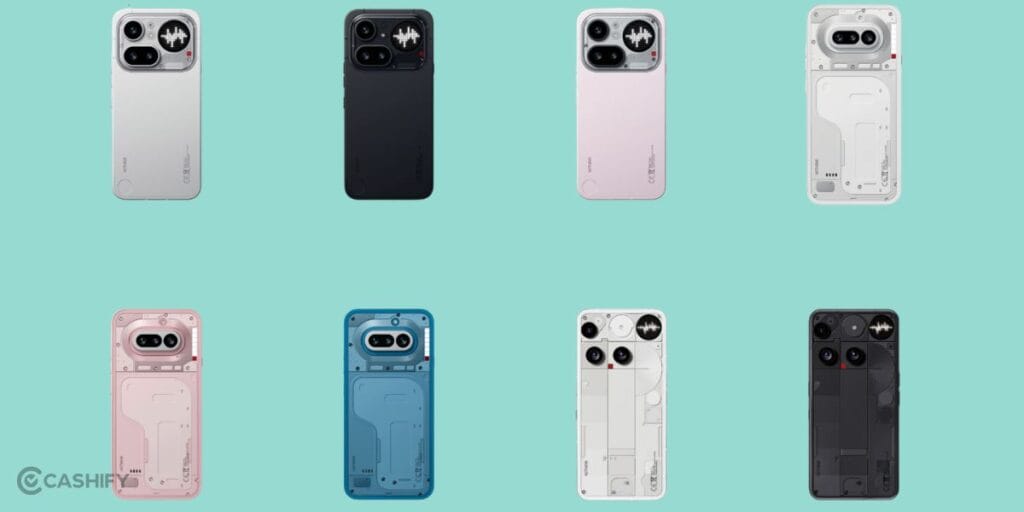
Warp is a new app that lets you quickly transfer files, links, text, and images between your Android phone and computer. It works through a browser extension and uses your Google Drive for secure transfers. No cables or messaging apps needed, so just fast, seamless sharing across devices like Windows, macOS, and Linux.
How To Use This New App?
Here is the user guide to the Nothing Warp app:
- Install the Warp extension on a Chromium-based browser (Chrome, Edge, etc.) on your computer
- Download the Warp app from the Play Store on your Android phone
- Sign in on both devices using the same Google account
- Use the “Share” option on your phone and select Warp to send files
- On PC, send files via upload, right-click menu, or by pasting content into the extension.
Also Read: GPT 5.4 Launched By OpenAI For Cybersecurity: Know How Will It Affect ChatGPT