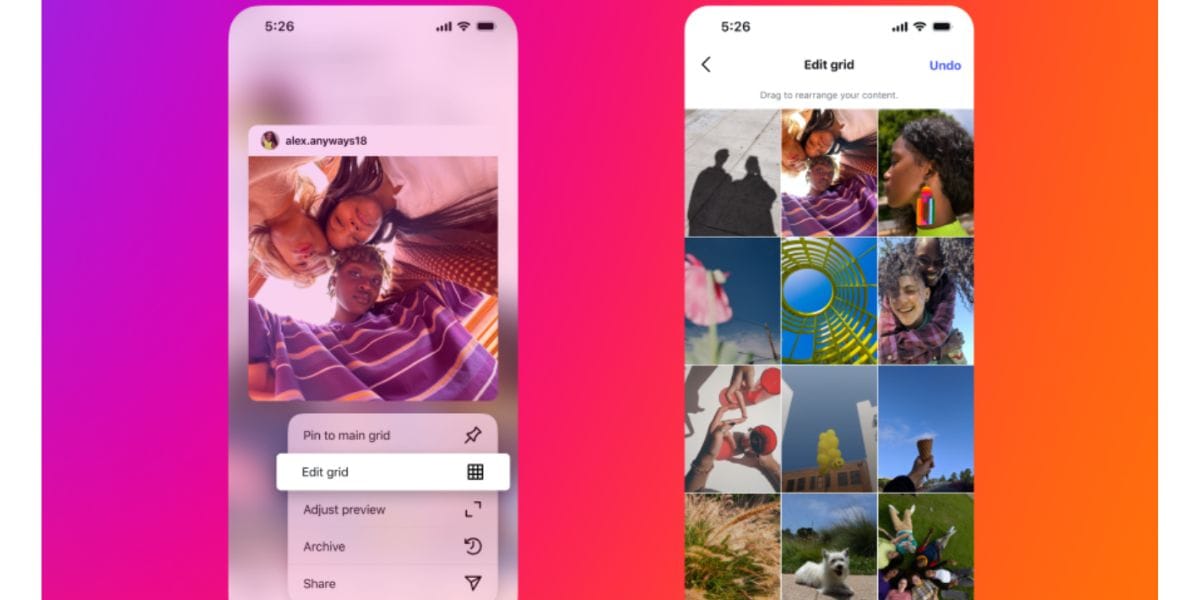
Instagram has finally brought a new feature which will have zero trollers, and people will finally be able to like this update. Yes, Instagram brings a new Grid Reorder feature, where you can reorder your main profile grid and decide which posts will come in which order. Finally, a feature which was essential and not just ‘another showoff update’. So, let us know more about this new feature right here.
Also Read: Apple Days Sale: iPhone 17 Available At Just Rs 69700 With Huge Cashback And Exchange Offers
You Can Now Reorder Your Insta Profile: See How The Instagram Grid Reorder Feature Looks Like
Instagram is set to revolutionise your Insta profile customisation with its new “Reorder Your Grid” feature, breaking away from traditional chronological layouts.
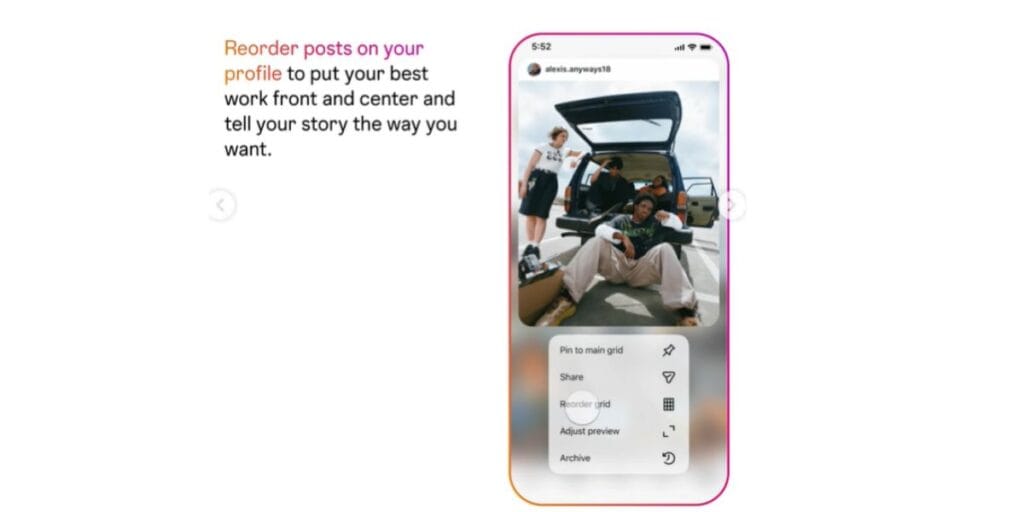
Users can now seamlessly curate their profiles by manually rearranging posts via an intuitive drag-and-drop tool. This highly requested update empowers creators, brands, and casual users to showcase their best content, run aesthetic campaigns, and treat their profile grid as a dynamic landing page without affecting original publication dates or engagement metrics. The feature is rolling out globally on the mobile app.
How To Use This Feature?
- Go to your Instagram profile tab on mobile.
- Long-press any post to open the options menu.
- Tap “Reorder Grid” to enter the layout editor.
- Drag and drop thumbnails into your desired positions.
- Tap “Save” to instantly update your public profile view.
So, did you like this new Instagram Grid Reorder feature? Do let us know in the comments.
Also Read: These Are The iPhones Eligible For iOS 27 As Announced In WWDC 2026
Are you still browsing through your broken screen? Don’t worry! Book at-home mobile phone screen repair with Cashify—an affordable and one-stop destination for all your mobile phone needs. In case you break your screen within 1 month of repair, we will replace your screen again—for FREE.