Apple has rolled out the latest Photos update with iOS 26, focusing on refinement rather than a complete overhaul. After last year’s major redesign, this update listens to user feedback and brings back familiar features, along with fresh, immersive options. Apple’s goal seems to be to enhance personalization, navigation, and user experience while keeping the overall design modern and user-friendly. Here’s what’s new in the iOS 26 Photos update.
New Design Features In iOS 26 Photos
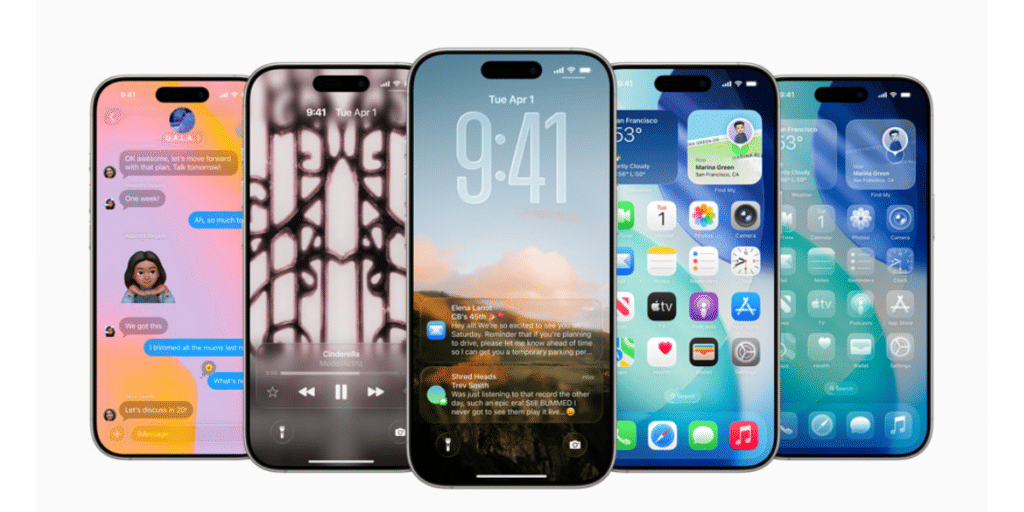
The iOS 26 Photos update introduces a fresh, clean design. Apple has integrated a new “Liquid Glass” aesthetic across all its core apps, and Photos is no exception. The buttons, tabs, and menus now feature a translucent, glass-like effect, subtly reflecting the colors of your photos and videos. This update gives the Photos app a modern touch without distracting from the content itself. The minimalistic design keeps the focus on the images while adding a stylish, updated interface.
Also Read: Top Platform To Sell Old Apple iPhone SE 2020
Improved Navigation And Personalization
Apple has also improved navigation with the return of the tab bar. After removing it in iOS 18 and facing user criticism, the Photos app now includes a three-tab layout: Library, Collections, and Search. This simplified navigation makes it easier to browse through your photos. The Collections tab has gained additional customization options. Users can now choose between three view modes—small, large, or mixed sizes—through a new three-dot menu. You can also collapse or expand individual collections, making it easier to manage large libraries without excessive scrolling.
Also Read: Apple Smart Home Hub: How The Brand Will Expand Home Products Category
Key Features In iOS 26 Photos Update
- Liquid Glass Design: Translucent glass-like effect for buttons and menus.
- Return of Tab Bar Navigation: Three-tab layout for easier navigation (Library, Collections, Search).
- Spatial Scenes: Spatialize images for 3D-like depth and motion with the new “Spatial Scene” mode.
- Personalization Options: Adjust size and manage collections more easily.
- Event Details: See event-specific information, like concert highlights and sports scores, while browsing photos.
Are you still browsing through your broken screen? Don’t worry! Book at-home mobile phone screen repair with Cashify—an affordable and one-stop destination for all your mobile phone needs. In case you break your screen within 1 month of repair, we will replace your screen again—for FREE.