If you’re wondering whether your iPhone will receive Apple’s next major software update, checking the iOS 27 supported devices list is the first place to start. Every year, Apple updates its compatibility list, bringing new features, stronger security, and better performance to eligible iPhones while ending support for some older models.
Knowing where your device stands can help you decide whether you can update with confidence or if it’s time to consider an upgrade.
In this blog, you’ll find the expected list of iOS 27 supported devices, the iPhones that may lose compatibility, what new features you can look forward to, and what to do if your current iPhone doesn’t make the final list. So, let’s get started.
Also Read: HyperOS 3.1 Release Date, Eligible Devices, More Details!
The Official iOS 27 Compatibility List Is Here
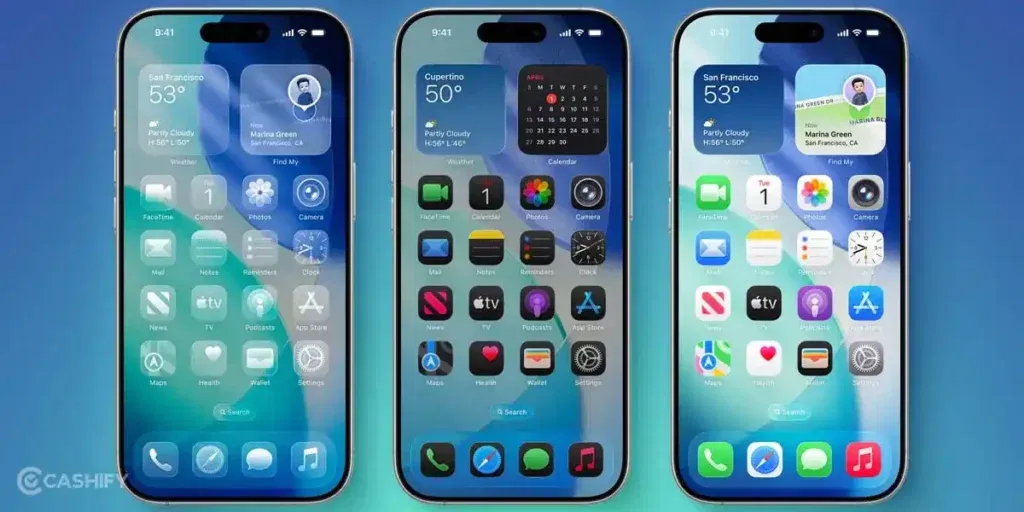
iOS 27 was officially announced at WWDC 2026 on June 8, 2026. Apple confirmed full compatibility details on the same day. Rather than focusing on flashy new features, this year Apple centered its update around three things: a next generation of Apple Intelligence and Siri AI, trust and safety tools for children, and broad platform performance improvements.
Apps now launch up to 30% faster, photos load up to 70% faster after being taken, and AirDrop transfers are up to 80% faster. These are real, measurable gains you will feel on day one.
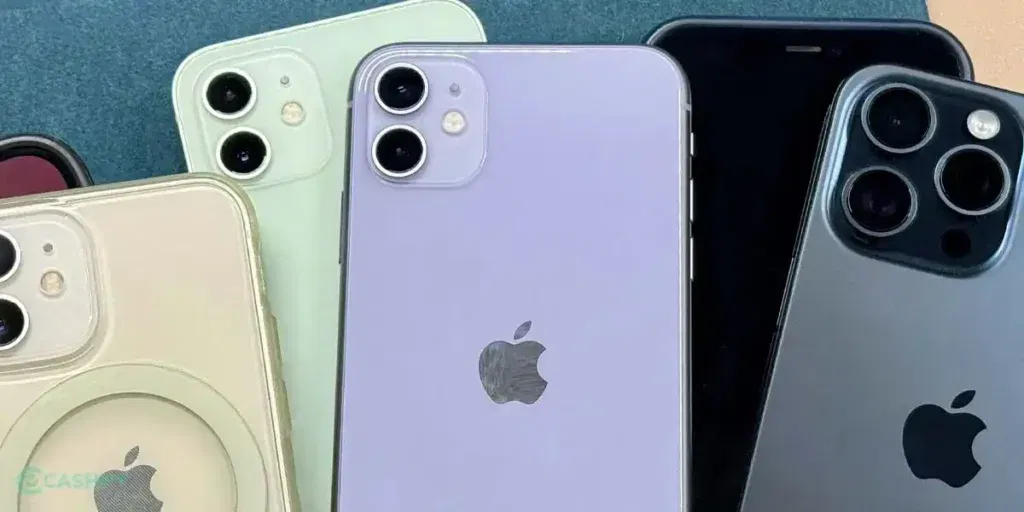
All iOS 27 Supported Devices: Full List
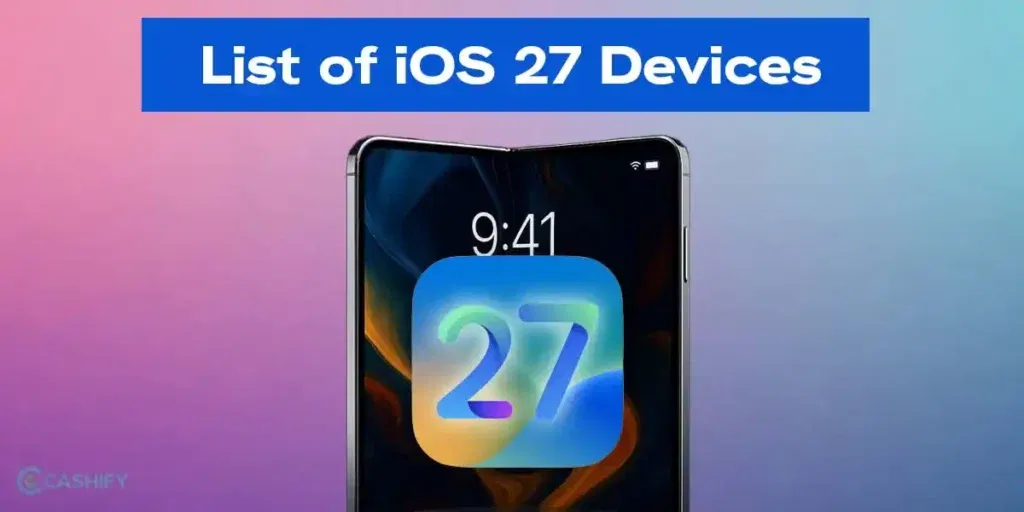
Upcoming iPhones: iPhone 18 Series and iPhone Fold
Present Gen: iPhone 17 Series
16 Series
15 Series
14 Series
13 Series
Last Series: iPhone 12 Series
11 Series
- iPhone 11
- iPhone 11 Pro
- iPhone 11 Pro Max
iPhone SE
- iPhone SE (2nd generation, 2020)
- iPhone SE (3rd generation, 2022)
| Device | Chip | iOS 27 | Apple Intelligence |
|---|---|---|---|
| iPhone 18 Pro / Pro Max | A20 Pro (expected) | Yes | Full |
| iPhone Fold | A20 Pro (expected) | Yes | Full |
| iPhone 17 Pro / Pro Max | A19 Pro | Yes | Full |
| iPhone 17 Air | A19 | Yes | Full |
| iPhone 17 / 17e | A19 | Yes | Full |
| iPhone 16 Pro / Pro Max | A18 Pro | Yes | Full |
| iPhone 16 / Plus / 16e | A18 | Yes | Full |
| iPhone 15 Pro / Pro Max | A17 Pro | Yes | Full |
| iPhone 15 / Plus | A16 Bionic | Yes | No |
| iPhone 14 Series | A15 / A16 Bionic | Yes | No |
| iPhone 13 Series | A15 Bionic | Yes | No |
| iPhone 12 Series | A14 Bionic | Yes | No |
| iPhone 11 Series | A13 Bionic | Yes | No |
| iPhone SE (2nd gen) | A13 Bionic | Yes | No |
| iPhone SE (3rd gen) | A15 Bionic | Yes | No |
| iPhone XS, XR, X and older | A12 and older | No | No |
So, that’s it on the iOS 27 supported devices. There will be many iPads and MacBooks also for the 27 OS series, but we will bring that list later on, when the devices are confirmed. As of now, only iPhones have been confirmed, and hence, we presented the exact and most true iOS 27 supported devices list before anyone else.
Top Features To Expect From iOS 27
Better Apple Intelligence Specs
iOS 27 will be all about AI. It will bring new visual design suggestions inside Apple Intelligence, a new version of AI health assistant, and a new and revamped web search tool. Also, Siri will be released in a revamped version inside iOS 27.
Foldable Phone Features
iOS 27 includes adaptive UI optimizations, advanced multitasking like split-screen views, and fold-specific interfaces. This enables seamless transitions between folded and unfolded states, enhancing productivity with features like sidebar navigation and dynamic app layouts for larger displays.
Snow Leopard Style
iOS 27 also brings a new Snow Leopard-style approach. This style is a tried and tested OS method by Apple, which focuses on bug elimination, reduced system bloat, smoother animations, and overall quality improvements to lay the groundwork for future hardware.
Liquid Glass To Continue
iOS 27 will bring enhancements inside the Liquid Glass UI, and this UI effect is expected to continue with this OS series as well.
Security Upgrades
iOS 27 bolsters security with a new device integrity validation system before Apple ID/iCloud logins, enhanced satellite features for emergency connectivity, and AI-driven threat detection. It also improves AutoFill for credit cards in third-party apps, ensuring robust protection against vulnerabilities and unauthorized access.
Severe Performance Boost
Emphasizing significant performance gains, iOS 27 delivers a “severe” boost through bug fixes, optimized animations, and reduced bloat for faster responsiveness and better battery life. It not only supports the latest chips, it even supports older iOS 27 supported devices’ chips like A14 and above, ensuring smoother multitasking and overall efficiency on compatible iPhones, including foldables.
Phones Not Included In The List Of iOS 27 Supported Devices
Here are the list of iPhones, which unfortunately won’t be able to upgrade to iOS 27, and did not find a place in this list of iOS 27 supported devices.
These iPhones will not receive iOS 27:
- iPhone X
- iPhone XS
- iPhone XS Max
- iPhone XR
- iPhone SE (1st generation)
- All iPhones older than the iPhone X
iOS 27 Features Not Available On Older Phones
Yes, iOS 27 is coming, and your iPhone 12 or 13 will get it. But don’t get too excited. The truth is, not every feature is for every phone. And, Apple does this every year. The update rolls out widely, but the best features won’t be available on newer hardware. And, iOS 27 is no different.
What Works on iPhone 12 and 13?
iPhone 12 and 13 both will receive the core iOS 27 update. It means you get:
· Security patches and bug fixes
· The Snow Leopard-style performance improvements (faster animations, less bloat)
· Liquid Glass UI enhancements
· Improved AutoFill for credit cards in third-party apps
· Emergency satellite connectivity upgrades
All these are meaningful upgrades. Your battery life may improve slightly because of optimised processes.
What You Won’t Get on iPhone 12 or 13?
- Apple Intelligent Features
- Visual Intelligence Upgrades
- Foldable-specific UI
- Apple Health + AI Coach
iPhone 14 – It’s the Middle Ground
iPhone 14 runs on the A15 chip. It will get iOS 27 and some AI features. However, the full Apple Intelligence suite still requires A17 or newer.
If you have an iPhone 14 and want the complete iOS 27 AI experience, you should definitely upgrade to iPhone 16 or 17.
In short, iOS 27 is a great update, but not equally great for everyone.
Yes, iOS 27 is coming to a wide range of iPhones. But the top tier features only work on specific hardware.
What Works on iPhone 11, 12, and 13?
All three series receive the full core iOS 27 update. You get security patches and bug fixes, Snow Leopard style performance improvements, Liquid Glass UI enhancements, improved child safety tools, faster app launches, and faster AirDrop transfers. These are real, meaningful upgrades and not just numbers on paper.
What You Won’t Get on iPhone 11, 12, or 13:
- Siri AI (requires iPhone 15 Pro or newer)
- Apple Intelligence features
- Foldable specific UI
iPhone 14: The Middle Ground
The iPhone 14 runs on the A15 chip. It gets iOS 27 and all performance improvements. However, Apple Intelligence and Siri AI require iPhone 15 Pro or newer. If you want the full AI experience, an upgrade to iPhone 16 or 17 makes sense.
iPhone 15 and 15 Plus
These run on the A16 Bionic chip. They get iOS 27 fully but do not qualify for Apple Intelligence. The performance and security gains are still worth having.
iPhone SE 2nd Generation: Now Gets iOS 27
This is a big change from what was previously expected. The iPhone SE 2nd generation runs the A13 chip. Apple confirmed it is supported by iOS 27, same as the iPhone 11 series. It will not get Apple Intelligence, but it does get the core update.
iOS 27 Launch Date: What’s Confirmed
WWDC 2026 keynote happened on June 8, 2026. Developer betas followed immediately. A public beta launched on July 13, 2026. The stable public release is expected on September 14, 2026, one week after the iPhone 18 Pro launch event. The iPhone 18 Pro and Pro Max will ship with iOS 27 preinstalled.
Should You Upgrade to iOS 27?
iPhone 18, 17, or 16 series: Update immediately. You get full Siri AI, Apple Intelligence, and all performance gains.
iPhone 15 Pro or Pro Max: Update after the first patch. You get full Apple Intelligence support. Waiting for the 27.0.1 patch within a week or two is always a smart move to avoid early bugs.
iPhone 15 or 15 Plus: Wait and check user reports. You do not get Apple Intelligence, but the performance boost is real. Wait two to three weeks and check tech forums before installing.
iPhone 14 series: Update for security and performance. No Apple Intelligence or Siri AI, but the Speed gains and security fixes are worth having.
iPhone 11, 12, or 13: Update but check your battery first. Go to Settings, then Battery, then Battery Health. If your battery is below 80%, replace it before updating. If it is healthy, update. The speed and security gains are real on these older phones too.
iPhone SE 2nd or 3rd generation: Same advice as the iPhone 13. Check battery health first. You get the core update but no Apple Intelligence.
End Note
The confirmed iOS 27 supported devices list extends further than many expected. Apple kept the iPhone 11 series and the iPhone SE 2nd generation in the supported list, giving those devices one more year of major updates. The cutoff falls at iPhone X and older. If you own an iPhone 11 or newer, you are getting iOS 27 this September. If you own a 15 Pro or newer, you get the full Siri AI and Apple Intelligence experience too.
FAQs
Q1. Which iPhones will support iOS 27?
All iPhones from the iPhone 11 series and above will support iOS 27. This also includes the iPhone SE 2nd generation and SE 3rd generation. The iPhone 18 series and iPhone Fold will ship with iOS 27 preinstalled.
Q2. Will iPhone 11 get the iOS 27 update?
Yes. Apple confirmed at WWDC 2026 that the iPhone 11, iPhone 11 Pro, and iPhone 11 Pro Max all support iOS 27. This was a surprise to many, as earlier predictions suggested the iPhone 11 series would be dropped.
Q3. When will iOS 27 be released?
iOS 27 was announced at WWDC 2026 on June 8, 2026. The stable public release is expected on September 14, 2026, one week after the iPhone 18 Pro event.
Q4. Will iOS 27 work on iPads?
Yes. Apple confirmed iPadOS 27 at WWDC 2026 alongside iOS 27.
Q5. What are the biggest new features in iOS 27?
The top features include Siri AI with full conversational memory, next generation Apple Intelligence, a massive parental control overhaul, app launches up to 30% faster, AirDrop up to 80% faster, and performance improvements across all supported devices.
Q6. Will all iOS 27 features work on my iPhone 12?
No. Apple Intelligence and Siri AI require iPhone 15 Pro or newer. iPhone 11, 12, 13, and 14 series all get iOS 27 but do not support Apple Intelligence.
Q7. What is the “Snow Leopard-style” update in iOS 27?
It is Apple’s focus on speed, stability, and bug fixes rather than new features. App launches are 30% faster and photos load 70% faster. Think of it as a deep performance clean for your iPhone.
Q8. What is Liquid Glass UI in iOS 27?
Liquid Glass is Apple’s visual design language. It offers a translucent, glass-like look for menus, icons, and notifications. iOS 27 will continue and refine this style introduced in earlier versions.
Q9. Is iOS 27 related to the iPhone Fold?
Yes, iOS 27 is being built partly to support Apple’s first-ever foldable iPhone. It includes adaptive layouts and split-screen features designed specifically for foldable displays.
Q10. Should I upgrade to iOS 27 even on an older iPhone?
Yes. Even on the iPhone 11, iOS 27 brings real speed improvements, security patches, and parental control upgrades. It is worth doing if your battery is in good health.
Q11. How can I check if my iPhone supports iOS 27?
Go to Settings, then General, then About. Any iPhone from the iPhone 11 series or newer, including the SE 2nd generation, supports iOS 27.
Q12. Will iOS 27 improve battery life on older iPhones?
iOS 27 is expected to bring performance optimizations and bug fixes that may improve battery efficiency on supported older iPhones. However, the overall experience also depends on your device’s battery health.
Q13. How do I install the iOS 27 update on my iPhone?
Once iOS 27 is officially released, go to Settings > General > Software Update, then download and install the update. Make sure your iPhone has enough storage, is connected to Wi-Fi, and has sufficient battery or is plugged into a charger.
Q14. Is iOS 27 worth upgrading to?
Yes. Every supported device gets real speed gains, security fixes, and parental control improvements. Newer devices with A17 Pro or above also get the full Siri AI and Apple Intelligence experience.
Are you still browsing through your broken screen? Don’t worry! Book at-home mobile phone screen repair with Cashify—an affordable and one-stop destination for all your mobile phone needs. In case you break your screen within 1 month of repair, we will replace your screen again—for FREE.