Having trouble with the selfie camera on your Samsung Galaxy Note 10 Lite? A straighforward indication of Samsung Galaxy Note 10 Lite front camera issues would be perhaps a black preview. The most obvious one is blurry selfies. One might experience camera app crashes, or a front camera that refuses to open, but the issue is not always a hardware fault.
You can try a few simple checks at home first. From cleaning the camera lens and restarting the phone to clearing the Camera app cache and checking permissions, these steps can fix several common front camera problems. If nothing works, the camera module may need professional inspection.
Also read: Samsung Galaxy M40 Mobile Repair Shop Near Me: Low Cost vs High Cost Parts
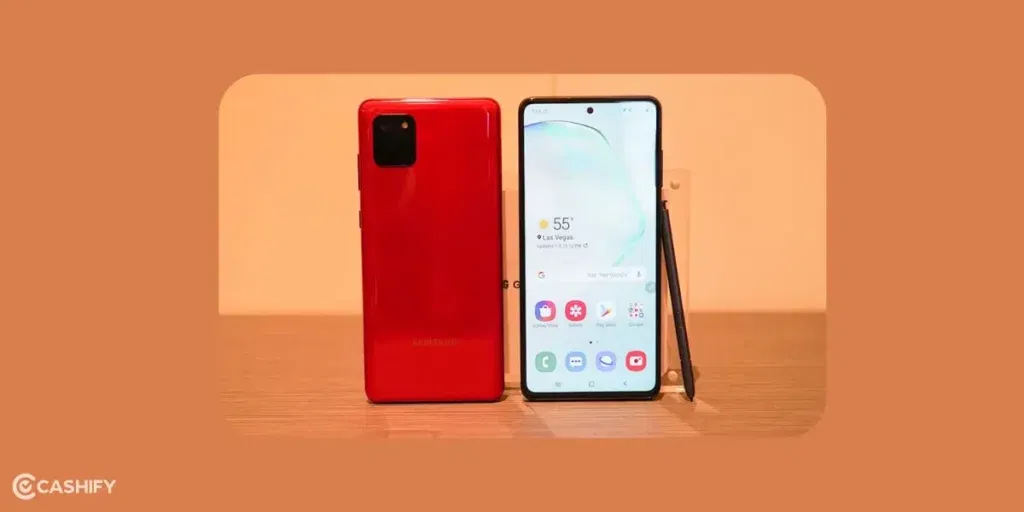
Why Is My Samsung Galaxy Note 10 Lite Front Camera Not Working?
The cause can range from a dirty camera lens to a software glitch or hardware damage. Before you look for ways to fix Samsung Galaxy Note 10 Lite front camera issues, here are sme common reasons:
| Problem | Possible cause |
|---|---|
| Black camera preview | Software glitch or camera hardware issue |
| Blurry selfies | Dirty lens, moisture or damaged camera |
| Camera app crashes | App cache or software problem |
| Camera works in Camera app but not WhatsApp | App permission or app-specific issue |
| Front camera stopped after a drop | Possible hardware damage |
| Camera freezes when switching | Software glitch or hardware fault |
| Photos look hazy | Dirty lens, moisture or screen protector issue |
How To Fix Samsung Galaxy Note 10 Lite Front Camera Issues
Here are the most useful fixes to try before booking a mobile repair.
1. Clean The Front Camera Lens
Start with the simplest fix. Dust, fingerprints, oil, or moisture around the front camera can affect image quality and make selfies look hazy.
Use a clean, soft microfiber cloth to gently wipe the camera area. Avoid using liquids directly on the display or camera opening.
If your selfies suddenly look blurry after using a screen protector, check if the protector is covering or sitting too close to the camera cutout.
Recommendation: If the camera works but photos look foggy or unclear, clean the lens first. It takes a few seconds and can solve the problem.
2. Restart Your Samsung Galaxy Note 10 Lite
A temporary software glitch can stop the front camera from working properly.
Press and hold the Power button, then tap Restart. Once the phone boots up, open the Camera app and switch to the front camera.
You can also close all recently opened apps before trying again. Another app may have temporarily accessed the camera and caused a conflict.
3. Check If Another App Is Using The Camera
Apps such as WhatsApp, Instagram, Snapchat, or video-calling apps can sometimes keep access to the camera.
Close all apps running in the background and open the default Camera app again. Try switching between the rear and front cameras a few times.
If the front camera works in the default Camera app but fails inside another app, the issue is more likely related to that particular app. Otherwise, you may need professional fix for Samsung Galaxy Note 10 Lite front camera issues.
Also read: Samsung Galaxy A55 5G Battery Issue Fix: Drain Problem & Replacement Solution
4. Check Camera Permissions
If the front camera works in the Camera app but not in another application, check its camera permission.
Go to:
Settings > Apps > Select the affected app > Permissions > Camera > Allow
Open the app again and test the selfie camera.
You can also check permissions for the Camera app itself under Settings > Apps > Camera > Permissions.
5. Clear The Camera App Cache
A corrupted temporary cache can cause camera crashes, freezing, or unusual behaviour.
To clear it:
- Open Settings.
- Tap Apps.
- Select Camera.
- Tap Storage.
- Select Clear cache.
- Open the Camera app again.
Clearing the cache does not delete your photos or videos.
If the problem continues, you can try Clear data from the same screen. This resets the Camera app’s settings, so you may need to configure them again.
6. Check For A Software Update
Samsung may release software updates that fix bugs affecting system apps and hardware functions.
Go to:
Settings > Software update > Download and install
If an update is available, install it and restart the phone before testing the front camera again.
Keep the phone sufficiently charged and connected to a stable Wi-Fi network during the update.
7. Test The Front Camera In Safe Mode
A recently installed third-party app can sometimes interfere with camera functions casuing fix Samsung Galaxy Note 10 Lite front camera issues.
You can boot the Galaxy Note 10 Lite into Safe Mode and test the camera. Safe Mode temporarily disables downloaded apps while keeping the core phone functions available.
If the front camera works normally in Safe Mode, a recently installed or updated app could be causing the problem.
You can then remove suspicious apps one by one and test the camera after each removal.
8. Check The Camera In Samsung Members Diagnostics
Samsung Members can help check certain hardware functions on compatible Galaxy devices.
Open the Samsung Members app and look for the diagnostics section. If a camera test is available on your device, run it and check the result.
This can help you understand if the problem is more likely related to software or hardware.
9. Reset All Settings
If the Samsung Galaxy Note 10 Lite front camera issue started after changing several system settings, resetting all settings can be worth trying.
Go to:
Settings > General management > Reset > Reset all settings
This does not perform a complete factory reset, but it restores many system settings to their defaults.
You should still back up important data before performing any major reset.
Also read: Samsung Galaxy A55 5G Screen Repair Guide: Display Damage Fix & Replacement Cost
10. Check For Physical Damage
If the phone has recently been dropped, exposed to moisture, or suffered a hard impact, the problem could be hardware-related.
Look for:
- Cracks around the front camera area
- Display damage close to the camera
- Camera preview staying completely black
- Camera app crashing every time you switch to the selfie camera
- Front camera failing in multiple apps
- Sudden problems after a drop or impact
If the rear camera works normally but the front camera remains unusable after trying the software fixes, hardware damage becomes more likely.
Can You Fix Samsung Galaxy Note 10 Lite Front Camera Issues At Cashify?
Cashify is one place where you get a variety of services for Samsung phone repair. It includes fixing Samsung Galaxy Note 10 Lite front camera issues. You are sure to come accross expert professionals who can handle complex issues, and understands your Samsung phone inside out. If any component requires replacement, only high-quality compatible ones are used. They also provide warranty on replacements.
The best part is you don’t need to step out of your home to get the mobile phone repair done. Just book Cashify service online and enjoy free door-step visit from technician. No hassles, just smart repairing!
Also, do not forget to use any of these codes for extra savings:
Use code: TECH25 to avail a discount of up to Rs. 300 (on the minimum order value of Rs. 2499).
Use code: RPR50 to avail up to 50 percent off on a minimum spend value of Rs. 1000 (limited offer).
Also read: OnePlus 13R Battery Health, Charging Issues & Replacement Guide!
To Sum It Up
If you want to fix Samsung Galaxy Note 10 Lite front camera issues, start with the easy solutions. Clean the lens, restart the phone, check permissions, clear the Camera cache and install any pending software update.
If the front camera still refuses to work across different apps, or the problem started after physical damage, it is likely time for a phone repair. In that situation, getting the phone inspected from Cashify can save you from wasting time on software fixes that cannot solve a hardware fault.
If you’ve just bought a new phone and don’t know what to do with your old phone, then here’s your answer. Sell your old mobile to Cashify and get the best price for it. If you are planning to buy a new phone, check out Cashify’s refurbished mobile phones. You can get your favourite phone at almost half price with a six-month warranty, 15-day refund and free delivery.