The first sign of battery degrade in a phone starts with inconsistent charging or sudden battery drains. It usually happens after software updates or heavy app usage. If you are dealing with a POCO M4 fast battery drain, there are a couple of things you can do. Either that will troubleshoot the problem, temporarily fix it or repair it for real. Let’s find out the best approach.
Also Read: 3 Reasons Why Your OnePlus 9 Pro Battery Is Draining Fast!

Things You Can Do Right Away To Fix The Battery Drainage Issue
1. Update Your Software to the Latest Version
Outdated software, like older MIUI or HyperOS versions, can cause inefficiencies that lead to faster battery drain. POCO regularly releases updates that fix bugs and improve battery performance.
How to do it:
- Go to Settings > About Phone > System Updates.
- Check for any available updates and install them.
- Make sure your phone is connected to Wi-Fi and has at least 50 percent battery before starting.
- After updating, restart your device and monitor the battery for a day or two. It often stabilises post-update.
This step alone has helped many users, as new versions include battery optimisations specific to models like the POCO M4.
Also read: Restore POCO C3 Speaker Quality With Cashify’s Repair Services!
2. Optimise App Battery Usage
Background apps are a major culprit for battery drain, constantly running and consuming power even when you are not using them. On Xiaomi/POCO devices, you can restrict these to save juice.
How to do it:
- Head to Settings > Battery > Battery Usage. Here, you’ll see a list of apps sorted by power consumption.
- For high-drainers like social media or streaming apps, tap on them and select “Restrict background activity” or “Optimize.”
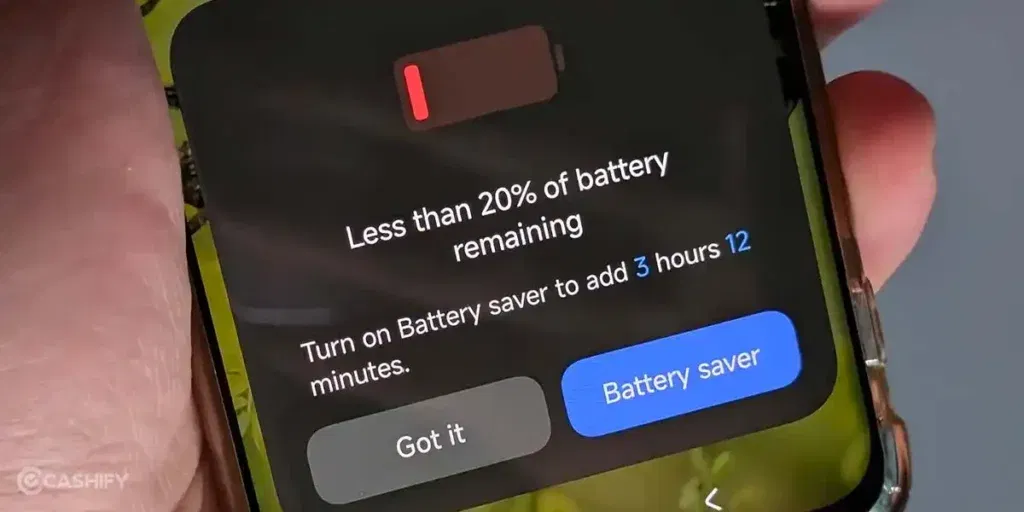
- You can also enable “Battery Saver” mode from the quick settings panel for automatic restrictions.
- Avoid force-closing apps manually, as it can sometimes worsen the issue. Let the system handle it.
Check this daily for a week to identify and tame rogue apps.
3. Adjust Display Settings for Efficiency
Your screen is one of the biggest battery hogs, especially if brightness is cranked up or the timeout is too long.
How to do it:
- Go to Settings > Display > Brightness and enable “Adaptive brightness” so it adjusts automatically based on lighting.
- Set the screen timeout to 30 seconds or 1 minute under Display > Sleep.
- If your POCO M4 has an always-on display feature, disable it in Settings > Always-On Display & Lock Screen.
- Also, switch to a darker wallpaper or dark mode to reduce power on AMOLED screens (if applicable to your variant).
These tweaks can add hours to your battery life without sacrificing usability.
Also Read: Need To Repair Your POCO F6 Cracked Screen? Check The Most Affordable Way!
4. Manage Connectivity Features
Features like Wi-Fi, Bluetooth, and location services drain battery by constantly scanning or staying active.
How to do it:
- Pull down the quick settings shade and turn off Wi-Fi, Bluetooth, and Mobile Data when not needed.
- In Settings > Location, set it to “Battery saving” mode or turn it off entirely.
- Disable “Wi-Fi scanning” and “Bluetooth scanning” in Settings > Location > Advanced.
- If you are in a weak signal area, enable Airplane mode temporarily to prevent the phone from overworking to find a connection.
This is especially useful if you notice a drain during idle times, like overnight.
5. Clear Cache and Monitor for Overheating
Cached data builds up over time and can cause apps to run inefficiently, leading to extra power use. Overheating, often tied to battery issues, exacerbates drain.
How to do it:
- Go to Settings > About Phone > Storage > Free Up Space, and clear cache from there.
- For individual apps, go to Settings > Apps > [App Name] > Storage & Cache > Clear Cache.
- To check for overheating, use the built-in battery stats to see if certain apps are causing it.
- Uninstall unused ones. As a last software resort, perform a factory reset (backup first!) via Settings > About Phone > Factory Reset, but only if the above steps fail.
Give your phone a fresh start without losing data where possible.
Also read: Poco F5 Screen Repair: The Ultimate Premium Replacement!
Cashify Solving The POCO M4 Fast Battery Drain
Cashify offers the best solution for any kind of complex issues that a normal person can’t fix on their own. This certified mobile repair platform has a network of experts and technicians who can diagnose problems to the core and use precise techniques to repair the phone to its original functioning. If it comes to battery replacement, you don’t need to worry, as highly compatible replacement parts will be used. Plus, there’s up to three months’ warranty on battery repair and replacement.
Resolve the POCO M4 fast battery drain issue in the fastest time. Just schedule a visit. It’s free btw!
Other benefits include:
- Price transparency on the website or app.
- Proficient professionals who attend to the queries quickly.
- Skilled technicians handling your device
- Occasional discounts.
- Availability of phone repair centres nearby with 200-plus offline stores.
Also Read: POCO F5 Overheating: 5 Troubleshoots To Try Before Hardware Fix!
Need a discount right now? When booking mobile phone repair online via Cashify:
Use code: TECH25 to avail of a discount of up to Rs. 300 by using the (on the minimum order value of Rs. 2499).
Use code: RPR50 to avail up to 50 per cent off on a minimum spend value of Rs. 1000. (limited offer).
Final Thoughts
For reliable, hassle-free POCO phone repair, head to Cashify. Battery replacement for POCO M4 models starting around Rs. 1,200-2,000, with quality parts, a warranty, and expert technicians. Book online or via their app for quick pickup and repair, saving you the trip to a shop. Your phone will be back in top shape in no time!
Are you still browsing through your broken screen? Don’t worry! Book at-home mobile phone screen repair with Cashify, an affordable and one-stop destination for all your mobile phone needs. In case you break your screen within 1 month of repair, we will replace your screen again for FREE.