Republic Day 2026 is here. Users can now create custom Republic Day WhatsApp stickers using AI technology. This guide shows you how to make unique stickers in minutes.
WhatsApp’s Meta AI feature lets users design personalized stickers. You can move beyond standard GIFs and images. Your custom stickers will stand out in group chats and messages.
How To Make Republic Day WhatsApp Stickers With AI?
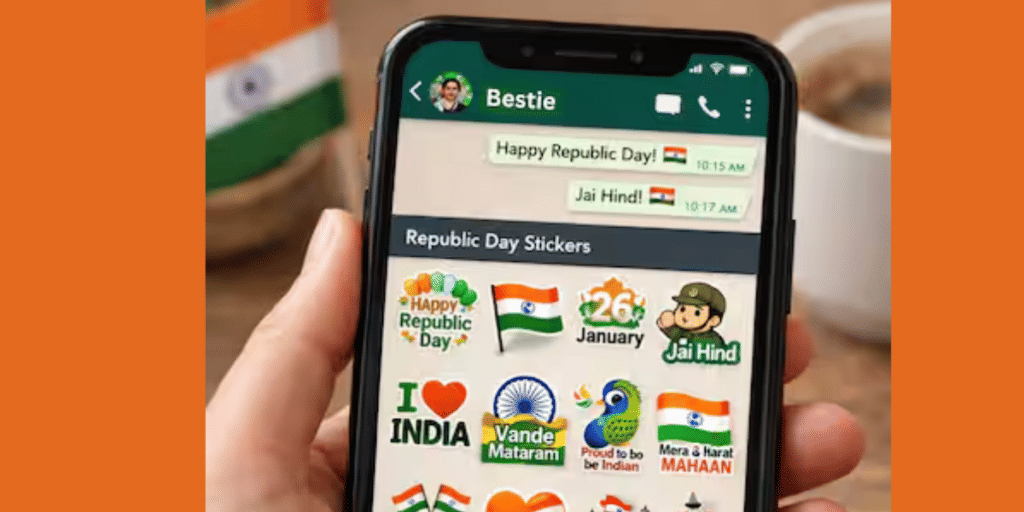
Creating custom Republic Day WhatsApp stickers takes just a few steps:
- Open WhatsApp on your phone
- Go to any chat (individual or group)
- Tap the emoji icon in the message bar
- Click the sticker tab
- Select “Create” below the search bar
- Choose “Generate with AI”
- Type your prompt (example: “Indian flag with Ashoka Chakra 2026”)
- Select your favorite sticker from AI-generated options
- Send immediately or save to recent stickers
Also Read: How To Secretly Hide WhatsApp Chats Without Deleting/Archiving Them
Best Prompts For Republic Day Stickers
Try these creative prompts to create Republic Day WhatsApp stickers:
- “Cute child saluting with tricolour background”
- “Indian map made of orange white green flowers”
- “Republic Day 2026 futuristic text”
- “Ashoka Chakra glowing neon style”
- “Tiger running with Indian flag cape”
- “26 January celebration fireworks”
Also Read: Free Fire OB51 Update Releases Today: Here Are All The New Features
Alternative Apps For Custom Stickers
Users without Meta AI can try these apps to create Republic Day WhatsApp stickers:
Sticker.ly Features:
- Huge pre-made sticker library
- Auto Cut feature removes backgrounds
- Turn photos into stickers easily
Picsart Features:
- Background removal tool
- Filter options
- Text addition capability
- Professional sticker design
Stickify Features:
- Massive sticker collection
- Sticker Studio for custom creation
- Works with photos, videos, GIFs
Sticker Creation Apps Comparison
| App Name | Auto Background Removal | Pre-made Library | Video Support | Best For |
|---|---|---|---|---|
| Meta AI (WhatsApp) | Yes | Yes | No | Quick AI stickers |
| Sticker.ly | Yes (Auto Cut) | Yes (Massive) | No | Photo stickers |
| Picsart | Yes | Limited | No | Designer stickers |
| Stickify | Yes | Yes (Huge) | Yes | All-in-one solution |
Important Privacy Note
Meta shows ads across Facebook, Messenger, Instagram, and WhatsApp based on your Meta AI interactions. Users concerned about privacy should consider alternative apps.
Security forces will use AI-enabled smart glasses on Republic Day 2026 for the first time. This marks a new era of technology in national celebrations.
Celebrate Republic Day 2026 with unique Republic Day WhatsApp stickers. Share patriotic spirit through custom AI-generated designs today.
Are you still browsing through your broken screen? Don’t worry! Book at-home mobile phone screen repair with Cashify—an affordable and one-stop destination for all your mobile phone needs. In case you break your screen within 1 month of repair, we will replace your screen again—for FREE.