Jio has launched an exciting new service in India called the JioPC Virtual Desktop. This service aims to turn any television into a basic personal computer. It offers a simple way for millions of families to get PC access without buying a separate machine. This could change how many people in India use computers.
How JioPC Virtual Desk Turns Your TV into a Computer?
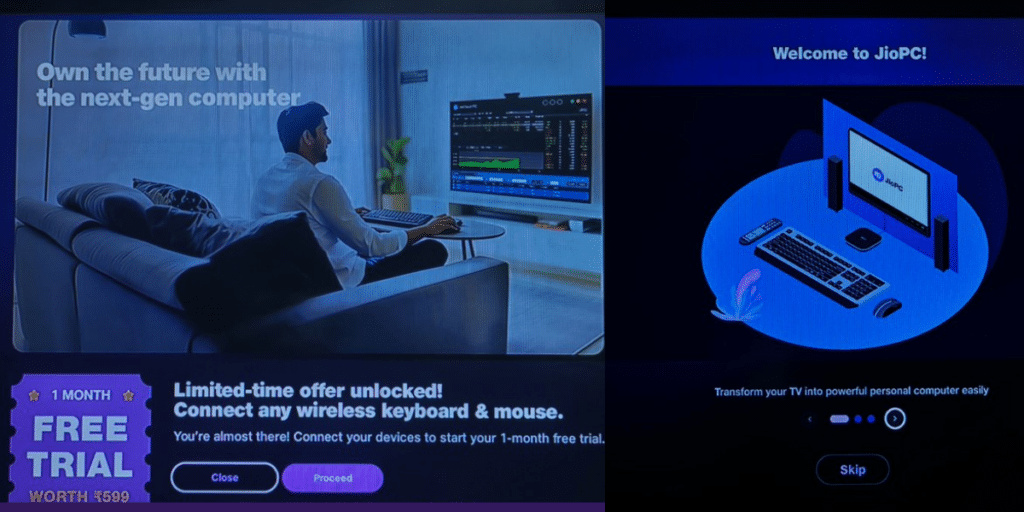
The JioPC service works through the Jio set-top box. This is the same box many people use for Jio’s home internet service.
You simply connect a keyboard and a mouse to the set-top box. Your TV screen will then show a computer desktop. The service is cloud-based, meaning the “computer” runs on Jio’s powerful servers, not in the box itself. Currently, Jio offers this service as a free trial, and you can sign up on a waitlist to get access.
A Big Opportunity For India
Jio sees a huge market for this service. In India, most homes have a TV, but very few have a PC. The JioPC Virtual Desktop can bridge this gap, especially in small towns and rural areas.
However, Jio faces some challenges. It needs to explain the concept to new users clearly. The service also depends on good internet connectivity and users having basic digital skills to get the most out of it.
What You Can And Cannot Do After JioPC Launch
The virtual PC comes with some useful tools. It has LibreOffice pre-installed for writing documents and creating spreadsheets. You can also use Microsoft Office apps through the web browser.
However, there are some limits. Right now, you cannot connect external devices like printers or webcams to the JioPC. Its main goal is to provide basic productivity and web browsing on a big screen.
Are you still browsing through your broken screen? Don’t worry! Book at-home mobile phone screen repair with Cashify—an affordable and one-stop destination for all your mobile phone needs. In case you break your screen within 1 month of repair, we will replace your screen again—for FREE.