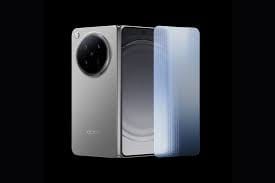
Motorola ramps up its software game in 2026 by expanding the Android 16 beta program to eight additional devices. The company adds popular foldables, Edge series phones, a budget Moto G model, and the business-focused ThinkPhone 25. This move lets more users test Google’s latest OS ahead of the stable rollout. Tech fans with eligible Motorola phones in supported regions can now apply for early access through the official Motorola Feedback Network (MFN). Motorola announces the expansion via its community forum, giving owners a chance to experience new features and provide feedback.
So, here are the eight devices now open for the Android 16 beta program (availability varies by region):
- Motorola Razr 40 (India, Brazil, LATAM)
- Motorola Razr 40 Ultra (US, India, Brazil, LATAM)
- Motorola Razr 2023 (US)
- Motorola Razr Plus 2023 (US)
- Motorola Edge 60 Neo (EMEA, Brazil, LATAM)
- Motorola Edge 50 Neo (EMEA, India, Brazil, LATAM)
- Motorola Moto G85 5G (India, Brazil)
- Motorola ThinkPhone 25 (EMEA)
These join earlier beta participants, showing Motorola’s commitment to faster updates.
Key New Features In Android 16 Beta For Motorola Devices
The Android 16 beta brings useful tweaks rather than major redesigns. Users enjoy smoother performance, better app compatibility, and enhanced security against new threats. Standout additions include:
Also Read: Android 16 QPR2 Beta Release: Features, Supported Devices & How To Install!
- Notification Cooldown: Automatically lowers volume and minimizes alerts when one app sends too many notifications quickly, reducing interruptions.
- Modes in Settings: Access Do Not Disturb, Bedtime, and Driving modes easily; create custom modes for specific needs like work or focus time.
- Easy Hotspot Connection: Connect to another device’s hotspot without a password if both phones use the same Google account.
- Improved Hearing Aid Support: Choose between the hearing aid’s mic or phone’s mic during calls; adjust ambient sound volume for clearer conversations.
The beta update file often exceeds 1GB, so ensure your device has enough storage and at least 30% battery before installing.
How To Join The Beta Program
Owners of eligible devices in supported regions can sign up easily:
- Create an account on Motorola’s community website.
- Update your profile with your phone’s IMEI or serial number.
- Opt in for MFN (Motorola Feedback Network).
- Keep your phone on the latest stable software.
- Visit the MFN Beta Testing Opportunities page and apply for your device.
- Submit the form and check your email (including spam) for approval.
If approved, Motorola pushes the beta OTA update. Check Settings > System updates regularly. Remember, beta versions may have bugs, so back up data first.
Motorola continues to lead with timely Android updates. Stay tuned to the community forum for more on the Android 16 beta rollout and future stable releases.
Are you still browsing through your broken screen? Don’t worry! Book at-home mobile phone screen repair with Cashify—an affordable and one-stop destination for all your mobile phone needs. In case you break your screen within 1 month of repair, we will replace your screen again—for FREE.