Ever heard of a phone’s accessibility controlled by your facial expressions? A similar thing is now coming in Android 12’s latest accessibility suite. The suite also has a bunch of awesome tools that can help disabled people use their devices with ease. Google is adding a new accessibility feature that will let to control your smartphone using facial expressions. Moreover, it lets you control your phone without touching it, with facial expressions.
Also Read: Best Raksha Bandhan Gifts for Sister this Rakhi
The latest update to the Android Accessibility Suite adds a new way for users to control their devices: “Camera Switches”. As per details published by XDA Developers, the Camera Switch feature comes in the fourth Android 12 beta release. As of now, the Camera Switch feature is yet to be added by Google in the current version of the Accessibility Suite app which is available on the Play Store. Let’s check out ahead as in what you can do with the new Camera Switch feature:
Also Read: Here’s How To Download Android 12 Public Beta on Your Devices
How to use Camera Switches in Android 12?
As per XDA Developers, Switch Access contains tools that let you interact with your Android device without using the touchscreen. With the facial expressions, you can have a number of controls that let you scroll, go back, view quick settings or notifications. Once you activate it, a persistent notification icon tells you that your camera is actively being used. Moreover, the Android 12 notification bar also has a status bar indicator showing the same.
Also Read: Samsung Display Shows Off Future of Foldable Devices
Various facial expressions can trigger actions on your Android phone. For instance, you can open your mouth to bring up the notifications panel or raise your eyebrows to return to the home screen. Moreover, the image below shows a list of all the facial gestures you can customize to carry out different actions.
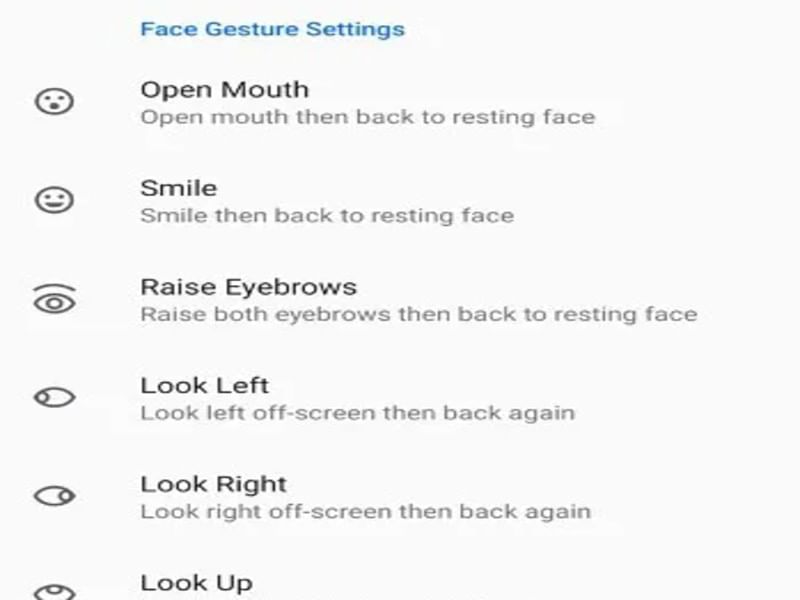
Camera Switches currently supports setting a handful of gestures to a handful of controls. Although it’s possible the list may grow in the future in Android 12. Right now it is not available on the platform but as APK you can try it. Alternatively, you can wait for the official release and then try it out.